
• bitcoinBitcoin(BTC)$82,521.001.00%
  • ethereumEthereum(ETH)$2,420.430.33%
  • tetherTether(USDT)$1.000.03%
  • binancecoinBNB(BNB)$726.670.97%
  • rippleXRP(XRP)$1.311.01%
  • usd-coinUSDC(USDC)$1.000.02%
  • solanaSolana(SOL)$105.241.51%
  • tronTRON(TRX)$0.331045-0.66%
  • Figure HelocFigure Heloc(FIGR_HELOC)$1.080.73%
  • zcashZcash(ZEC)$1,158.511.93%
  • HyperliquidHyperliquid(HYPE)$79.610.86%
  • dogecoinDogecoin(DOGE)$0.0793160.02%
  • moneroMonero(XMR)$592.47-0.56%
  • USDSUSDS(USDS)$1.000.01%
  • whitebitWhiteBIT Coin(WBT)$80.610.82%
  • chainlinkChainlink(LINK)$12.090.88%
  • leo-tokenLEO Token(LEO)$9.03-0.13%
  • cardanoCardano(ADA)$0.219950-0.02%
  • RainRain(RAIN)$0.0093310.63%
  • nearNEAR Protocol(NEAR)$5.041.59%
  • stellarStellar(XLM)$0.1782860.20%
  • bitcoin-cashBitcoin Cash(BCH)$276.990.20%
  • Ethena USDeEthena USDe(USDE)$1.000.04%
  • litecoinLitecoin(LTC)$59.300.80%
  • uniswapUniswap(UNI)$7.341.57%
  • daiDai(DAI)$1.000.03%
  • avalanche-2Avalanche(AVAX)$9.73-0.40%
  • suiSui(SUI)$1.002.11%
  • CantonCanton(CC)$0.102372-0.01%
  • USD1USD1(USD1)$1.000.02%
  • the-open-networkGram (prev. Toncoin)(GRAM)$1.35-0.16%
  • hedera-hashgraphHedera(HBAR)$0.084040-2.03%
  • BitwayBitway(BTW)$2.28-6.30%
  • tether-goldTether Gold(XAUT)$4,170.130.39%
  • Global DollarGlobal Dollar(USDG)$1.000.01%
  • BittensorBittensor(TAO)$272.471.39%
  • shiba-inuShiba Inu(SHIB)$0.0000050.66%
  • crypto-com-chainCronos(CRO)$0.056617-0.08%
  • paypal-usdPayPal USD(PYUSD)$1.000.01%
  • quant-networkQuant(QNT)$194.49-0.08%
  • EthenaEthena(ENA)$0.1890050.34%
  • Ripple USDRipple USD(RLUSD)$1.000.02%
  • okbOKB(OKB)$113.79-1.46%
  • Circle USYCCircle USYC(USYC)$1.140.00%
  • Ondo US Dollar YieldOndo US Dollar Yield(USDY)$1.15-0.11%
  • aaveAave(AAVE)$151.78-0.49%
  • BlackRock USD Institutional Digital Liquidity FundBlackRock USD Institutional Digital Liquidity Fund(BUIDL)$1.000.00%
  • OndoOndo(ONDO)$0.432527-1.55%
  • Pump.funPump.fun(PUMP)$0.0044373.24%
  • polkadotPolkadot(DOT)$1.121.40%
TradePoint.io
  • Main
  • AI & Technology
  • Stock Charts
  • Market & News
  • Business
  • Finance Tips
  • Trade Tube
  • Blog
  • Shop
No Result
View All Result
TradePoint.io
No Result
View All Result

What Does The Orange Dot On Your Samsung Galaxy Watch Mean?

October 19, 2026
in AI & Technology
Reading Time: 4 mins read
A A
What Does The Orange Dot On Your Samsung Galaxy Watch Mean?
ShareShareShareShareShare


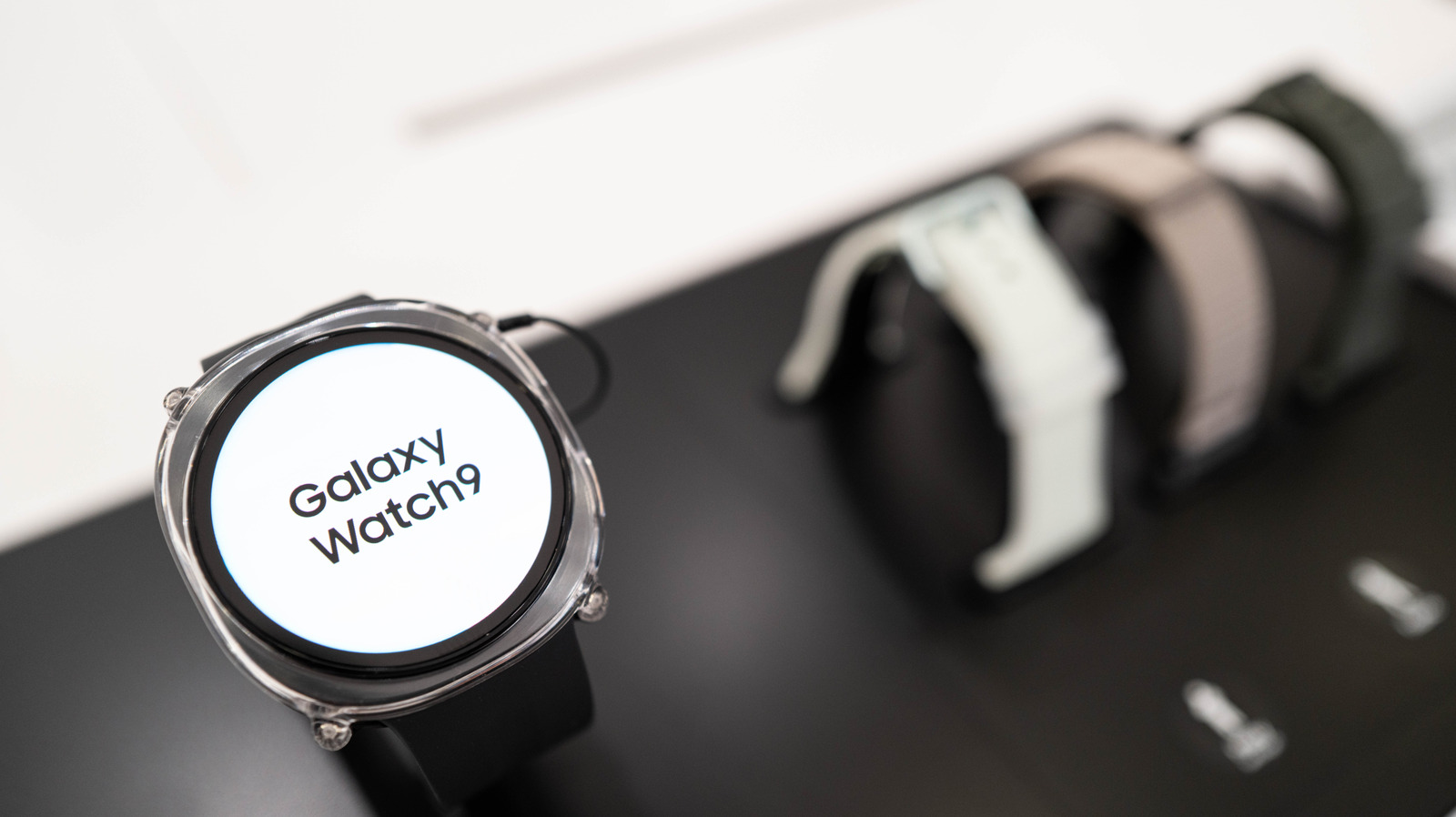
Wongsakorn 2468/Shutterstock

Whether you’re getting into digital watches for the first time, or transitioning to Galaxy watches from another brand (such as from the Apple Watch Ultra 4 to the Galaxy Watch Ultra 2), Samsung’s wrist-worn tech has its fair share of unique attributes. One such feature is the little orange dot that appears to the far left of your watch screen. While it might be a strange quirk if you’re not used to it, it’s pretty simple to explain.

Throughout the history of the Galaxy Watch, one little orange dot has been a constant. In fact, the dot is present on the latest watch models (including both the Galaxy Watch 8 and the Galaxy Watch 9, as well as the Ultra 2). This little dot is a minimalist way for the Galaxy Watch to display some important information.

YOU MAY ALSO LIKE

What Do All The Lights On Your Netgear Router Mean, And Which Ones Actually Matter?

Why You Should Never Point A Laser Pointer At A Security Camera

The meaning of the Samsung Galaxy Watch’s orange dot
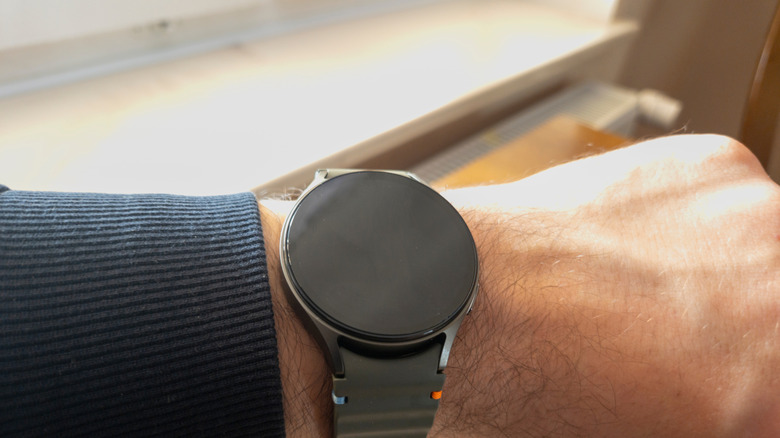

Galaxy Watch 7 worn on a wrist.
daily_creativity/Shutterstock

The orange dot on Galaxy Watches is a notification indicator — specifically for unread notifications. This dot will remain on your watch’s face until you’ve read all of those outstanding notifications, at which point it will then scurry off. If the dot on your screen is red instead of orange, that means you have an urgent message that you ought to check as soon as possible.

An orange dot is nonetheless common and harmless, but it can be toggled off if it doesn’t suit your fancy. Simply head to Settings > Notifications > Advanced Settings and toggle off New notification indicator on watch face. You can also turn the indicator off via a Samsung phone linked to your watch, where you’ll simply need to go to the Wearable app and head Watch Settings > Notifications > Advanced notification settings and toggle off New notification indicator on watch face.

Other symbols on the Galaxy Watch
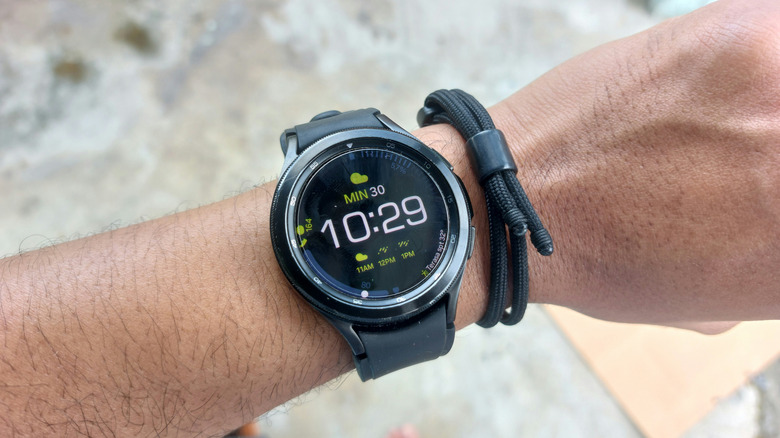

Samsung Galaxy Watch 4 worn on a wrist.
Ahmad wakhid arf/Shutterstock

This dot isn’t the only symbol of its kind on Galaxy Watches; like with all the best smartwatches, saving space on such a small screen is key to making a solid wearable. While an orange or red dot can be found on the far left of your watch face, other symbols can appear at the top and bottom of the watch. At the top, you might see a phone icon with a slash through it (meaning your watch has lost its Bluetooth connection with your phone), a rectangle with a cloud in the middle (indicating that your watch is connected to your phone with mobile data or Wi-Fi instead of Bluetooth), or a padlock (which means the watch is locked and you’ll need your password or PIN to open it). 

At the bottom, a blue music note may appear, which tells you whether any app is playing music, as well as if that music is paused — and you can tap the icon to control that audio. Alternatively, a green phone icon could show up in that same spot. This appears when the watch or a connected phone is being used for a call.

Credit: Source link

ShareTweetSendSharePin

Related Posts

What Do All The Lights On Your Netgear Router Mean, And Which Ones Actually Matter?
AI & Technology

What Do All The Lights On Your Netgear Router Mean, And Which Ones Actually Matter?

October 19, 2026
Why You Should Never Point A Laser Pointer At A Security Camera
AI & Technology

Why You Should Never Point A Laser Pointer At A Security Camera

October 18, 2026
After Five Years, Inscryption Is Finally Coming To Mobile
AI & Technology

After Five Years, Inscryption Is Finally Coming To Mobile

October 18, 2026
What Is The Star Button For On Your Roku Remote?
AI & Technology

What Is The Star Button For On Your Roku Remote?

October 18, 2026
Next Post
What Do All The Lights On Your Netgear Router Mean, And Which Ones Actually Matter?

What Do All The Lights On Your Netgear Router Mean, And Which Ones Actually Matter?

Leave a Reply Cancel reply

Your email address will not be published. Required fields are marked *

Search

No Result
View All Result
NASA finds moon crater bigger than the Colosseum

NASA finds moon crater bigger than the Colosseum

October 13, 2026
Odd Lots: How OpenAI’s Rogue Model Hacked Hugging Face

Odd Lots: How OpenAI’s Rogue Model Hacked Hugging Face

October 16, 2026
Why Your Wi-Fi Speeds Can Drop In The Evening, And What To Do About It

Why Your Wi-Fi Speeds Can Drop In The Evening, And What To Do About It

October 17, 2026

About

Learn more

Our Services

Legal

Privacy Policy

Terms of Use

Bloggers

Learn more

Article Links

Contact

Advertise

Ask us anything

©2020- TradePoint.io - All rights reserved!

Tradepoint.io, being just a publishing and technology platform, is not a registered broker-dealer or investment adviser. So we do not provide investment advice. Rather, brokerage services are provided to clients of Tradepoint.io by independent SEC-registered broker-dealers and members of FINRA/SIPC. Every form of investing carries some risk and past performance is not a guarantee of future results. “Tradepoint.io“, “Instant Investing” and “My Trading Tools” are registered trademarks of Apperbuild, LLC.

This website is operated by Apperbuild, LLC. We have no link to any brokerage firm and we do not provide investment advice. Every information and resource we provide is solely for the education of our readers. © 2020 Apperbuild, LLC. All rights reserved.

No Result
View All Result
  • Main
  • AI & Technology
  • Stock Charts
  • Market & News
  • Business
  • Finance Tips
  • Trade Tube
  • Blog
  • Shop

© 2023 - TradePoint.io - All Rights Reserved!