
• bitcoinBitcoin(BTC)$63,129.00-0.20%
  • ethereumEthereum(ETH)$1,891.48-0.20%
  • tetherTether(USDT)$1.000.00%
  • binancecoinBNB(BNB)$603.54-0.90%
  • usd-coinUSDC(USDC)$1.000.00%
  • rippleXRP(XRP)$1.00-0.90%
  • solanaSolana(SOL)$75.15-0.90%
  • tronTRON(TRX)$0.3321880.00%
  • Figure HelocFigure Heloc(FIGR_HELOC)$1.00-0.50%
  • HyperliquidHyperliquid(HYPE)$58.360.80%
  • dogecoinDogecoin(DOGE)$0.0700530.30%
  • USDSUSDS(USDS)$1.000.00%
  • RainRain(RAIN)$0.0129982.50%
  • leo-tokenLEO Token(LEO)$9.474.20%
  • zcashZcash(ZEC)$491.35-0.30%
  • moneroMonero(XMR)$412.37-0.20%
  • chainlinkChainlink(LINK)$9.51-0.70%
  • cardanoCardano(ADA)$0.176055-0.30%
  • whitebitWhiteBIT Coin(WBT)$54.71-0.30%
  • stellarStellar(XLM)$0.156678-1.00%
  • daiDai(DAI)$1.000.00%
  • bitcoin-cashBitcoin Cash(BCH)$204.690.20%
  • USD1USD1(USD1)$1.000.00%
  • Ethena USDeEthena USDe(USDE)$1.000.00%
  • CantonCanton(CC)$0.095736-4.20%
  • the-open-networkGram (prev. Toncoin)(GRAM)$1.33-1.10%
  • Global DollarGlobal Dollar(USDG)$1.000.00%
  • litecoinLitecoin(LTC)$44.290.10%
  • Circle USYCCircle USYC(USYC)$1.130.00%
  • hedera-hashgraphHedera(HBAR)$0.064892-1.10%
  • paypal-usdPayPal USD(PYUSD)$1.000.00%
  • BlackRock USD Institutional Digital Liquidity FundBlackRock USD Institutional Digital Liquidity Fund(BUIDL)$1.000.00%
  • suiSui(SUI)$0.67-0.90%
  • avalanche-2Avalanche(AVAX)$6.351.00%
  • tether-goldTether Gold(XAUT)$4,373.370.40%
  • shiba-inuShiba Inu(SHIB)$0.000004-1.90%
  • crypto-com-chainCronos(CRO)$0.047382-0.80%
  • okbOKB(OKB)$103.57-1.20%
  • Ondo US Dollar YieldOndo US Dollar Yield(USDY)$1.140.20%
  • nearNEAR Protocol(NEAR)$1.61-0.80%
  • uniswapUniswap(UNI)$3.291.00%
  • pax-goldPAX Gold(PAXG)$4,391.990.40%
  • World Liberty FinancialWorld Liberty Financial(WLFI)$0.0594884.90%
  • BittensorBittensor(TAO)$196.31-0.40%
  • Ripple USDRipple USD(RLUSD)$1.000.00%
  • OndoOndo(ONDO)$0.3336802.40%
  • AsterAster(ASTER)$0.60-0.20%
  • HTX DAOHTX DAO(HTX)$0.000002-0.20%
  • usddUSDD(USDD)$1.000.00%
  • MemeCoreMemeCore(M)$1.142.90%
TradePoint.io
  • Main
  • AI & Technology
  • Stock Charts
  • Market & News
  • Business
  • Finance Tips
  • Trade Tube
  • Blog
  • Shop
No Result
View All Result
TradePoint.io
No Result
View All Result

Turn On These Settings To Protect Your Android Phone From Theft

August 16, 2026
in AI & Technology
Reading Time: 4 mins read
A A
Turn On These Settings To Protect Your Android Phone From Theft
ShareShareShareShareShare

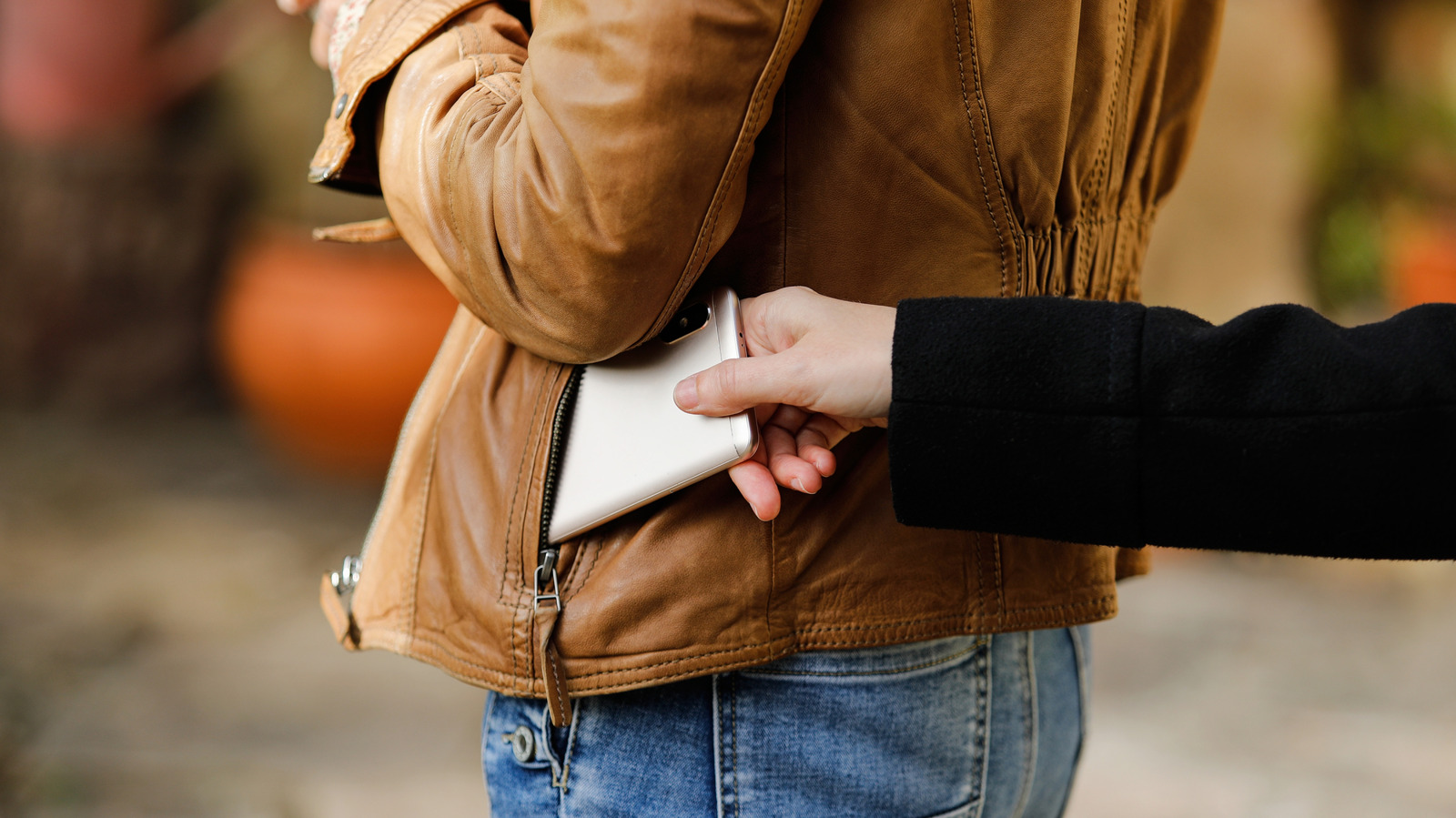
Google has added some smart theft-detection features to Android in recent years.

Alejandro J. Vivas/Shutterstock

For years, Android anti-theft protection was more reactionary than proactive. Users are all too familiar with traditional warnings and protocols, like shielding your phone when entering your PIN, utilizing location services and avoiding easily guessed passwords. Fortunately, anti-theft tools are finally getting better at preventing theft with the help of AI and Google’s built-in Theft Protection suite. 

YOU MAY ALSO LIKE

Anthropic Outage Disrupts Claude Services, Fix Deployed After Login Failures – Unite.AI

Cutting RAG inference costs 6x starts with deciding what never reaches the LLM

If your phone is snatched out of your hand, for instance, new motion-sensing theft detection will quickly lock it down. If a thief kills your connection by pulling your SIM card or switching to Airplane Mode, the Offline Device Lock feature triggers a countdown, locking the screen in short order. These are nifty new features that avoid annoying false positives with usage limitations and active use checks.

Even better, you don’t have to dig deep into your device settings to find and activate theft protection measures. As long as your device is running Android 10 or newer, the feature is bundled into Google Play Services. Keep in mind that some entry-level or budget smartphones running Android Go Edition with low RAM, Android tablets and devices lacking the full range of Google Play Services may not have some or all of Google’s security suite features.

How to Enable Anti-Theft Features On Android?

The primary settings to look for are under Google’s Theft Protection menu. Settings menus aren’t universal with Android phones, so there may be a degree of variation between devices. For Samsung users, the order is typically Settings → Security and Privacy → Lost Device Protection → Theft Protection.

Google Pixel phones are similar, but slightly different: Settings → Security & Privacy → Device Unlock → Theft Protection. The most prominent feature is Theft Detection Lock, and it’s best to start there. This uses motion and sudden disconnection indicators (like your phone being snatched and moved quickly) to lock down your phone screen automatically. After you turn it on and confirm, your device will now respond to aggressive or sudden movement.

Next, enable Offline Device Lock so your screen stays protected if a thief disables your mobile data or Wi-Fi by switching Airplane Mode on. The lock will kick in shortly after disconnect and doesn’t require a local connection to do so. Last but not least, set up Remote Lock. This lets you lock your phone from anywhere by visiting android.com/lock, entering your phone number and following the prompts. Google’s Find Hub app is no longer your sole fallback option, and Remote Lock works even if the thief moves the phone to another network.

How Can You Prevent Thieves from Turning Off Your Device?

Misplaced smartphone left behind in the refrigerator. photoschmidt/Shutterstock

You’ll never fully take advantage of the Theft Protection features if you don’t use a PIN, biometrics and a more complicated password than your first name. Besides, Google explicitly requires a screen lock for Identity Check and other device-protection tools, so you may as well set it up properly. On Pixels and newer Android phones, Identity Check can periodically re-verify using your biometrics or PIN, especially when you’re off your regular beaten path and away from work or home.

Enable Theft Detection Lock and Offline Device Lock so your phone auto-locks and remains that way, even if the thief yanks it offline. If they try to power it down or keep it in Airplane Mode, your data remains secure behind the screen lock, completely shielded. On Samsung Galaxy phones, there is a dedicated Theft Protection page that ties into Samsung’s own lost-device tools as well.

Make sure Remote Lock is enabled and your phone number is verified, so you can lock your phone down from any browser the moment you realize your phone is gone and you didn’t leave it on top of the car or inside the refrigerator. Hey, it happens.

Credit: Source link

ShareTweetSendSharePin

Related Posts

Anthropic Outage Disrupts Claude Services, Fix Deployed After Login Failures – Unite.AI
AI & Technology

Anthropic Outage Disrupts Claude Services, Fix Deployed After Login Failures – Unite.AI

August 16, 2026
Cutting RAG inference costs 6x starts with deciding what never reaches the LLM
AI & Technology

Cutting RAG inference costs 6x starts with deciding what never reaches the LLM

August 16, 2026
Here’s Why Retro Games Look Better On Old CRT TVs
AI & Technology

Here’s Why Retro Games Look Better On Old CRT TVs

August 16, 2026
What Features Set Them Apart
AI & Technology

What Features Set Them Apart

August 16, 2026
Next Post
Trump orders Pentagon to scale back joint exercises with South Korea – AP News

Trump orders Pentagon to scale back joint exercises with South Korea - AP News

Leave a Reply Cancel reply

Your email address will not be published. Required fields are marked *

Search

No Result
View All Result
Cisco Books B in Quarterly AI Orders as Networking Supercycle Lifts FY2027 Outlook – Unite.AI

Cisco Books $4B in Quarterly AI Orders as Networking Supercycle Lifts FY2027 Outlook – Unite.AI

August 12, 2026
Dyna Robotics Trains DYNA-2 on a Million Hours of Human Video, No Robot Data – Unite.AI

Dyna Robotics Trains DYNA-2 on a Million Hours of Human Video, No Robot Data – Unite.AI

August 10, 2026
Live updates: At least 111 dead following 7.4 magnitude earthquake in Colombia – CNN

Live updates: At least 111 dead following 7.4 magnitude earthquake in Colombia – CNN

August 10, 2026

About

Learn more

Our Services

Legal

Privacy Policy

Terms of Use

Bloggers

Learn more

Article Links

Contact

Advertise

Ask us anything

©2020- TradePoint.io - All rights reserved!

Tradepoint.io, being just a publishing and technology platform, is not a registered broker-dealer or investment adviser. So we do not provide investment advice. Rather, brokerage services are provided to clients of Tradepoint.io by independent SEC-registered broker-dealers and members of FINRA/SIPC. Every form of investing carries some risk and past performance is not a guarantee of future results. “Tradepoint.io“, “Instant Investing” and “My Trading Tools” are registered trademarks of Apperbuild, LLC.

This website is operated by Apperbuild, LLC. We have no link to any brokerage firm and we do not provide investment advice. Every information and resource we provide is solely for the education of our readers. © 2020 Apperbuild, LLC. All rights reserved.

No Result
View All Result
  • Main
  • AI & Technology
  • Stock Charts
  • Market & News
  • Business
  • Finance Tips
  • Trade Tube
  • Blog
  • Shop

© 2023 - TradePoint.io - All Rights Reserved!