






• bitcoinBitcoin(BTC)$78,061.00-1.12%
  • ethereumEthereum(ETH)$2,447.01-1.31%
  • tetherTether(USDT)$1.00-0.02%
  • binancecoinBNB(BNB)$686.74-1.76%
  • rippleXRP(XRP)$1.37-2.94%
  • usd-coinUSDC(USDC)$1.000.00%
  • solanaSolana(SOL)$102.60-4.15%
  • tronTRON(TRX)$0.332728-2.28%
  • Figure HelocFigure Heloc(FIGR_HELOC)$1.050.00%
  • HyperliquidHyperliquid(HYPE)$81.07-3.34%
  • zcashZcash(ZEC)$827.58-3.34%
  • dogecoinDogecoin(DOGE)$0.082438-3.80%
  • RainRain(RAIN)$0.017040-2.51%
  • USDSUSDS(USDS)$1.00-0.02%
  • moneroMonero(XMR)$505.64-2.08%
  • leo-tokenLEO Token(LEO)$9.640.63%
  • whitebitWhiteBIT Coin(WBT)$71.96-1.21%
  • chainlinkChainlink(LINK)$11.21-2.94%
  • cardanoCardano(ADA)$0.194744-5.19%
  • stellarStellar(XLM)$0.175177-3.20%
  • bitcoin-cashBitcoin Cash(BCH)$245.12-2.71%
  • CantonCanton(CC)$0.116947-1.25%
  • daiDai(DAI)$1.000.01%
  • USD1USD1(USD1)$1.000.00%
  • Ethena USDeEthena USDe(USDE)$1.00-0.03%
  • litecoinLitecoin(LTC)$48.25-3.08%
  • the-open-networkGram (prev. Toncoin)(GRAM)$1.33-2.73%
  • Global DollarGlobal Dollar(USDG)$1.00-0.04%
  • hedera-hashgraphHedera(HBAR)$0.073647-2.33%
  • uniswapUniswap(UNI)$5.14-0.63%
  • avalanche-2Avalanche(AVAX)$7.17-3.40%
  • shiba-inuShiba Inu(SHIB)$0.000005-2.68%
  • suiSui(SUI)$0.72-4.29%
  • BlackRock USD Institutional Digital Liquidity FundBlackRock USD Institutional Digital Liquidity Fund(BUIDL)$1.000.00%
  • paypal-usdPayPal USD(PYUSD)$1.000.00%
  • Circle USYCCircle USYC(USYC)$1.140.01%
  • tether-goldTether Gold(XAUT)$4,414.67-0.97%
  • crypto-com-chainCronos(CRO)$0.055262-7.44%
  • MemeCoreMemeCore(M)$1.08-0.55%
  • nearNEAR Protocol(NEAR)$1.85-1.72%
  • Ripple USDRipple USD(RLUSD)$1.00-0.01%
  • okbOKB(OKB)$111.38-2.33%
  • Ondo US Dollar YieldOndo US Dollar Yield(USDY)$1.140.09%
  • BittensorBittensor(TAO)$226.57-4.80%
  • pax-goldPAX Gold(PAXG)$4,423.29-1.07%
  • aaveAave(AAVE)$123.23-2.37%
  • mantleMantle(MNT)$0.577.33%
  • AsterAster(ASTER)$0.69-1.94%
  • World Liberty FinancialWorld Liberty Financial(WLFI)$0.057562-1.24%
  • MorphoMorpho(MORPHO)$2.604.18%
TradePoint.io
  • Main
  • AI & Technology
  • Stock Charts
  • Market & News
  • Business
  • Finance Tips
  • Trade Tube
  • Blog
  • Shop
No Result
View All Result
TradePoint.io
No Result
View All Result

The Upside Of A Laptop Having Two Charging Ports (And Why Some Don’t)

August 31, 2026
in AI & Technology
Reading Time: 5 mins read
A A
The Upside Of A Laptop Having Two Charging Ports (And Why Some Don’t)
ShareShareShareShareShare

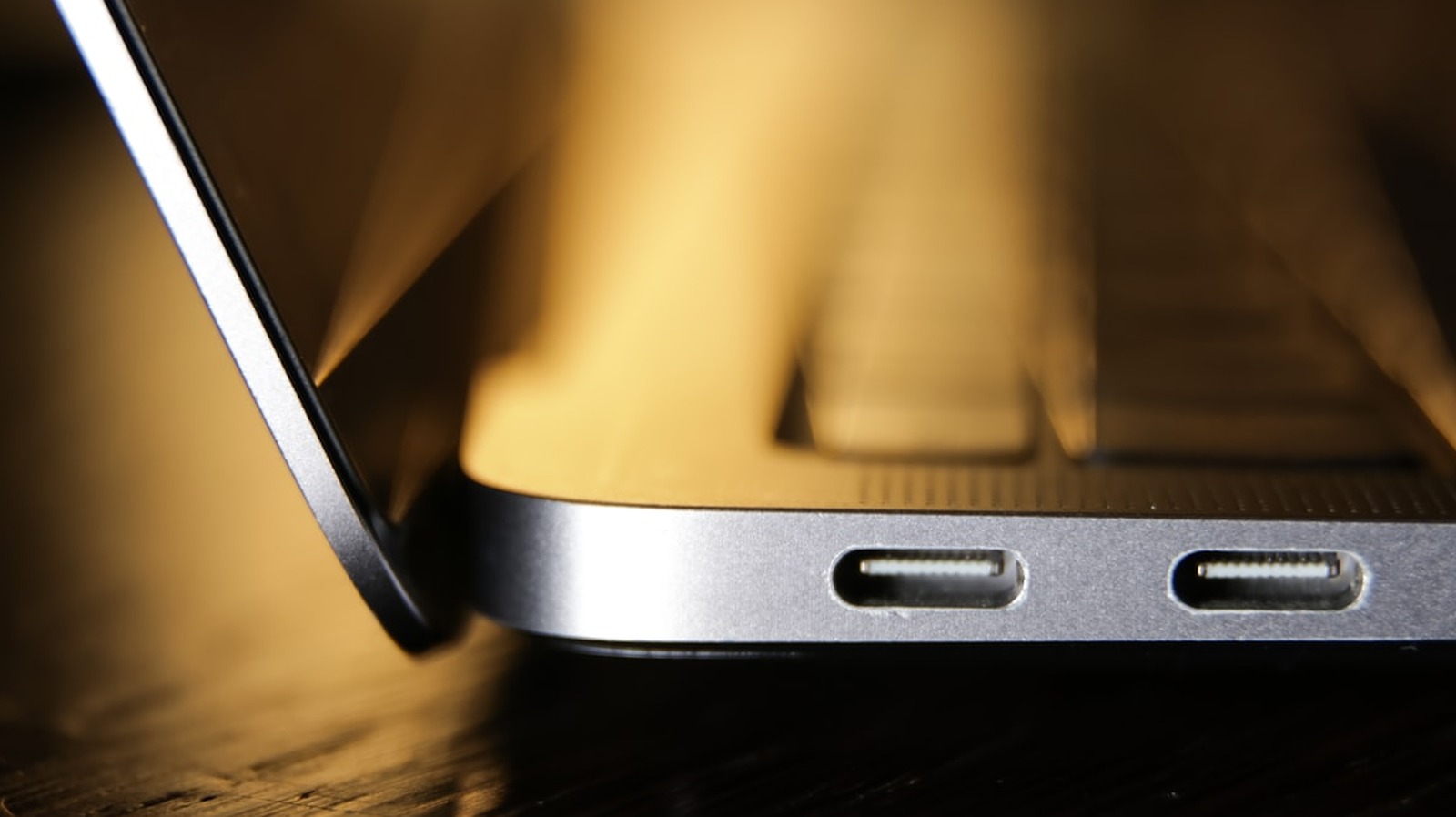
Multiple USB-C ports are more useful than you might think.

Unsplash: dlxmedia.hu

When looking for a new laptop, you’re generally focused on what processor it has, how much RAM there is under the hood and whether there’s enough storage space to justify the price. Rarely does one check how many USB-C ports the computer actually has and what those ports can do. It doesn’t sound like a major thing to look into, but when you’re stuck choosing between charging your laptop and connecting a monitor that requires the same port, the situation changes quite a bit.

YOU MAY ALSO LIKE

Instagram Renames AI Creator Label and Restricts Unlabeled AI-Generated Profiles – Unite.AI

The Technology Investments That Matter Most in an Uncertain Market – Unite.AI

Dual USB-C charging ports solve that problem in ways that go beyond basic convenience. They let you charge your laptop and use peripherals at the same time, which is something multi-monitor users look for. The reason most laptops skip the second port comes down to cost. Extra Power Delivery controllers, circuit board space and engineering complexity add up to an expense most brands aren’t willing to absorb.

Why I wish my laptop had two USB-C ports

My main gripe with the fact that my laptop only comes with one USB-C port is that I have to take the hard route to connect my portable monitor. First-world problems, right?

I frequently work out of coffee shops and fast food joints, so I tend to carry a portable monitor with me to make it easier to actually get work done while still tending to my family’s needs. There are two ways to connect this monitor to my laptop — via USB-C and via HDMI. The easiest, obviously, is via USB-C, but the problem is that my laptop is a few years old at this point, and battery life is a nightmare, so it needs to stay plugged in quite a bit. Therefore, I have to carry two extra cables with me. The HDMI to mini-HDMI handles the video bit, while the USB-A to USB-C handles the monitor’s need for power. It’s either this or remembering to pack the hub in my backpack.

Is it the end of the world? Absolutely not. Is it an inconvenience that has made me mumble about the laptop’s lacking collection of ports? Absolutely yes.

Why two USB-C ports make a real difference
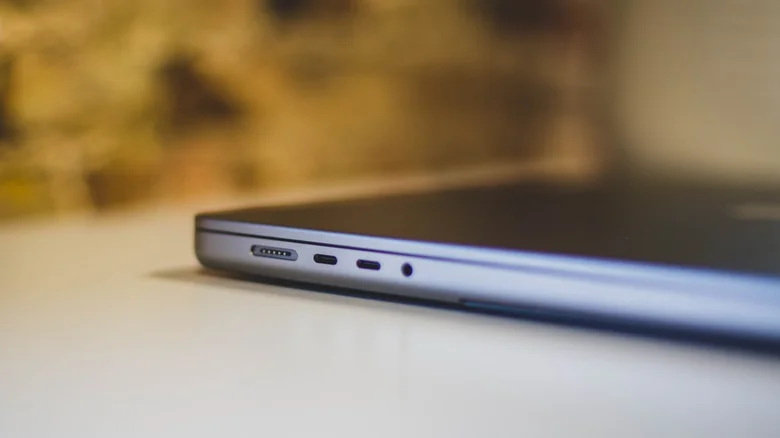
MacBook Pro with two USB-C ports. Unsplash: Bram Van Oost

That second port frees up space for various peripherals that simply work better with a USB-C, like my portable monitor, an external drive or a docking station. If your laptop’s battery is just as junk as mine is, then handling everything with a single USB-C port can be annoying. Plus, what happens if that port eventually fails and you’re no longer able to charge your device? Then what?

Even for those who don’t need multiple peripherals connected at once, the most immediate benefit is placement flexibility. With ports on both sides of the laptop, you can connect the charger from whichever side is closest to the outlet, avoiding awkward cable placement. If they’re next to each other, they just open up your laptop’s versatility when it comes to accessories.

Laptops that commonly include two USB-C charging ports

The good news is that a lot of mid-range, premium and professional laptops now ship with at least two USB-C ports, many supporting Thunderbolt 4, 5 or USB4.

Apple has made dual-port configuration standard across its MacBook lineup. The MacBook Air M2 and M3 come with two Thunderbolt ports on the left side, while the MacBook Pro with the Pro and Max chips have three of them. Dell’s XPS line is another great example, with the XPS 13 featuring two Thunderbolt 4 ports, while the XPS 14 and 16 push that number to three.

Lenovo’s ThinkPad X1 Carbon and the X1 Nano also feature two Thunderbolt 4 ports, while the Yoga 9i has three. The Asus Zenbook 14 and Zenbook Duo offer dual Thunderbolt 4 / USB-C ports as well, while the gaming-ready ROG Zephyrus G14 and G16 also come with two USB-C ports. There are plenty to choose from.

What to do if your laptop only has one USB-C port
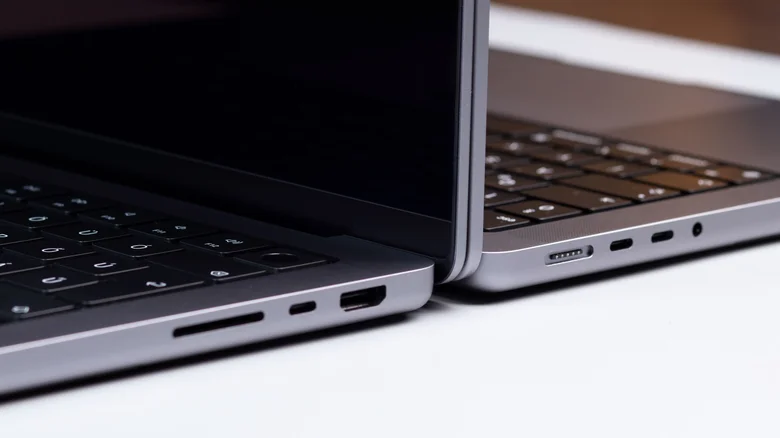
Laptop with one USB-C port next to another with two USB-C ports. Pexels: dlxmedia.hu

Let’s be clear here — not all USB-C ports also support video. USB-C is a connector shape, not a feature set, so just because the port looks identical doesn’t mean it does the same thing. To ensure the port on your device can output video, it needs to support DisplayPort Alt Mode or be a Thunderbolt/USB4 port. Either way, the most practical fix you can make if your laptop only comes with one such port is to invest a little money in a USB-C hub. Multi-port USB-C hubs are compact and portable and take over your single USB-C port. They come with their own USB-C port with pass-through charging, so you can still keep your laptop at 100 percent battery while throwing in some extra USB-A ports for peripherals and even SD card readers.

Thunderbolt 4 and USB4 desktop docks are stationary units that connect via a single cable and require power from an outlet. They support high-speed data, multiple display setups, Ethernet, audio and laptop charging.

Before buying either a hub or a dock, make sure it supports Power Delivery pass-through at your laptop’s required wattage and has enough ports to cover whatever your laptop is missing.

Two USB-C charging ports aren’t a premium luxury; they’re a practical feature that dictates how you can use your laptop every day. If you’re shopping for a new laptop, make sure to check port configuration before you commit — it’s one of the easier specs to overlook and one that’s easy to regret quickly.

Credit: Source link

ShareTweetSendSharePin

Related Posts

Instagram Renames AI Creator Label and Restricts Unlabeled AI-Generated Profiles – Unite.AI
AI & Technology

Instagram Renames AI Creator Label and Restricts Unlabeled AI-Generated Profiles – Unite.AI

August 31, 2026
The Technology Investments That Matter Most in an Uncertain Market – Unite.AI
AI & Technology

The Technology Investments That Matter Most in an Uncertain Market – Unite.AI

August 31, 2026
DiDi Starts Driverless Trials With R2 Robotaxi in Beijing and Guangzhou – Unite.AI
AI & Technology

DiDi Starts Driverless Trials With R2 Robotaxi in Beijing and Guangzhou – Unite.AI

August 31, 2026
OpenClaw Releases OpenClaw 2.0: Guided Model Setup, 575 ms Control UI Startup, and One Trust Boundary Per Gateway
AI & Technology

OpenClaw Releases OpenClaw 2.0: Guided Model Setup, 575 ms Control UI Startup, and One Trust Boundary Per Gateway

August 31, 2026
Next Post
SDVY: Small/Mid-Cap Rising Dividend Achievers ETF Is A High-Quality Choice

SDVY: Small/Mid-Cap Rising Dividend Achievers ETF Is A High-Quality Choice

Leave a Reply Cancel reply

Your email address will not be published. Required fields are marked *

Search

No Result
View All Result
WATCH THIS BEFORE NVIDIA REPORT EARNINGS TOMORROW!!!

WATCH THIS BEFORE NVIDIA REPORT EARNINGS TOMORROW!!!

August 27, 2026
Lindsay Clancy’s friends on her state before killings

Lindsay Clancy’s friends on her state before killings

August 28, 2026
Democratic candidate in Kansas touts ‘mainstream’ views as GOP look to flip open governor seat

Democratic candidate in Kansas touts ‘mainstream’ views as GOP look to flip open governor seat

August 30, 2026

About

Learn more

Our Services

Legal

Privacy Policy

Terms of Use

Bloggers

Learn more

Article Links

Contact

Advertise

Ask us anything

©2020- TradePoint.io - All rights reserved!

Tradepoint.io, being just a publishing and technology platform, is not a registered broker-dealer or investment adviser. So we do not provide investment advice. Rather, brokerage services are provided to clients of Tradepoint.io by independent SEC-registered broker-dealers and members of FINRA/SIPC. Every form of investing carries some risk and past performance is not a guarantee of future results. “Tradepoint.io“, “Instant Investing” and “My Trading Tools” are registered trademarks of Apperbuild, LLC.

This website is operated by Apperbuild, LLC. We have no link to any brokerage firm and we do not provide investment advice. Every information and resource we provide is solely for the education of our readers. © 2020 Apperbuild, LLC. All rights reserved.

No Result
View All Result
  • Main
  • AI & Technology
  • Stock Charts
  • Market & News
  • Business
  • Finance Tips
  • Trade Tube
  • Blog
  • Shop

© 2023 - TradePoint.io - All Rights Reserved!