
• bitcoinBitcoin(BTC)$80,388.00-0.02%
  • ethereumEthereum(ETH)$2,340.460.02%
  • tetherTether(USDT)$1.000.00%
  • binancecoinBNB(BNB)$740.200.93%
  • rippleXRP(XRP)$1.300.35%
  • usd-coinUSDC(USDC)$1.000.01%
  • solanaSolana(SOL)$101.560.17%
  • tronTRON(TRX)$0.3302280.36%
  • Figure HelocFigure Heloc(FIGR_HELOC)$1.060.88%
  • zcashZcash(ZEC)$1,212.661.58%
  • HyperliquidHyperliquid(HYPE)$76.731.05%
  • dogecoinDogecoin(DOGE)$0.077043-0.22%
  • moneroMonero(XMR)$593.28-1.49%
  • USDSUSDS(USDS)$1.00-0.01%
  • whitebitWhiteBIT Coin(WBT)$77.470.00%
  • chainlinkChainlink(LINK)$11.48-0.45%
  • leo-tokenLEO Token(LEO)$9.01-0.21%
  • cardanoCardano(ADA)$0.205079-0.26%
  • RainRain(RAIN)$0.0084393.01%
  • nearNEAR Protocol(NEAR)$4.562.73%
  • stellarStellar(XLM)$0.168266-1.33%
  • bitcoin-cashBitcoin Cash(BCH)$279.471.92%
  • Ethena USDeEthena USDe(USDE)$1.000.02%
  • daiDai(DAI)$1.00-0.01%
  • litecoinLitecoin(LTC)$56.820.17%
  • uniswapUniswap(UNI)$6.982.82%
  • CantonCanton(CC)$0.1017110.64%
  • avalanche-2Avalanche(AVAX)$8.920.43%
  • USD1USD1(USD1)$1.000.00%
  • suiSui(SUI)$0.92-1.14%
  • the-open-networkGram (prev. Toncoin)(GRAM)$1.260.79%
  • hedera-hashgraphHedera(HBAR)$0.077265-0.37%
  • tether-goldTether Gold(XAUT)$3,993.580.08%
  • Global DollarGlobal Dollar(USDG)$1.000.00%
  • paypal-usdPayPal USD(PYUSD)$1.00-0.01%
  • BittensorBittensor(TAO)$252.991.91%
  • shiba-inuShiba Inu(SHIB)$0.000005-0.82%
  • EthenaEthena(ENA)$0.2080609.61%
  • quant-networkQuant(QNT)$191.438.13%
  • crypto-com-chainCronos(CRO)$0.054197-2.12%
  • BitwayBitway(BTW)$1.67-4.51%
  • Ripple USDRipple USD(RLUSD)$1.000.02%
  • Circle USYCCircle USYC(USYC)$1.140.00%
  • Ondo US Dollar YieldOndo US Dollar Yield(USDY)$1.150.05%
  • okbOKB(OKB)$107.91-0.45%
  • BlackRock USD Institutional Digital Liquidity FundBlackRock USD Institutional Digital Liquidity Fund(BUIDL)$1.000.00%
  • MemeCoreMemeCore(M)$0.932.32%
  • aaveAave(AAVE)$136.910.26%
  • OndoOndo(ONDO)$0.4061010.36%
  • Pump.funPump.fun(PUMP)$0.004255-0.19%
TradePoint.io
  • Main
  • AI & Technology
  • Stock Charts
  • Market & News
  • Business
  • Finance Tips
  • Trade Tube
  • Blog
  • Shop
No Result
View All Result
TradePoint.io
No Result
View All Result

The Most Unexpected Everyday Tool Can Be Found On Your Phone

October 25, 2026
in AI & Technology
Reading Time: 5 mins read
A A
The Most Unexpected Everyday Tool Can Be Found On Your Phone
ShareShareShareShareShare

If you have an iPhone, that is.


Apple

The best way to measure something is still a tried-and-true tape measure. But if you don’t have one on hand, your iPhone has a built-in tool that uses the camera (and, on Pro models, LiDAR) to get the job done.

YOU MAY ALSO LIKE

What Does The Bell Icon Mean On Your CarPlay Screen?

Tesla Unveils Flying Roadster and Glimpse Into Its Future

If you didn’t know that, well, you aren’t alone. After releasing the tool in 2018, Apple hasn’t exactly promoted the app. It merely sits in the Utilities folder, waiting (perhaps in vain) to be discovered.

Compatible iPhones
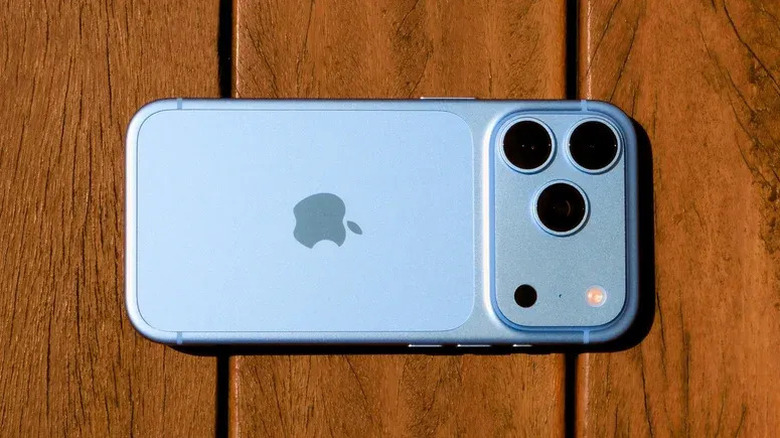

A Glacier iPhone 18 Pro lying on a wooden surface
Filipe Espósito for Engadget

Unless your iPhone is truly ancient, you should have the Measure app. It came preinstalled on every model from the iPhone 6s and first-gen iPhone SE onward. If you deleted it at some point, you can redownload it from the App Store.

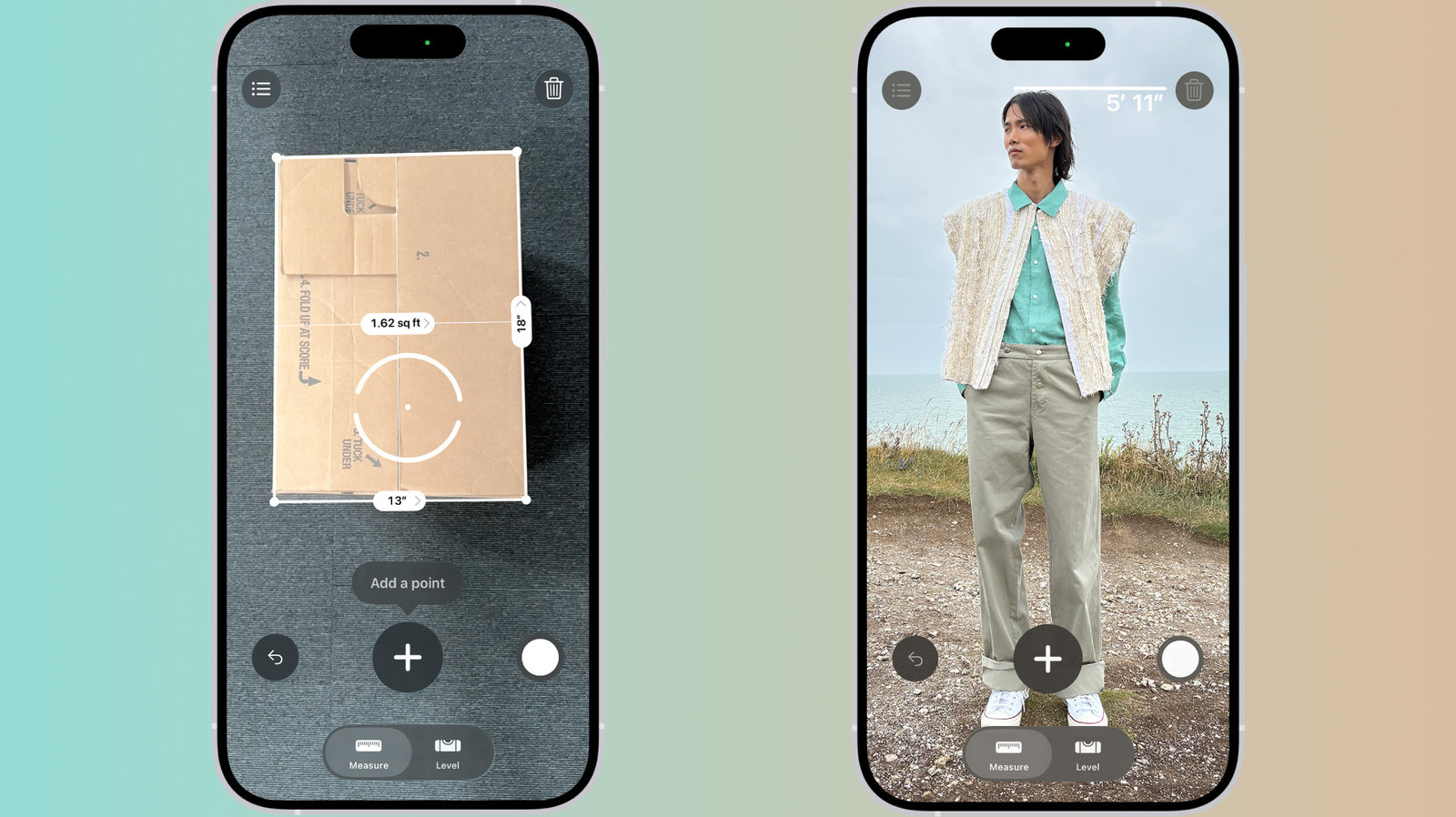
But Pro models get a better version. Apple added a LiDAR scanner starting with 2020’s iPhone 12 Pro, and it’s remained in all subsequent Pro-series iPhones. LiDAR fires invisible lasers to judge depth, making Measure more useful. It includes instant height measurements of people, guide lines that snap to edges, a ruler view with tick marks when you get close and a list of measurements from the current session.

How to use the Measure app
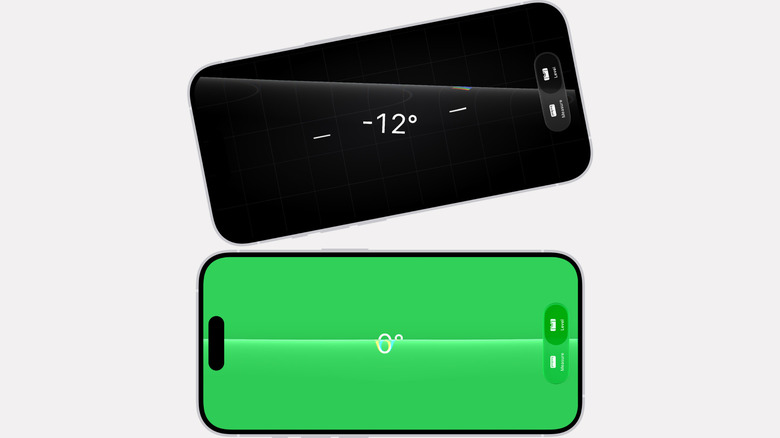

Two iPhones using the Level tool in the Measure app. One is at a -12º angle, the other at 0º
Apple

Each time you open the app, you’ll need to slowly move your phone around. This lets it map your surroundings so it can accurately measure things.

Once it finishes that initial scan, you can start measuring. Aim the dot at one end of the object you want to measure and tap the + button. Then, move the camera view to the other end and tap + again. Presto: The length appears on the screen.

You can tap the shutter button to save a screenshot to Photos. If you need to go back, there’s an undo button; if you want to start over, tap the clear (trash can) icon. Pro models keep a list of your measurements, but only until you close the app. So if you need to revisit them later, copy them into another app or save a snapshot to Photos.

The app can also automatically measure rectangles. If it detects the edges of a rectangular object, a white box will appear around it. Tap the white box or the + button to see the dimensions.

There’s a Level tab at the bottom of the screen too. Tap that, lay your phone flat on something like a shelf or a hanging picture frame and it will show you how many degrees you’re off by. You can also compare the slopes of two surfaces: tap the screen to capture the first angle, then place the iPhone on another surface and rotate it until the screen turns green.

Things to measure

There are times when it’s nice to have a digital tape measure in your pocket. Heading to the airport? Whip out your phone to check if your carry-on bag is within the airline’s limits. It could come in useful while out shopping, too, when you’re less likely to have a tape measure on hand. If you see a piece of furniture you like, point your phone at it and compare it to your home measurements to see if it fits.

For anything high-stakes, like a project that’s expensive or potentially dangerous, use a real tape measure. Apple says its app works best for objects with clear edges about 2 to 10 feet away. Even then, it’s best treated as a quick, on-the-fly check, not something definitive.

What about Android?

Android will soon no longer have a direct, first-party equivalent to Apple’s Measure app. Google once did, but it was never quite as stable as Apple’s, and the company quietly abandoned it in 2021. Meanwhile, Samsung’s Quick Measure app, which came preinstalled on some Galaxy phones, is shutting down at the end of 2026. Until then, you can still download it, and Samsung says it should keep working after the cut-off date. The company claims the app will return at an unspecified future date, “with improved services.”

Otherwise, third-party apps are the main option for Android users. No mainstream Android phone has a built-in LiDAR scanner like the Pro-series iPhones, so these apps are working with a more limited toolset. And reviews suggest that those in the Play Store are often plagued with ads and aggressive in-app subscription prompts. So, if you have an Android phone, your best bet may be to go analog and invest in one of those tiny keychain tape measures.

Credit: Source link

ShareTweetSendSharePin

Related Posts

What Does The Bell Icon Mean On Your CarPlay Screen?
AI & Technology

What Does The Bell Icon Mean On Your CarPlay Screen?

October 25, 2026
Tesla Unveils Flying Roadster and Glimpse Into Its Future
AI & Technology

Tesla Unveils Flying Roadster and Glimpse Into Its Future

October 25, 2026
Netflix Earnings Beat Expectations, but Growth Expectations Come Up Short
AI & Technology

Netflix Earnings Beat Expectations, but Growth Expectations Come Up Short

October 25, 2026
Musk Teases SpaceX-Tesla Merger in Earnings Call
AI & Technology

Musk Teases SpaceX-Tesla Merger in Earnings Call

October 25, 2026
Next Post
What Does The Bell Icon Mean On Your CarPlay Screen?

What Does The Bell Icon Mean On Your CarPlay Screen?

Leave a Reply Cancel reply

Your email address will not be published. Required fields are marked *

Search

No Result
View All Result
Netflix is heading into earnings. Buy, hold or avoid? Ted Thatcher makes rapid-fire investing calls

Netflix is heading into earnings. Buy, hold or avoid? Ted Thatcher makes rapid-fire investing calls

October 21, 2026
Cowboys vs. Packers live updates, inactives, where to watch: Dak Prescott, Jordan Love face off on 'Sunday Night Football' in Week 6 – Yahoo Sports

Cowboys vs. Packers live updates, inactives, where to watch: Dak Prescott, Jordan Love face off on 'Sunday Night Football' in Week 6 – Yahoo Sports

October 19, 2026
Meta Is Delaying Its Controversial New Business Terms Amid Scraping Concerns

Meta Is Delaying Its Controversial New Business Terms Amid Scraping Concerns

October 24, 2026

About

Learn more

Our Services

Legal

Privacy Policy

Terms of Use

Bloggers

Learn more

Article Links

Contact

Advertise

Ask us anything

©2020- TradePoint.io - All rights reserved!

Tradepoint.io, being just a publishing and technology platform, is not a registered broker-dealer or investment adviser. So we do not provide investment advice. Rather, brokerage services are provided to clients of Tradepoint.io by independent SEC-registered broker-dealers and members of FINRA/SIPC. Every form of investing carries some risk and past performance is not a guarantee of future results. “Tradepoint.io“, “Instant Investing” and “My Trading Tools” are registered trademarks of Apperbuild, LLC.

This website is operated by Apperbuild, LLC. We have no link to any brokerage firm and we do not provide investment advice. Every information and resource we provide is solely for the education of our readers. © 2020 Apperbuild, LLC. All rights reserved.

No Result
View All Result
  • Main
  • AI & Technology
  • Stock Charts
  • Market & News
  • Business
  • Finance Tips
  • Trade Tube
  • Blog
  • Shop

© 2023 - TradePoint.io - All Rights Reserved!