The Nintendo Switch is pretty popular, but its included Joy-Cons aren’t for everyone. Some players feel the detachable controllers are a bit small for their hands. Many players miss having a regular D-pad. Whatever your reasons for wanting to upgrade your Switch controller situation, know that there are alternatives — it’s just a matter of picking the one that fits your needs. We tested out a bunch of options to see which are the best Nintendo Switch controllers for your money.
For casual gaming: Joy-Cons
Kris Naudus / Engadget
Honestly, there’s a lot to like about the included Switch Joy-Cons. They come right in the box and can be separated from the system so two gamers can play. The system also includes a special gamepad grip so you can hold them in your hand like any standard game controller. So if you are in fact, happy with your Joy-Cons, there’s no need to switch them out. Just tweak them a little depending on your needs. Find them a tad too small? FastSnail’s matte rubber shells can make them a little easier for large hands to hold, and Hori’s Analog Caps can make the thumb sticks grippier.
There’s really no good way to replace the Joy-Cons entirely with a third-party copy. Some Joy-Con-like controllers won’t connect wirelessly, while others lack key features like vibration or an NFC reader. But there are some tradeoffs that are worth it. For example, if you like to play a lot of 2D platformers in handheld mode, Hori’s D-pad controller will restore the beloved cross-shaped directional button to your gameplay. If you’re looking for something that’s also more comfortable in your hand, the company’s Split Pad Pro is also worth a look. It has a D-pad on the left side and a more ergonomic grip than your standard set of Joy-Cons. But it also makes the entire assembled Switch a lot chunkier.
If you like to play your Switch with groups (or you’ve experienced the dreaded “drift” issue), chances are you’ve picked up one or two extra pairs of Joy-Cons. Which means you’re going to need a place to charge the spares in between gaming sessions. PowerA makes an excellent $25 charging station that can be plugged into your Switch dock (or any device with a USB port) and handles four Joy-Con-like controllers at once — that includes third-party gamepads as well as Nintendo’s own Switch-compatible NES controllers (see below).
For action-packed games: Pro-level controllers
Kris Naudus / Engadget
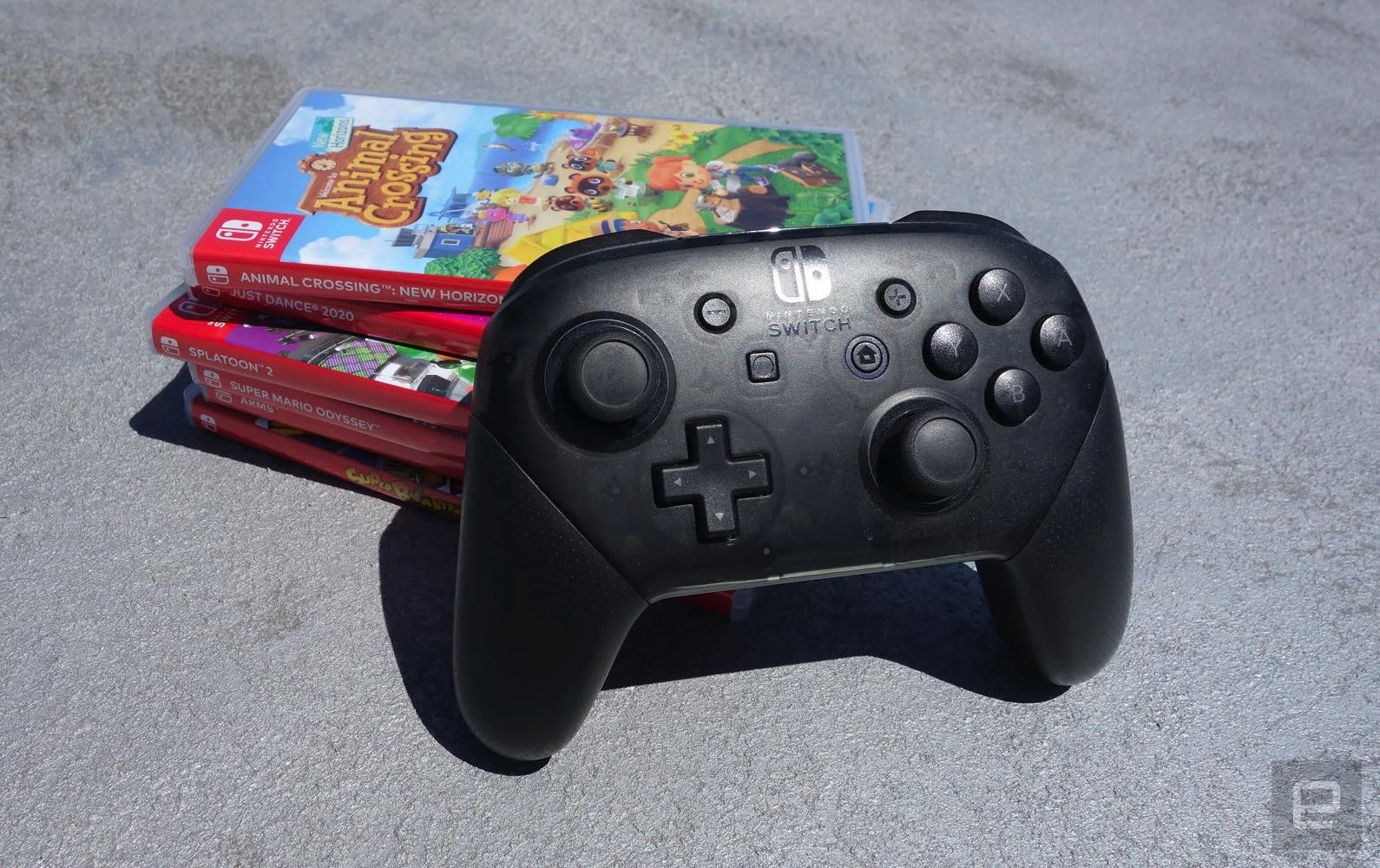
Sometimes you just want a standard controller to play your favorite action titles — and standard in 2020 means something like you’d get packed in with an Xbox, with grips for the heels of your hands, shoulder buttons and triggers, two thumb sticks, a set of four buttons on the right and a D-pad on the left. Nintendo knows that, which is why it created the Pro Controller. This first-party gamepad pairs easily with the Switch and features a D-pad on the left, while still maintaining features like the infrared sensor and HD rumble functionality that might go missing on third-party alternatives. The only downside of the Nintendo Switch Pro controller is the $70 price, but avid players of games like Legend of Zelda: Breath of the Wild will appreciate the refined controls and increased comfort.
While you can plug your Pro Controller directly into your Switch dock to charge, it’s not the most elegant solution. PowerA also makes an attractive $25 dock that accommodates both Joy-Cons and the Pro Controller, which should keep your gaming area nice and tidy.
If the price tag of the Pro Controller is a bit rich for your blood (or it’s out of stock), PowerA makes its own version with the same arrangement of buttons. The Enhanced Wireless Controller skips the rechargeable battery in favor of AAs, which has its downsides, but at least when it runs low on juice you can just pop in a new pair of batteries and get right back to gaming. Unfortunately, there’s no USB-C port to connect with so you’ll have to pair the device wirelessly — which can be finicky and may take a few tries before your Switch recognizes the controller. It also lacks vibration, so you won’t get tactile feedback in games where it’s helpful. And the plus and minus buttons are placed a bit closer to the center, so those with smaller hands will have to reach a bit further to press them.
If you’d prefer not to have to recharge — or buy batteries for — your gamepad, PowerA also makes a wired version of the same controller that connects via USB. It’s got the same look and feel, but you won’t have to struggle as much with getting your console to recognize it, and there’s no potential for wireless lag, making it ideal for fast-paced shooters and fighting games. The included cord is 10 feet long so it should reach most couches just fine.
While most third-party controllers tend to mimic the Xbox style of gamepad, anyone more familiar with the PlayStation’s distinctive DualShock design will probably prefer the $50 Pro 2 from 8BitDo. The retro-styled controller has the same general layout as the classic SNES gamepad, but adds twin thumb sticks, palm grips, back buttons, control remapping and even sensitivity adjustments. It’s truly the Swiss Army knife of Switch controllers.
For old school gaming: Niche and retro controllers
Kris Naudus / Engadget
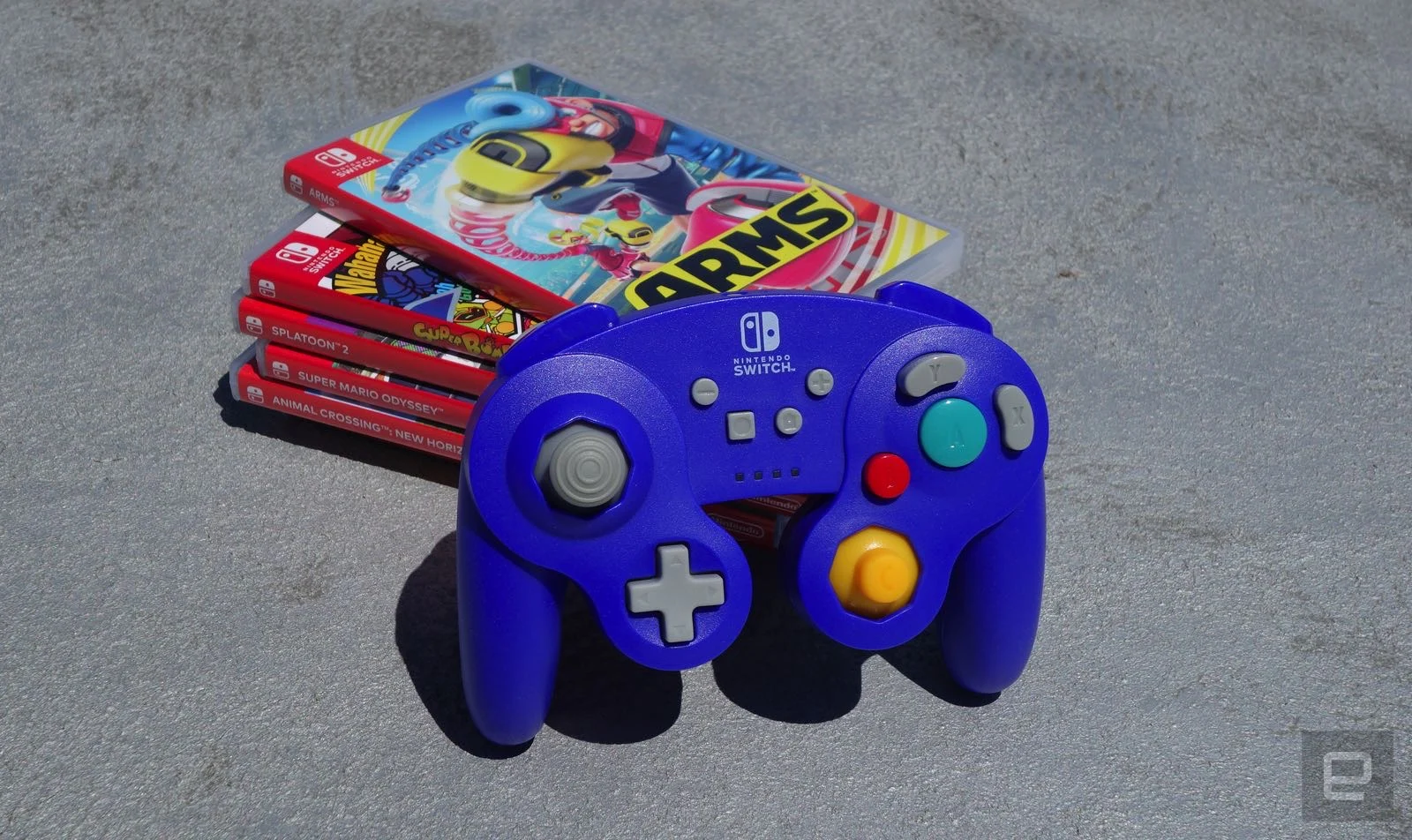
Twenty years later and the preferred controller layout for Super Smash Bros. players is still the one made for the GameCube, which is why today it’s still possible to buy new gamepads straight from Nintendo. The Super Smash Bros. Ultimate Edition GameCube Controller is identical in layout and design to the original gamepads, though now it connects via USB so it can be used with the Switch. The only downside to the reissue is that it doesn’t come in a bold shade of purple anymore.
However, if you’re still sporting a classic GameCube controller with its proprietary connector, you can also pick up an adapter that will let your Switch accommodate up to four old-school gamepads. Nintendo sells one on its store, but the Y Team controller adapter is also a good alternative that costs less and can be bought at Amazon.
But you might not want to be tethered to your console — especially if you have fond memories of kicking back on your couch with a Wavebird in hand to play GameCube games like Super Smash Bros. Brawl and Killer 7. PowerA’s Nintendo GameCube-Style wireless controller is the closest you can get to recreating that feeling short of plugging a few RF dongles into a GameCube adapter.
What if your retro tastes go even further back, say to the NES and SNES era? If you’re subscribed to Nintendo Online, you have access to over 100 classic titles, so you might want a more “authentic” controller to use with them. Nintendo Online subscribers can buy retro-style wireless gamepads directly from the company, though the $60 set of two small, rectangular NES controllers will remind you why we’ve moved on from that design. The dog-bone shape of the $30 SNES model is more hand friendly and can still be used with the NES games, so it’s a better use of your funds should you decide you want to recreate your childhood gaming experiences.
If you don’t need an exact copy of your beloved childhood gamepads it’s worth looking at 8BitDo instead: It makes a variety of classic-styled controllers that add just enough modern features to make them useful for a wider variety of games. Its models are almost all wireless, and there are some design changes to make the controllers more comfortable and easier to use. We’ve already recommended the DualShock-like Pro 2, but the SN30 Pro also offers features like dual thumb sticks and vibration in the dog-bone controller style.
If you’re looking for a more portable controller alternative, the $25 8BitDo Lite is smaller and swaps out the thumb sticks for two D-pads, keeping the four button arrangement on each side. It’s great for 2D games and it even matches the color scheme of the Switch Lite.
Before you try any of the top picks listed in this guide, remember to update your Switch to the latest firmware — the 8BitDo controllers will run on any version, but the PowerA gamepads need your system to run at least version 6.0.0.
Credit: Source link