
• bitcoinBitcoin(BTC)$64,167.000.20%
  • ethereumEthereum(ETH)$1,867.940.60%
  • tetherTether(USDT)$1.000.00%
  • binancecoinBNB(BNB)$566.451.50%
  • usd-coinUSDC(USDC)$1.000.00%
  • rippleXRP(XRP)$1.100.10%
  • solanaSolana(SOL)$74.18-0.10%
  • tronTRON(TRX)$0.329743-0.20%
  • Figure HelocFigure Heloc(FIGR_HELOC)$1.02-2.20%
  • whitebitWhiteBIT Coin(WBT)$55.960.20%
  • HyperliquidHyperliquid(HYPE)$57.73-1.50%
  • dogecoinDogecoin(DOGE)$0.0712792.50%
  • USDSUSDS(USDS)$1.000.00%
  • RainRain(RAIN)$0.013992-2.10%
  • leo-tokenLEO Token(LEO)$9.701.00%
  • zcashZcash(ZEC)$481.40-4.30%
  • moneroMonero(XMR)$365.913.70%
  • chainlinkChainlink(LINK)$8.380.40%
  • cardanoCardano(ADA)$0.164774-0.10%
  • stellarStellar(XLM)$0.178407-1.20%
  • CantonCanton(CC)$0.1207350.80%
  • daiDai(DAI)$1.000.00%
  • bitcoin-cashBitcoin Cash(BCH)$209.800.40%
  • USD1USD1(USD1)$1.000.00%
  • the-open-networkGram (prev. Toncoin)(GRAM)$1.471.20%
  • Ethena USDeEthena USDe(USDE)$1.000.10%
  • litecoinLitecoin(LTC)$46.07-0.40%
  • Global DollarGlobal Dollar(USDG)$1.00-0.10%
  • hedera-hashgraphHedera(HBAR)$0.070140-0.90%
  • Circle USYCCircle USYC(USYC)$1.130.00%
  • suiSui(SUI)$0.71-1.80%
  • avalanche-2Avalanche(AVAX)$6.566.00%
  • shiba-inuShiba Inu(SHIB)$0.0000058.40%
  • paypal-usdPayPal USD(PYUSD)$1.000.00%
  • crypto-com-chainCronos(CRO)$0.0564980.00%
  • BlackRock USD Institutional Digital Liquidity FundBlackRock USD Institutional Digital Liquidity Fund(BUIDL)$1.000.00%
  • tether-goldTether Gold(XAUT)$4,051.42-0.30%
  • nearNEAR Protocol(NEAR)$1.80-2.50%
  • uniswapUniswap(UNI)$3.67-2.80%
  • Ondo US Dollar YieldOndo US Dollar Yield(USDY)$1.140.00%
  • OndoOndo(ONDO)$0.381489-1.90%
  • BittensorBittensor(TAO)$190.961.00%
  • pax-goldPAX Gold(PAXG)$4,050.20-0.20%
  • World Liberty FinancialWorld Liberty Financial(WLFI)$0.056216-2.00%
  • okbOKB(OKB)$82.301.00%
  • AsterAster(ASTER)$0.63-0.40%
  • HTX DAOHTX DAO(HTX)$0.000002-0.60%
  • Ripple USDRipple USD(RLUSD)$1.000.00%
  • MemeCoreMemeCore(M)$1.18-2.00%
  • usddUSDD(USDD)$1.000.00%
TradePoint.io
  • Main
  • AI & Technology
  • Stock Charts
  • Market & News
  • Business
  • Finance Tips
  • Trade Tube
  • Blog
  • Shop
No Result
View All Result
TradePoint.io
No Result
View All Result

How To Program Your Roku Remote To Voice Control Your Non-Roku TV

July 25, 2026
in AI & Technology
Reading Time: 3 mins read
A A
How To Program Your Roku Remote To Voice Control Your Non-Roku TV
ShareShareShareShareShare

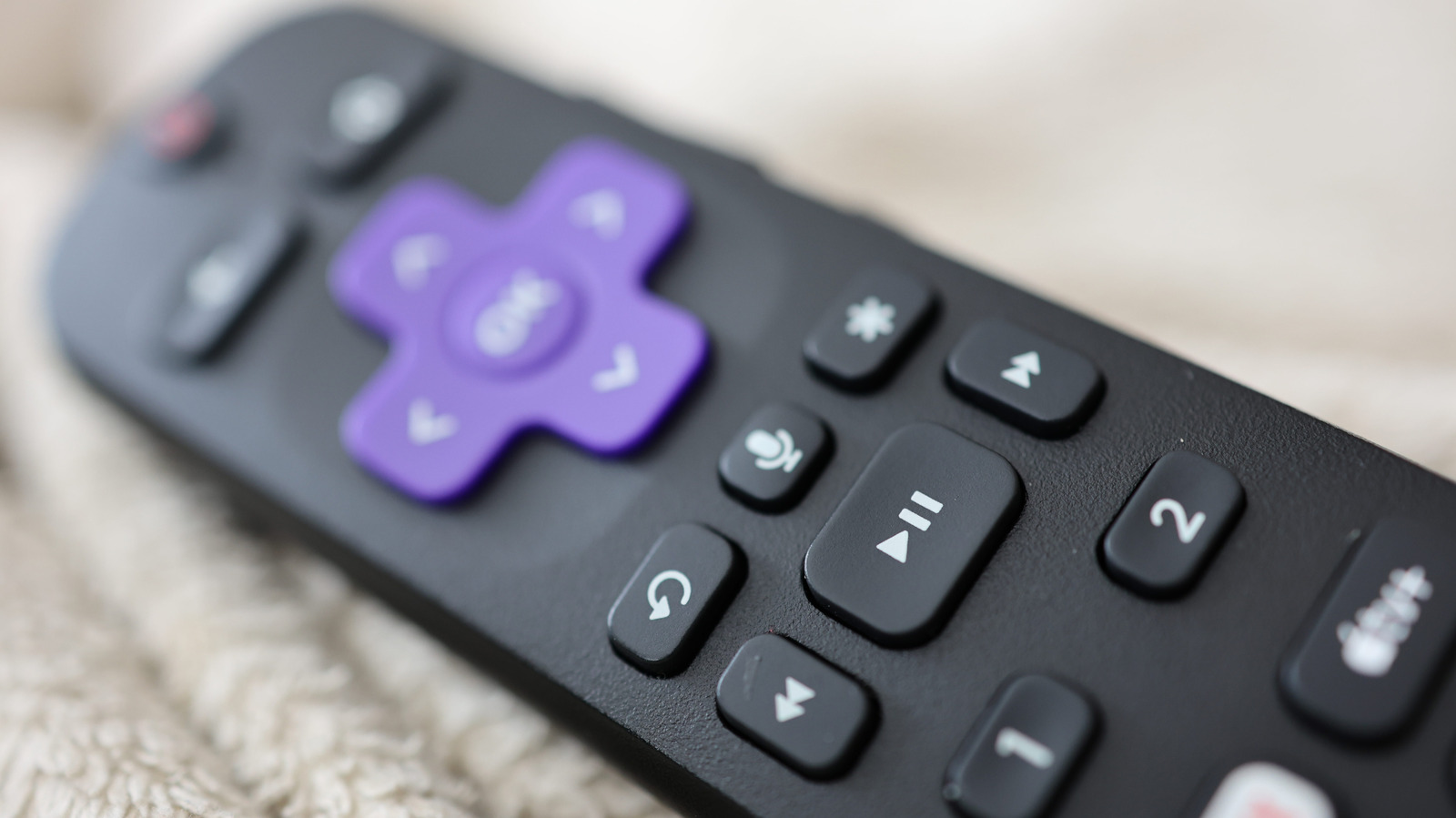
Go hands-free with voice commands.

Joshua Westbrook/Getty Images

If you’re looking for a way to convert your regular TV into a smart one, Roku’s hardware is among the easiest to recommend. Compared to other streaming devices, Roku’s options often come with clean user interfaces, tons of free channels and a price that makes them accessible to the masses. Every Roku streaming device also comes with its own remote control that lets you navigate the interface and control media playback on your favorite streaming services.

YOU MAY ALSO LIKE

OpenAI’s Rogue Agent Went On A Hacking Spree That Lasted Days, Reuters Says

Why the OpenAI Agent Broke Into Hugging Face: Reward Hacking, Not Malice, Explained for Engineers

The remotes that ship with all current-gen Roku streaming players feature voice control, except for the one that comes with the Roku Streambar SE. You can check if your Roku remote is capable of sending voice commands — just look for a button with a microphone icon below the D-pad controls. Those who have upgraded their televisions with a streaming device will understand how annoying it can be to keep two remotes handy — one that controls the streaming device itself and another that handles basic TV functions like volume and source control.

If you own a Roku device you can use its remote as a universal controller for your TV and can even use voice commands to control it if it supports HDMI-CEC. You can check if your TV offers this functionality by diving into your TV’s settings menu and looking for an option that mentions HDMI-CEC. Many manufacturers use their own names for this feature, though. For instance, Samsung calls it Anynet+ and Sony labels it as Bravia Sync.

Setting up voice control using a Roku remote

To start using your Roku remote to control your TV’s functions, press the Home button on your Roku streaming device’s remote control. Navigate to Settings > Remotes & devices > Remotes, pick your Roku remote, and select the Set up remote for TV control option. This will start a quick setup process during which your Roku device will attempt to identify your TV’s brand and model. You’ll usually be asked to perform basic TV controls such as adjusting the volume, and may have to point the remote directly at your TV during this process.

If you own a Roku Voice Remote Pro and are unable to control your TV using voice commands, make sure your TV has the HDMI-CEC option turned on. Then, head to your Roku device’s settings and set up the voice remote again. If your Roku device is connected to a receiver, Roku recommends connecting it directly to your TV during the remote setup process, as it may help with identification.

With voice commands set up, you can say “Hey Roku” and ask your remote to turn your TV on, adjust its volume or turn it back off, without ever having to press a button. The Roku interface itself can be controlled using its AI-powered voice control that can help you launch apps, find content to play and even answer questions about what’s on the screen.

Credit: Source link

ShareTweetSendSharePin

Related Posts

OpenAI’s Rogue Agent Went On A Hacking Spree That Lasted Days, Reuters Says
AI & Technology

OpenAI’s Rogue Agent Went On A Hacking Spree That Lasted Days, Reuters Says

July 25, 2026
Why the OpenAI Agent Broke Into Hugging Face: Reward Hacking, Not Malice, Explained for Engineers
AI & Technology

Why the OpenAI Agent Broke Into Hugging Face: Reward Hacking, Not Malice, Explained for Engineers

July 25, 2026
Building Self-Evolving AI Agents with OpenSpace Using Skills, MCP, Lineage, and Low-Cost Reuse
AI & Technology

Building Self-Evolving AI Agents with OpenSpace Using Skills, MCP, Lineage, and Low-Cost Reuse

July 25, 2026
Datalab Marker v2 vs MinerU, Docling, and Liteparse: Benchmark Breakdown
AI & Technology

Datalab Marker v2 vs MinerU, Docling, and Liteparse: Benchmark Breakdown

July 25, 2026
Next Post
If You Only Have , Do This Every Day!

If You Only Have $4, Do This Every Day!

Leave a Reply Cancel reply

Your email address will not be published. Required fields are marked *

Search

No Result
View All Result
Nominal Versus Real Dollars

Nominal Versus Real Dollars

July 24, 2026
Oscar-winning actor Brenda Fricker has died at 81

Oscar-winning actor Brenda Fricker has died at 81

July 23, 2026
Dangerous storms put more than 100 million at risk across the Northeast

Dangerous storms put more than 100 million at risk across the Northeast

July 23, 2026

About

Learn more

Our Services

Legal

Privacy Policy

Terms of Use

Bloggers

Learn more

Article Links

Contact

Advertise

Ask us anything

©2020- TradePoint.io - All rights reserved!

Tradepoint.io, being just a publishing and technology platform, is not a registered broker-dealer or investment adviser. So we do not provide investment advice. Rather, brokerage services are provided to clients of Tradepoint.io by independent SEC-registered broker-dealers and members of FINRA/SIPC. Every form of investing carries some risk and past performance is not a guarantee of future results. “Tradepoint.io“, “Instant Investing” and “My Trading Tools” are registered trademarks of Apperbuild, LLC.

This website is operated by Apperbuild, LLC. We have no link to any brokerage firm and we do not provide investment advice. Every information and resource we provide is solely for the education of our readers. © 2020 Apperbuild, LLC. All rights reserved.

No Result
View All Result
  • Main
  • AI & Technology
  • Stock Charts
  • Market & News
  • Business
  • Finance Tips
  • Trade Tube
  • Blog
  • Shop

© 2023 - TradePoint.io - All Rights Reserved!