















• bitcoinBitcoin(BTC)$60,623.001.01%
  • ethereumEthereum(ETH)$1,711.511.90%
  • tetherTether(USDT)$1.000.02%
  • binancecoinBNB(BNB)$556.201.58%
  • usd-coinUSDC(USDC)$1.000.02%
  • rippleXRP(XRP)$0.93-0.24%
  • solanaSolana(SOL)$70.27-0.44%
  • tronTRON(TRX)$0.3050310.00%
  • Figure HelocFigure Heloc(FIGR_HELOC)$1.062.68%
  • HyperliquidHyperliquid(HYPE)$62.833.21%
  • zcashZcash(ZEC)$792.890.81%
  • moneroMonero(XMR)$489.131.82%
  • dogecoinDogecoin(DOGE)$0.0551470.14%
  • leo-tokenLEO Token(LEO)$9.160.27%
  • whitebitWhiteBIT Coin(WBT)$58.221.06%
  • chainlinkChainlink(LINK)$8.822.83%
  • USDSUSDS(USDS)$1.00-0.04%
  • cardanoCardano(ADA)$0.144307-0.42%
  • Ethena USDeEthena USDe(USDE)$1.000.02%
  • stellarStellar(XLM)$0.127680-0.98%
  • daiDai(DAI)$1.00-0.03%
  • bitcoin-cashBitcoin Cash(BCH)$197.51-0.66%
  • nearNEAR Protocol(NEAR)$3.015.79%
  • litecoinLitecoin(LTC)$40.000.02%
  • avalanche-2Avalanche(AVAX)$6.681.12%
  • CantonCanton(CC)$0.072269-5.76%
  • tether-goldTether Gold(XAUT)$3,552.220.22%
  • Ripple USDRipple USD(RLUSD)$1.00-0.01%
  • uniswapUniswap(UNI)$4.71-0.27%
  • USD1USD1(USD1)$1.000.05%
  • the-open-networkGram (prev. Toncoin)(GRAM)$0.982.13%
  • suiSui(SUI)$0.661.51%
  • Global DollarGlobal Dollar(USDG)$1.00-0.01%
  • Ondo US Dollar YieldOndo US Dollar Yield(USDY)$1.150.05%
  • paypal-usdPayPal USD(PYUSD)$1.00-0.06%
  • RainRain(RAIN)$0.003224-15.61%
  • hedera-hashgraphHedera(HBAR)$0.0514950.10%
  • BittensorBittensor(TAO)$189.751.92%
  • shiba-inuShiba Inu(SHIB)$0.000004-0.52%
  • crypto-com-chainCronos(CRO)$0.040547-1.86%
  • quant-networkQuant(QNT)$143.02-0.43%
  • Spiko Amundi Overnight Swap Fund (EUR)Spiko Amundi Overnight Swap Fund (EUR)(EURSAFO)$1.120.02%
  • Circle USYCCircle USYC(USYC)$1.140.00%
  • okbOKB(OKB)$82.494.13%
  • MemeCoreMemeCore(M)$0.75-1.72%
  • Falcon USDFalcon USD(USDF)$1.000.03%
  • United StablesUnited Stables(U)$1.000.10%
  • pax-goldPAX Gold(PAXG)$3,554.840.18%
  • BlackRock USD Institutional Digital Liquidity FundBlackRock USD Institutional Digital Liquidity Fund(BUIDL)$1.000.00%
  • aaveAave(AAVE)$98.73-0.31%
TradePoint.io
  • Main
  • AI & Technology
  • Stock Charts
  • Market & News
  • Business
  • Finance Tips
  • Trade Tube
  • Blog
  • Shop
No Result
View All Result
TradePoint.io
No Result
View All Result

You Can Mass-Delete All Of Your Emails On Gmail In Only A Few Clicks

November 22, 2026
in AI & Technology
Reading Time: 4 mins read
A A
You Can Mass-Delete All Of Your Emails On Gmail In Only A Few Clicks
ShareShareShareShareShare

If you have thousands of emails piling up in Gmail, this is for you.


Mamun_Sheikh/Shutterstock

You’re more than welcome to delete your emails individually if you want to be there for a very long time. At two seconds per email, it would take a little over 11 hours of constant clicking to get through 20,000 emails — and honestly, 20,000 emails isn’t much for a business Gmail account. Most people are familiar with methodically deleting 50 or even 100 emails at a time by checking the box in the top left and hitting the trash icon. But if you just want to wipe clean your entire inbox and start from scratch, you can do so on a browser. 

YOU MAY ALSO LIKE

The Winners Will Be Measured in Hours Without Human Help – Unite.AI

Which Is Better for Managing Work? – Unite.AI

In your computer browser (mobile browsers didn’t make the cut), click on the Gear icon in the upper right corner to open Settings > See All Settings > Conversation View. Scroll down and tap Conversation View On. Now, go to your inbox. Check the box at the top of the message list to select all the current emails on the page. Once you check the box, a narrow banner should pop up at the top that gives you the option to select all (number of emails) conversations in Primary. Choose that option, take a deep breath, click the trash icon and confirm. Jump over to your Bin in the left column, select it and choose Empty Bin Now > Confirm.

If there’s a particular thread you’re concerned about, enter the name of the business, entity or person you want to find in the Ask Gmail search box at the top. The page will generate all conversations that have anything to do with the term you entered. Right-click one of those emails, select Find Emails From (insert search term), and skim the resulting page, archiving or otherwise protecting those emails from deletion.

How do I delete thousands of Promotions emails in Gmail?

There are a few tabs at the top of a default Gmail inbox, potentially with more categories depending on whether you’ve added some in the past. One of these tabs is labeled “Promotions,” and these emails are probably the most aggravating besides Spam. Fortunately, you can mass-delete them in the same way. Click on Promotions > check the box at the top-left > Select all (number of Promotions emails) conversations in Promotions > Trash Icon > Confirm. You can rinse and repeat with every tab you want to wipe out.

If you want to be a little more specific, you can also search. Type (category: promotions older_than: 1y) into the search bar to target all Promotions emails that are more than a year old. You can narrow it further by clicking on Showing most relevant and switching it to Showing most recent in the drop-down. Either way, Gmail’s tools are fairly extensive, so you don’t have to mass-delete every email in every tab, especially if you’re worried about deleting something important. Once it’s gone from the bin, it’s gone for good.

How do I clean out my Gmail inbox quickly without deleting something important?
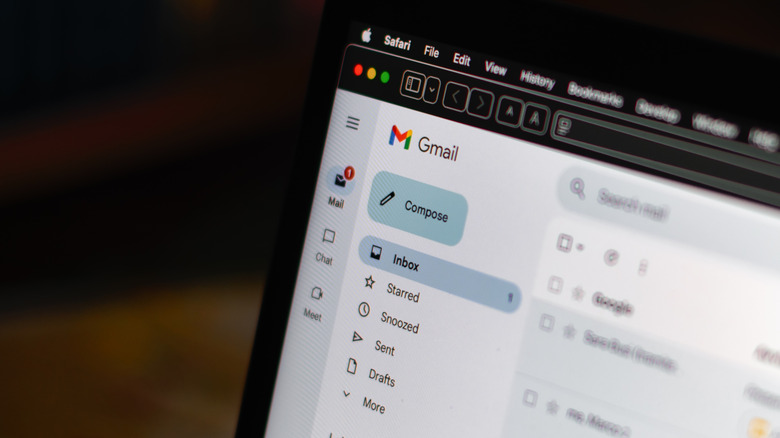

Corner shot of an open Gmail account on a PC, showing the top portion of the left column.
michelangeloop/Shutterstock

Archive first and delete later. Archiving removes mail from your inbox, but the messages remain in All Mail and are searchable for future reference. Use the same select-all process; only click Archive instead of the trash icon. In the search bar, specify the emails you want to keep. For instance, type is: starred, is: important or has: attachment. Toss some keywords in there if you’re afraid of losing something more specific within those categories, like “offer” or “invoice.” Using terms like “from: (email address)” will narrow it down to a specific email sender that you want to delete or keep.

It’s never a bad idea to at least skim through before you mass-delete everything you’ve received in your inbox over the last year or two. Using search terms makes it much easier, but it’ll leave you a little cross-eyed if you stare at the screen long enough. Your best bet is to leave everything in the trash bin for a few days, just in case you remember an important sender and you need to move it back to your inbox.

Also, there’s little point in deleting all of those emails if you just let them build back up again. Get rid of all those email subscriptions you either didn’t know you had or completely forgot about. In the left column, select Manage Subscriptions. Now go through each line and hit Unsubscribe so Yu-Gi-Oh and Cat Facts subscriptions stop clogging up your inbox.

Credit: Source link

ShareTweetSendSharePin

Related Posts

The Winners Will Be Measured in Hours Without Human Help – Unite.AI
AI & Technology

The Winners Will Be Measured in Hours Without Human Help – Unite.AI

November 22, 2026
Which Is Better for Managing Work? – Unite.AI
AI & Technology

Which Is Better for Managing Work? – Unite.AI

November 22, 2026
What Does The Blue Snowflake Icon Mean For Your Tesla Battery?
AI & Technology

What Does The Blue Snowflake Icon Mean For Your Tesla Battery?

November 22, 2026
Google AI Previews Tool Retrieval in the Gemini API for Large Tool Libraries
AI & Technology

Google AI Previews Tool Retrieval in the Gemini API for Large Tool Libraries

November 22, 2026
Next Post
How Much Worse Will The Market Crash (KNOW THIS NOW)

How Much Worse Will The Market Crash (KNOW THIS NOW)

Leave a Reply Cancel reply

Your email address will not be published. Required fields are marked *

Search

No Result
View All Result
Florida man who swallowed 9,000 in Tiffany diamonds found guilty

Florida man who swallowed $769,000 in Tiffany diamonds found guilty

November 16, 2026
Tesla Rolls Out FSD V15 with Reality View and Vision Upgrades – Unite.AI

Tesla Rolls Out FSD V15 with Reality View and Vision Upgrades – Unite.AI

November 22, 2026
Bharat Semi Raises M Seed to Bring AI Image Sensors to Market – Unite.AI

Bharat Semi Raises $24M Seed to Bring AI Image Sensors to Market – Unite.AI

November 15, 2026

About

Learn more

Our Services

Legal

Privacy Policy

Terms of Use

Bloggers

Learn more

Article Links

Contact

Advertise

Ask us anything

©2020- TradePoint.io - All rights reserved!

Tradepoint.io, being just a publishing and technology platform, is not a registered broker-dealer or investment adviser. So we do not provide investment advice. Rather, brokerage services are provided to clients of Tradepoint.io by independent SEC-registered broker-dealers and members of FINRA/SIPC. Every form of investing carries some risk and past performance is not a guarantee of future results. “Tradepoint.io“, “Instant Investing” and “My Trading Tools” are registered trademarks of Apperbuild, LLC.

This website is operated by Apperbuild, LLC. We have no link to any brokerage firm and we do not provide investment advice. Every information and resource we provide is solely for the education of our readers. © 2020 Apperbuild, LLC. All rights reserved.

No Result
View All Result
  • Main
  • AI & Technology
  • Stock Charts
  • Market & News
  • Business
  • Finance Tips
  • Trade Tube
  • Blog
  • Shop

© 2023 - TradePoint.io - All Rights Reserved!