














• bitcoinBitcoin(BTC)$64,992.00-0.65%
  • ethereumEthereum(ETH)$1,828.940.47%
  • tetherTether(USDT)$1.000.00%
  • binancecoinBNB(BNB)$592.471.15%
  • usd-coinUSDC(USDC)$1.000.00%
  • rippleXRP(XRP)$0.962.93%
  • solanaSolana(SOL)$71.810.37%
  • tronTRON(TRX)$0.305035-0.91%
  • Figure HelocFigure Heloc(FIGR_HELOC)$1.061.03%
  • HyperliquidHyperliquid(HYPE)$67.655.49%
  • zcashZcash(ZEC)$909.129.45%
  • moneroMonero(XMR)$501.884.34%
  • dogecoinDogecoin(DOGE)$0.0589370.22%
  • USDSUSDS(USDS)$1.000.01%
  • leo-tokenLEO Token(LEO)$9.18-0.49%
  • whitebitWhiteBIT Coin(WBT)$62.96-1.01%
  • chainlinkChainlink(LINK)$9.263.63%
  • cardanoCardano(ADA)$0.1549042.27%
  • stellarStellar(XLM)$0.1399704.10%
  • Ethena USDeEthena USDe(USDE)$1.000.00%
  • daiDai(DAI)$1.00-0.02%
  • bitcoin-cashBitcoin Cash(BCH)$209.522.27%
  • nearNEAR Protocol(NEAR)$3.195.90%
  • litecoinLitecoin(LTC)$45.390.72%
  • CantonCanton(CC)$0.0835736.32%
  • avalanche-2Avalanche(AVAX)$7.29-0.31%
  • uniswapUniswap(UNI)$5.207.46%
  • tether-goldTether Gold(XAUT)$3,839.490.51%
  • USD1USD1(USD1)$1.000.01%
  • suiSui(SUI)$0.732.41%
  • the-open-networkGram (prev. Toncoin)(GRAM)$1.050.08%
  • Ripple USDRipple USD(RLUSD)$1.00-0.01%
  • Global DollarGlobal Dollar(USDG)$1.00-0.01%
  • paypal-usdPayPal USD(PYUSD)$1.000.01%
  • hedera-hashgraphHedera(HBAR)$0.0588053.20%
  • RainRain(RAIN)$0.003646-0.93%
  • Ondo US Dollar YieldOndo US Dollar Yield(USDY)$1.150.00%
  • shiba-inuShiba Inu(SHIB)$0.0000042.14%
  • quant-networkQuant(QNT)$156.517.75%
  • BittensorBittensor(TAO)$192.611.84%
  • crypto-com-chainCronos(CRO)$0.042431-1.17%
  • Circle USYCCircle USYC(USYC)$1.140.00%
  • Spiko Amundi Overnight Swap Fund (EUR)Spiko Amundi Overnight Swap Fund (EUR)(EURSAFO)$1.120.06%
  • MemeCoreMemeCore(M)$0.844.88%
  • okbOKB(OKB)$88.243.40%
  • pax-goldPAX Gold(PAXG)$3,844.640.66%
  • aaveAave(AAVE)$109.218.67%
  • Falcon USDFalcon USD(USDF)$1.000.14%
  • BlackRock USD Institutional Digital Liquidity FundBlackRock USD Institutional Digital Liquidity Fund(BUIDL)$1.000.00%
  • pepePepe(PEPE)$0.0000040.49%
TradePoint.io
  • Main
  • AI & Technology
  • Stock Charts
  • Market & News
  • Business
  • Finance Tips
  • Trade Tube
  • Blog
  • Shop
No Result
View All Result
TradePoint.io
No Result
View All Result

What’s The Meaning Of The “A” On Your USB-A Ports?

November 15, 2026
in AI & Technology
Reading Time: 4 mins read
A A
What’s The Meaning Of The “A” On Your USB-A Ports?
ShareShareShareShareShare

Making sense of USB-A and clearing up if it’s becoming obsolete.


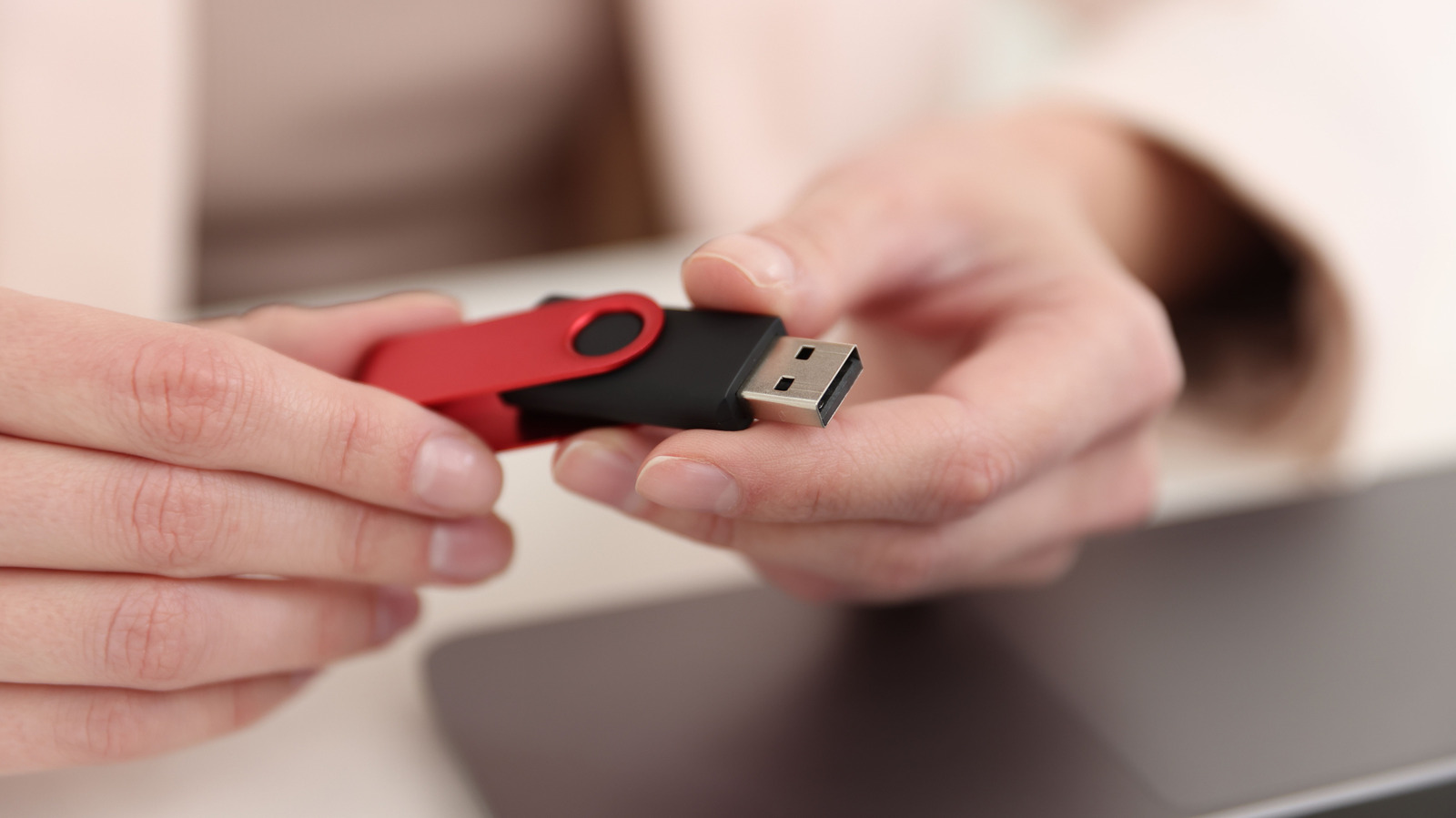
New Africa/Shutterstock

There’s no hidden or extraordinary meaning for the letter “A” in USB-A. It’s simply a letter designation for a Type-A connector, which is the familiar, wide rectangular plug found on flash drives and countless charging cables. USB itself stands for Universal Serial Bus, but the letter “A” identifies the connector type and nothing more. The same holds true for USB-B and USB-C connectors.

YOU MAY ALSO LIKE

Which Is Actually Better For Your Ears?

Anthropic Targets $1.4 Trillion Valuation in Blockbuster IPO

The reason for differentiating A, B and C goes back to the USB Implementers Forum (USB-IF) and the necessary designators for physical connections and power/data delivery. For instance, with a traditional printer, B is the square device connector and A is the rectangular end that plugs into your PC. In the early days, this was a simple method for informing consumers what goes where and why.

For everyday use, Type A is a connector label with charging capabilities or charging and data transfer. Sure, that’s the boring way to describe it, but it really isn’t anything beyond that. Alone, the USB-A designation doesn’t tell you how quickly you can transfer files with it or how much charging power a USB-A port will spit out. At the end of the day, two ports with the same rectangular opening can represent two entirely different capabilities.

USB-A’s shape doesn’t reveal its speed

USB-A ports are reassuringly familiar to just about everyone, but the performance capabilities aren’t readily apparent all the time. A USB 2.0 connection has a maximum data rate of 480 Mbps, but there are faster USB-A implementations that support 5 Gbps or 10 Gbps. Keep in mind that those are connection limitations that determine why a device may or may not function as expected when you plug it in. If you find a USB-A cable in a drawer, it may have a charging-only capability, or it could be capable of transferring data and charging devices. Without the associated labels and specs, it’s just a USB-A cable with unknown capability.

Before you plug a USB-A into a PC port, check the cable’s and the PC port’s capabilities. There are usually markings beside each port (including a trident symbol), or you can find the information in the PC’s manual. There are color differentiators as well, although most aren’t universal. Instead, color choices are mostly up to manufacturers. A teal port usually indicates a faster USB connection, for example, but that is not a guarantee. If you’re connecting a mouse or a keyboard, they usually don’t need the kind of bandwidth that an external SSD will, so choose carefully.

For what it’s worth, a USB 2.0 designation is not an automatic qualifier for USB-A only. Even a USB-C can be limited to USB 2.0. Separate the designator from the capability and carefully match them so you know what you have and what you can do.

Is USB-A becoming obsolete?
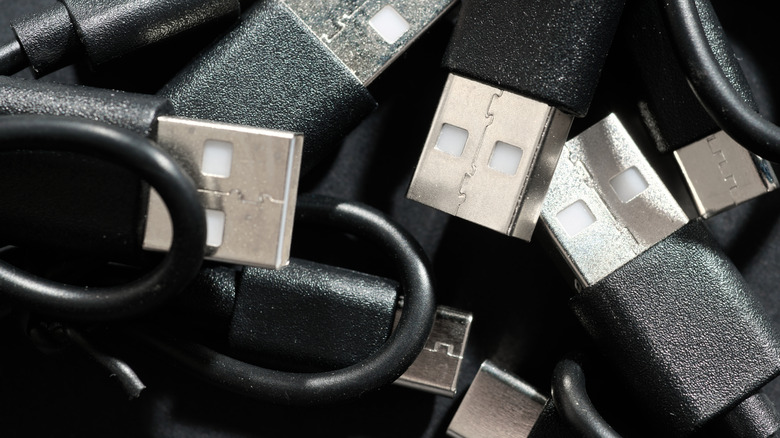

A tangled collection of black USB-A and USB-C cables.
Pedrosala/Getty Images

It’s undeniable that USB-A is slowly giving way to USB-C, but that doesn’t render USB-A useless. It hasn’t gone the way of the rotary phone just yet. It’s difficult to deny the shift, however, with most PCs, especially mid- and high-tier, shipping with more of a focus on USB-C ports. USB-C simply has practical advantages in several areas that make it a natural choice for today’s devices, though it can be every bit as confusing as USB-A port colors. Most are reversible, feature a smaller connector for saving space on laptops, provide a connector platform for USB4 capabilities and are much more flexible in terms of size and usability.

Ultimately, there’s no need for most people to replace a USB-A keyboard and mouse. You don’t have to ditch your USB-A flash drive or forego USB-C to USB-A adapters. Granted, most mobile phones are now USB-C exclusive, except for adapters, of course. But PCs and Macs typically ship with USB-A ports, though they often play second fiddle to USB-C. All you need to do is choose the version that takes care of your needs. If you make a new purchase, base it on the ports you already have and use extensively. USB-A’s declining presence is a good reason to become more flexible in terms of compatibility, but it’s not a reason to get rid of usable devices and cables.

Credit: Source link

ShareTweetSendSharePin

Related Posts

Which Is Actually Better For Your Ears?
AI & Technology

Which Is Actually Better For Your Ears?

November 15, 2026
Anthropic Targets .4 Trillion Valuation in Blockbuster IPO
AI & Technology

Anthropic Targets $1.4 Trillion Valuation in Blockbuster IPO

November 15, 2026
CoreWeave Boosts Forecast, Easing Slowdown Concerns
AI & Technology

CoreWeave Boosts Forecast, Easing Slowdown Concerns

November 15, 2026
Anthropic IPO Demand Surges as CoreWeave Calms AI Fears
AI & Technology

Anthropic IPO Demand Surges as CoreWeave Calms AI Fears

November 15, 2026
Next Post
Michigan Senate race reaches a boiling point

Michigan Senate race reaches a boiling point

Leave a Reply Cancel reply

Your email address will not be published. Required fields are marked *

Search

No Result
View All Result
Cursor Traces Breach to Access Key Exposed by Fireworks AI – Unite.AI

Cursor Traces Breach to Access Key Exposed by Fireworks AI – Unite.AI

November 14, 2026
Two planes collide on taxiway at Miami airport one day after national grounding – The Guardian

Two planes collide on taxiway at Miami airport one day after national grounding – The Guardian

November 15, 2026
Vibes are high at Talarico HQ as results come in

Vibes are high at Talarico HQ as results come in

November 11, 2026

About

Learn more

Our Services

Legal

Privacy Policy

Terms of Use

Bloggers

Learn more

Article Links

Contact

Advertise

Ask us anything

©2020- TradePoint.io - All rights reserved!

Tradepoint.io, being just a publishing and technology platform, is not a registered broker-dealer or investment adviser. So we do not provide investment advice. Rather, brokerage services are provided to clients of Tradepoint.io by independent SEC-registered broker-dealers and members of FINRA/SIPC. Every form of investing carries some risk and past performance is not a guarantee of future results. “Tradepoint.io“, “Instant Investing” and “My Trading Tools” are registered trademarks of Apperbuild, LLC.

This website is operated by Apperbuild, LLC. We have no link to any brokerage firm and we do not provide investment advice. Every information and resource we provide is solely for the education of our readers. © 2020 Apperbuild, LLC. All rights reserved.

No Result
View All Result
  • Main
  • AI & Technology
  • Stock Charts
  • Market & News
  • Business
  • Finance Tips
  • Trade Tube
  • Blog
  • Shop

© 2023 - TradePoint.io - All Rights Reserved!