
• bitcoinBitcoin(BTC)$77,120.00-0.25%
  • ethereumEthereum(ETH)$2,517.72-0.29%
  • tetherTether(USDT)$1.000.00%
  • binancecoinBNB(BNB)$722.09-1.63%
  • rippleXRP(XRP)$1.36-0.77%
  • usd-coinUSDC(USDC)$1.00-0.01%
  • solanaSolana(SOL)$100.77-0.97%
  • tronTRON(TRX)$0.3399740.14%
  • Figure HelocFigure Heloc(FIGR_HELOC)$1.00-1.59%
  • zcashZcash(ZEC)$1,131.68-1.56%
  • HyperliquidHyperliquid(HYPE)$78.51-0.89%
  • dogecoinDogecoin(DOGE)$0.084089-0.84%
  • RainRain(RAIN)$0.0154962.39%
  • moneroMonero(XMR)$536.01-1.41%
  • USDSUSDS(USDS)$1.00-0.01%
  • whitebitWhiteBIT Coin(WBT)$80.13-0.19%
  • chainlinkChainlink(LINK)$11.43-1.18%
  • leo-tokenLEO Token(LEO)$9.06-0.65%
  • cardanoCardano(ADA)$0.206159-1.57%
  • stellarStellar(XLM)$0.179320-0.92%
  • Ethena USDeEthena USDe(USDE)$1.00-0.01%
  • daiDai(DAI)$1.00-0.01%
  • bitcoin-cashBitcoin Cash(BCH)$224.68-3.08%
  • USD1USD1(USD1)$1.00-0.01%
  • litecoinLitecoin(LTC)$54.07-0.10%
  • uniswapUniswap(UNI)$6.29-1.21%
  • CantonCanton(CC)$0.097340-1.67%
  • the-open-networkGram (prev. Toncoin)(GRAM)$1.36-1.36%
  • hedera-hashgraphHedera(HBAR)$0.0754891.16%
  • Global DollarGlobal Dollar(USDG)$1.00-0.01%
  • avalanche-2Avalanche(AVAX)$7.37-1.19%
  • shiba-inuShiba Inu(SHIB)$0.000005-0.12%
  • nearNEAR Protocol(NEAR)$2.30-2.92%
  • suiSui(SUI)$0.72-1.63%
  • crypto-com-chainCronos(CRO)$0.0585941.71%
  • paypal-usdPayPal USD(PYUSD)$1.000.00%
  • BlackRock USD Institutional Digital Liquidity FundBlackRock USD Institutional Digital Liquidity Fund(BUIDL)$1.000.00%
  • tether-goldTether Gold(XAUT)$4,347.82-0.04%
  • MemeCoreMemeCore(M)$1.17-1.96%
  • Circle USYCCircle USYC(USYC)$1.140.00%
  • Ripple USDRipple USD(RLUSD)$1.00-0.01%
  • okbOKB(OKB)$114.59-0.01%
  • BittensorBittensor(TAO)$236.580.39%
  • Ondo US Dollar YieldOndo US Dollar Yield(USDY)$1.14-0.19%
  • aaveAave(AAVE)$126.56-0.03%
  • pax-goldPAX Gold(PAXG)$4,355.060.00%
  • AsterAster(ASTER)$0.690.75%
  • mantleMantle(MNT)$0.56-3.18%
  • World Liberty FinancialWorld Liberty Financial(WLFI)$0.0574211.04%
  • polkadotPolkadot(DOT)$1.01-3.87%
TradePoint.io
  • Main
  • AI & Technology
  • Stock Charts
  • Market & News
  • Business
  • Finance Tips
  • Trade Tube
  • Blog
  • Shop
No Result
View All Result
TradePoint.io
No Result
View All Result

What’s The Difference Between Your iPhone’s Do Not Disturb And Focus Modes?

September 12, 2026
in AI & Technology
Reading Time: 5 mins read
A A
What’s The Difference Between Your iPhone’s Do Not Disturb And Focus Modes?
ShareShareShareShareShare

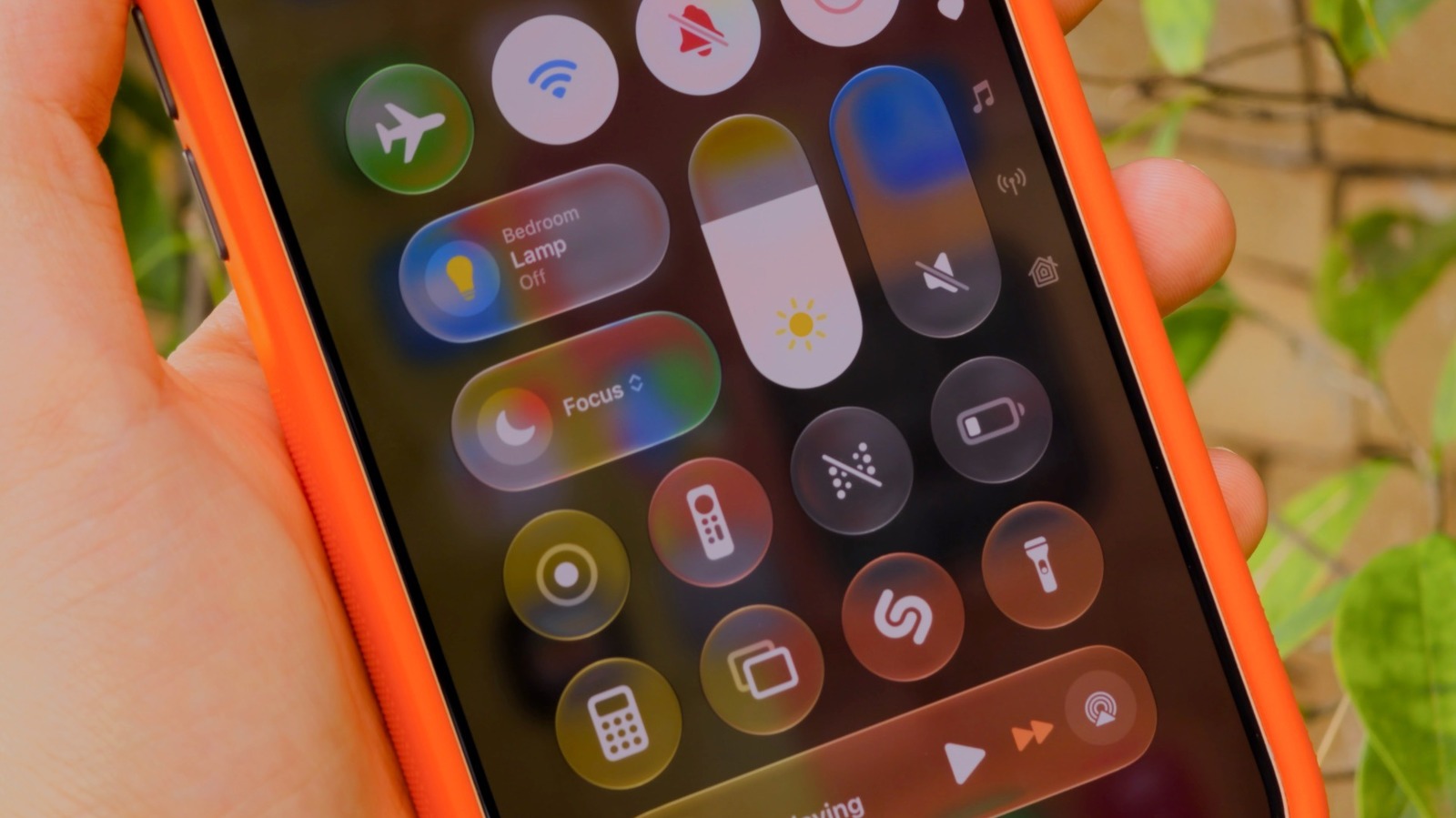
Your iPhone has more ways to silence notifications than you realize.


Filipe Espósito for Engadget

Notifications can get really annoying, especially during a meeting or at bedtime. The good news is that your iPhone has plenty of ways to silence and suppress them: Do Not Disturb, Focus modes and, of course, the classic silent mode. 

YOU MAY ALSO LIKE

Implementation of Machine Learning Workflows with NVIDIA cuML, RAPIDS, GPU Benchmarking, Explainability, Clustering, and Model Inference

Hyundai Motor Group Puts Data Flywheel Into Full Operation – Unite.AI

While silent mode is active, notifications still appear, but your phone won’t make any noise (though it might vibrate). In Do Not Disturb, notifications don’t show in the first place. And Focus modes are like Do Not Disturb on steroids — highly customizable for specific situations, like work or sleep. iOS has some predefined Focus modes, plus you can create your own.

It’s worth noting that these features aren’t new. Do Not Disturb was first introduced with iOS 6, and it has a single job: fully silencing all your notifications. You won’t see any banners, calls or alerts when it’s turned on. It works well when you really don’t want your phone distracting you. But Do Not Disturb can be too strict when you still want to receive important alerts, like calls from your family. That’s why Apple introduced Focus with iOS 15.

Setting up Focus modes and Do Not Disturb on iPhone
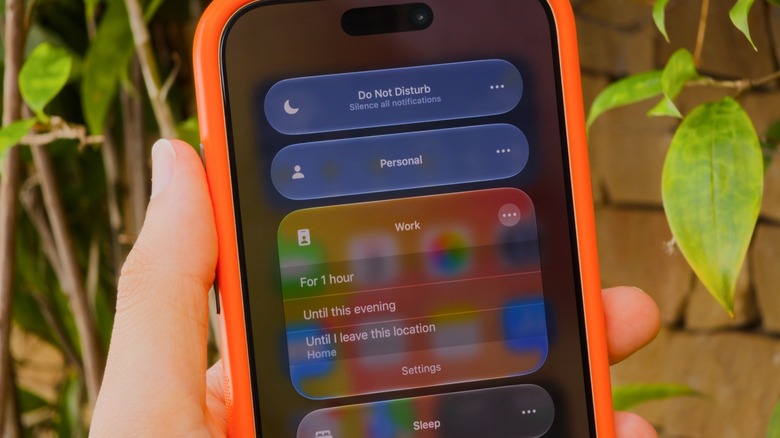

iPhone Control Center showing some of the default Focus modes: Do Not Disturb, Personal, Work and Sleep.
Filipe Espósito for Engadget

Do Not Disturb and Focus live in your iPhone’s Control Center, accessible by swiping down from the top-right corner of your screen. If you’re still rocking an iPhone with a Home button, slide up from the bottom instead. Tap the Focus button and you’ll see every available option laid out: classic Do Not Disturb, plus Personal, Work and Sleep. To tweak a specific mode, tap the three dots, then Settings.

If you’ve never used a Focus before, you’ll need to set it up first. That’s what makes this feature so powerful: in its settings (Settings > Focus), you can choose which apps and people are allowed to notify you when a mode is on. Let’s say in the Work Focus, you only allow notifications from apps like Slack and Mail, while all others are silenced. The same goes for people; it’s in your control whether calls or messages from specific contacts notify you.

To set these up, tap People or Apps while inside a Focus’s options. You can choose to Allow or Silence Notifications From the list you created — whichever makes more sense for that Focus. Under Apps, be sure to enable Time Sensitive Notifications so you still receive important alerts like reminders, alarms or calendar events. You can also customize a Focus mode by applying Filters and Smart Activation. It’s definitely worth taking the time to check out all the available options, given what a great productivity tool Focus is.

As you may notice, Do Not Disturb is its own Focus, meaning it’s customizable like the rest. You might wish to allow alerts from your spouse even in Do Not Disturb, perhaps.

Smart Focus modes for bedtime and driving
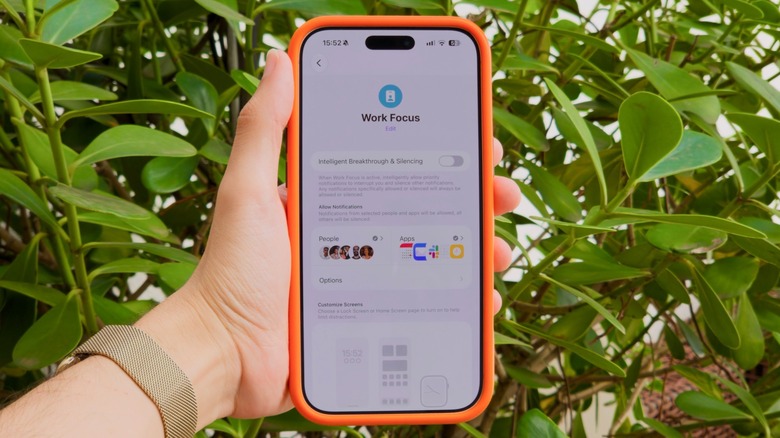

Customizing the iPhone's Work Focus mode in the Settings app.
Filipe Espósito for Engadget

You can toggle focus modes manually from Control Center anytime, but your iPhone can also trigger them automatically. For example, there’s a Sleep Focus that turns on when it’s time to go to bed. It’s based on your sleep schedule in the Health app, meaning there’s no need to turn it on manually every night. Driving works similarly, as it turns on when your iPhone connects to CarPlay to help reduce distractions on the road. 

If you have Apple Intelligence enabled, there’s also the special Reduce Interruptions Focus. This uses AI to figure out which notifications might be important and which aren’t. Because this does all the work for you, it’s a good Focus to try first. If you’d like to create your own Focus from scratch, tap New Focus at the bottom of the Control Center panel, or hit the Plus (+) button under Settings > Focus. Give your new mode a name and icon, then customize it like any of the others.

By default, anyone who contacts you via iMessage will see a small notice that you have a Focus turned on. While any Focus mode is active, some or all notifications will be suppressed following the way you’ve set it up. You’ll still receive these messages, emails and other notifications; you just won’t get pings for them. When you want notifications to alert you normally again, turn the Focus off. 

Credit: Source link

ShareTweetSendSharePin

Related Posts

Implementation of Machine Learning Workflows with NVIDIA cuML, RAPIDS, GPU Benchmarking, Explainability, Clustering, and Model Inference
AI & Technology

Implementation of Machine Learning Workflows with NVIDIA cuML, RAPIDS, GPU Benchmarking, Explainability, Clustering, and Model Inference

September 13, 2026
Hyundai Motor Group Puts Data Flywheel Into Full Operation – Unite.AI
AI & Technology

Hyundai Motor Group Puts Data Flywheel Into Full Operation – Unite.AI

September 13, 2026
What Is The Difference Between A Dead Pixel And A Stuck Pixel?
AI & Technology

What Is The Difference Between A Dead Pixel And A Stuck Pixel?

September 13, 2026
Cognition Releases SWE-2: A Kimi K3 Post-Trained Coding Model That Matches Fable 5.1 on FrontierCode at 64% Lower Cost
AI & Technology

Cognition Releases SWE-2: A Kimi K3 Post-Trained Coding Model That Matches Fable 5.1 on FrontierCode at 64% Lower Cost

September 12, 2026
Next Post
The World’s Smartest AIs Played Poker for ,000

The World’s Smartest AIs Played Poker for $10,000

Leave a Reply Cancel reply

Your email address will not be published. Required fields are marked *

Search

No Result
View All Result
Oil prices hit six-week high amid US-Iran conflict — but drivers could soon get relief at the pump

Oil prices hit six-week high amid US-Iran conflict — but drivers could soon get relief at the pump

September 7, 2026
Pros And Cons Of Using A Chromebook As Your Everyday PC

Pros And Cons Of Using A Chromebook As Your Everyday PC

September 8, 2026
Lindsay Clancy juror speaks after mistrial: "There was so much doubt" – CBS News

Lindsay Clancy juror speaks after mistrial: "There was so much doubt" – CBS News

September 9, 2026

About

Learn more

Our Services

Legal

Privacy Policy

Terms of Use

Bloggers

Learn more

Article Links

Contact

Advertise

Ask us anything

©2020- TradePoint.io - All rights reserved!

Tradepoint.io, being just a publishing and technology platform, is not a registered broker-dealer or investment adviser. So we do not provide investment advice. Rather, brokerage services are provided to clients of Tradepoint.io by independent SEC-registered broker-dealers and members of FINRA/SIPC. Every form of investing carries some risk and past performance is not a guarantee of future results. “Tradepoint.io“, “Instant Investing” and “My Trading Tools” are registered trademarks of Apperbuild, LLC.

This website is operated by Apperbuild, LLC. We have no link to any brokerage firm and we do not provide investment advice. Every information and resource we provide is solely for the education of our readers. © 2020 Apperbuild, LLC. All rights reserved.

No Result
View All Result
  • Main
  • AI & Technology
  • Stock Charts
  • Market & News
  • Business
  • Finance Tips
  • Trade Tube
  • Blog
  • Shop

© 2023 - TradePoint.io - All Rights Reserved!