
• bitcoinBitcoin(BTC)$83,928.00-2.89%
  • ethereumEthereum(ETH)$2,657.46-3.22%
  • tetherTether(USDT)$1.00-0.01%
  • binancecoinBNB(BNB)$763.75-3.25%
  • rippleXRP(XRP)$1.49-4.18%
  • usd-coinUSDC(USDC)$1.00-0.01%
  • solanaSolana(SOL)$114.14-2.77%
  • tronTRON(TRX)$0.338639-0.62%
  • zcashZcash(ZEC)$1,530.42-0.94%
  • Figure HelocFigure Heloc(FIGR_HELOC)$1.030.43%
  • HyperliquidHyperliquid(HYPE)$92.77-2.99%
  • dogecoinDogecoin(DOGE)$0.092191-7.27%
  • moneroMonero(XMR)$549.39-4.18%
  • whitebitWhiteBIT Coin(WBT)$84.26-2.81%
  • USDSUSDS(USDS)$1.00-0.02%
  • chainlinkChainlink(LINK)$12.23-5.89%
  • cardanoCardano(ADA)$0.238075-4.43%
  • RainRain(RAIN)$0.012446-7.08%
  • leo-tokenLEO Token(LEO)$8.97-0.01%
  • stellarStellar(XLM)$0.202990-4.95%
  • bitcoin-cashBitcoin Cash(BCH)$351.307.59%
  • uniswapUniswap(UNI)$9.12-0.87%
  • nearNEAR Protocol(NEAR)$4.25-3.91%
  • Ethena USDeEthena USDe(USDE)$1.00-0.01%
  • litecoinLitecoin(LTC)$60.25-2.94%
  • daiDai(DAI)$1.00-0.01%
  • avalanche-2Avalanche(AVAX)$10.25-7.44%
  • USD1USD1(USD1)$1.00-0.01%
  • CantonCanton(CC)$0.108053-4.36%
  • the-open-networkGram (prev. Toncoin)(GRAM)$1.41-2.28%
  • hedera-hashgraphHedera(HBAR)$0.090120-6.03%
  • suiSui(SUI)$0.96-4.26%
  • BittensorBittensor(TAO)$292.56-6.31%
  • shiba-inuShiba Inu(SHIB)$0.000006-6.36%
  • Global DollarGlobal Dollar(USDG)$1.000.00%
  • crypto-com-chainCronos(CRO)$0.061721-7.41%
  • paypal-usdPayPal USD(PYUSD)$1.00-0.01%
  • MemeCoreMemeCore(M)$1.21-7.03%
  • tether-goldTether Gold(XAUT)$4,285.06-1.20%
  • BitwayBitway(BTW)$0.9815.58%
  • okbOKB(OKB)$118.34-3.15%
  • Circle USYCCircle USYC(USYC)$1.140.01%
  • Ripple USDRipple USD(RLUSD)$1.000.00%
  • BlackRock USD Institutional Digital Liquidity FundBlackRock USD Institutional Digital Liquidity Fund(BUIDL)$1.000.00%
  • Ondo US Dollar YieldOndo US Dollar Yield(USDY)$1.150.23%
  • aaveAave(AAVE)$139.57-2.46%
  • mantleMantle(MNT)$0.65-1.20%
  • EthenaEthena(ENA)$0.2088801.27%
  • OndoOndo(ONDO)$0.415667-3.16%
  • Pump.funPump.fun(PUMP)$0.004025-10.87%
TradePoint.io
  • Main
  • AI & Technology
  • Stock Charts
  • Market & News
  • Business
  • Finance Tips
  • Trade Tube
  • Blog
  • Shop
No Result
View All Result
TradePoint.io
No Result
View All Result

What’s The Difference Between These Formats?

August 4, 2026
in AI & Technology
Reading Time: 3 mins read
A A
What’s The Difference Between These Formats?
ShareShareShareShareShare

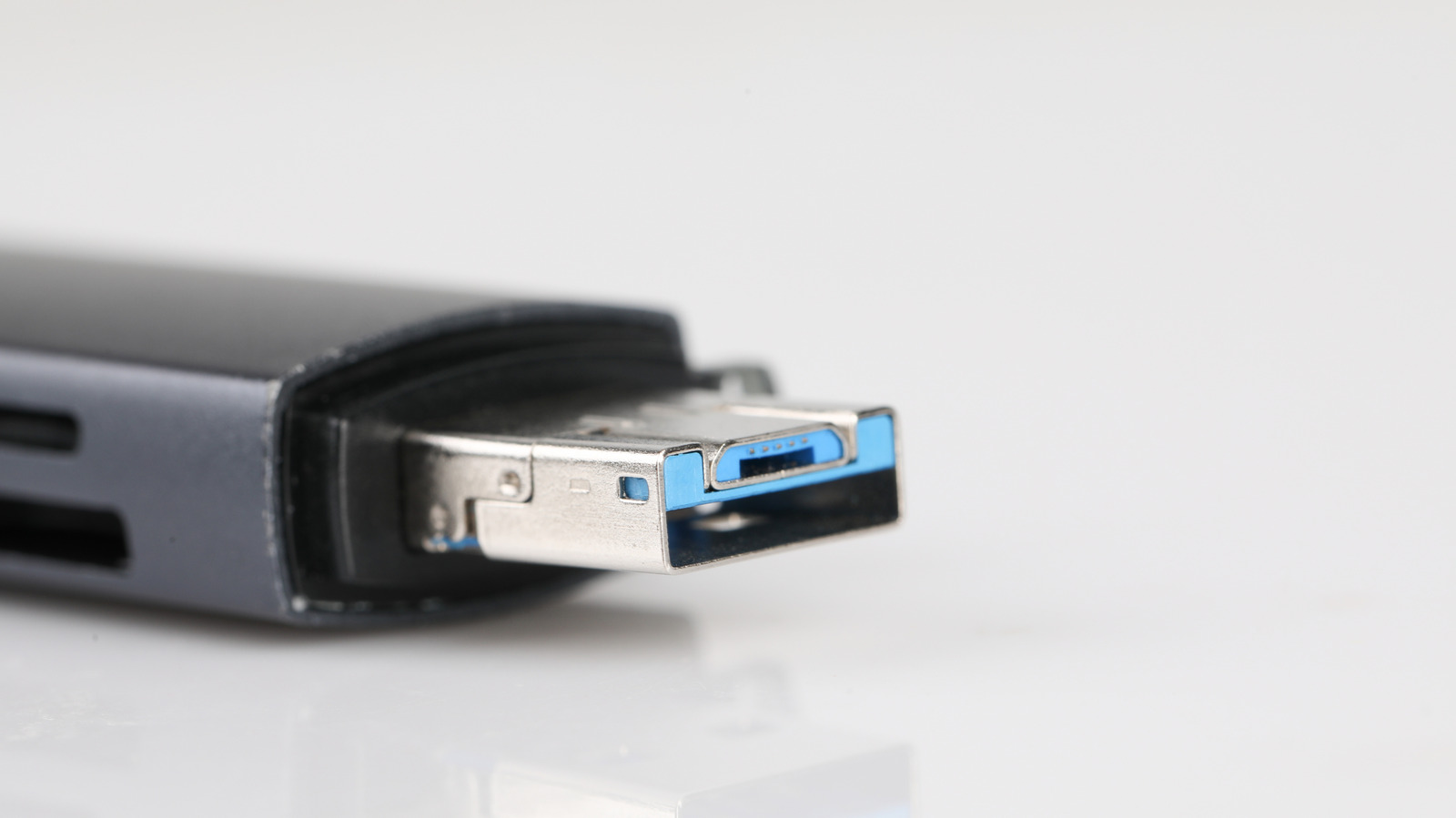
exFAT is best for cross-platform usage.

iamshutter/Shutterstock

Formatting a USB drive might seem straightforward until you’re faced with options like exFAT, NTFS, and FAT32. Choosing the wrong format can lead to compatibility issues, failed file transfers or increased risk of data corruption.

YOU MAY ALSO LIKE

Logitech’s Yeti 2 Brings The 17-Year-Old USB Mic Into The Modern Age

Never Use ChatGPT For These Five Tasks

Both exFAT and NTFS are Microsoft-developed file systems designed for different purposes. exFAT is ideal for external drives shared between Windows and Mac, while NTFS is better for Windows-only drives that require added security and reliability. But let’s dive into the details and break down the differences between exFAT and NTFS to help you make the right choice.

Which format is better, NTFS or exFAT?

In some ways, asking which is “better” is like comparing apples to oranges — they’re built for different jobs. NTFS is Microsoft’s advanced file system for Windows, offering features like file permissions, encryption and journaling to protect data during unexpected interruptions. It’s the default file system for most Windows PCs and is ideal for internal drives or Windows-only setups.

exFAT is a lightweight, cross-platform alternative introduced in 2006. It’s designed for external drives that need to work seamlessly across operating systems like Windows or macOS. The best choice depends on where you’ll be using the drive and how you’ll use it.

What is exFAT good for?

Woman inserting thumb drive into laptop port Chayjitti Hongmanee/Shutterstock

exFAT excels at compatibility and handling large files. This is a great choice if you share files between Windows and Mac computers. It works great with large files, like 4K videos or disk images. The format is ideal for flash-based storage like USB drives, SD cards, or portable SSDs.

One downside is that while exFAT is highly compatible, it lacks some of the advanced features we see in NTFS like journaling, which makes it more prone to data corruption during interruption. It also doesn’t support file permission or encryption, limiting security for sensitive data. Even though it’s compatible with macOS, it won’t work with macOS Time Machine backups — you’ll need APFS or Mac OS Extended for that.

What is NTFS good for?

NTFS is ideal for drives that remain in the Windows ecosystem or when securing data matters most. You should choose NTFS if you use a Windows-only setup, as NTFS is the default format for most internal drives. If you need security features like file permissions and encryption for sensitive data, NTFS is the format of choice too. The downside is that NTFS is not fully compatible with macOS. Macs can read NTFS drives but can’t write to them without third-party software.

Should you format your USB to NTFS or exFAT?

If you need a general-purpose drive that works across Windows and Mac, exFAT is the best choice. It avoids the file size limits of FAT32 and works seamlessly across both operating systems. For drives dedicated to Windows-only use, especially those storing sensitive data or backups, NTFS is a more dependable and robust format.

Credit: Source link

ShareTweetSendSharePin

Related Posts

Logitech’s Yeti 2 Brings The 17-Year-Old USB Mic Into The Modern Age
AI & Technology

Logitech’s Yeti 2 Brings The 17-Year-Old USB Mic Into The Modern Age

September 23, 2026
Never Use ChatGPT For These Five Tasks
AI & Technology

Never Use ChatGPT For These Five Tasks

September 23, 2026
Apple Links Landmarks On Its Maps App To Hidden Histories Podcast Episodes
AI & Technology

Apple Links Landmarks On Its Maps App To Hidden Histories Podcast Episodes

September 23, 2026
Nokia Open-Sources AnyJev: A Training-Free Layer That Turns Any Open LLM Into a Calibrated Decision Model
AI & Technology

Nokia Open-Sources AnyJev: A Training-Free Layer That Turns Any Open LLM Into a Calibrated Decision Model

September 23, 2026
Next Post
The Easy Way To Get The Inflation Rate To 2%

The Easy Way To Get The Inflation Rate To 2%

Leave a Reply Cancel reply

Your email address will not be published. Required fields are marked *

Search

No Result
View All Result
USS Lincoln sailor has emotional reunion with mom

USS Lincoln sailor has emotional reunion with mom

September 18, 2026
Dolly Parton and the U.S. presidents

Dolly Parton and the U.S. presidents

September 23, 2026
Why NYC and L.A. Are Banning AI in Schools, Plus Ukrainians Are Forced Underground | Sept. 3

Why NYC and L.A. Are Banning AI in Schools, Plus Ukrainians Are Forced Underground | Sept. 3

September 17, 2026

About

Learn more

Our Services

Legal

Privacy Policy

Terms of Use

Bloggers

Learn more

Article Links

Contact

Advertise

Ask us anything

©2020- TradePoint.io - All rights reserved!

Tradepoint.io, being just a publishing and technology platform, is not a registered broker-dealer or investment adviser. So we do not provide investment advice. Rather, brokerage services are provided to clients of Tradepoint.io by independent SEC-registered broker-dealers and members of FINRA/SIPC. Every form of investing carries some risk and past performance is not a guarantee of future results. “Tradepoint.io“, “Instant Investing” and “My Trading Tools” are registered trademarks of Apperbuild, LLC.

This website is operated by Apperbuild, LLC. We have no link to any brokerage firm and we do not provide investment advice. Every information and resource we provide is solely for the education of our readers. © 2020 Apperbuild, LLC. All rights reserved.

No Result
View All Result
  • Main
  • AI & Technology
  • Stock Charts
  • Market & News
  • Business
  • Finance Tips
  • Trade Tube
  • Blog
  • Shop

© 2023 - TradePoint.io - All Rights Reserved!