




• bitcoinBitcoin(BTC)$83,067.001.81%
  • ethereumEthereum(ETH)$2,452.682.37%
  • tetherTether(USDT)$1.000.00%
  • binancecoinBNB(BNB)$742.822.03%
  • rippleXRP(XRP)$1.343.22%
  • usd-coinUSDC(USDC)$1.00-0.01%
  • solanaSolana(SOL)$106.711.95%
  • tronTRON(TRX)$0.331014-0.25%
  • Figure HelocFigure Heloc(FIGR_HELOC)$1.030.33%
  • zcashZcash(ZEC)$1,274.5011.71%
  • HyperliquidHyperliquid(HYPE)$81.192.90%
  • dogecoinDogecoin(DOGE)$0.0820783.50%
  • moneroMonero(XMR)$584.44-2.93%
  • USDSUSDS(USDS)$1.000.14%
  • whitebitWhiteBIT Coin(WBT)$81.201.80%
  • chainlinkChainlink(LINK)$12.383.37%
  • cardanoCardano(ADA)$0.2246233.62%
  • leo-tokenLEO Token(LEO)$9.050.09%
  • RainRain(RAIN)$0.0095398.77%
  • nearNEAR Protocol(NEAR)$4.993.05%
  • stellarStellar(XLM)$0.1819862.86%
  • bitcoin-cashBitcoin Cash(BCH)$284.351.81%
  • litecoinLitecoin(LTC)$61.603.70%
  • uniswapUniswap(UNI)$7.644.61%
  • Ethena USDeEthena USDe(USDE)$1.000.01%
  • daiDai(DAI)$1.00-0.03%
  • avalanche-2Avalanche(AVAX)$9.772.32%
  • suiSui(SUI)$1.044.21%
  • CantonCanton(CC)$0.1058110.39%
  • USD1USD1(USD1)$1.000.00%
  • the-open-networkGram (prev. Toncoin)(GRAM)$1.35-0.34%
  • hedera-hashgraphHedera(HBAR)$0.0841161.63%
  • tether-goldTether Gold(XAUT)$4,116.97-0.34%
  • BitwayBitway(BTW)$2.084.16%
  • Global DollarGlobal Dollar(USDG)$1.000.01%
  • BittensorBittensor(TAO)$274.453.13%
  • shiba-inuShiba Inu(SHIB)$0.0000052.70%
  • crypto-com-chainCronos(CRO)$0.0577370.84%
  • paypal-usdPayPal USD(PYUSD)$1.000.15%
  • quant-networkQuant(QNT)$198.202.36%
  • EthenaEthena(ENA)$0.1983384.98%
  • okbOKB(OKB)$115.772.20%
  • aaveAave(AAVE)$156.615.05%
  • Ripple USDRipple USD(RLUSD)$1.000.00%
  • Circle USYCCircle USYC(USYC)$1.140.01%
  • Ondo US Dollar YieldOndo US Dollar Yield(USDY)$1.150.31%
  • Pump.funPump.fun(PUMP)$0.00491510.53%
  • worldcoin-wldWorldcoin(WLD)$0.588.69%
  • OndoOndo(ONDO)$0.4566105.38%
  • BlackRock USD Institutional Digital Liquidity FundBlackRock USD Institutional Digital Liquidity Fund(BUIDL)$1.000.00%
TradePoint.io
  • Main
  • AI & Technology
  • Stock Charts
  • Market & News
  • Business
  • Finance Tips
  • Trade Tube
  • Blog
  • Shop
No Result
View All Result
TradePoint.io
No Result
View All Result

What Can You Use Your Apple Watch Ultra 4 Action Button For?

October 20, 2026
in AI & Technology
Reading Time: 4 mins read
A A
What Can You Use Your Apple Watch Ultra 4 Action Button For?
ShareShareShareShareShare

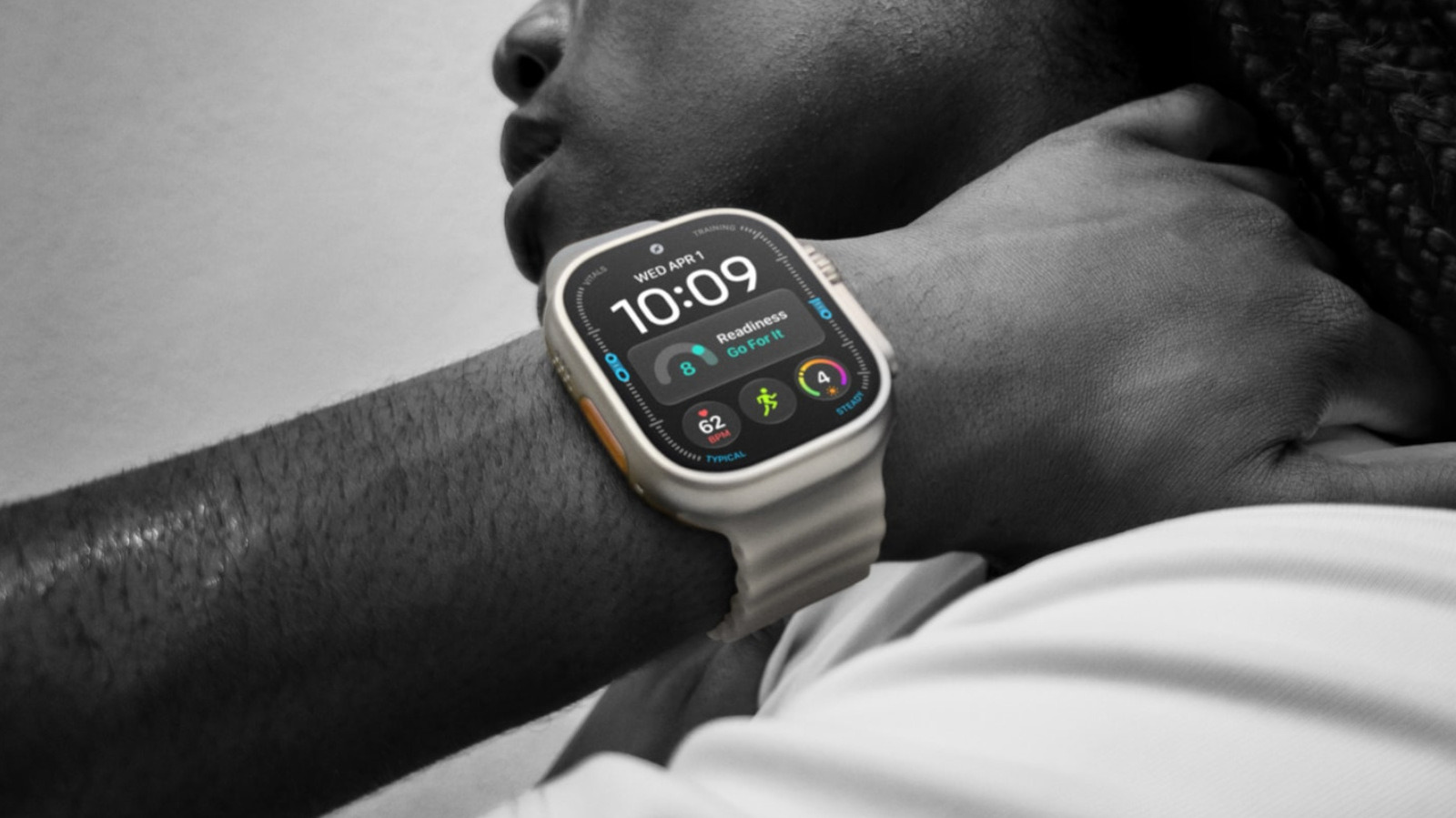
That little orange button can do a lot more than start your next workout.


Apple

If you’re serious about running, hiking, weightlifting or other high-energy activities, the Apple Watch Ultra 4 is easy to recommend. At $800, it is a commitment — but that’s surprisingly reasonable compared to other fitness and adventure watches, and the benefits over a regular Apple Watch aren’t trivial. It’s bigger, tougher and lasts up to 50 hours on a charge, whereas a Series 12 has to be topped up every day. Combined with its satellite features and GPS accuracy, it might legitimately save your life on a wilderness trek.

YOU MAY ALSO LIKE

The Latest PlayStation Firmware May Have Already Been Cracked Ahead Of GTA 6

OpenAI Acquires Orchestra Bio to Expand Rosalind Life Sciences Tools – Unite.AI

An Ultra difference that Apple tends to downplay these days is the action button. It’s an orange button next to the speaker grille, used as a quick shortcut for commands that other Watch owners have to tap through menus or complications to reach. It can also activate the watch’s emergency siren, which helps attract attention if you’re lost or injured. It’s such an obvious, low-cost feature that it’s almost insulting that it’s not on Series devices, too.

There’s a broad range of commands you can assign to the button. You can only assign one at a time, but if you know what you’re doing, it can be immensely useful for anything that’s a daily habit. All the more so if you take advantage of the automation upgrades in watchOS 27 and iOS 27.

The action button arsenal on your wrist
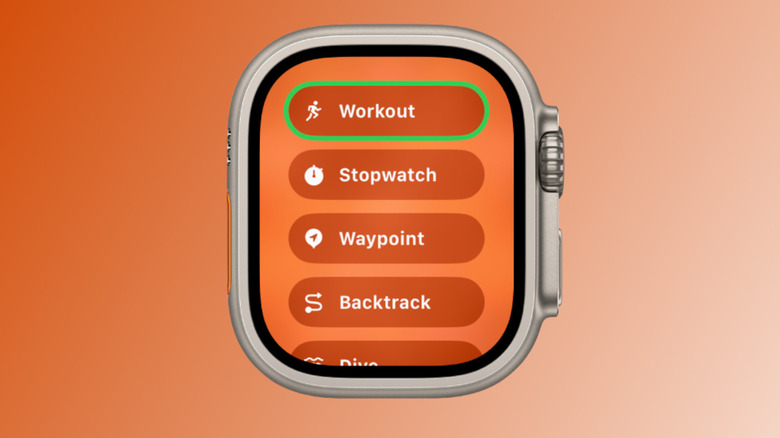

Customizing the action button on an Apple Watch Ultra.
Apple

If you hold down the action button briefly, you’ll see the Quick Switch menu appear. This lets you swap the button’s single-tap function on the fly, which can be vital for some activities, particularly outdoor navigation. You’ll see what we mean in a moment.

The most straightforward options are Flashlight, Voice Memo, Translate and Recognize Music. With these, you just hit the button once to start the function and again to stop it. As a side note, Recognize Music should be nearly instant on an Ultra 4, thanks to Apple’s new Audio Intelligence capabilities, which also support automatic Shazam detection.

Slightly more complex are Workout, Stopwatch and Dive. With Stopwatch, pressing the button once starts timing, and pressing it again marks a lap. Press the action and side buttons simultaneously to pause. With Dive, a regular press begins your aquatic adventures, while pressing action and side simultaneously launches an app-specific secondary function. 

Similarly, Workout will either open the Workout app or immediately launch into a particular activity. You can change this by going to Settings > Action Button. Mid-session, tapping the button performs a secondary function, such as marking a segment. To pause, press action and side together.

Special attention is due to the two navigation options, Waypoint and Backtrack. The first drops waypoints visible in the Compass app and the Waypoint watchface, although some waypoints are added automatically, such as your parked car and the last available cell signal. Backtrack is also linked to the Compass app, but tapping once starts recording a precise route you can retrace later. Hitting the action and side buttons simultaneously flips between the Record and Retrace modes.

The showstoppers: Accessibility and Shortcuts
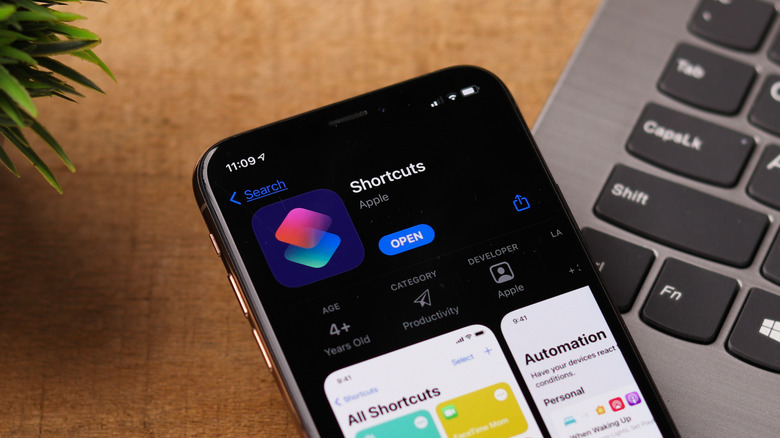

Downloading the Shortcuts app on an iPhone.
sdx15/Shutterstock

For some users, assigning the button to Accessibility might be unavoidable. This lets you trigger things like AssistiveTouch, VoiceOver and even control nearby devices. There may be a reason to use this if you’re fully able-bodied, too, so check it out.

Arguably, though, the single most powerful action is Shortcut. This is configured like Accessibility, but lets you trigger any automation you’ve built in the iPhone’s Shortcuts app. Given that these automations can stretch across multiple platforms and even control smart home accessories, there’s virtually unlimited potential. A single tap might, for example, turn on your lights, adjust your thermostat and even start playing local news on your HomePod.

The Shortcuts app can be unwieldy at times. Thankfully, a big change in iOS 27 on iPhones with Apple Intelligence is the ability to build shortcuts simply by describing what you want them to do. This greatly simplifies the process, although it’s important to double-check the results. You don’t want an “I’m driving home” routine to accidentally send an ETA to your mother-in-law instead of your partner.

Credit: Source link

ShareTweetSendSharePin

Related Posts

The Latest PlayStation Firmware May Have Already Been Cracked Ahead Of GTA 6
AI & Technology

The Latest PlayStation Firmware May Have Already Been Cracked Ahead Of GTA 6

October 20, 2026
OpenAI Acquires Orchestra Bio to Expand Rosalind Life Sciences Tools – Unite.AI
AI & Technology

OpenAI Acquires Orchestra Bio to Expand Rosalind Life Sciences Tools – Unite.AI

October 20, 2026
SpaceX Q3 Revenue Rises 161% as Super Intelligence Swings to Profit – Unite.AI
AI & Technology

SpaceX Q3 Revenue Rises 161% as Super Intelligence Swings to Profit – Unite.AI

October 20, 2026
IRONSCALES Report Finds AI Agents Are Becoming a New Target for Phishing – Unite.AI
AI & Technology

IRONSCALES Report Finds AI Agents Are Becoming a New Target for Phishing – Unite.AI

October 20, 2026
Next Post
AI: A Global Financial Trap With No Easy Way Out

AI: A Global Financial Trap With No Easy Way Out

Leave a Reply Cancel reply

Your email address will not be published. Required fields are marked *

Search

No Result
View All Result
Netflix To Lay Off Roughly 1,000 Employees In Biggest Round Of Job Cuts Since 2022

Netflix To Lay Off Roughly 1,000 Employees In Biggest Round Of Job Cuts Since 2022

October 14, 2026
Spain's rush to clear Ceuta migrant backlog raises rights concerns – Reuters

Spain's rush to clear Ceuta migrant backlog raises rights concerns – Reuters

October 19, 2026
Your MCP Server Is Secure. The Ledger Behind It Isn’t. – Unite.AI

Your MCP Server Is Secure. The Ledger Behind It Isn’t. – Unite.AI

October 16, 2026

About

Learn more

Our Services

Legal

Privacy Policy

Terms of Use

Bloggers

Learn more

Article Links

Contact

Advertise

Ask us anything

©2020- TradePoint.io - All rights reserved!

Tradepoint.io, being just a publishing and technology platform, is not a registered broker-dealer or investment adviser. So we do not provide investment advice. Rather, brokerage services are provided to clients of Tradepoint.io by independent SEC-registered broker-dealers and members of FINRA/SIPC. Every form of investing carries some risk and past performance is not a guarantee of future results. “Tradepoint.io“, “Instant Investing” and “My Trading Tools” are registered trademarks of Apperbuild, LLC.

This website is operated by Apperbuild, LLC. We have no link to any brokerage firm and we do not provide investment advice. Every information and resource we provide is solely for the education of our readers. © 2020 Apperbuild, LLC. All rights reserved.

No Result
View All Result
  • Main
  • AI & Technology
  • Stock Charts
  • Market & News
  • Business
  • Finance Tips
  • Trade Tube
  • Blog
  • Shop

© 2023 - TradePoint.io - All Rights Reserved!