











• bitcoinBitcoin(BTC)$64,316.00-0.17%
  • ethereumEthereum(ETH)$1,820.190.88%
  • tetherTether(USDT)$1.000.01%
  • binancecoinBNB(BNB)$591.570.39%
  • usd-coinUSDC(USDC)$1.000.00%
  • rippleXRP(XRP)$0.960.59%
  • solanaSolana(SOL)$72.402.26%
  • tronTRON(TRX)$0.3054050.80%
  • Figure HelocFigure Heloc(FIGR_HELOC)$1.040.00%
  • HyperliquidHyperliquid(HYPE)$68.964.05%
  • zcashZcash(ZEC)$915.963.32%
  • moneroMonero(XMR)$508.624.51%
  • dogecoinDogecoin(DOGE)$0.0587690.36%
  • leo-tokenLEO Token(LEO)$9.280.78%
  • USDSUSDS(USDS)$1.000.02%
  • whitebitWhiteBIT Coin(WBT)$62.27-0.20%
  • chainlinkChainlink(LINK)$9.150.65%
  • cardanoCardano(ADA)$0.1529440.52%
  • stellarStellar(XLM)$0.137321-0.10%
  • Ethena USDeEthena USDe(USDE)$1.000.00%
  • daiDai(DAI)$1.000.02%
  • nearNEAR Protocol(NEAR)$3.231.94%
  • bitcoin-cashBitcoin Cash(BCH)$209.191.23%
  • RainRain(RAIN)$0.005638-31.04%
  • litecoinLitecoin(LTC)$44.630.37%
  • CantonCanton(CC)$0.080889-2.98%
  • uniswapUniswap(UNI)$5.292.83%
  • avalanche-2Avalanche(AVAX)$7.15-0.01%
  • tether-goldTether Gold(XAUT)$3,857.870.36%
  • suiSui(SUI)$0.720.59%
  • USD1USD1(USD1)$1.000.00%
  • the-open-networkGram (prev. Toncoin)(GRAM)$1.03-1.88%
  • Ripple USDRipple USD(RLUSD)$1.000.00%
  • Global DollarGlobal Dollar(USDG)$1.00-0.01%
  • hedera-hashgraphHedera(HBAR)$0.056545-2.82%
  • Ondo US Dollar YieldOndo US Dollar Yield(USDY)$1.150.11%
  • paypal-usdPayPal USD(PYUSD)$1.000.01%
  • crypto-com-chainCronos(CRO)$0.0446525.35%
  • shiba-inuShiba Inu(SHIB)$0.000004-0.83%
  • BittensorBittensor(TAO)$191.241.21%
  • quant-networkQuant(QNT)$153.47-0.92%
  • MemeCoreMemeCore(M)$0.909.80%
  • Circle USYCCircle USYC(USYC)$1.140.00%
  • Spiko Amundi Overnight Swap Fund (EUR)Spiko Amundi Overnight Swap Fund (EUR)(EURSAFO)$1.12-0.15%
  • okbOKB(OKB)$86.902.07%
  • aaveAave(AAVE)$112.643.68%
  • pax-goldPAX Gold(PAXG)$3,861.340.36%
  • Falcon USDFalcon USD(USDF)$1.00-0.01%
  • United StablesUnited Stables(U)$1.000.03%
  • pepePepe(PEPE)$0.0000043.07%
TradePoint.io
  • Main
  • AI & Technology
  • Stock Charts
  • Market & News
  • Business
  • Finance Tips
  • Trade Tube
  • Blog
  • Shop
No Result
View All Result
TradePoint.io
No Result
View All Result

The Important Gmail Security Settings You Should Be Using

November 17, 2026
in AI & Technology
Reading Time: 5 mins read
A A
The Important Gmail Security Settings You Should Be Using
ShareShareShareShareShare

Having your Google account compromised can be a huge deal.


Pongsak Sapakdee/Getty Images

Gmail is no longer just an email service. Plenty of websites and apps let you log in with your Google account, and many people use that one login for almost everything they do online. It makes signing in a lot easier. It also means that whoever holds the keys to your account holds a lot more than just your private emails.

YOU MAY ALSO LIKE

ElevenLabs to Acquire Kotoba for Japanese Voice AI Expansion – Unite.AI

Apple Adds New Disk Controls To Prevent AI Agents From Running Amok

Google is very aware of that, which is why it offers a variety of security and privacy settings to keep your account safe and keep third parties out of it. These are some of the most important ones you should be using.

Run Security Checkup, then turn on two-step verification

Start with Security Checkup; it’s a page in your Google Account that gives you personalized recommendations, like adding a recovery phone number and email. Those might sound like very basic steps, but they matter more than you might think: Google uses them to alert you to suspicious activity and to help you get back in if someone locks you out. From google.com, click your profile icon in the upper right, then click Manage your Google Account. Click Security & sign-in. At the top of the page, you’ll see an icon. A green shield means nothing needs your attention right now. A blue, yellow or red exclamation mark means there’s something to fix.

The single biggest fix is two-step verification, also known as two-factor authentication. With it on, a stolen password isn’t enough, because signing in also takes something you physically have on you, like your phone or your own computer. To switch it on, go to Security & sign-in, find the How you sign in to Google section, select Turn on 2-Step Verification and follow the prompts.

Then there are passkeys, which let you sign in with your fingerprint, face scan or screen lock instead of a password. A passkey can’t be shared, copied or written down, so it holds up against phishing. To create one, go to your account’s passkey page and select Create a passkey. Only do it on devices you own; once a passkey exists, anyone who can unlock that device can get into your account.

Audit what already has access
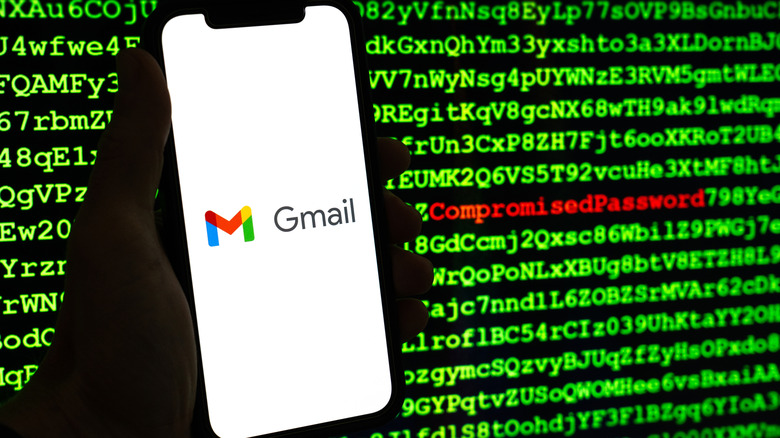

Person holding smartphone with Gmail app on the screen in front of a screen that says compromised password.
Sadi Hockmuller/Shutterstock

Locking the front door doesn’t help if someone already has a key, so check who and what is connected. Go to myaccount.google.com, open Security & sign-in and scroll down to the linked apps section, then select See all linked apps. You’ll see the apps and sites you use Sign in with Google for, plus anything that has been given access to your account data. Anything you don’t recognize or no longer use can go: select Remove access, then Confirm.

Next, look at Gmail itself. An attacker who gets in often changes a few quiet settings so they can keep reading your mail later. Open Gmail on your computer, click the gear icon in the top right and select See all settings. Then check for anything unfamiliar under automatic forwarding, filters, labels, scheduled emails, your vacation responder, and IMAP or POP access. Mail delegation, which lets someone else read, send and delete email in your account, has its own spot: go to the Accounts and Import tab and look under Grant access to your account. If a name is there that you didn’t add, click Delete next to it. You can’t manage delegates from the Gmail app, only on the desktop site. Automatic forwarding is the nasty one. It sends a copy of every new message, except spam, to another address, and you’d never notice. If you find a forwarding rule you didn’t set up, change your password right away and turn it off.

The devices page is the other place to look. It lives in your Google Account, not in Gmail’s settings: go to myaccount.google.com, open Security & sign-in (on a computer it may show up as just Security in the left-hand menu), find Your devices and select Manage all devices. You’ll see everywhere you’re signed in or have been in the last few weeks. Watch for a device you don’t recognize, a location you weren’t in or a browser you don’t normally use. Take a moment to think about it, though: an airport, a library computer or a phone you recently reset can all look odd. If something really isn’t yours, select the device and tap Sign out.

Good habits that keep it locked down

Once the settings are in place, a few habits keep them working. Keep two-step verification on, and never share a verification code with anyone. Google guarantees it won’t call you to ask for one. Run Security Checkup again every now and then, since recommendations change and old devices and apps pile up.

In general, keep an eye out for any suspicious activity, or even lack of activity. For example, you stop receiving mail, friends tell you they got spam from you, there are emails sent that you didn’t write or messages vanish from your inbox without landing in Trash. If any of that sounds familiar, change your password first, then work through the devices, apps and Gmail settings above.

Credit: Source link

ShareTweetSendSharePin

Related Posts

ElevenLabs to Acquire Kotoba for Japanese Voice AI Expansion – Unite.AI
AI & Technology

ElevenLabs to Acquire Kotoba for Japanese Voice AI Expansion – Unite.AI

November 17, 2026
Apple Adds New Disk Controls To Prevent AI Agents From Running Amok
AI & Technology

Apple Adds New Disk Controls To Prevent AI Agents From Running Amok

November 17, 2026
MiTAC Proposes Two-Server AI Inference Architecture at SC26 – Unite.AI
AI & Technology

MiTAC Proposes Two-Server AI Inference Architecture at SC26 – Unite.AI

November 17, 2026
Mem Announces AI Note-Taking Shutdown and Pauses Customer Billing – Unite.AI
AI & Technology

Mem Announces AI Note-Taking Shutdown and Pauses Customer Billing – Unite.AI

November 17, 2026
Next Post
Texas deputy avoids being hit by car during traffic stop

Texas deputy avoids being hit by car during traffic stop

Leave a Reply Cancel reply

Your email address will not be published. Required fields are marked *

Search

No Result
View All Result
Thrivent Mid Cap Stock Fund Q3 2026 Commentary (TMSIX)

Thrivent Mid Cap Stock Fund Q3 2026 Commentary (TMSIX)

November 17, 2026
New York Is Forcing T-Mobile To Stop Putting Data Caps On Low-Income Home Internet Plans

New York Is Forcing T-Mobile To Stop Putting Data Caps On Low-Income Home Internet Plans

November 11, 2026
LIVE: Fed Chair Warsh holds press conference on interest rate decision | NBC News

LIVE: Fed Chair Warsh holds press conference on interest rate decision | NBC News

November 15, 2026

About

Learn more

Our Services

Legal

Privacy Policy

Terms of Use

Bloggers

Learn more

Article Links

Contact

Advertise

Ask us anything

©2020- TradePoint.io - All rights reserved!

Tradepoint.io, being just a publishing and technology platform, is not a registered broker-dealer or investment adviser. So we do not provide investment advice. Rather, brokerage services are provided to clients of Tradepoint.io by independent SEC-registered broker-dealers and members of FINRA/SIPC. Every form of investing carries some risk and past performance is not a guarantee of future results. “Tradepoint.io“, “Instant Investing” and “My Trading Tools” are registered trademarks of Apperbuild, LLC.

This website is operated by Apperbuild, LLC. We have no link to any brokerage firm and we do not provide investment advice. Every information and resource we provide is solely for the education of our readers. © 2020 Apperbuild, LLC. All rights reserved.

No Result
View All Result
  • Main
  • AI & Technology
  • Stock Charts
  • Market & News
  • Business
  • Finance Tips
  • Trade Tube
  • Blog
  • Shop

© 2023 - TradePoint.io - All Rights Reserved!