
• bitcoinBitcoin(BTC)$80,297.00-0.90%
  • ethereumEthereum(ETH)$2,573.20-1.93%
  • tetherTether(USDT)$1.00-0.01%
  • binancecoinBNB(BNB)$748.76-1.50%
  • rippleXRP(XRP)$1.38-2.19%
  • usd-coinUSDC(USDC)$1.000.00%
  • solanaSolana(SOL)$108.56-2.81%
  • tronTRON(TRX)$0.3406620.91%
  • zcashZcash(ZEC)$1,449.72-7.31%
  • Figure HelocFigure Heloc(FIGR_HELOC)$1.02-1.31%
  • HyperliquidHyperliquid(HYPE)$91.35-1.77%
  • dogecoinDogecoin(DOGE)$0.085073-1.98%
  • moneroMonero(XMR)$520.04-8.55%
  • whitebitWhiteBIT Coin(WBT)$81.69-1.73%
  • USDSUSDS(USDS)$1.00-0.01%
  • RainRain(RAIN)$0.013402-3.68%
  • chainlinkChainlink(LINK)$11.99-2.52%
  • cardanoCardano(ADA)$0.219614-0.97%
  • leo-tokenLEO Token(LEO)$8.900.16%
  • stellarStellar(XLM)$0.190127-0.69%
  • uniswapUniswap(UNI)$8.72-4.35%
  • bitcoin-cashBitcoin Cash(BCH)$246.160.23%
  • Ethena USDeEthena USDe(USDE)$1.00-0.01%
  • daiDai(DAI)$1.000.00%
  • nearNEAR Protocol(NEAR)$3.47-5.34%
  • litecoinLitecoin(LTC)$56.74-0.22%
  • USD1USD1(USD1)$1.000.00%
  • avalanche-2Avalanche(AVAX)$9.6212.56%
  • CantonCanton(CC)$0.104048-4.99%
  • the-open-networkGram (prev. Toncoin)(GRAM)$1.381.65%
  • MemeCoreMemeCore(M)$1.5823.17%
  • hedera-hashgraphHedera(HBAR)$0.0818194.33%
  • suiSui(SUI)$0.821.16%
  • Global DollarGlobal Dollar(USDG)$1.00-0.01%
  • shiba-inuShiba Inu(SHIB)$0.000005-0.22%
  • crypto-com-chainCronos(CRO)$0.058400-1.17%
  • BittensorBittensor(TAO)$252.770.10%
  • paypal-usdPayPal USD(PYUSD)$1.00-0.01%
  • tether-goldTether Gold(XAUT)$4,370.22-0.04%
  • Circle USYCCircle USYC(USYC)$1.140.00%
  • okbOKB(OKB)$115.51-0.66%
  • Ripple USDRipple USD(RLUSD)$1.00-0.01%
  • BlackRock USD Institutional Digital Liquidity FundBlackRock USD Institutional Digital Liquidity Fund(BUIDL)$1.000.00%
  • Ondo US Dollar YieldOndo US Dollar Yield(USDY)$1.150.34%
  • aaveAave(AAVE)$136.82-3.94%
  • OndoOndo(ONDO)$0.4092943.33%
  • AsterAster(ASTER)$0.74-2.82%
  • EthenaEthena(ENA)$0.1965138.20%
  • mantleMantle(MNT)$0.59-1.87%
  • pax-goldPAX Gold(PAXG)$4,360.87-0.06%
TradePoint.io
  • Main
  • AI & Technology
  • Stock Charts
  • Market & News
  • Business
  • Finance Tips
  • Trade Tube
  • Blog
  • Shop
No Result
View All Result
TradePoint.io
No Result
View All Result

Microsoft Brings MCP to Azure Logic Apps (Standard) in Public Preview, Turning Connectors into Agent Tools

September 22, 2025
in AI & Technology
Reading Time: 7 mins read
A A
Microsoft Brings MCP to Azure Logic Apps (Standard) in Public Preview, Turning Connectors into Agent Tools
ShareShareShareShareShare

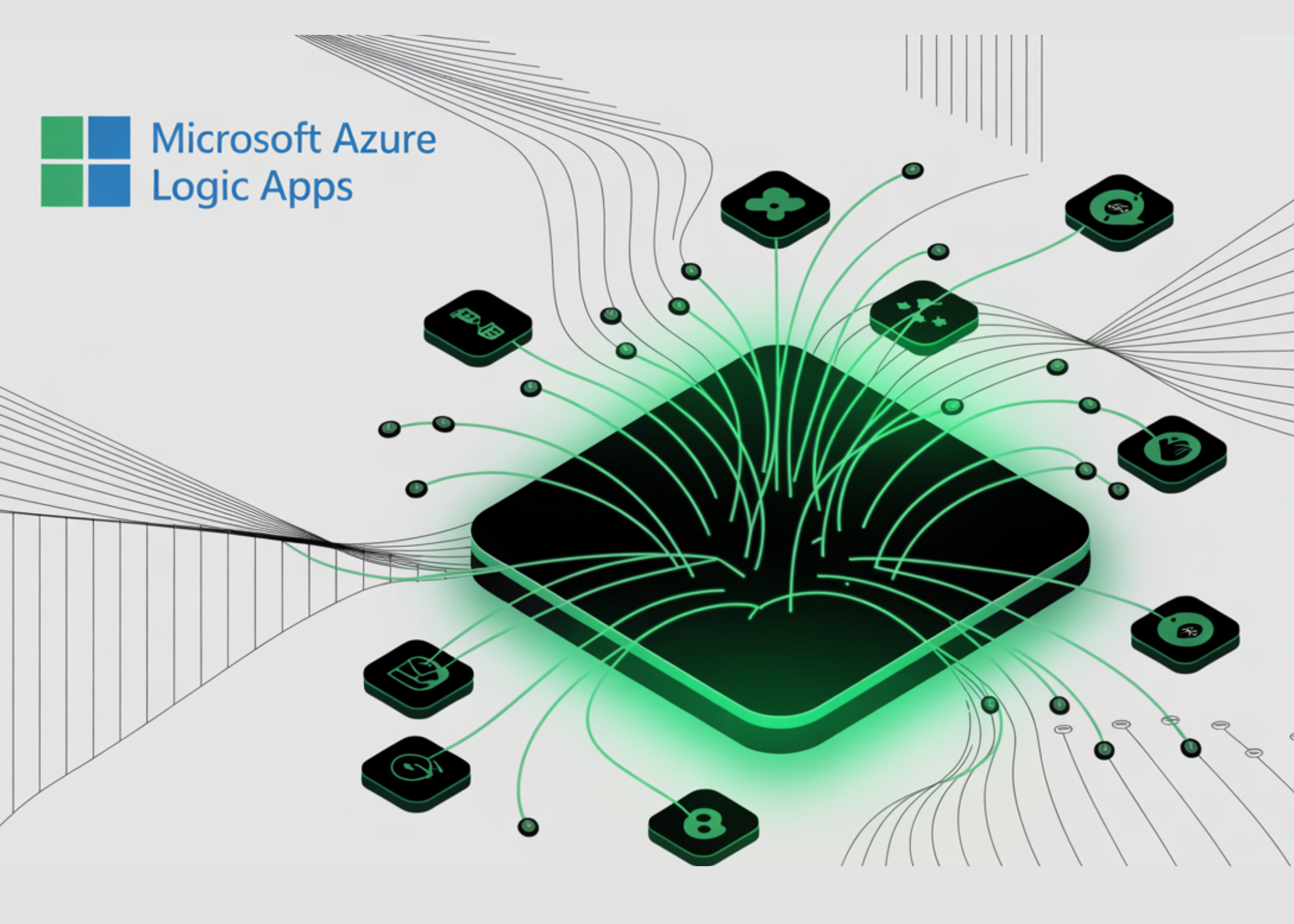
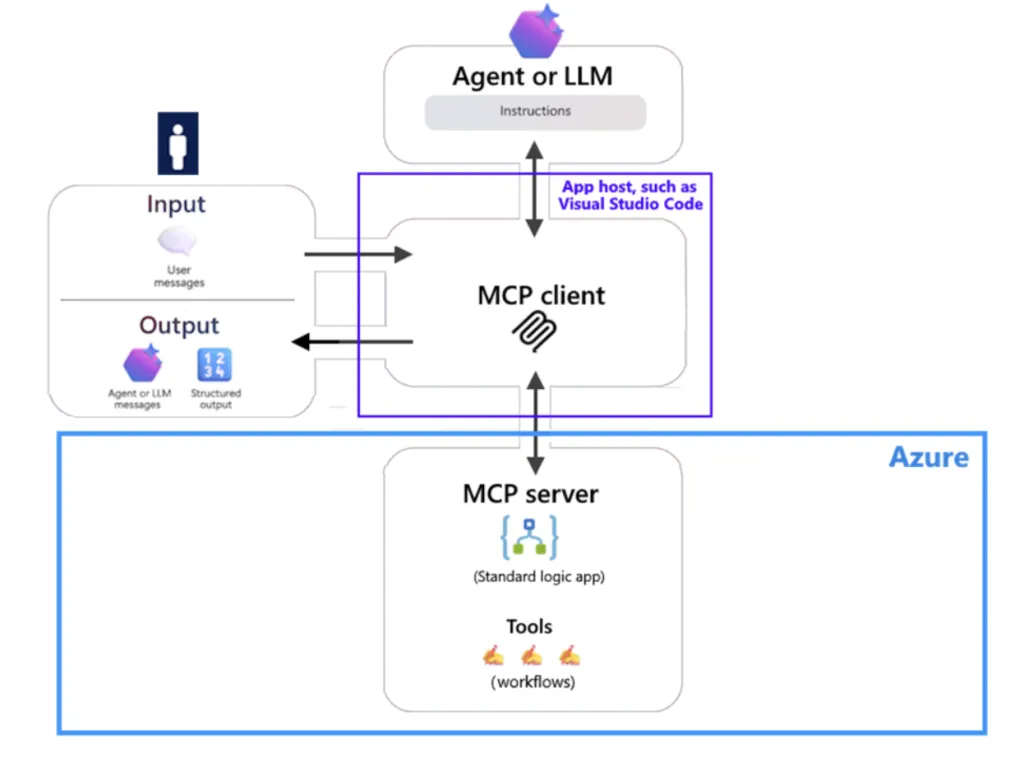
Microsoft has released a public preview that enables Azure Logic Apps (Standard) to run as Model Context Protocol (MCP) servers, exposing Logic Apps workflows as agent tools discoverable and callable by MCP-capable clients (e.g., VS Code + Copilot).

What’s actually shipping

  • Remote MCP server on Logic Apps (Standard): You configure a Standard logic app to host an MCP endpoint (/api/mcp) and surface HTTP Request/Response workflows as tools. Authentication is front-doored by Easy Auth; MCP endpoints default to OAuth 2.0. VS Code (≥1.102) includes GA MCP client support for testing.
  • API Center registration path (preview): You can also create/register MCP servers in Azure API Center, where selected managed connector actions become tools with cataloging and governance.
https://learn.microsoft.com/en-us/azure/logic-apps/set-up-model-context-protocol-server-standard

Key requirements and transport details

  • Workflow shape: Tools must be implemented as HTTP Request trigger (“When a HTTP request is received”) plus a Response action.
  • Auth & access control: By default, MCP uses OAuth 2.0; Easy Auth enforces client/identity/tenant restrictions. During setup, App Service authentication must allow unauthenticated requests (the MCP flow still performs OAuth).
  • Transports: Streamable HTTP works out of the box. SSE additionally requires VNET integration and host.json setting
    Runtime.Backend.EdgeWorkflowRuntimeTriggerListener.AllowCrossWorkerCommunication=true.
  • Enablement switch: MCP APIs are enabled by adding extensions.workflow.McpServerEndpoints.enable=true in host.json.

API Center path: preview limitations that matter

When creating MCP servers via API Center backed by Logic Apps, the current preview imposes the following limits:

YOU MAY ALSO LIKE

How Long Can You Expect Your Old Cassette Tapes To Last?

How To Record Audio On Your iPhone

  • Start with an empty Standard logic app resource.
  • One connector per MCP server.
  • Built-in service-provider and custom connectors aren’t supported in this path (managed connectors only).
  • One action per tool.

These constraints materially affect tool granularity and server layout in larger estates.

Why Standard (single-tenant) is the target?

Standard runs on the single-tenant Logic Apps runtime (on Azure Functions), supports multiple workflows per app, and integrates directly with virtual networks and private endpoints—all relevant for exposing private systems safely to agents and for predictable throughput/latency. By contrast, Consumption is multitenant, single-workflow per app, and pay-per-execution.

Tooling semantics and discoverability

Microsoft recommends adding trigger descriptions, parameter schemas/descriptions, and required markers to improve agent tool selection and invocation reliability. These annotations are read by MCP clients and influence calling behavior.

Connectors and enterprise reach

Organizations can front existing workflows and a large catalog of Logic Apps connectors (cloud and on-prem) through MCP, turning them into callable agent tools; Microsoft explicitly cites “more than 1,400 connectors.”

Operations, governance, and testing

Run history plus Application Insights/Log Analytics are available for diagnostics and auditability. VS Code provides quick client validation via MCP: Add Server, including OAuth sign-in and tool enumeration. Registering via API Center brings discovery/governance to MCP servers across teams.

Production notes (preview)

  • SSE requires both VNET and the cross-worker setting; without these, use streamable HTTP.
  • Easy Auth must be configured precisely (including the “allow unauthenticated” toggle) or client sign-in flows will fail despite OAuth expectations.
  • Throttling, idempotency, and schema versioning remain your responsibility when wrapping connectors as tools (not new, but now in the agent path). InfoQ highlights similar operational concerns from early adopters.

Summary

The preview cleanly MCP-enables Logic Apps (Standard): you expose HTTP-based workflows as OAuth-protected tools; you can catalog them in API Center; and you can reach private systems through single-tenant networking. For teams already invested in Logic Apps, this is a low-friction, standards-aligned route to operationalize enterprise agent tooling—just mind the API Center limits, SSE prerequisites, and Easy Auth nuances during rollout.


Check out more details here. Feel free to check out our GitHub Page for Tutorials, Codes and Notebooks. Also, feel free to follow us on Twitter and don’t forget to join our 100k+ ML SubReddit and Subscribe to our Newsletter.

For content partnership with marktechpost.com, please TALK to us


Michal Sutter is a data science professional with a Master of Science in Data Science from the University of Padova. With a solid foundation in statistical analysis, machine learning, and data engineering, Michal excels at transforming complex datasets into actionable insights.

🔥[Recommended Read] NVIDIA AI Open-Sources ViPE (Video Pose Engine): A Powerful and Versatile 3D Video Annotation Tool for Spatial AI

Credit: Source link

ShareTweetSendSharePin

Related Posts

How Long Can You Expect Your Old Cassette Tapes To Last?
AI & Technology

How Long Can You Expect Your Old Cassette Tapes To Last?

September 20, 2026
How To Record Audio On Your iPhone
AI & Technology

How To Record Audio On Your iPhone

September 20, 2026
What Is The Difference Between Apple CarPlay And CarPlay Ultra?
AI & Technology

What Is The Difference Between Apple CarPlay And CarPlay Ultra?

September 19, 2026
The Pros And Cons Of Using Wired Vs. Wireless Xbox Controllers
AI & Technology

The Pros And Cons Of Using Wired Vs. Wireless Xbox Controllers

September 19, 2026
Next Post
Hundreds of swimmers rescued by dangerous rip currents

Hundreds of swimmers rescued by dangerous rip currents

Leave a Reply Cancel reply

Your email address will not be published. Required fields are marked *

Search

No Result
View All Result
Still The Best (And It’s Not Close)

Still The Best (And It’s Not Close)

September 18, 2026
Trump responds to new Fed chairman Kevin Warsh raising interest rates

Trump responds to new Fed chairman Kevin Warsh raising interest rates

September 16, 2026
Scammers Have Been Inserting Fake Songs Onto Real Artist’s Pages On Spotify And Other Platforms

Scammers Have Been Inserting Fake Songs Onto Real Artist’s Pages On Spotify And Other Platforms

September 17, 2026

About

Learn more

Our Services

Legal

Privacy Policy

Terms of Use

Bloggers

Learn more

Article Links

Contact

Advertise

Ask us anything

©2020- TradePoint.io - All rights reserved!

Tradepoint.io, being just a publishing and technology platform, is not a registered broker-dealer or investment adviser. So we do not provide investment advice. Rather, brokerage services are provided to clients of Tradepoint.io by independent SEC-registered broker-dealers and members of FINRA/SIPC. Every form of investing carries some risk and past performance is not a guarantee of future results. “Tradepoint.io“, “Instant Investing” and “My Trading Tools” are registered trademarks of Apperbuild, LLC.

This website is operated by Apperbuild, LLC. We have no link to any brokerage firm and we do not provide investment advice. Every information and resource we provide is solely for the education of our readers. © 2020 Apperbuild, LLC. All rights reserved.

No Result
View All Result
  • Main
  • AI & Technology
  • Stock Charts
  • Market & News
  • Business
  • Finance Tips
  • Trade Tube
  • Blog
  • Shop

© 2023 - TradePoint.io - All Rights Reserved!