































print("\n[10] Plots")
k = min(4, S)
idxs = np.linspace(0, S - 1, k).astype(int)
fig, axes = plt.subplots(3, k, figsize=(3.1 * k, 7.2))
axes = np.atleast_2d(axes)
for c, i in enumerate(idxs):
   axes[0, c].imshow(rgb[i].transpose(1, 2, 0)); axes[0, c].set_title(f"frame {i}", fontsize=9)
   d = depth[i].squeeze(-1)
   axes[1, c].imshow(d, cmap="turbo", vmin=np.percentile(d, 2), vmax=np.percentile(d, 98))
   axes[2, c].imshow(depth_conf[i] > THR, cmap="gray")
for r, lbl in enumerate(["RGB", "depth", f"conf > {THR:.2f}"]):
   axes[r, 0].set_ylabel(lbl, fontsize=10)
for a in axes.ravel():
   a.set_xticks([]); a.set_yticks([])
plt.tight_layout(); plt.savefig(f"{OUT}/depth_strip.png", dpi=110); plt.show()
plt.figure(figsize=(11, 3))
plt.subplot(1, 2, 1)
plt.hist(depth_conf[::max(1, S // 15)].ravel(), bins=120, color="#4477aa")
plt.axvline(THR, color="crimson", ls="--", label=f"threshold {THR:.2f}")
plt.yscale("log"); plt.xlabel("depth confidence"); plt.ylabel("pixels (log)")
plt.legend(); plt.title("Confidence distribution")
plt.subplot(1, 2, 2)
plt.plot([(depth_conf[i] > THR).mean() for i in range(S)], lw=1.4, color="#228833")
plt.xlabel("frame"); plt.ylabel("fraction kept"); plt.ylim(0, 1)
plt.title("Per-frame confident-pixel ratio")
plt.tight_layout(); plt.show()
fig = plt.figure(figsize=(11, 4.2))
axA = fig.add_subplot(1, 2, 1, projection="3d")
axA.plot(*cam_centers.T, color="#cc3311", lw=1.8)
axA.scatter(*cam_centers[0], s=45, c="green", label="start")
axA.scatter(*cam_centers[-1], s=45, c="black", label="end")
sub = points[np.random.choice(len(points), min(4000, len(points)), replace=False)]
axA.scatter(*sub.T, s=0.4, c="#bbbbbb", alpha=0.35)
axA.set_title("Camera trajectory (3D)"); axA.legend(fontsize=8)
axB = fig.add_subplot(1, 2, 2)
axB.plot(cam_centers[:, 0], cam_centers[:, 2], color="#cc3311", lw=1.8)
axB.scatter(sub[:, 0], sub[:, 2], s=0.4, c="#bbbbbb", alpha=0.35)
axB.set_xlabel("x"); axB.set_ylabel("z"); axB.set_aspect("equal")
axB.set_title("Top-down (x-z)")
plt.tight_layout(); plt.savefig(f"{OUT}/trajectory.png", dpi=110); plt.show()
import plotly.graph_objects as go
n_show = min(CFG["max_plot_points"], len(points))
sel = np.random.choice(len(points), n_show, replace=False)
P, C = points[sel], (colors[sel] * 255).astype(np.uint8)
inb = np.all((P >= lo) & (P <= hi), axis=1)
P, C = P[inb], C[inb]
fig = go.Figure([
   go.Scatter3d(x=P[:, 0], y=P[:, 1], z=P[:, 2], mode="markers",
                marker=dict(size=1.2, color=[f"rgb({r},{g},{b})" for r, g, b in C]),
                name="points", hoverinfo="skip"),
   go.Scatter3d(x=cam_centers[:, 0], y=cam_centers[:, 1], z=cam_centers[:, 2],
                mode="lines+markers", line=dict(color="red", width=4),
                marker=dict(size=2, color="red"), name="camera path"),
])
fig.update_layout(height=680, margin=dict(l=0, r=0, t=28, b=0),
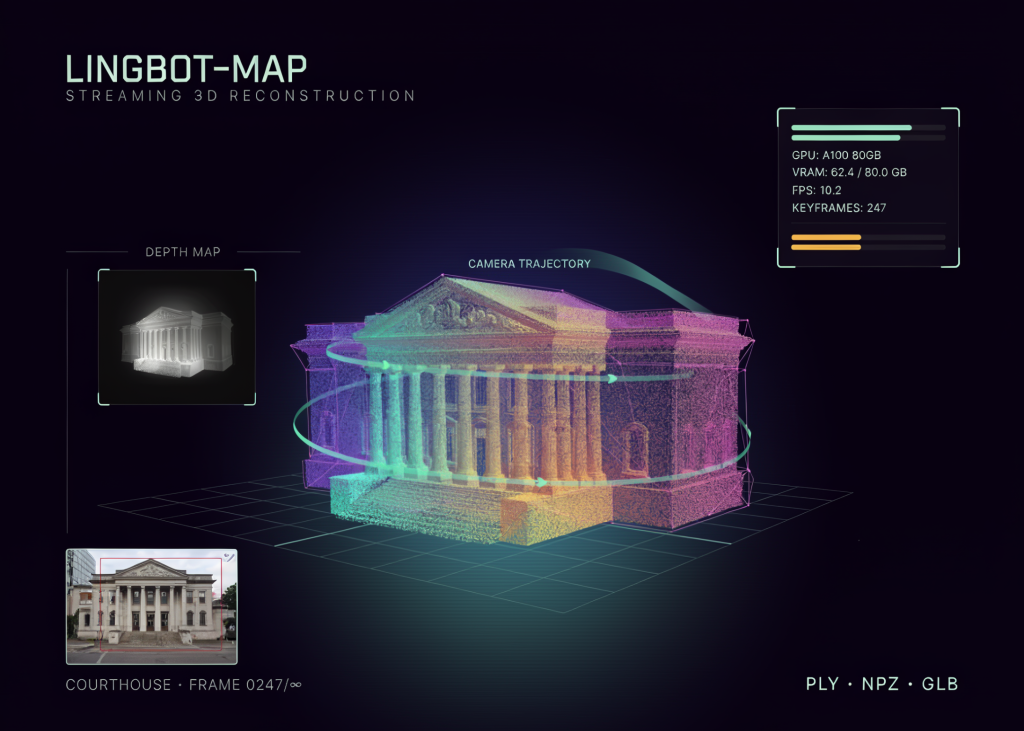
                 title=f"LingBot-Map reconstruction — {len(P):,} of {len(points):,} points",
                 scene=dict(aspectmode="data",
                            xaxis=dict(visible=False), yaxis=dict(visible=False),
                            zaxis=dict(visible=False), bgcolor="rgb(15,15,20)"))
fig.show()
def write_ply(path, xyz, rgb01):
   rgb8 = (np.clip(rgb01, 0, 1) * 255).astype(np.uint8)
   hdr = (f"ply\nformat binary_little_endian 1.0\nelement vertex {len(xyz)}\n"
          "property float x\nproperty float y\nproperty float z\n"
          "property uchar red\nproperty uchar green\nproperty uchar blue\n"
          "end_header\n")
   dt = np.dtype([("x", " {ply}  ({os.path.getsize(ply)/2**20:.1f} MB) "
         "— open in MeshLab / CloudCompare / Blender")
np.savez_compressed(f"{OUT}/predictions.npz",
                   extrinsic=extrinsic, intrinsic=intrinsic,
                   cam_centers=cam_centers, depth=depth.astype(np.float16),
                   depth_conf=depth_conf.astype(np.float16))
print(f"  NPZ -> {OUT}/predictions.npz (poses + depth, fp16)")
if CFG["export_glb"]:
   sh("pip install -q trimesh", check=False)
   from lingbot_map.vis import predictions_to_glb
   wp_full = np.stack([depth_to_world_coords_points(
       depth[i].squeeze(-1), extrinsic[i], intrinsic[i])[0] for i in range(S)])
   scene = predictions_to_glb(
       {"world_points_from_depth": wp_full, "depth_conf": depth_conf,
        "images": rgb, "extrinsic": extrinsic, "intrinsic": intrinsic},
       conf_thres=CFG["conf_percentile"], prediction_mode="Predicted Depthmap")
   scene.export(f"{OUT}/{CFG['scene']}.glb")
   print(f"  GLB -> {OUT}/{CFG['scene']}.glb")
try:
   from google.colab import files
   print("  (run `files.download(path)` in a new cell to pull a file down)")
except Exception:
   pass
if CFG["launch_viser"]:
   sh("pip install -q 'viser>=0.2.23' trimesh", check=False)
   import threading
   from lingbot_map.vis import PointCloudViewer
   vis_pred = {"images": rgb, "depth": depth, "depth_conf": depth_conf,
               "extrinsic": extrinsic, "intrinsic": intrinsic}
   viewer = PointCloudViewer(pred_dict=vis_pred, port=8080,
                             vis_threshold=1.5, downsample_factor=10,
                             point_size=0.00001, use_point_map=False)
   threading.Thread(target=lambda: viewer.run(background_mode=True), daemon=True).start()
   time.sleep(3)
   from google.colab.output import serve_kernel_port_as_window
   serve_kernel_port_as_window(8080)
   print("  viser opened in a new tab (allow pop-ups)")
if CFG["run_ablation"]:
   print("\n[11b] Ablation on the first 24 frames")
   sub_imgs = images[:24]
   rows = []
   for label, kw in [("cam_iters=4, kf=1", dict(keyframe_interval=1)),
                     ("cam_iters=4, kf=2", dict(keyframe_interval=2)),
                     ("cam_iters=4, kf=4", dict(keyframe_interval=4))]:
       model.clean_kv_cache(); torch.cuda.empty_cache()
       torch.cuda.reset_peak_memory_stats()
       t = time.time()
       with torch.no_grad(), torch.amp.autocast("cuda", dtype=DTYPE):
           p = model.inference_streaming(sub_imgs,
                                         num_scale_frames=CFG["num_scale_frames"],
                                         output_device=torch.device("cpu"), **kw)
       dt = time.time() - t
       e, _ = decode_poses(p["pose_enc"].float(), (H, W))
       cc = closed_form_inverse_se3(unbatch(e).cpu().numpy())[:, :3, 3]
       rows.append((label, 24 / dt, torch.cuda.max_memory_allocated() / 2**30,
                    float(np.linalg.norm(np.diff(cc, axis=0), axis=1).sum())))
       del p
   print(f"  {'setting':<20}{'FPS':>8}{'peak GB':>10}{'traj len':>11}")
   for r in rows:
       print(f"  {r[0]:<20}{r[1]:>8.2f}{r[2]:>10.2f}{r[3]:>11.3f}")
   print("  Higher keyframe_interval = less KV memory and more speed; the "
         "trajectory length drifting away from the kf=1 row is your quality cost.")
print("\n" + "=" * 78)
print(f"DONE. {S} frames -> {len(points):,} points at {S/elapsed:.2f} FPS. "
     f"Artifacts in {OUT}/")
print("=" * 78)
print(textwrap.dedent("""
   Where to go next
   ----------------
   * More frames is the single biggest quality lever. Raise CFG['max_frames']
     until you hit OOM, then back off.
   * >320 frames: the KV cache exceeds the 320-view RoPE training range. Set
     keyframe_interval (auto-computed here) rather than growing the cache.
   * >3000 frames: switch CFG['mode'] to 'windowed'. window_size counts KV
     slots, not frames — with scale_frames=8 and keyframe_interval=k, one
     window covers 8 + (window_size - 8) * k actual frames.
   * Outdoor scenes: pip install onnxruntime and use the repo's sky masking
     (lingbot_map.vis.apply_sky_segmentation) to drop sky points, which
     otherwise smear into the far field.
   * FlashInfer (use_sdpa=False) gives paged-KV attention and roughly 20 FPS at
     518x378 on a proper GPU, but JIT-compiles kernels on first call.
   * Pose collapse on long runs = state drift. Shorten the run, raise
     keyframe_interval, or move to windowed mode.
"""))
Credit: Source link