

























• bitcoinBitcoin(BTC)$64,926.00-2.66%
  • ethereumEthereum(ETH)$1,767.95-1.72%
  • tetherTether(USDT)$1.00-0.04%
  • binancecoinBNB(BNB)$601.43-2.64%
  • usd-coinUSDC(USDC)$1.00-0.01%
  • rippleXRP(XRP)$1.20-3.88%
  • solanaSolana(SOL)$72.36-3.78%
  • tronTRON(TRX)$0.3188890.42%
  • Figure HelocFigure Heloc(FIGR_HELOC)$1.040.77%
  • HyperliquidHyperliquid(HYPE)$72.52-1.14%
  • dogecoinDogecoin(DOGE)$0.086007-3.05%
  • USDSUSDS(USDS)$1.000.01%
  • leo-tokenLEO Token(LEO)$9.65-0.76%
  • RainRain(RAIN)$0.0140710.66%
  • zcashZcash(ZEC)$505.44-3.41%
  • stellarStellar(XLM)$0.218270-3.00%
  • moneroMonero(XMR)$349.640.50%
  • whitebitWhiteBIT Coin(WBT)$53.32-2.81%
  • cardanoCardano(ADA)$0.168841-6.44%
  • CantonCanton(CC)$0.160419-2.08%
  • chainlinkChainlink(LINK)$8.17-2.59%
  • USD1USD1(USD1)$1.00-0.05%
  • Ethena USDeEthena USDe(USDE)$1.00-0.04%
  • the-open-networkGram (prev. Toncoin)(GRAM)$1.63-2.07%
  • bitcoin-cashBitcoin Cash(BCH)$213.54-5.56%
  • daiDai(DAI)$1.000.00%
  • LABLAB(LAB)$12.9822.29%
  • MemeCoreMemeCore(M)$3.050.16%
  • litecoinLitecoin(LTC)$45.33-1.95%
  • hedera-hashgraphHedera(HBAR)$0.079947-4.43%
  • suiSui(SUI)$0.79-1.79%
  • Circle USYCCircle USYC(USYC)$1.130.00%
  • nearNEAR Protocol(NEAR)$2.28-8.47%
  • avalanche-2Avalanche(AVAX)$6.82-2.73%
  • shiba-inuShiba Inu(SHIB)$0.000005-2.59%
  • Global DollarGlobal Dollar(USDG)$1.00-0.01%
  • paypal-usdPayPal USD(PYUSD)$1.00-0.01%
  • crypto-com-chainCronos(CRO)$0.059445-5.00%
  • tether-goldTether Gold(XAUT)$4,301.40-0.57%
  • BittensorBittensor(TAO)$252.61-6.04%
  • BlackRock USD Institutional Digital Liquidity FundBlackRock USD Institutional Digital Liquidity Fund(BUIDL)$1.000.00%
  • worldcoin-wldWorldcoin(WLD)$0.65-2.55%
  • uniswapUniswap(UNI)$3.5117.50%
  • Ondo US Dollar YieldOndo US Dollar Yield(USDY)$1.130.30%
  • pax-goldPAX Gold(PAXG)$4,311.73-0.58%
  • World Liberty FinancialWorld Liberty Financial(WLFI)$0.0603300.01%
  • mantleMantle(MNT)$0.55-5.04%
  • OndoOndo(ONDO)$0.366726-4.88%
  • AsterAster(ASTER)$0.66-0.26%
  • polkadotPolkadot(DOT)$1.01-2.01%
TradePoint.io
  • Main
  • AI & Technology
  • Stock Charts
  • Market & News
  • Business
  • Finance Tips
  • Trade Tube
  • Blog
  • Shop
No Result
View All Result
TradePoint.io
No Result
View All Result

How To Use AirPods To Control Your iPhone Camera

June 13, 2026
in AI & Technology
Reading Time: 3 mins read
A A
How To Use AirPods To Control Your iPhone Camera
ShareShareShareShareShare

If you don’t own an Apple Watch, this is another way you can control your iPhone’s camera.

Billy Steele for Engadget

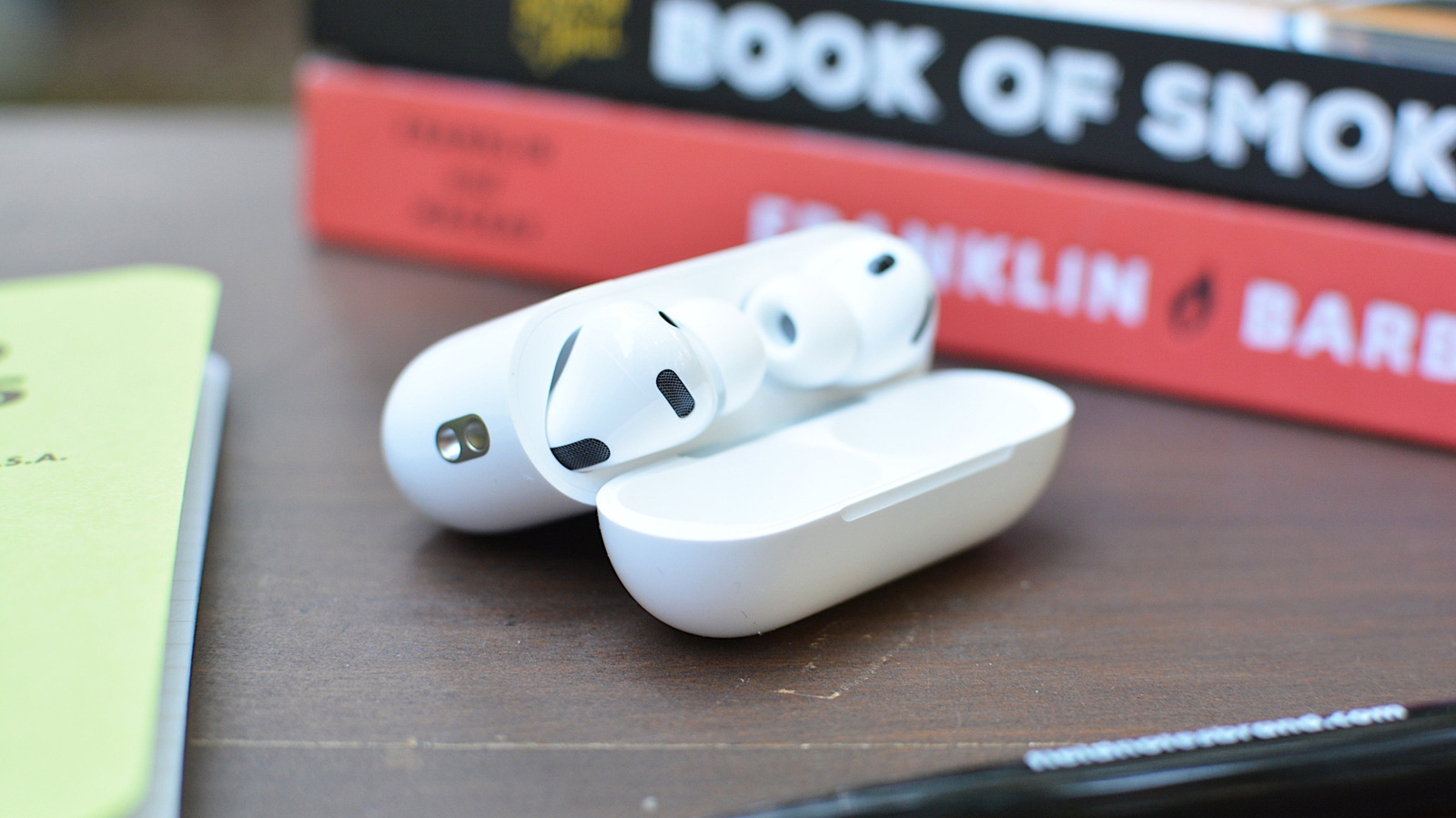
When Apple released iOS 26 last September, it added a handful of new AirPods features. One of those was Camera Remote. As you can probably guess from the name, it allows you to use your AirPods as a wireless shutter release for your iPhone.

YOU MAY ALSO LIKE

MiniMax Sparse Attention (MSA): a Two-Branch Block-Sparse Attention Trained on a 109B-Parameter MoE With a 3T-Token Budget

FIFA Wants Jamal Musiala To Forget About Dre (During The World Cup)

This is useful if you don’t have an Apple Watch handy and therefore can’t access the dedicated Camera Remote app. Instead of placing your iPhone on a surface, setting a 10-second timer and running back to take a selfie, you can just click your AirPods to trigger the camera whenever you’re ready. If that sounds useful, here’s how to configure your AirPods for camera controls.

What you’ll need to control your iPhone camera with AirPods

Before I explain how to enable Camera Remote, let’s go over what you’ll need.

Unfortunately, older models of AirPods, like the original Pro release, don’t support Camera Remote.

How to enable Camera Remote

A pair of screenshots showing the Apple settings app for Camera Remote. Screenshots

By default, Camera Remote is turned off. To start, if your iPhone and AirPods aren’t already paired, follow our guide to do so before returning here. Once you’re ready, follow these instructions:

  1. Open the Settings app on your iPhone.
  2. Tap the name of your AirPods. If they don’t appear, open your AirPods case.
  3. Scroll down and find the Camera Control section.
  4. Tap the Camera Remote field and select either Press Once or Press and Hold.

Now, with Camera Remote enabled, any time you have the Camera app on your iPhone open, you can snap a photo or start and stop recording a video by pressing on the stem or Digital Crown of your AirPods or AirPods Max. It’s worth pointing out here that (at least one of) your AirPods have to be in your ears for this to work. If you just have them sitting on your desk or in your palm, you won’t be able to control your camera with them.   

Note that if you enable the setting, you won’t be able to use your AirPods to wake Siri or switch between listening modes when the Camera app on your phone is open. As Apple explains in the Settings app: “When using AirPods for camera actions, if you select Press Once, media control gestures will be unavailable, and if you select Press and Hold, listening mode and Siri gestures will be unavailable.”

Credit: Source link

ShareTweetSendSharePin

Related Posts

MiniMax Sparse Attention (MSA): a Two-Branch Block-Sparse Attention Trained on a 109B-Parameter MoE With a 3T-Token Budget
AI & Technology

MiniMax Sparse Attention (MSA): a Two-Branch Block-Sparse Attention Trained on a 109B-Parameter MoE With a 3T-Token Budget

June 17, 2026
FIFA Wants Jamal Musiala To Forget About Dre (During The World Cup)
AI & Technology

FIFA Wants Jamal Musiala To Forget About Dre (During The World Cup)

June 17, 2026
OpenAI’s Deployment Simulation Extends Pre-Deployment Risk Assessment to Agentic Coding Through Simulated Tool Calls
AI & Technology

OpenAI’s Deployment Simulation Extends Pre-Deployment Risk Assessment to Agentic Coding Through Simulated Tool Calls

June 17, 2026
Why Weibo’s tiny VibeThinker-3B has the AI world arguing over benchmarks again
AI & Technology

Why Weibo’s tiny VibeThinker-3B has the AI world arguing over benchmarks again

June 17, 2026
Next Post
Beware the ticking time bomb hiding in your 401(k)

Beware the ticking time bomb hiding in your 401(k)

Leave a Reply Cancel reply

Your email address will not be published. Required fields are marked *

Search

No Result
View All Result
Contact tracing underway after passengers left ship before first reported hantavirus case

Contact tracing underway after passengers left ship before first reported hantavirus case

June 13, 2026
These Are The Best Places To Find Them

These Are The Best Places To Find Them

June 14, 2026
Passengers on Frontier jet that killed person on runway describe scene on board

Passengers on Frontier jet that killed person on runway describe scene on board

June 11, 2026

About

Learn more

Our Services

Legal

Privacy Policy

Terms of Use

Bloggers

Learn more

Article Links

Contact

Advertise

Ask us anything

©2020- TradePoint.io - All rights reserved!

Tradepoint.io, being just a publishing and technology platform, is not a registered broker-dealer or investment adviser. So we do not provide investment advice. Rather, brokerage services are provided to clients of Tradepoint.io by independent SEC-registered broker-dealers and members of FINRA/SIPC. Every form of investing carries some risk and past performance is not a guarantee of future results. “Tradepoint.io“, “Instant Investing” and “My Trading Tools” are registered trademarks of Apperbuild, LLC.

This website is operated by Apperbuild, LLC. We have no link to any brokerage firm and we do not provide investment advice. Every information and resource we provide is solely for the education of our readers. © 2020 Apperbuild, LLC. All rights reserved.

No Result
View All Result
  • Main
  • AI & Technology
  • Stock Charts
  • Market & News
  • Business
  • Finance Tips
  • Trade Tube
  • Blog
  • Shop

© 2023 - TradePoint.io - All Rights Reserved!