
















• bitcoinBitcoin(BTC)$60,364.00-1.32%
  • ethereumEthereum(ETH)$1,699.67-1.08%
  • tetherTether(USDT)$1.00-0.01%
  • binancecoinBNB(BNB)$550.31-0.92%
  • usd-coinUSDC(USDC)$1.00-0.02%
  • rippleXRP(XRP)$0.93-1.12%
  • solanaSolana(SOL)$70.68-1.91%
  • tronTRON(TRX)$0.3081440.38%
  • Figure HelocFigure Heloc(FIGR_HELOC)$1.040.00%
  • HyperliquidHyperliquid(HYPE)$62.78-1.34%
  • zcashZcash(ZEC)$738.18-6.11%
  • moneroMonero(XMR)$499.68-0.54%
  • dogecoinDogecoin(DOGE)$0.0555590.03%
  • leo-tokenLEO Token(LEO)$9.14-0.08%
  • chainlinkChainlink(LINK)$8.950.73%
  • whitebitWhiteBIT Coin(WBT)$57.17-2.47%
  • USDSUSDS(USDS)$1.00-0.02%
  • cardanoCardano(ADA)$0.1454770.20%
  • Ethena USDeEthena USDe(USDE)$1.000.00%
  • stellarStellar(XLM)$0.126016-1.67%
  • daiDai(DAI)$1.00-0.01%
  • bitcoin-cashBitcoin Cash(BCH)$198.900.10%
  • nearNEAR Protocol(NEAR)$2.91-2.35%
  • litecoinLitecoin(LTC)$40.74-0.20%
  • CantonCanton(CC)$0.075949-0.49%
  • avalanche-2Avalanche(AVAX)$6.700.00%
  • tether-goldTether Gold(XAUT)$3,632.060.73%
  • uniswapUniswap(UNI)$4.74-0.10%
  • USD1USD1(USD1)$1.00-0.02%
  • Ripple USDRipple USD(RLUSD)$1.00-0.01%
  • the-open-networkGram (prev. Toncoin)(GRAM)$0.96-2.84%
  • suiSui(SUI)$0.66-1.68%
  • Global DollarGlobal Dollar(USDG)$1.00-0.01%
  • Ondo US Dollar YieldOndo US Dollar Yield(USDY)$1.150.01%
  • paypal-usdPayPal USD(PYUSD)$1.00-0.01%
  • hedera-hashgraphHedera(HBAR)$0.051088-1.95%
  • quant-networkQuant(QNT)$149.15-4.86%
  • BittensorBittensor(TAO)$184.35-3.08%
  • RainRain(RAIN)$0.002960-5.86%
  • shiba-inuShiba Inu(SHIB)$0.000004-1.03%
  • crypto-com-chainCronos(CRO)$0.040340-1.26%
  • Spiko Amundi Overnight Swap Fund (EUR)Spiko Amundi Overnight Swap Fund (EUR)(EURSAFO)$1.120.06%
  • Circle USYCCircle USYC(USYC)$1.140.00%
  • MemeCoreMemeCore(M)$0.782.21%
  • okbOKB(OKB)$81.72-1.13%
  • Falcon USDFalcon USD(USDF)$0.99-0.10%
  • pax-goldPAX Gold(PAXG)$3,632.900.72%
  • United StablesUnited Stables(U)$1.00-0.01%
  • BlackRock USD Institutional Digital Liquidity FundBlackRock USD Institutional Digital Liquidity Fund(BUIDL)$1.000.00%
  • usddUSDD(USDD)$1.00-0.08%
TradePoint.io
  • Main
  • AI & Technology
  • Stock Charts
  • Market & News
  • Business
  • Finance Tips
  • Trade Tube
  • Blog
  • Shop
No Result
View All Result
TradePoint.io
No Result
View All Result

How To Find And Hide An App On Android Auto

September 7, 2026
in AI & Technology
Reading Time: 5 mins read
A A
How To Find And Hide An App On Android Auto
ShareShareShareShareShare

If they’re vanishing from the launcher without warning, there’s an easy way to bring them back.


Gabriela Nica/Shutterstock

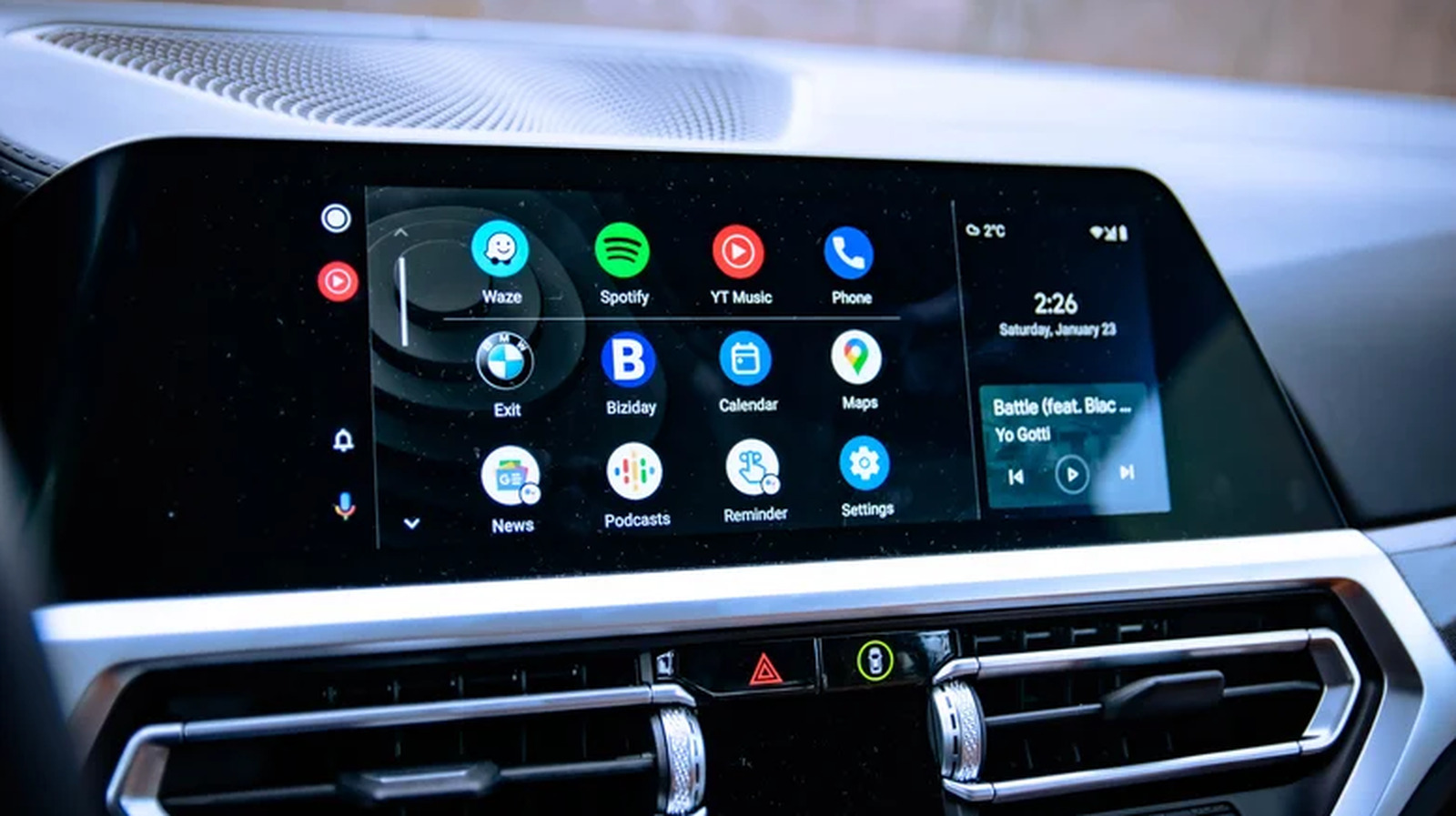
Android Auto is designed to make driving safer and more connected, offering easy access to essential tools like navigation, music and messaging directly on your car’s display. Some 250 million people use Android Auto, so it’s become a reliable part of the daily commute for a large chunk of the world’s population. The platform isn’t without its quirks, of course, and one of the most common issues users encounter is apps vanishing from the launcher without warning.

YOU MAY ALSO LIKE

Exein Launches Ray AI Agent to Prioritize Firmware Security Fixes – Unite.AI

ASRock Industrial Launches RBK-100 Physical AI Development Kit – Unite.AI

Thankfully, such problems are quite easy to fix. In most cases, a missing app isn’t gone for good. It’s been quietly deactivated by your phone’s battery optimization settings running in the background. Similarly, hiding an app from Android Auto doesn’t require any work on your part, as you can simply remedy it via your device settings.

Whether you’re trying to find an app that’s gone missing or want to hide a few you don’t actually use, there are only a few steps for you to follow.

Why are some apps not showing up in Android Auto?
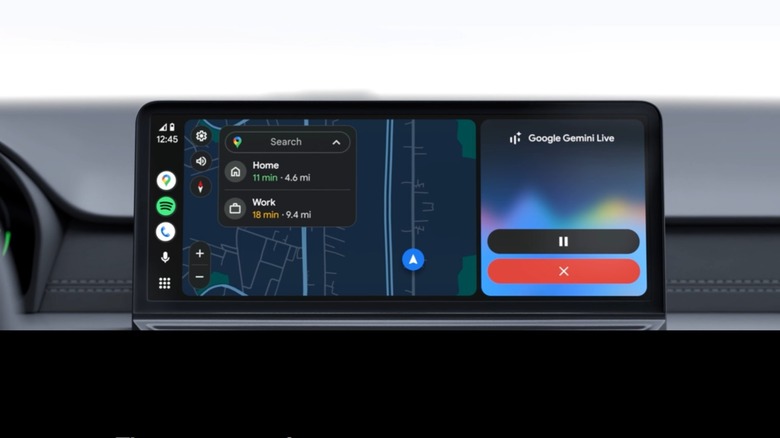

Android Auto on car's screen, featuring Google Gemini.
Google

Missing apps are one of the most common frustrations Android Auto users experience, but it’s not always down to Android Auto itself. On Samsung phones, in particular, Android has a feature that automatically disables unused apps. This feature automatically disables apps you haven’t opened recently to save battery life. The apps are still on your phone, but if they’re disabled, they also get removed from Android Auto’s app launcher until they’re re-enabled.

So, if an app you previously used in Android Auto has disappeared, there’s a good chance it’s simply been deactivated by your phone.

How to make apps visible in Android Auto again

Getting a hidden app back on your car’s screen is quite straightforward. Here’s what you have to do:

  1. Look for the app on your phone and launch it. You might have to update it first, if one is available.

  2. Reconnect to Android Auto. The next time you open the app launcher in Android Auto, the app should be visible again.

That’s all to it, really — no settings menu, no reinstallation or anything. Opening the app signals to Android that it’s active again, which restores it to the Android launcher.

How to stop apps from disappearing automatically

The easiest way to ensure apps don’t vanish from your Android Auto launcher is to actually use them. Of course, if you fall out of the habit of listening to audiobooks, for example, it’s natural that the app will just go into hibernation. It’s actually easier to prevent Android from auto-disabling your apps with a simple tweak:

  1. Open your phone’s Settings.

  2. Go to Battery (or Battery and device care), then Background usage limits and look for Auto disable unused apps or put unused apps to sleep.

  3. Turn the setting off.

How to customize Android Auto
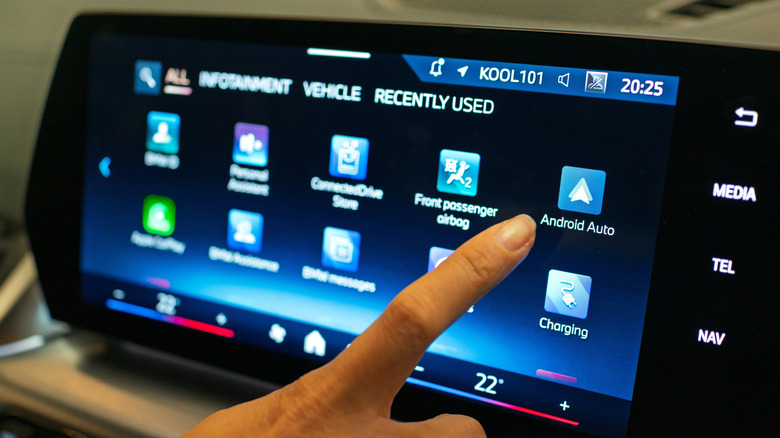

Person choosing Android Auto app on their car's infotainment screen.
TY Lim/Shutterstock

One of the things you can do to improve your Android Auto experience is to clean up the apps that show up on the screen.

You can do this on your car’s Android Auto display by going to Settings > Connected devices > Android Auto > Customize launcher and checking boxes for the apps you want to see and unchecking for those you don’t really use.

Why aren’t all phone apps showing on Android Auto? Well, one important thing to keep in mind is that not all apps are actually compatible with Android Auto. Only those that are designed to work with the platform will actually show up in the launcher menu. So you won’t be able to find games or Netflix on there, for instance, but you most definitely will find messaging apps, Google Maps and Spotify.

How to hide apps in Android Auto

Android Auto doesn’t have a dedicated “hide app” feature within its interface, so you can’t long-press on an app icon on your car’s screen to remove it like you would on a phone.

That said, you do have control over what appears in the launcher. The best way to do this is to simply customize the Android Auto launcher and decide which apps show up and which ones don’t. You’ll just have to retrace the same steps mentioned above to move apps in and out.

Whether you’re using a wired version of Android Auto or you’ve converted to the wireless version, the infotainment system can be extremely useful when navigating about town. There are so many things to do with the platform, especially if you dive into Android Auto’s developer menu and tune it to your own taste.

Credit: Source link

ShareTweetSendSharePin

Related Posts

Exein Launches Ray AI Agent to Prioritize Firmware Security Fixes – Unite.AI
AI & Technology

Exein Launches Ray AI Agent to Prioritize Firmware Security Fixes – Unite.AI

November 24, 2026
ASRock Industrial Launches RBK-100 Physical AI Development Kit – Unite.AI
AI & Technology

ASRock Industrial Launches RBK-100 Physical AI Development Kit – Unite.AI

November 24, 2026
OpenAI Employee Who Secretly Recorded Meetings Allegedly Affiliated With The Saudi Government
AI & Technology

OpenAI Employee Who Secretly Recorded Meetings Allegedly Affiliated With The Saudi Government

November 24, 2026
ATOM Signs ¥4.5B in Loan Facilities for GPU Cluster, Humanoid Output – Unite.AI
AI & Technology

ATOM Signs ¥4.5B in Loan Facilities for GPU Cluster, Humanoid Output – Unite.AI

November 24, 2026
Next Post
Pentagon leadership testifies on war funding as Trump says he has ‘no interest’ in Iran talks

Pentagon leadership testifies on war funding as Trump says he has ‘no interest’ in Iran talks

Leave a Reply Cancel reply

Your email address will not be published. Required fields are marked *

Search

No Result
View All Result
Susan Smith is denied parole again 32 years after drowning her sons in a South Carolina lake – AP News

Susan Smith is denied parole again 32 years after drowning her sons in a South Carolina lake – AP News

November 19, 2026
Stop Paying a Monthly Checking Fee – Qualify for the Waiver, Downgrade, or Switch

Stop Paying a Monthly Checking Fee – Qualify for the Waiver, Downgrade, or Switch

November 20, 2026
NVIDIA brings back Jensen Huang as CEO just six days after ruling out his return

NVIDIA brings back Jensen Huang as CEO just six days after ruling out his return

November 23, 2026

About

Learn more

Our Services

Legal

Privacy Policy

Terms of Use

Bloggers

Learn more

Article Links

Contact

Advertise

Ask us anything

©2020- TradePoint.io - All rights reserved!

Tradepoint.io, being just a publishing and technology platform, is not a registered broker-dealer or investment adviser. So we do not provide investment advice. Rather, brokerage services are provided to clients of Tradepoint.io by independent SEC-registered broker-dealers and members of FINRA/SIPC. Every form of investing carries some risk and past performance is not a guarantee of future results. “Tradepoint.io“, “Instant Investing” and “My Trading Tools” are registered trademarks of Apperbuild, LLC.

This website is operated by Apperbuild, LLC. We have no link to any brokerage firm and we do not provide investment advice. Every information and resource we provide is solely for the education of our readers. © 2020 Apperbuild, LLC. All rights reserved.

No Result
View All Result
  • Main
  • AI & Technology
  • Stock Charts
  • Market & News
  • Business
  • Finance Tips
  • Trade Tube
  • Blog
  • Shop

© 2023 - TradePoint.io - All Rights Reserved!