
• bitcoinBitcoin(BTC)$84,902.000.98%
  • ethereumEthereum(ETH)$2,713.811.09%
  • tetherTether(USDT)$1.00-0.01%
  • binancecoinBNB(BNB)$779.400.98%
  • rippleXRP(XRP)$1.54-0.44%
  • usd-coinUSDC(USDC)$1.000.00%
  • solanaSolana(SOL)$124.243.40%
  • tronTRON(TRX)$0.333407-1.02%
  • zcashZcash(ZEC)$1,667.909.23%
  • Figure HelocFigure Heloc(FIGR_HELOC)$1.063.69%
  • HyperliquidHyperliquid(HYPE)$93.001.26%
  • dogecoinDogecoin(DOGE)$0.0978450.37%
  • chainlinkChainlink(LINK)$14.331.91%
  • moneroMonero(XMR)$557.710.90%
  • whitebitWhiteBIT Coin(WBT)$84.711.04%
  • USDSUSDS(USDS)$1.000.00%
  • cardanoCardano(ADA)$0.2559640.21%
  • RainRain(RAIN)$0.0126798.87%
  • leo-tokenLEO Token(LEO)$9.020.62%
  • stellarStellar(XLM)$0.217274-0.16%
  • nearNEAR Protocol(NEAR)$5.268.20%
  • bitcoin-cashBitcoin Cash(BCH)$340.300.84%
  • uniswapUniswap(UNI)$10.003.54%
  • litecoinLitecoin(LTC)$71.81-3.65%
  • CantonCanton(CC)$0.1371141.49%
  • suiSui(SUI)$1.256.71%
  • Ethena USDeEthena USDe(USDE)$1.000.01%
  • avalanche-2Avalanche(AVAX)$11.084.05%
  • daiDai(DAI)$1.000.00%
  • the-open-networkGram (prev. Toncoin)(GRAM)$1.6010.22%
  • USD1USD1(USD1)$1.000.01%
  • hedera-hashgraphHedera(HBAR)$0.0946820.58%
  • BittensorBittensor(TAO)$332.395.07%
  • shiba-inuShiba Inu(SHIB)$0.0000060.86%
  • crypto-com-chainCronos(CRO)$0.0683594.18%
  • Global DollarGlobal Dollar(USDG)$1.00-0.01%
  • BitwayBitway(BTW)$1.1121.83%
  • paypal-usdPayPal USD(PYUSD)$1.00-0.01%
  • MemeCoreMemeCore(M)$1.21-0.93%
  • EthenaEthena(ENA)$0.269950-3.34%
  • tether-goldTether Gold(XAUT)$4,280.140.02%
  • OndoOndo(ONDO)$0.54-1.82%
  • okbOKB(OKB)$121.850.62%
  • quant-networkQuant(QNT)$173.4058.94%
  • Ripple USDRipple USD(RLUSD)$1.000.00%
  • Circle USYCCircle USYC(USYC)$1.140.00%
  • aaveAave(AAVE)$155.861.80%
  • BlackRock USD Institutional Digital Liquidity FundBlackRock USD Institutional Digital Liquidity Fund(BUIDL)$1.000.00%
  • Ondo US Dollar YieldOndo US Dollar Yield(USDY)$1.15-0.01%
  • mantleMantle(MNT)$0.69-2.18%
TradePoint.io
  • Main
  • AI & Technology
  • Stock Charts
  • Market & News
  • Business
  • Finance Tips
  • Trade Tube
  • Blog
  • Shop
No Result
View All Result
TradePoint.io
No Result
View All Result

How To Factory Reset Your Google Home Mini

September 26, 2026
in AI & Technology
Reading Time: 4 mins read
A A
How To Factory Reset Your Google Home Mini
ShareShareShareShareShare

It takes seconds to reset your Google speakers and display models.


Nathan Ingraham for Engadget

The Google Home Mini has been around for almost nine years at this point, and the company has even discontinued it, but the devices are still in perfect working order. Still, there are situations that call for a factory reset. Whether the speaker stops responding to commands, there are Wi-Fi connectivity troubles, you’ve tried to switch the Google account or you’re simply ready to send it off to another owner, you need to know how to reset it.

YOU MAY ALSO LIKE

AI Coding Agents for Enterprise: IP Indemnity, Data Residency and 500-Seat Cost Compared

A Coding Guide to Google Research’s MSEB: Writing Sound Encoders to the Benchmark Contract and Scoring Them Across Classification, Clustering, Retrieval and Segmentation

The good news is that resetting your device doesn’t require technical expertise or special tools. Frankly, no matter which Google speaker or display you own, the resetting process only takes a few minutes, and that’s exactly the case for the original Home Mini. That’s particularly great because if you’re trying to set it up again, that’ll take even more of your time, and none of us have too much of that.

We’ll go through the whole process of resetting the original Google Home Mini, touch on how to do the same for the company’s other devices, and discuss what comes after the process is complete.

How to factory reset a Google Home Mini

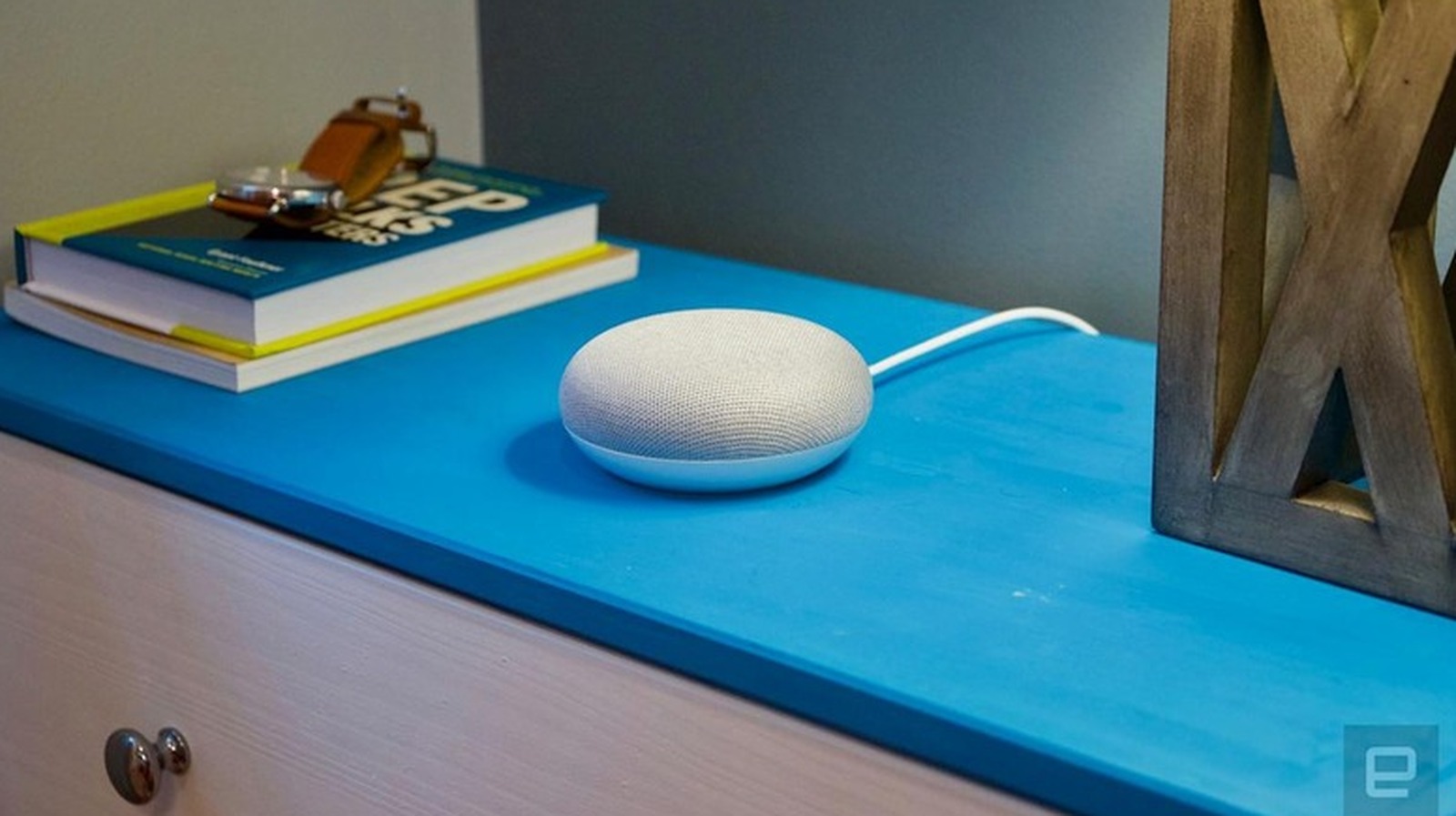
Google Home Mini on desk.
Nathan Ingraham for Engadget

Earlier this year, Google introduced a new smart home speaker, which brought to an end both the Nest Home Mini and the Nest Audio. The company confirmed to Engadget that it was no longer going to be making any new units for these models, but it would continue to support them with regular software updates, security patches and customer care.

One thing to know if you need to run a factory reset on one of these devices is that this process cannot be triggered through voice commands or the Google Home app. You’ll have to use the physical controls on the speaker.

If you have the Google Home Mini (1st gen), you need to flip the device over and locate the reset button on the bottom. Just below the power cord, there will be a small circle etched into the base. You have to press and hold the button for about five seconds until the reset process begins, then continue holding for another 10 seconds until you hear a confirmation chime.

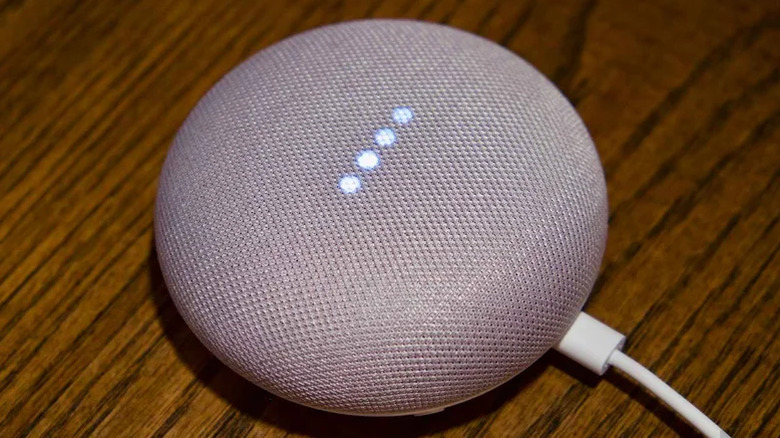
If you have the Google Nest Mini (2nd gen), which looks pretty much the same as the original, you have to find the microphone on/off switch on the side of the device and turn it off. This will make the LED lights pulse orange. Then, press and hold the center of the device, where the top lights are located, for about five seconds to start the reset. Hold the press for another 10 seconds until a chime confirms the process is complete.

For display models like the Nest Hub, the reset process requires pressing and holding both volume buttons on the back of the device simultaneously for about 10 seconds. The screen will indicate that the reset is running. Give it a few moments to fully restart before attempting any setup.

What happens after a factory reset and how to set it back up

A factory reset wipes your Google Home Mini clean, restoring it to the exact state it was in when you took it out of the box. All your personal data, Wi-Fi credentials and linked Google accounts are permanently removed, and the device is disconnected from every member of your household. You can’t undo this action, so make sure you don’t actually need a simple reboot, which you can do by unplugging the device for a minute to resolve minor glitches without actually erasing anything.

If you want to relink your device, you need to open the Google Home app, tap the “+” icon and select Set up device. From there, follow the in-app prompts to reconnect to your Wi-Fi network and link the speaker to your Google account. If your Google Home Mini is not connecting, there are plenty of troubleshooting tips available in Google’s support pages.

Credit: Source link

ShareTweetSendSharePin

Related Posts

AI Coding Agents for Enterprise: IP Indemnity, Data Residency and 500-Seat Cost Compared
AI & Technology

AI Coding Agents for Enterprise: IP Indemnity, Data Residency and 500-Seat Cost Compared

September 27, 2026
A Coding Guide to Google Research’s MSEB: Writing Sound Encoders to the Benchmark Contract and Scoring Them Across Classification, Clustering, Retrieval and Segmentation
AI & Technology

A Coding Guide to Google Research’s MSEB: Writing Sound Encoders to the Benchmark Contract and Scoring Them Across Classification, Clustering, Retrieval and Segmentation

September 27, 2026
Why We Won’t Know How Visible The iPhone Duo’s Crease Is For A Long Time
AI & Technology

Why We Won’t Know How Visible The iPhone Duo’s Crease Is For A Long Time

September 27, 2026
How Powerful Of A Power Bank Do You Need To Safely Charge A Laptop?
AI & Technology

How Powerful Of A Power Bank Do You Need To Safely Charge A Laptop?

September 27, 2026
Next Post
Don’t Buy Oracle Stock Until You Watch This! 🚨

Don't Buy Oracle Stock Until You Watch This! 🚨

Leave a Reply Cancel reply

Your email address will not be published. Required fields are marked *

Search

No Result
View All Result
Trump tells U.N. he could ‘annihilate’ Iran but expects a deal after the midterm elections – NBC News

Trump tells U.N. he could ‘annihilate’ Iran but expects a deal after the midterm elections – NBC News

September 23, 2026
Couple skydives into their wedding ceremony

Couple skydives into their wedding ceremony

September 26, 2026
Lindsay Clancy Trial: An inside look at the evidence at the center of the case as jurors deliberate

Lindsay Clancy Trial: An inside look at the evidence at the center of the case as jurors deliberate

September 22, 2026

About

Learn more

Our Services

Legal

Privacy Policy

Terms of Use

Bloggers

Learn more

Article Links

Contact

Advertise

Ask us anything

©2020- TradePoint.io - All rights reserved!

Tradepoint.io, being just a publishing and technology platform, is not a registered broker-dealer or investment adviser. So we do not provide investment advice. Rather, brokerage services are provided to clients of Tradepoint.io by independent SEC-registered broker-dealers and members of FINRA/SIPC. Every form of investing carries some risk and past performance is not a guarantee of future results. “Tradepoint.io“, “Instant Investing” and “My Trading Tools” are registered trademarks of Apperbuild, LLC.

This website is operated by Apperbuild, LLC. We have no link to any brokerage firm and we do not provide investment advice. Every information and resource we provide is solely for the education of our readers. © 2020 Apperbuild, LLC. All rights reserved.

No Result
View All Result
  • Main
  • AI & Technology
  • Stock Charts
  • Market & News
  • Business
  • Finance Tips
  • Trade Tube
  • Blog
  • Shop

© 2023 - TradePoint.io - All Rights Reserved!