
• bitcoinBitcoin(BTC)$76,778.001.42%
  • ethereumEthereum(ETH)$2,468.453.25%
  • tetherTether(USDT)$1.00-0.03%
  • binancecoinBNB(BNB)$728.732.26%
  • rippleXRP(XRP)$1.303.11%
  • usd-coinUSDC(USDC)$1.00-0.02%
  • solanaSolana(SOL)$101.304.35%
  • tronTRON(TRX)$0.333810-0.57%
  • zcashZcash(ZEC)$1,478.5517.93%
  • Figure HelocFigure Heloc(FIGR_HELOC)$1.022.18%
  • HyperliquidHyperliquid(HYPE)$82.174.38%
  • dogecoinDogecoin(DOGE)$0.0820133.69%
  • moneroMonero(XMR)$512.514.24%
  • USDSUSDS(USDS)$1.000.03%
  • whitebitWhiteBIT Coin(WBT)$79.201.84%
  • RainRain(RAIN)$0.012872-2.02%
  • chainlinkChainlink(LINK)$11.386.16%
  • leo-tokenLEO Token(LEO)$8.920.76%
  • cardanoCardano(ADA)$0.2025395.51%
  • stellarStellar(XLM)$0.1870577.58%
  • uniswapUniswap(UNI)$7.6523.52%
  • Ethena USDeEthena USDe(USDE)$1.000.00%
  • bitcoin-cashBitcoin Cash(BCH)$233.898.41%
  • daiDai(DAI)$1.00-0.04%
  • USD1USD1(USD1)$1.00-0.02%
  • litecoinLitecoin(LTC)$53.836.40%
  • CantonCanton(CC)$0.10058510.48%
  • nearNEAR Protocol(NEAR)$3.0122.22%
  • the-open-networkGram (prev. Toncoin)(GRAM)$1.342.51%
  • avalanche-2Avalanche(AVAX)$7.625.24%
  • hedera-hashgraphHedera(HBAR)$0.0761784.55%
  • Global DollarGlobal Dollar(USDG)$1.000.00%
  • shiba-inuShiba Inu(SHIB)$0.0000058.93%
  • suiSui(SUI)$0.747.30%
  • crypto-com-chainCronos(CRO)$0.0579004.61%
  • paypal-usdPayPal USD(PYUSD)$1.00-0.01%
  • tether-goldTether Gold(XAUT)$4,354.790.32%
  • BlackRock USD Institutional Digital Liquidity FundBlackRock USD Institutional Digital Liquidity Fund(BUIDL)$1.000.00%
  • MemeCoreMemeCore(M)$1.162.69%
  • BittensorBittensor(TAO)$229.076.19%
  • Circle USYCCircle USYC(USYC)$1.140.01%
  • okbOKB(OKB)$112.262.62%
  • Ripple USDRipple USD(RLUSD)$1.000.00%
  • Ondo US Dollar YieldOndo US Dollar Yield(USDY)$1.150.29%
  • AsterAster(ASTER)$0.748.34%
  • aaveAave(AAVE)$127.9511.03%
  • BitwayBitway(BTW)$0.70-6.38%
  • pax-goldPAX Gold(PAXG)$4,355.850.23%
  • mantleMantle(MNT)$0.574.68%
  • Pump.funPump.fun(PUMP)$0.0039557.64%
TradePoint.io
  • Main
  • AI & Technology
  • Stock Charts
  • Market & News
  • Business
  • Finance Tips
  • Trade Tube
  • Blog
  • Shop
No Result
View All Result
TradePoint.io
No Result
View All Result

How To Add Bluetooth To A TV That Doesn’t Have It

August 24, 2026
in AI & Technology
Reading Time: 3 mins read
A A
How To Add Bluetooth To A TV That Doesn’t Have It
ShareShareShareShareShare

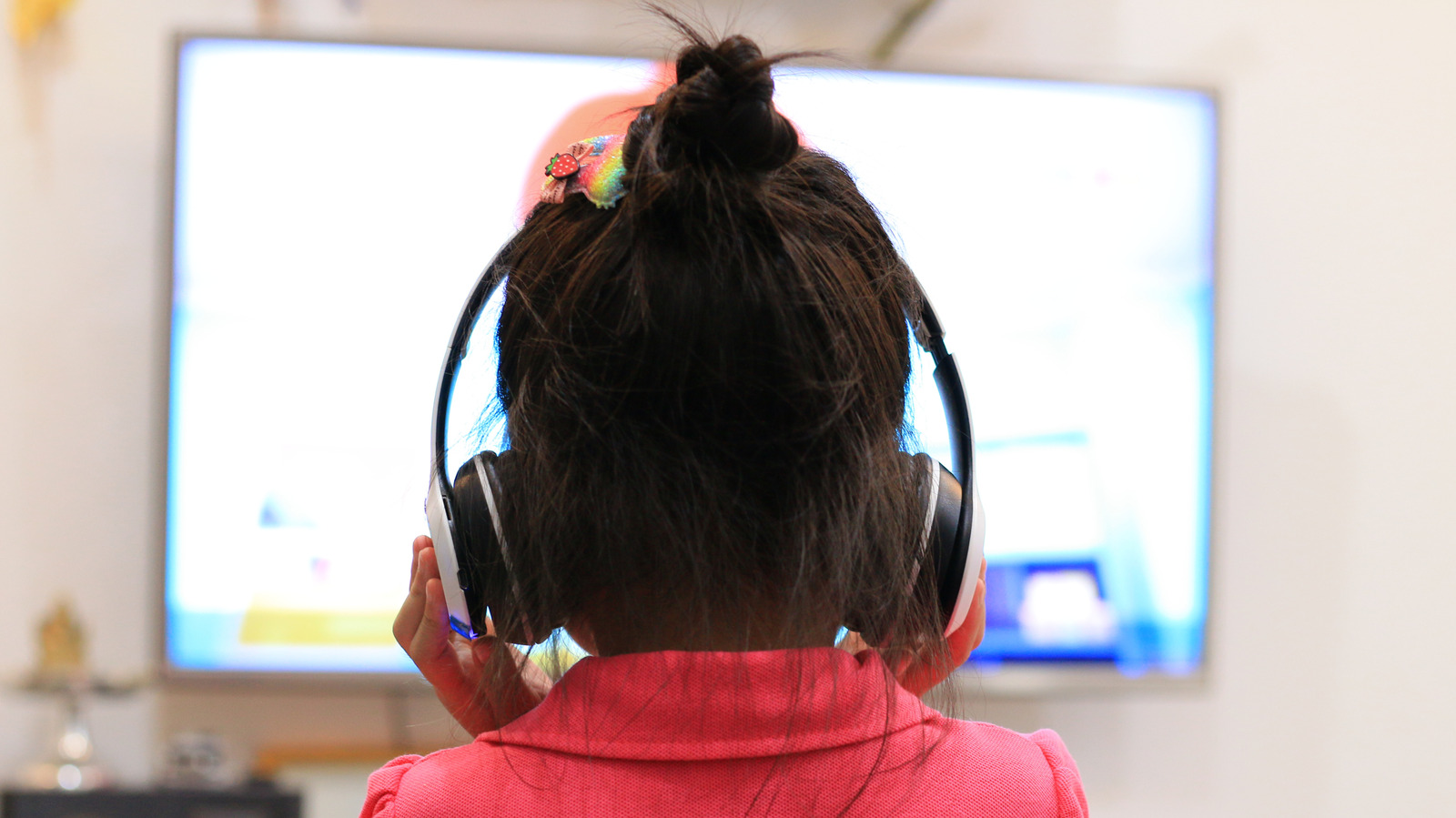
Look, we’re all tired of hearing your shows echo through the house.

chaiwarin/Shutterstock

We may receive a commission on purchases made from links.

YOU MAY ALSO LIKE

Razer Refreshes The One-Handed Tartarus Pro Keyboard With Improved Switches

OceanStor M900 Brings PB-Scale Context Memory to Huawei SuperPoDs – Unite.AI

With the right audio upgrades and a streaming device that unlocks the world of on-demand content, most televisions can last a very long time. Of course, there are certain upgrades that are harder to ignore — wireless connectivity being one of them. Bluetooth has become mainstream in most televisions now, with many infrared remote controls relying on the technology too. If you’ve purchased your TV in the past decade, there’s a good chance it comes with Bluetooth support. Head to the settings menu and look for connectivity options that mention Bluetooth, wireless devices or accessories.

If you do own a television without support for Bluetooth, you’re not necessarily out of luck. Pretty much all popular streaming devices, like the Apple TV, Roku or Fire TV Stick, feature Bluetooth as a standard feature. If you own a pair of wireless headphones or a keyboard, you can connect them directly to the streaming device. At $30, the Roku Streaming Stick HD is one of the most affordable ways to not just add Bluetooth support to your TV but also breathe some new life into it with a modern OS.

The only big downside of going the streaming device route is that your Bluetooth accessories will only work when your TV is set to that particular input source. If you switch back to any other device that’s also connected to your TV, the sound will once again play from the TV’s speakers. If you’re looking for a more universal solution, picking up a dedicated Bluetooth transmitter is the better option.

How does a Bluetooth transmitter work?

Bluetooth transmitters do exactly what you’d expect — they carry over the audio from a device that doesn’t have native Bluetooth support to a pair of wireless headphones or earbuds. The setup process is relatively straightforward. You plug the Bluetooth transmitter into your TV’s audio output, put both the transmitter and your headphones into pairing mode, and wait for them to connect. Your TV then feeds its audio signal into the transmitter, which converts it into a Bluetooth signal that your headphones receive.

Depending on your TV model, you can find Bluetooth transmitters that accept audio through the optical port, a 3.5mm headphone jack or RCA outputs. You’ll also need to plug the adapter into a power source — an available USB port on your TV usually does the job. You can find these adapters at various price points online, with decent options at around $25. 

Look for transmitters that come with newer codecs like aptX Low Latency, which can help reduce the delay between what’s happening on screen and what you hear through your headphones.

Credit: Source link

ShareTweetSendSharePin

Related Posts

Razer Refreshes The One-Handed Tartarus Pro Keyboard With Improved Switches
AI & Technology

Razer Refreshes The One-Handed Tartarus Pro Keyboard With Improved Switches

September 17, 2026
OceanStor M900 Brings PB-Scale Context Memory to Huawei SuperPoDs – Unite.AI
AI & Technology

OceanStor M900 Brings PB-Scale Context Memory to Huawei SuperPoDs – Unite.AI

September 17, 2026
Europe’s EU Kids Act Would Ban Social Media Access For Children Under 13
AI & Technology

Europe’s EU Kids Act Would Ban Social Media Access For Children Under 13

September 17, 2026
NVIDIA And Google’s New Coalition Wants To Speed Up AI Data Center Power Grid Connections
AI & Technology

NVIDIA And Google’s New Coalition Wants To Speed Up AI Data Center Power Grid Connections

September 17, 2026
Next Post
InnoCare Pharma Limited (INCPF) Q2 2026 Earnings Call Transcript

InnoCare Pharma Limited (INCPF) Q2 2026 Earnings Call Transcript

Leave a Reply Cancel reply

Your email address will not be published. Required fields are marked *

Search

No Result
View All Result
Canada’s tariffs on U.S. goods go into effect

Canada’s tariffs on U.S. goods go into effect

September 16, 2026
Sakana AI Researchers Introduce PC-ALM, a Layer-Local Alternative to Backpropagation That Trains 1000-Layer Networks

Sakana AI Researchers Introduce PC-ALM, a Layer-Local Alternative to Backpropagation That Trains 1000-Layer Networks

September 14, 2026
Inflation rises 3.4% in August in last report before Fed’s interest-rate decision

Inflation rises 3.4% in August in last report before Fed’s interest-rate decision

September 11, 2026

About

Learn more

Our Services

Legal

Privacy Policy

Terms of Use

Bloggers

Learn more

Article Links

Contact

Advertise

Ask us anything

©2020- TradePoint.io - All rights reserved!

Tradepoint.io, being just a publishing and technology platform, is not a registered broker-dealer or investment adviser. So we do not provide investment advice. Rather, brokerage services are provided to clients of Tradepoint.io by independent SEC-registered broker-dealers and members of FINRA/SIPC. Every form of investing carries some risk and past performance is not a guarantee of future results. “Tradepoint.io“, “Instant Investing” and “My Trading Tools” are registered trademarks of Apperbuild, LLC.

This website is operated by Apperbuild, LLC. We have no link to any brokerage firm and we do not provide investment advice. Every information and resource we provide is solely for the education of our readers. © 2020 Apperbuild, LLC. All rights reserved.

No Result
View All Result
  • Main
  • AI & Technology
  • Stock Charts
  • Market & News
  • Business
  • Finance Tips
  • Trade Tube
  • Blog
  • Shop

© 2023 - TradePoint.io - All Rights Reserved!