
• bitcoinBitcoin(BTC)$80,069.000.68%
  • Midas Fasanara Global EuroMidas Fasanara Global Euro(MGLOEURO)$111,813.00-0.36%
  • ethereumEthereum(ETH)$2,326.691.01%
  • tetherTether(USDT)$1.00-0.06%
  • binancecoinBNB(BNB)$741.400.56%
  • rippleXRP(XRP)$1.312.03%
  • usd-coinUSDC(USDC)$1.00-0.05%
  • solanaSolana(SOL)$100.34-0.37%
  • tronTRON(TRX)$0.327923-0.82%
  • Figure HelocFigure Heloc(FIGR_HELOC)$1.04-0.23%
  • zcashZcash(ZEC)$1,266.773.73%
  • HyperliquidHyperliquid(HYPE)$79.012.18%
  • dogecoinDogecoin(DOGE)$0.0774660.89%
  • moneroMonero(XMR)$593.720.58%
  • USDSUSDS(USDS)$1.000.03%
  • whitebitWhiteBIT Coin(WBT)$76.900.46%
  • chainlinkChainlink(LINK)$11.32-0.58%
  • leo-tokenLEO Token(LEO)$9.000.30%
  • cardanoCardano(ADA)$0.2035680.01%
  • nearNEAR Protocol(NEAR)$4.540.15%
  • stellarStellar(XLM)$0.167526-0.65%
  • bitcoin-cashBitcoin Cash(BCH)$283.802.72%
  • RainRain(RAIN)$0.007084-10.92%
  • Ethena USDeEthena USDe(USDE)$1.000.00%
  • daiDai(DAI)$1.00-0.02%
  • uniswapUniswap(UNI)$7.091.71%
  • litecoinLitecoin(LTC)$56.25-0.24%
  • CantonCanton(CC)$0.098455-1.83%
  • USD1USD1(USD1)$1.000.00%
  • avalanche-2Avalanche(AVAX)$8.78-1.17%
  • suiSui(SUI)$0.920.63%
  • the-open-networkGram (prev. Toncoin)(GRAM)$1.21-0.36%
  • hedera-hashgraphHedera(HBAR)$0.076022-1.63%
  • tether-goldTether Gold(XAUT)$4,020.290.43%
  • Global DollarGlobal Dollar(USDG)$1.000.02%
  • paypal-usdPayPal USD(PYUSD)$1.000.05%
  • quant-networkQuant(QNT)$199.86-7.28%
  • BittensorBittensor(TAO)$248.95-0.75%
  • shiba-inuShiba Inu(SHIB)$0.000005-0.08%
  • EthenaEthena(ENA)$0.2059760.62%
  • crypto-com-chainCronos(CRO)$0.052806-1.77%
  • Ripple USDRipple USD(RLUSD)$1.000.01%
  • Ondo US Dollar YieldOndo US Dollar Yield(USDY)$1.150.10%
  • Circle USYCCircle USYC(USYC)$1.140.01%
  • MemeCoreMemeCore(M)$1.036.60%
  • okbOKB(OKB)$108.600.17%
  • BitwayBitway(BTW)$1.460.01%
  • BlackRock USD Institutional Digital Liquidity FundBlackRock USD Institutional Digital Liquidity Fund(BUIDL)$1.000.00%
  • aaveAave(AAVE)$131.74-2.36%
  • OndoOndo(ONDO)$0.411650-0.06%
TradePoint.io
  • Main
  • AI & Technology
  • Stock Charts
  • Market & News
  • Business
  • Finance Tips
  • Trade Tube
  • Blog
  • Shop
No Result
View All Result
TradePoint.io
No Result
View All Result

How Does The Apple Watch Water Lock Feature Actually Work?

July 18, 2026
in AI & Technology
Reading Time: 4 mins read
A A
How Does The Apple Watch Water Lock Feature Actually Work?
ShareShareShareShareShare
Christine Persaud for Engadget

There are many smartwatches that are water-resistant, but rarely is anything fully waterproof. That said, you can safely swim (in freshwater sources) with one that meets an IPX8, IP68 (or higher) rating. But there’s still risk of damage if the watch isn’t dried out after submersion, which is why features like the Apple Watch’s water lock are really handy. With water lock activated, the Apple Watch not only disables the screen so pressure from water doesn’t inadvertently trigger an unintended action, but it also ejects water from inside the device to help it dry faster.

It’s a useful and underrated feature of Apple Watch that every smartwatch should have, especially those that are rated to be safe to wear while swimming. I use this feature often with my Apple Watch Series 11, and I love that it’s automatically triggered any time I hop in a pool or wade in the ocean. It works while scuba diving as well if you have the Apple Watch Ultra, Apple Watch Ultra 2 or Apple Watch Ultra 3, all three of which are safe for deep diving (standard Apple Watches are not).

YOU MAY ALSO LIKE

IBM and Kaggle Partner on Continuous ScarfBench Migration Leaderboard – Unite.AI

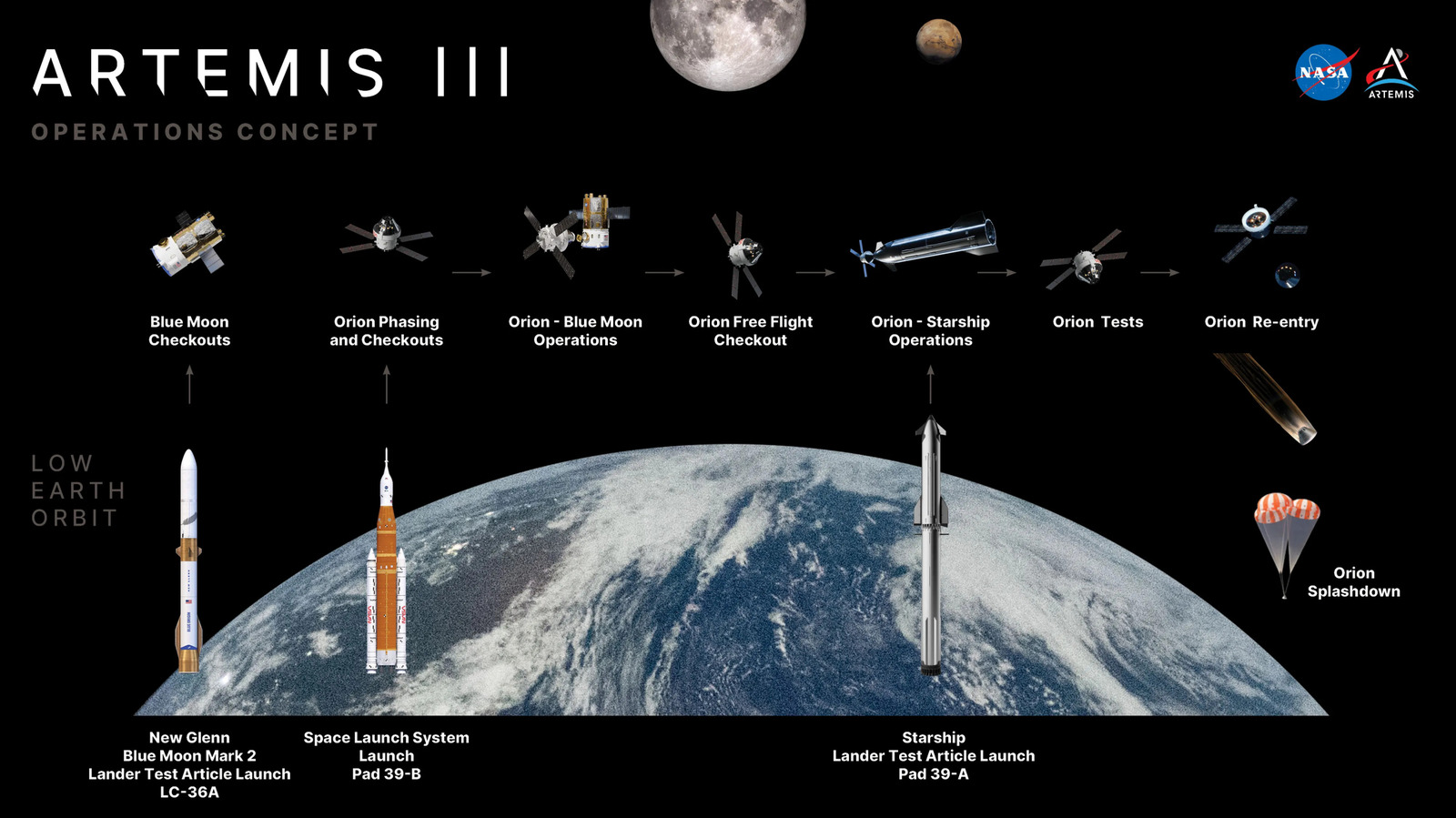
NASA Plans To Launch Three Massive Rockets For The Artemis 3 Crewed Lunar Test Mission

How Apple Watch water lock works

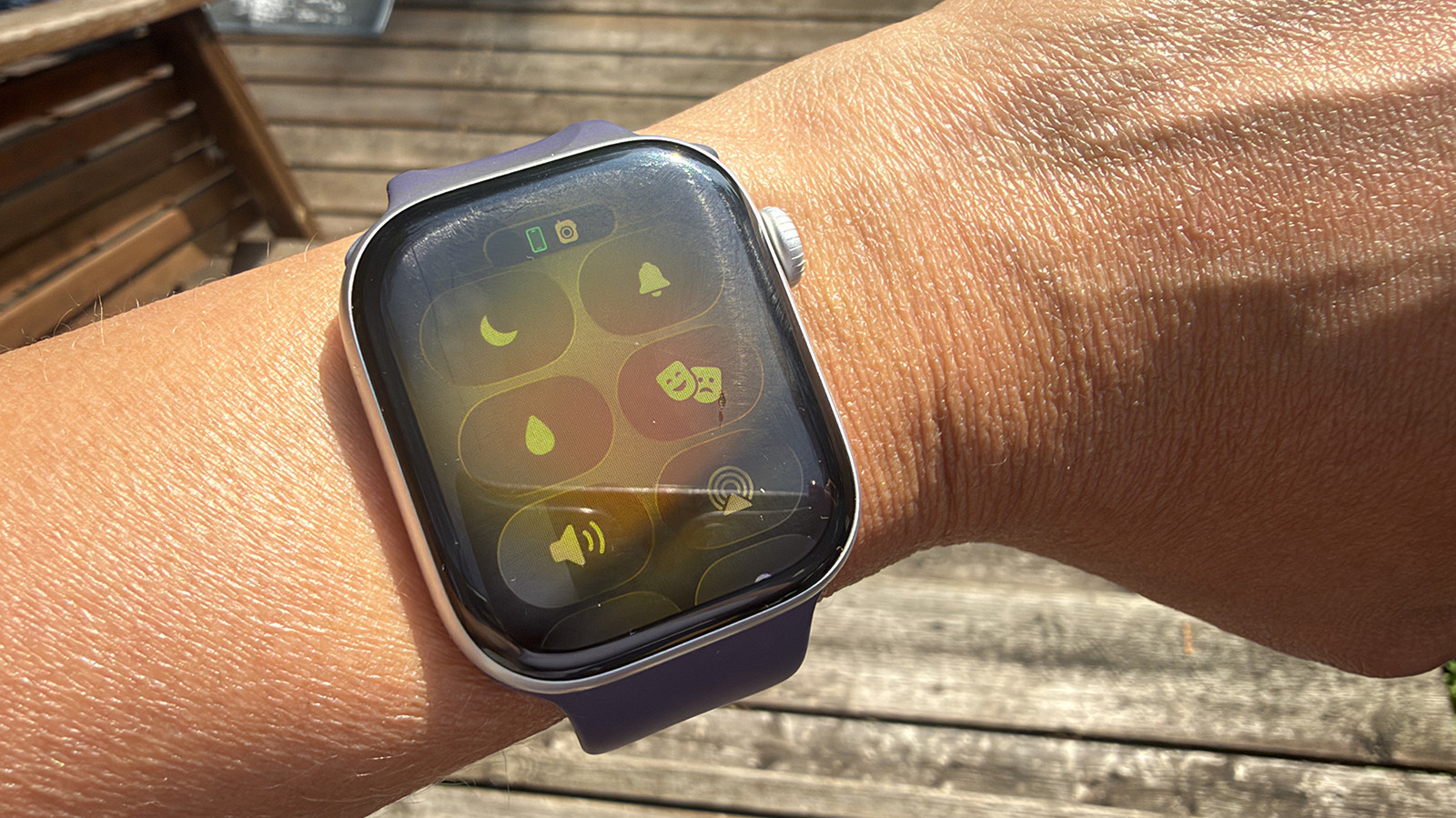
A wrist outside with an Apple Watch showing the water lock feature on. Christine Persaud for Engadget

To manually turn on water lock, which is available on all Apple Watch models from Series 2 and onward, press the side button to open the Control Center. Select the water droplet icon (you may have to scroll down to see it). When the water lock is active, you won’t be able to manipulate the watch screen. It simply won’t respond. Once you come out of the water, press and hold the Digital Crown to unlock the watch. You will see a water ejection mode begin and hear a series of tones, which sound sort of like an ’80s video game, until the process is done.

What’s happening inside the watch when you do this? It’s pretty fascinating. When you press and hold the button, water comes streaming out of the tiny side speaker holes. It’s a lot more water than you might realize or even notice, since it happens so fast and the speakers and water droplets are so tiny. The watch pauses to settle and eject again, repeating this cycle over and over. This is why you have to press and hold the Crown for at least a few seconds instead of a quick press. It keeps you from initiating this process accidentally.

Why use Water Lock on Apple Watch

Fingers touching an Apple Watch to eject water. Christine Persaud for Engadget

When should you use water lock? It’s a no-brainer to use the water lock feature on Apple Watch if you’re a swimmer or have a pool at home. In fact, you won’t have a choice, since it turns on automatically when you’re engaged in a water exercise like swimming or surfing. As an extra precaution, you might want to turn it on manually using the steps noted above during times when your wrist isn’t completely submerged, but the watch still gets wet. This might be if you wear it in the shower, while washing dishes or just during a run home in the rain. Utilizing this feature will ensure that any residual water is removed.

What happens if you don’t turn on water lock? The watch will likely be fine (assuming it’s a model with a high water-resistance rating), but you run the risk of water pooling inside and causing eventual damage. While that water-resistance rating gives you the confidence to wear an Apple Watch while swimming or doing other water-based activities, you should be aware that water-resistance weakens over time with any device. Keeping as much water out of the insides as possible, especially if you’re swimming in a chlorinated pool, can help prolong the life of your smartwatch. Next time you go for a swim, see if you can spot the water coming out of the side speaker when you press the button. And consider the intricate process that’s happening to keep the watch free of moisture inside.

Credit: Source link

ShareTweetSendSharePin

Related Posts

IBM and Kaggle Partner on Continuous ScarfBench Migration Leaderboard – Unite.AI
AI & Technology

IBM and Kaggle Partner on Continuous ScarfBench Migration Leaderboard – Unite.AI

October 27, 2026
NASA Plans To Launch Three Massive Rockets For The Artemis 3 Crewed Lunar Test Mission
AI & Technology

NASA Plans To Launch Three Massive Rockets For The Artemis 3 Crewed Lunar Test Mission

October 27, 2026
Bitdefender Launches GravityZone Exposure Management to Map Attack Paths and Reduce Risk – Unite.AI
AI & Technology

Bitdefender Launches GravityZone Exposure Management to Map Attack Paths and Reduce Risk – Unite.AI

October 27, 2026
OpenAI Announces New Discoveries In Mathematics, Computer Science And Physics
AI & Technology

OpenAI Announces New Discoveries In Mathematics, Computer Science And Physics

October 27, 2026
Next Post
X And Music Publishers Quietly Settle Opposing Lawsuits

X And Music Publishers Quietly Settle Opposing Lawsuits

Leave a Reply Cancel reply

Your email address will not be published. Required fields are marked *

Search

No Result
View All Result
How does hypnotherapy actually work, and what can it treat?

How does hypnotherapy actually work, and what can it treat?

October 22, 2026
Father of two and teacher credited for saving lives at deadly school shooting that killed four

Father of two and teacher credited for saving lives at deadly school shooting that killed four

October 24, 2026
Man fatally shot during dispute at New York subway station

Man fatally shot during dispute at New York subway station

October 23, 2026

About

Learn more

Our Services

Legal

Privacy Policy

Terms of Use

Bloggers

Learn more

Article Links

Contact

Advertise

Ask us anything

©2020- TradePoint.io - All rights reserved!

Tradepoint.io, being just a publishing and technology platform, is not a registered broker-dealer or investment adviser. So we do not provide investment advice. Rather, brokerage services are provided to clients of Tradepoint.io by independent SEC-registered broker-dealers and members of FINRA/SIPC. Every form of investing carries some risk and past performance is not a guarantee of future results. “Tradepoint.io“, “Instant Investing” and “My Trading Tools” are registered trademarks of Apperbuild, LLC.

This website is operated by Apperbuild, LLC. We have no link to any brokerage firm and we do not provide investment advice. Every information and resource we provide is solely for the education of our readers. © 2020 Apperbuild, LLC. All rights reserved.

No Result
View All Result
  • Main
  • AI & Technology
  • Stock Charts
  • Market & News
  • Business
  • Finance Tips
  • Trade Tube
  • Blog
  • Shop

© 2023 - TradePoint.io - All Rights Reserved!