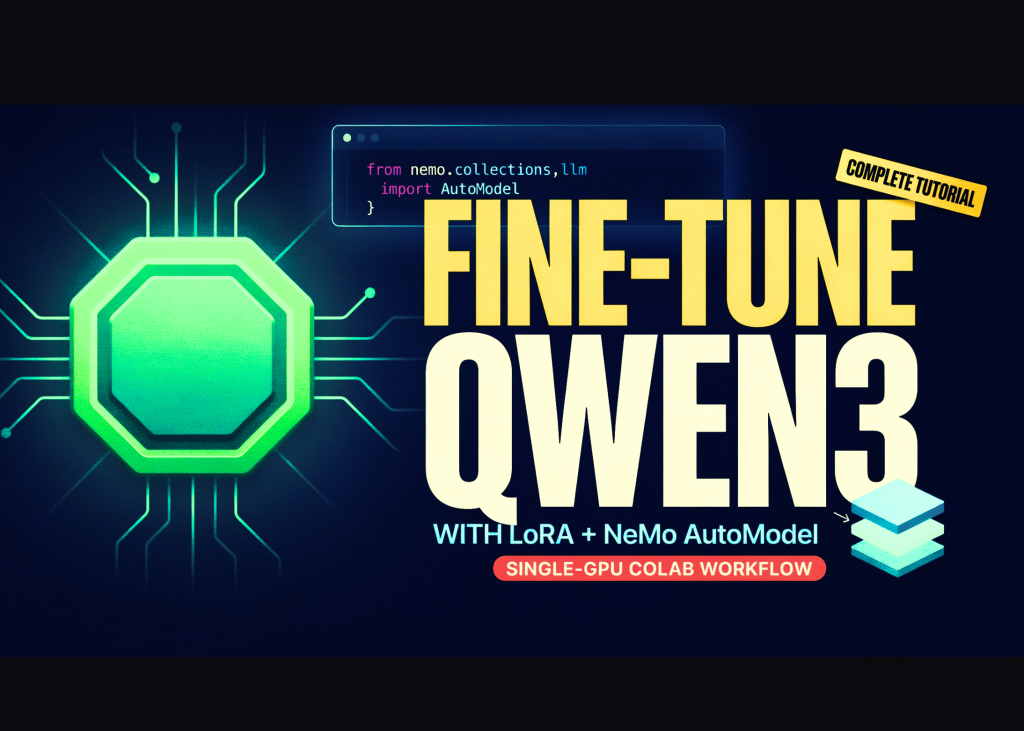

In this tutorial, we build an end-to-end NVIDIA NeMo AutoModel workflow in Google Colab and use a single GPU to explore the same configuration-driven training architecture that scales to distributed multi-GPU environments. We verify the available CUDA hardware and precision support, install NeMo AutoModel directly from its source repository, load an official Qwen3-0.6B LoRA fine-tuning recipe, and programmatically adapt its precision, batch-size, checkpointing, and scheduler settings for a constrained Colab runtime. We then launch parameter-efficient fine-tuning through the automodel command-line interface, locate and reload the generated LoRA checkpoint, and compare outputs from the original and fine-tuned models. Finally, we use NeMoAutoModelForCausalLM through the Python API to demonstrate how NeMo AutoModel integrates NVIDIA-optimized execution paths while preserving the familiar Hugging Face model interface.
Setting Up the Colab Workspace and Shell Helper
import os, sys, glob, json, subprocess, shutil, textwrap
REPO_DIR = "/content/Automodel"
WORK_DIR = "/content/automodel_demo"
CKPT_DIR = os.path.join(WORK_DIR, "checkpoints")
os.makedirs(WORK_DIR, exist_ok=True)
def sh(cmd, check=True):
   print(f"\n$ {cmd}\n" + "-" * 78)
   p = subprocess.Popen(cmd, shell=True, stdout=subprocess.PIPE,
                        stderr=subprocess.STDOUT, text=True, bufsize=1)
   for line in p.stdout:
       print(line, end="")
   p.wait()
   if check and p.returncode != 0:
       raise RuntimeError(f"Command failed ({p.returncode}): {cmd}")
   return p.returncode
We import the core Python libraries required for file handling, process execution, path management, and formatted output. We define the repository, working, and checkpoint directories used throughout the workflow. We also create a reusable shell-command function that streams command output and raises errors when execution fails.
Verifying the GPU and Installing NeMo AutoModel
print("=" * 78)
print("STEP 0 — Checking GPU runtime")
print("=" * 78)
import torch
assert torch.cuda.is_available(), (
   "No GPU found! In Colab: Runtime -> Change runtime type -> select a GPU."
)
GPU_NAME = torch.cuda.get_device_name(0)
BF16_OK = torch.cuda.is_bf16_supported()
VRAM_GB = torch.cuda.get_device_properties(0).total_memory / 1e9
print(f"GPU: {GPU_NAME} | VRAM: {VRAM_GB:.1f} GB | bf16 supported: {BF16_OK}")
print("\n" + "=" * 78)
print("STEP 1 — Installing NeMo AutoModel (takes a few minutes)")
print("=" * 78)
if not os.path.isdir(REPO_DIR):
   sh(f"git clone --depth 1 https://github.com/NVIDIA-NeMo/Automodel.git {REPO_DIR}")
sh(f"pip -q install -e {REPO_DIR}")
sh("pip -q install pyyaml peft")
sh('python -c "import nemo_automodel; print(\'NeMo AutoModel version:\', '
  'getattr(nemo_automodel, \'__version__\', \'source\'))"')
We verify that the Colab runtime provides a CUDA-enabled GPU and inspect its name, memory capacity, and bfloat16 support. We clone the NVIDIA NeMo AutoModel repository when it is not already available and install the package directly from source. We then install the supporting YAML and PEFT libraries and confirm that the NeMo AutoModel package imports correctly.
Loading and Patching the Qwen3 LoRA Recipe
print("\n" + "=" * 78)
print("STEP 2 — Preparing the recipe")
print("=" * 78)
import yaml
candidates = sorted(glob.glob(
   os.path.join(REPO_DIR, "examples", "llm_finetune", "qwen", "*0p6b*peft*.yaml")
)) or sorted(glob.glob(
   os.path.join(REPO_DIR, "examples", "llm_finetune", "**", "*peft*.yaml"),
   recursive=True,
))
assert candidates, "Could not find a PEFT recipe in the cloned repo."
BASE_RECIPE = candidates[0]
print(f"Base recipe: {os.path.relpath(BASE_RECIPE, REPO_DIR)}")
with open(BASE_RECIPE) as f:
   cfg = yaml.safe_load(f)
print("\n--- Original recipe (as shipped) ---")
print(yaml.dump(cfg, sort_keys=False)[:2500])
def patch(node):
   if isinstance(node, dict):
       for k, v in list(node.items()):
           if isinstance(v, str) and not BF16_OK and v.lower() in (
                   "bf16", "bfloat16", "torch.bfloat16"):
               node[k] = "float32"
           elif k in ("batch_size", "local_batch_size") and isinstance(v, int):
               node[k] = min(v, 4)
           elif k == "global_batch_size" and isinstance(v, int):
               node[k] = min(v, 8)
           else:
               patch(v)
   elif isinstance(node, list):
       for item in node:
           patch(item)
patch(cfg)
cfg.setdefault("step_scheduler", {})
cfg["step_scheduler"]["max_steps"] = 40
cfg["step_scheduler"]["ckpt_every_steps"] = 40
cfg["step_scheduler"]["num_epochs"] = 1
if isinstance(cfg.get("checkpoint"), dict):
   cfg["checkpoint"]["enabled"] = True
   cfg["checkpoint"]["checkpoint_dir"] = CKPT_DIR
DEMO_RECIPE = os.path.join(WORK_DIR, "qwen3_0p6b_colab_lora.yaml")
with open(DEMO_RECIPE, "w") as f:
   yaml.dump(cfg, f, sort_keys=False)
print("\n--- Patched recipe (what we will actually run) ---")
print(yaml.dump(cfg, sort_keys=False)[:2500])
MODEL_ID = "Qwen/Qwen3-0.6B"
try:
   MODEL_ID = cfg["model"]["pretrained_model_name_or_path"]
except Exception:
   pass
print(f"\nBase model: {MODEL_ID}")
We locate an official PEFT recipe, load its YAML configuration, and inspect the original training settings. We recursively adapt the precision and batch size parameters to fit the recipe on a single Colab GPU while preserving its original structure. We also limit the training duration, configure checkpoint output, save the patched recipe, and extract the Hugging Face model identifier.
Running LoRA Fine-Tuning on HellaSwag
print("\n" + "=" * 78)
print("STEP 3 — Training (LoRA fine-tune of Qwen3-0.6B on HellaSwag)")
print("=" * 78)
env_prefix = "HF_HUB_ENABLE_HF_TRANSFER=0 TOKENIZERS_PARALLELISM=false"
rc = sh(f"cd {WORK_DIR} && {env_prefix} automodel {DEMO_RECIPE}", check=False)
if rc != 0:
   print("\nRetrying with legacy CLI syntax...")
   sh(f"cd {WORK_DIR} && {env_prefix} automodel finetune llm -c {DEMO_RECIPE}")
We launch Qwen3-0.6B LoRA fine-tuning on the HellaSwag dataset through the NeMo AutoModel command-line interface. We turn off unnecessary Hugging Face transfer and tokenizer parallelism features to keep the Colab run more predictable. We also include a fallback command that supports older NeMo AutoModel CLI syntax when the primary invocation fails.
Comparing Base and Fine-Tuned Model Outputs
print("\n" + "=" * 78)
print("STEP 4 — Evaluating: base model vs LoRA fine-tuned model")
print("=" * 78)
from transformers import AutoModelForCausalLM, AutoTokenizer
DTYPE = torch.bfloat16 if BF16_OK else torch.float32
PROMPT = ("A man is sitting on a roof. He starts pulling up roofing shingles. "
         "What happens next?")
def generate(model, tok, prompt, max_new_tokens=60):
   inputs = tok(prompt, return_tensors="pt").to(model.device)
   with torch.no_grad():
       out = model.generate(**inputs, max_new_tokens=max_new_tokens,
                            do_sample=False, temperature=None, top_p=None,
                            pad_token_id=tok.eos_token_id)
   return tok.decode(out[0][inputs["input_ids"].shape[1]:],
                     skip_special_tokens=True)
tok = AutoTokenizer.from_pretrained(MODEL_ID)
base = AutoModelForCausalLM.from_pretrained(
   MODEL_ID, torch_dtype=DTYPE, device_map="cuda")
print("\n[BASE MODEL]")
print(textwrap.fill(generate(base, tok, PROMPT), 90))
ckpt_glob = sorted(glob.glob(os.path.join(CKPT_DIR, "**", "model"),
                            recursive=True))
if not ckpt_glob:
   ckpt_glob = sorted(glob.glob(os.path.join(WORK_DIR, "**",
                                             "adapter_model.safetensors"),
                                recursive=True))
   ckpt_glob = [os.path.dirname(p) for p in ckpt_glob]
if ckpt_glob:
   ADAPTER_DIR = ckpt_glob[-1]
   print(f"\nFound checkpoint: {ADAPTER_DIR}")
   try:
       from peft import PeftModel
       tuned = PeftModel.from_pretrained(base, ADAPTER_DIR)
       print("\n[FINE-TUNED MODEL (base + LoRA adapter)]")
       print(textwrap.fill(generate(tuned, tok, PROMPT), 90))
   except Exception as e:
       print(f"\nCould not auto-load the adapter with peft ({e}).")
       print("Inspect the checkpoint contents manually:")
       for p in glob.glob(os.path.join(ADAPTER_DIR, "*"))[:20]:
           print("  ", p)
else:
   print("\nNo checkpoint found — check the training logs above.")
del base
torch.cuda.empty_cache()
We load the tokenizer and base causal language model, generate a deterministic response, and establish a baseline for comparison. We search the training output directories for the latest LoRA checkpoint or adapter files created during fine-tuning. We then attach the adapter with PEFT, generate the fine-tuned response, and release GPU memory after evaluation.
Using the NeMo AutoModel Python API
print("\n" + "=" * 78)
print("STEP 5 — Bonus: drop-in Python API")
print("=" * 78)
try:
   from nemo_automodel import NeMoAutoModelForCausalLM
   nm = NeMoAutoModelForCausalLM.from_pretrained(
       MODEL_ID, torch_dtype=DTYPE).to("cuda")
   print("[NeMoAutoModelForCausalLM]")
   print(textwrap.fill(generate(nm, tok, "The key idea of LoRA is"), 90))
   del nm
   torch.cuda.empty_cache()
except Exception as e:
   print(f"Python-API demo skipped on this version/GPU: {e}")
print("\n" + "=" * 78)
print("DONE! Where to go next:")
print("=" * 78)
print(f"""
1. Recipes to explore (in {REPO_DIR}/examples/):
    llm_finetune/   — SFT + LoRA for Llama, Qwen, Gemma, Phi, GPT-OSS, ...
    llm_pretrain/   — e.g. nanoGPT on FineWeb, DeepSeek-V3 pre-training
    vlm_finetune/   — Qwen-VL, Gemma-3-VL, and other vision-language models
    diffusion/      — FLUX / Wan / Qwen-Image LoRA fine-tuning
2. Swap the model: override one field —
    automodel recipe.yaml --model.pretrained_model_name_or_path
3. Scale out: the SAME recipe runs on 8 GPUs with `--nproc-per-node 8`,
  or multi-node via the shipped slurm.sub / SkyPilot / Kubernetes launchers.
4. Docs: https://docs.nvidia.com/nemo/automodel/latest/index.html
""")
We demonstrate the direct Python interface by loading the model through NeMoAutoModelForCausalLM and running an additional generation example. We handle version-specific or hardware-specific failures gracefully so the notebook can still complete successfully. We conclude by presenting the available recipe categories, model-override syntax, distributed scaling options, and official documentation path.
Conclusion
In conclusion, we established a practical NeMo AutoModel pipeline that covers environment validation, source installation, recipe inspection, configuration patching, LoRA training, checkpoint recovery, model evaluation, and direct Python API inference. We saw how NeMo AutoModel separates the distributed training strategy from the application code by specifying model, dataset, optimizer, precision, parallelism, and checkpoint behavior through reusable YAML recipes. Although we ran the workflow on a single Colab GPU, we retained the same SPMD-oriented structure used for larger FSDP2, tensor-parallel, context-parallel, sequence-parallel, and pipeline-parallel deployments. It gives us a technically grounded starting point for adapting additional language-model, vision-language, pre-training, and diffusion recipes while scaling the same workflow from experimentation to multi-node NVIDIA infrastructure.
Check out the Full Code here. Also, feel free to follow us on Twitter and don’t forget to join our 150k+ML SubReddit and Subscribe to our Newsletter. Wait! are you on telegram? now you can join us on telegram as well.
Need to partner with us for promoting your GitHub Repo OR Hugging Face Page OR Product Release OR Webinar etc.? Connect with us
Sana Hassan, a consulting intern at Marktechpost and dual-degree student at IIT Madras, is passionate about applying technology and AI to address real-world challenges. With a keen interest in solving practical problems, he brings a fresh perspective to the intersection of AI and real-life solutions.
Credit: Source link