
• bitcoinBitcoin(BTC)$64,668.000.80%
  • ethereumEthereum(ETH)$1,912.562.60%
  • tetherTether(USDT)$1.000.00%
  • binancecoinBNB(BNB)$572.631.10%
  • usd-coinUSDC(USDC)$1.000.00%
  • rippleXRP(XRP)$1.100.40%
  • solanaSolana(SOL)$75.271.80%
  • tronTRON(TRX)$0.3323370.90%
  • Figure HelocFigure Heloc(FIGR_HELOC)$1.032.90%
  • whitebitWhiteBIT Coin(WBT)$56.571.20%
  • HyperliquidHyperliquid(HYPE)$59.152.80%
  • dogecoinDogecoin(DOGE)$0.0730252.40%
  • USDSUSDS(USDS)$1.000.00%
  • RainRain(RAIN)$0.0140420.60%
  • leo-tokenLEO Token(LEO)$9.731.40%
  • zcashZcash(ZEC)$492.612.90%
  • moneroMonero(XMR)$356.91-1.30%
  • chainlinkChainlink(LINK)$8.572.90%
  • cardanoCardano(ADA)$0.1648940.20%
  • stellarStellar(XLM)$0.1791570.50%
  • CantonCanton(CC)$0.1233202.00%
  • daiDai(DAI)$1.000.00%
  • bitcoin-cashBitcoin Cash(BCH)$213.901.90%
  • the-open-networkGram (prev. Toncoin)(GRAM)$1.523.40%
  • USD1USD1(USD1)$1.000.00%
  • Ethena USDeEthena USDe(USDE)$1.000.00%
  • litecoinLitecoin(LTC)$47.714.10%
  • Global DollarGlobal Dollar(USDG)$1.000.00%
  • shiba-inuShiba Inu(SHIB)$0.0000057.80%
  • hedera-hashgraphHedera(HBAR)$0.0699230.00%
  • Circle USYCCircle USYC(USYC)$1.130.00%
  • suiSui(SUI)$0.711.00%
  • avalanche-2Avalanche(AVAX)$6.691.10%
  • crypto-com-chainCronos(CRO)$0.0568090.70%
  • paypal-usdPayPal USD(PYUSD)$1.000.00%
  • BlackRock USD Institutional Digital Liquidity FundBlackRock USD Institutional Digital Liquidity Fund(BUIDL)$1.000.00%
  • tether-goldTether Gold(XAUT)$4,051.350.00%
  • uniswapUniswap(UNI)$3.906.90%
  • nearNEAR Protocol(NEAR)$1.790.10%
  • Ondo US Dollar YieldOndo US Dollar Yield(USDY)$1.140.00%
  • OndoOndo(ONDO)$0.4029836.40%
  • BittensorBittensor(TAO)$197.503.60%
  • pax-goldPAX Gold(PAXG)$4,058.660.20%
  • okbOKB(OKB)$84.552.80%
  • World Liberty FinancialWorld Liberty Financial(WLFI)$0.055011-2.00%
  • AsterAster(ASTER)$0.630.30%
  • HTX DAOHTX DAO(HTX)$0.0000020.30%
  • MemeCoreMemeCore(M)$1.234.70%
  • Ripple USDRipple USD(RLUSD)$1.000.00%
  • usddUSDD(USDD)$1.000.00%
TradePoint.io
  • Main
  • AI & Technology
  • Stock Charts
  • Market & News
  • Business
  • Finance Tips
  • Trade Tube
  • Blog
  • Shop
No Result
View All Result
TradePoint.io
No Result
View All Result

Android Auto Has A Developer Menu You Can Access In Seconds

July 26, 2026
in AI & Technology
Reading Time: 5 mins read
A A
Android Auto Has A Developer Menu You Can Access In Seconds
ShareShareShareShareShare

If you want to tweak your Android Auto settings, this is a good place to check.

Smith Collection/gado/Getty Images

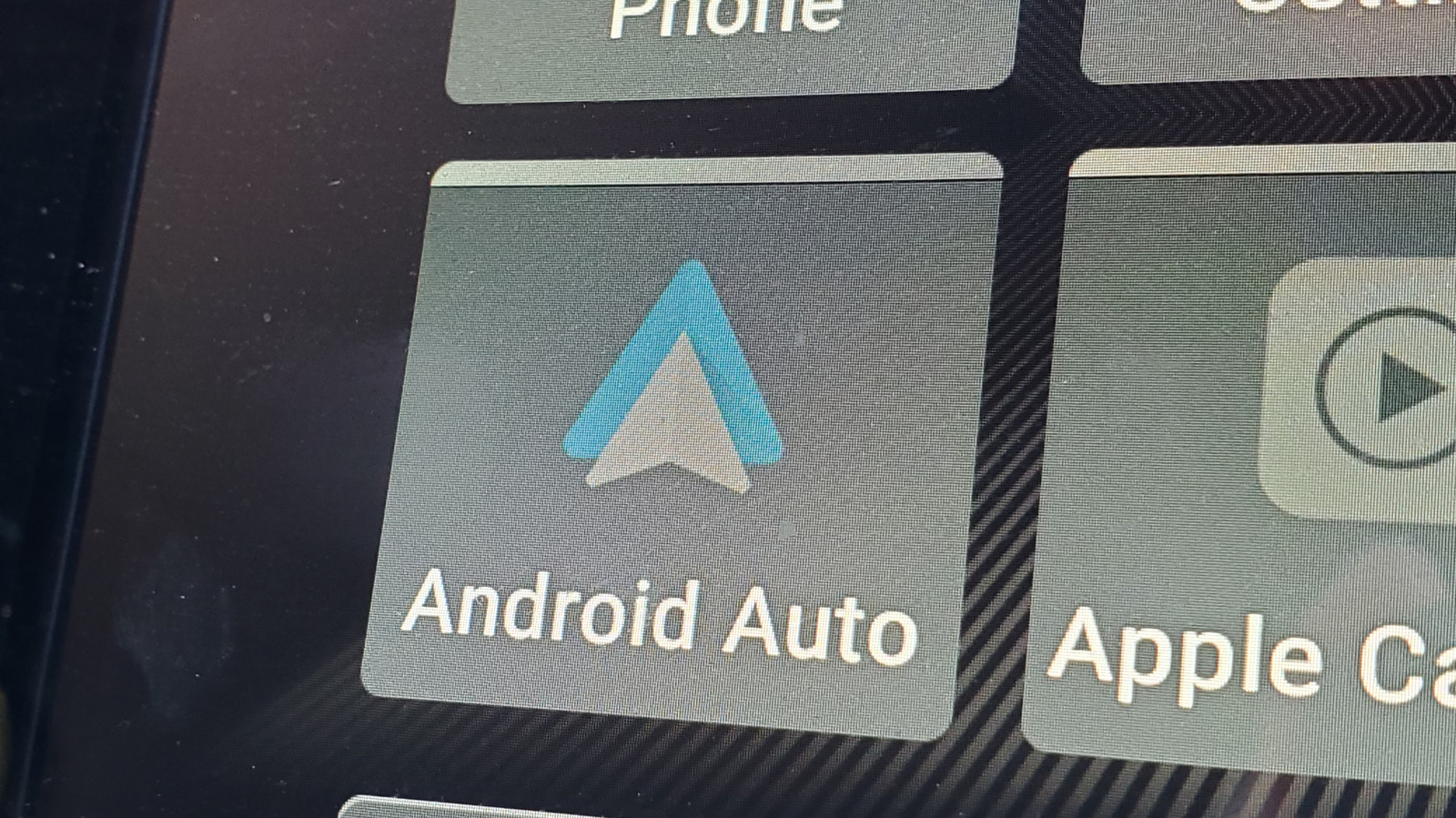
Android Auto does a solid job of mirroring your phone’s most useful apps on your car’s infotainment screen. From maps to music and messaging, Android Auto handles the expected tasks just fine. But buried inside the app is a developer menu that most haven’t even seen, let alone used.

YOU MAY ALSO LIKE

The Reason Why The MacBook Air Doesn’t Need A Fan

KwaiKAT Team Releases KAT-Coder-V2.5: An Agentic Coding Model Trained on 100,000+ Verifiable Repository Environments

Android Auto’s hidden developer menu unlocks quite a few powerful settings, starting with a wireless toggle and an “Unknown Sources” option that lets non-Play Store apps run on your car’s display. But how do you even get to access these features?

Where to find Android Auto’s secret menu?

Screenshots of the Android Auto Developer settings Gabriela Vatu

Accessing Android Auto’s hidden display settings takes less than a minute and it’s actually not that difficult to find. Here’s how to do it:

  1. Open your phone’s Settings and search for Android Auto. Alternatively, go to Settings > Connected Devices > Android Auto.

  2. Scroll all the way to the bottom of the page.

  3. Tap Version and permission info about 10 times in quick succession.

  4. The phone will ask for confirmation if you want to allow developer settings, so press to confirm.

  5. Scroll back to the top of the Android Auto menu and tap the three-dot menu in the upper corner.

  6. Select Developer settings and you’re in.

Note that the exact menu names can vary slightly depending on your device.

How can I enable Android Auto’s hidden display settings?

The developer menu comes with a wide range of settings to choose from. Here are some of the features you’ll find useful.

Wireless Android Auto toggle

The setting controls whether Android auto can connect to your car or a wireless adapter without a cable. The box should be checked by default, but if it isn’t, you can enable it manually. If you are having trouble connecting wirelessly, check here first, as toggling the setting off and back on again often resolves stubborn connectivity issues.

Unknown sources

There’s a hidden gem among these developer settings. Much like Android’s standard sideloading option, enabling Unknown Sources in Android Auto’s developer menu allows apps that aren’t listed on the Google Play Store to appear on your car’s display. CarStream and Fermata Auto, for instance, let you stream YouTube on the infotainment screen. We get why Android Auto doesn’t allow such apps by default, but we also understand the desire to stream YouTube while you’re waiting for kids’ sports practice to be over.

Force video resolution

When you connect your phone to your car, it automatically negotiates a video resolution with your car’s infotainment system. Sometimes, the system plays it too safe so you get a blurry interface even on a high-end dashboard. Well, the Video Resolution option makes it possible to force a higher output to sharpen icons, maps and text.

Developer features to avoid

Unless you’re trying to record a video of whatever’s on your screen for a short time, enabling the options to save video, save audio and microphone input isn’t advisable as these will put a strain on your phone’s processor, causing the device to heat up, drain battery and eat up internal storage.

Is Android Auto’s developer menu worth exploring?

Android Auto on car infotainment system Gabriel Nica/Shutterstock

For most drivers, enabling Unknown Sources and checking the wireless toggle are two actions worth taking. While it’s understandable why Google is blocking off apps that take over the infotainment screen with YouTube vids, it’s clear there’s an interest for this given the number of apps. Third-party apps are filling gaps that Google hasn’t officially addressed.

The developer menu won’t transform Android Auto overnight, but it does hand you a level of control that Google hasn’t advertised. While some of them are great to have, others are definitely not meant for everyday use. Still, a few taps and you’ll know more about Android Auto than most people who use it every day.

Credit: Source link

ShareTweetSendSharePin

Related Posts

The Reason Why The MacBook Air Doesn’t Need A Fan
AI & Technology

The Reason Why The MacBook Air Doesn’t Need A Fan

July 26, 2026
KwaiKAT Team Releases KAT-Coder-V2.5: An Agentic Coding Model Trained on 100,000+ Verifiable Repository Environments
AI & Technology

KwaiKAT Team Releases KAT-Coder-V2.5: An Agentic Coding Model Trained on 100,000+ Verifiable Repository Environments

July 26, 2026
Induction Labs Photon-1 Simulates Desktops, Plays Checkers, and Models Billiard Physics From One Pretraining Run
AI & Technology

Induction Labs Photon-1 Simulates Desktops, Plays Checkers, and Models Billiard Physics From One Pretraining Run

July 26, 2026
FAIRChem v2 UMA for Multidomain Atomistic Simulation across Molecules, Catalysts, Materials, Vibrations, and Molecular Dynamics
AI & Technology

FAIRChem v2 UMA for Multidomain Atomistic Simulation across Molecules, Catalysts, Materials, Vibrations, and Molecular Dynamics

July 26, 2026
Next Post
Four teams remain at the World Cup. What you need to know for the semifinals.

Four teams remain at the World Cup. What you need to know for the semifinals.

Leave a Reply Cancel reply

Your email address will not be published. Required fields are marked *

Search

No Result
View All Result
New analysis moves six House races towards Democrats ahead of midterms

New analysis moves six House races towards Democrats ahead of midterms

July 24, 2026
King Charles jokes about ‘sorrows’ of World Cup defeat

King Charles jokes about ‘sorrows’ of World Cup defeat

July 24, 2026
Datalab Marker v2 vs MinerU, Docling, and Liteparse: Benchmark Breakdown

Datalab Marker v2 vs MinerU, Docling, and Liteparse: Benchmark Breakdown

July 25, 2026

About

Learn more

Our Services

Legal

Privacy Policy

Terms of Use

Bloggers

Learn more

Article Links

Contact

Advertise

Ask us anything

©2020- TradePoint.io - All rights reserved!

Tradepoint.io, being just a publishing and technology platform, is not a registered broker-dealer or investment adviser. So we do not provide investment advice. Rather, brokerage services are provided to clients of Tradepoint.io by independent SEC-registered broker-dealers and members of FINRA/SIPC. Every form of investing carries some risk and past performance is not a guarantee of future results. “Tradepoint.io“, “Instant Investing” and “My Trading Tools” are registered trademarks of Apperbuild, LLC.

This website is operated by Apperbuild, LLC. We have no link to any brokerage firm and we do not provide investment advice. Every information and resource we provide is solely for the education of our readers. © 2020 Apperbuild, LLC. All rights reserved.

No Result
View All Result
  • Main
  • AI & Technology
  • Stock Charts
  • Market & News
  • Business
  • Finance Tips
  • Trade Tube
  • Blog
  • Shop

© 2023 - TradePoint.io - All Rights Reserved!