





























Put your iPad to good use with apps for journaling, discovering art and much more.
Your iPad should make every day easier. Whether you want to build new habits or improve your routines, we’ve rounded up apps that put the best iPads to work in your daily life.
We found these by digging a bit deeper. These aren’t first-party Apple apps or subscription-only Adobe staples. It’s free to get started with each, though most charge for extra features, which we’ve noted where applicable.
Our favorite apps are elegant and well-designed, taking advantage of the entire iPad display. They also keep AI to a bare minimum. There may be machine learning to help with search and transcriptions, but you won’t find fake images or bogus text generators here.
1. Sofa: downtime organizer
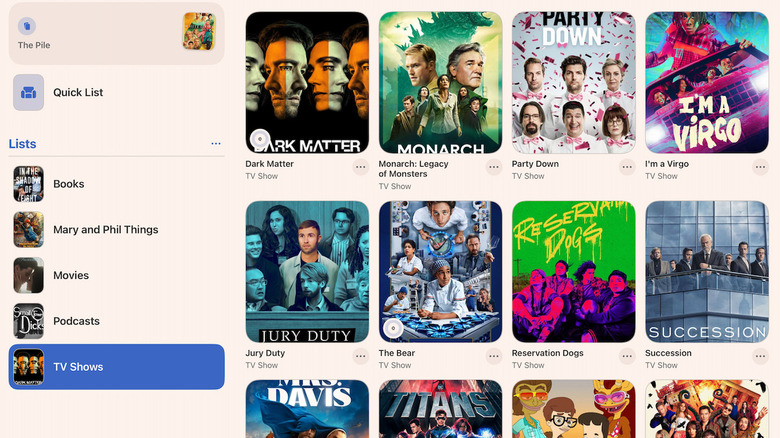
If you’re a voracious consumer of media, you need Sofa to help keep track of it all. Start with books, TV shows and movies, then add whatever other categories you’d like. Sofa has a clean interface that grabs title images and info to give you an overview of everything you watch (or read).
Sofa’s tracking feature is especially useful for remembering which episodes you’ve seen. Mark them off as you watch them and add notes if you like, or rely on the included summaries. Sofa tracks two different series at once for free, while paid subscribers can track unlimited titles.
Sofa’s free tier offers all its best features without advertisements or pop-ups begging for more. If you want to fine-tune your media tracking with custom ratings that you create and smart lists that populate based on your filters, Sofa offers a subscription for $5.99 per month, $49.99 per year or $249.99 for a lifetime membership. Unless you’re a professional TV critic, you’ll likely be fine with the free features.
2. Bear: Markdown notes
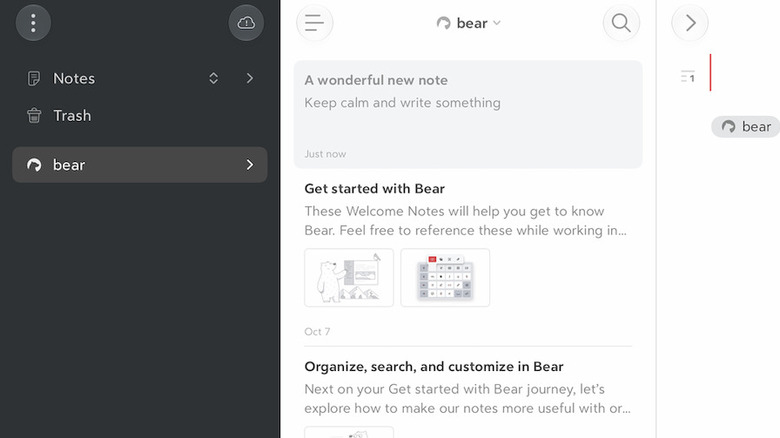
Instead of Apple Notes or Google Keep, try Bear, an app for capturing thoughts. Bear has become a productivity favorite by keeping its interface deceptively simple; it’s a large notepad app without a glut of buttons and menus. While it’s powerful, you don’t have to use advanced features you don’t need.
Bear is built around smooth Markdown styling and supports tags to organize your thoughts. For example, if you find yourself often complaining about your job, tag that post with #job. You can add links, tags or even to-do tasks that are easily searchable. If that sounds complicated, ignore what you don’t need and you’re left with an elegant, attractive note-taking and journaling app.
Bear has a reasonably-priced subscription tier ($3/month or $30/year) that offers a few extra features if you’re hardcore about your notes. With it, you can sync your Bear notes between devices, as well as publish your notes using HTML or ePub to use the app as a blogging tool.
3. Flipboard: the social magazine
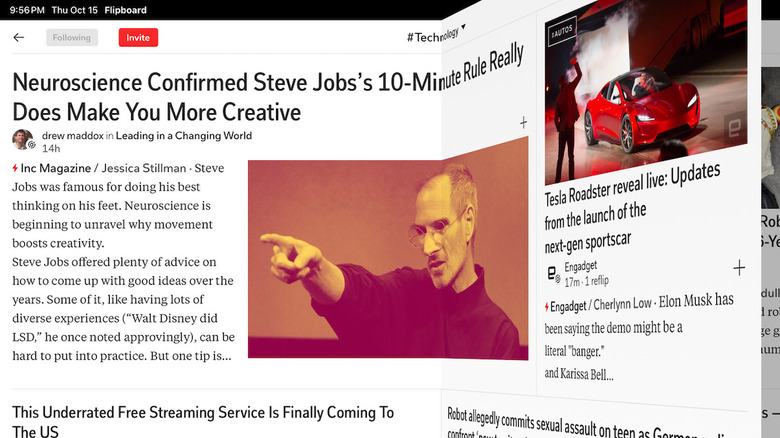
After a few minutes with Flipboard, you’ll wonder why it isn’t preloaded on every iPad. This decentralized social experience transforms the touchscreen into a magazine with a clean layout and large images. If you read a lot of news, Flipboard is the best way to stay current.
The app starts by having you select from an endless list of topics to find stories. These can start as general as sports, music or science. Or by dialing down, you might find “UEFA Champions League,” “blues music” or “sustainable design.”
If any sources arise that you don’t want to see, block them. In general, the selection is great; you can follow individual authors and sites the same way you follow topics.
The best part about Flipboard is that it’s totally free: it doesn’t make you cough up a fee for the best content, and you can sometimes find stories that are normally trapped behind a paywall.
4. Happy Spoon: easy meal planning
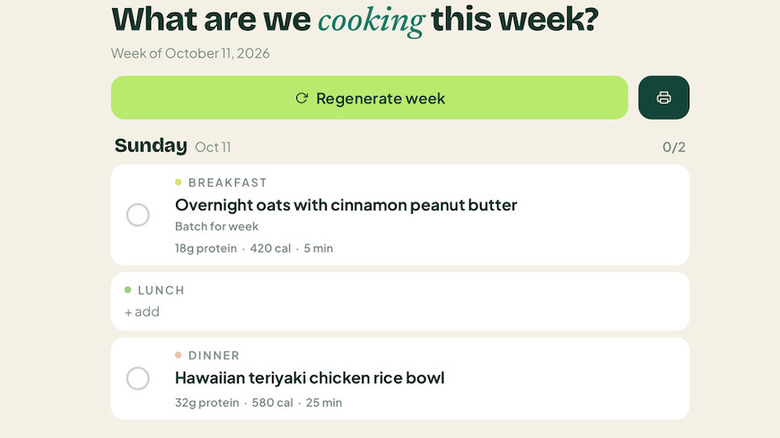
HappySpoon is an (artificially) intelligent meal planner that helps you create a menu for the week ahead following whatever ideas or guidelines you set. The app uses AI to understand plain-language requests that you make, like “I need to use up all my chicken breast, so make a bunch of different chicken recipes.” Once you’ve created your menu, it even generates a handy shopping list sorted by grocery store aisle.
I asked the app to generate “breakfasts that are simple and on-repeat, like a big batch of muffins or oatmeal to eat every day” and it did exactly that. It also understood the rule “no lunches” and left that spot blank on my weekly menu.
HappySpoon automatically resizes your portions and recipes to match your eaters. You can specify adult-sized or kid-sized appetites, and it will conform: the grocery list populates with the right amounts.
You don’t need to use HappySpoon’s AI features; in fact, they’re only free for two weeks. That’s enough time to get started and use the AI for help generating a variety of menus. There are plenty of other AI tools that can create recipes, but if you want to stick with HappySpoon, the fee is $5.99 per month or $49.99 per year. I found the AI tools useful at first, but after a couple of weeks, the extra AI benefits didn’t seem necessary.
5. MindNode: mind mapping
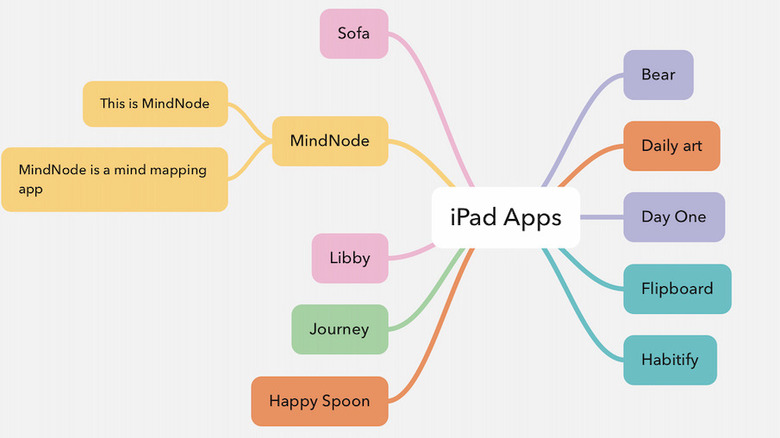
Whatever you need to organize, MindNode is a perfect starting point. Whether it’s a meeting agenda, a workout plan or your life’s goals, MindNode offers a simple canvas to connect and organize thoughts. You’ll find features to enhance, stylize and reorganize your finished maps.
Start with the big idea in the center and then branch out. A map can grow large the more you dig in, but MindNode makes it easy to keep your idea maps looking neat. You also have the option to view your maps as a text outline instead.
If this sort of mental organization appeals to you, the premium subscription may offer enough bonus features to make it worth the asking $2.99 per month or $24.99 per year. With the subscription, you get more editing tools, the ability to add photos and emoji to your nodes and some professional-strength features for teams working together.
It also unlocks real-time collaboration with others so you see edits and additions as they happen. You can set each node as a task with a reminder and checklist. And Apple Intelligence will enhance the experience by offering new ideas, summarizing what it sees and similar. The AI extras aren’t necessary, but are available with the premium plan.
6. Journey: a diary of your life
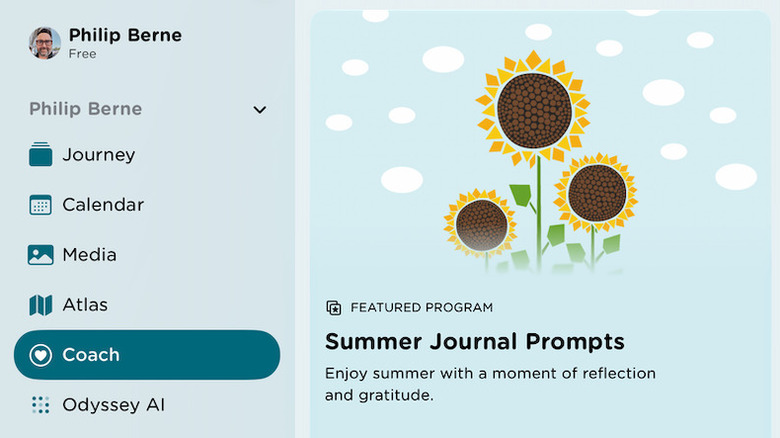
Journey is a place to store your memories, including journal entries, calendar appointments , major dates, photos, multimedia and maps of the places you’ve been. The more you use Journey, the more it rewards your dedication, with features that track your habits later on.
The available templates are Journey’s secret weapon. If you’re planning a trip, for example, the travel planner template includes fields for details like your hotel address, flight information, car rental details and even a budget planner that tracks your anticipated versus actual spending.
Templates include tons of other categories, from personal goal trackers to a 30-60-90 day plan for starting a new career. Once you’ve built a journaling habit, you’re able to track your progress through Journey’s graphs and statistics. If you tag each journal entry with a mood, you’ll see how your feelings ebbed and flowed throughout your journaling experience.
By paying $6.99 per month or $49.99 per year (or $199 for the app’s lifetime), you get premium features that could be helpful if you share a journal with someone else. There’s also a premium AI feature included, though thankfully it doesn’t offer to write journal entries for you. Instead, you can ask “how many entries did I write last month?” or tell it to “summarize my summer vacation from 2026.”
7. Libby: the library app
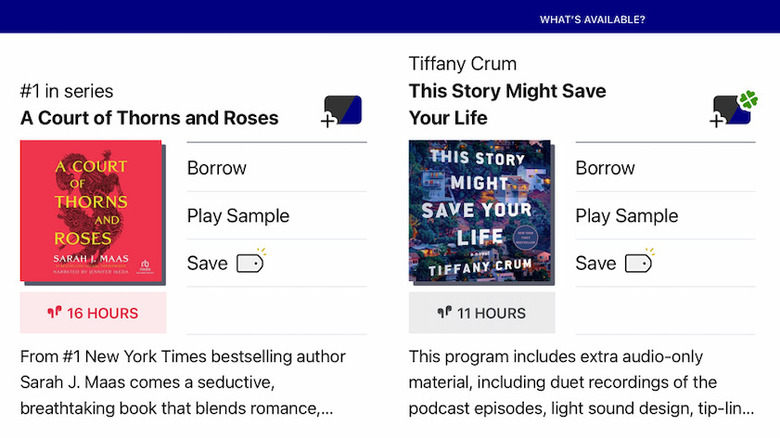
Libby is your local library in app form, which should be enough to earn an immediate download. Did you know you can borrow ebooks from your library? Just register your library card with Libby — go get one if you don’t have one! — and you’re ready to download the glut of digital content you might not have even known your library offered.
Libby handles the borrowing and serves you the book in its own ereader interface, or you can put titles on your Kindle. Libraries have limited copies even for ebook titles, and Libby lets you join a waiting list for the latest best-seller if you can’t grab it right away.
There are audiobooks available as well, in addition to other common library finds like periodicals, graphic novels and comic books. If you can’t find the title you want, Libby has an option to send requests so your local library secures a copy. And because it’s a library, there’s no premium offering; just borrow books and enjoy them.
8. Day One: starter journal
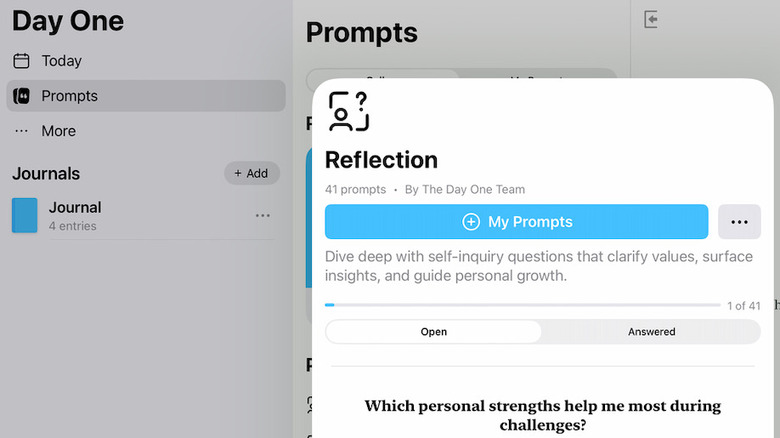
If journaling seems like a chore, Day One does the grunt work for you. Every time you start an entry, it records the time and date, your location, the weather and even the phase of the moon. The app isn’t shy about prompting you with topics to get your journal started. If you’ve wanted to start a journal but don’t know where to begin, Day One is ready for you.
There are several categories of prompts, including Reflection, Fitness and The Year Ahead. Under Mindfulness, you might find simple prompts like “How am I feeling right now?” or introspective questions like “How often do I observe my thoughts without judgment?”
If you don’t want to begin with a prompt, Day One is able to access your photos, maps and calendar to pull together a summary of your day. You can add a calendar event, the map of where you went and the photos you took there. Day One puts an emphasis on privacy, with an app-specific passcode to protect your journals. There’s a setting to turn off all AI-based features if you prefer.
Day One will record an unlimited number of journal entries without paying a dime, but if you want to add unlimited photos and videos, or audio recordings, you’ll need to pay a subscription fee. For $49.99/year you get all that, plus interesting integration with IFTTT (If This Then That) and other markup tools.
9. Habitify: habit tracker
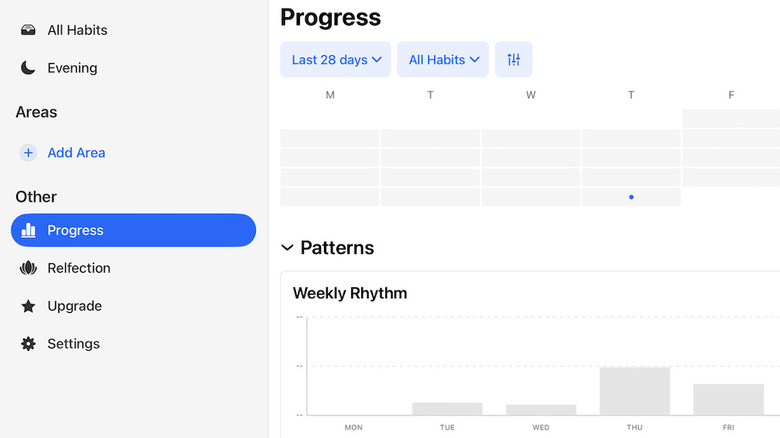
Habitify can help you build habits without being intrusive or making you do so much work that the app becomes its own “habit” to maintain. You design a habit or goal, then Habitify monitors your progress in the background as much as it can. It’s the rare app that you barely need to use to get value from.
You tell Habitify what you want to do and on which days you’ll repeat the habit, then give it a specific goal. Habitify integrates neatly with Siri, so you often won’t need to open the app to log your habit since Siri will. Siri can even update you on your progress — just ask how you’re doing with your goals and Habitify will feed Siri the answer.
There is a paid option for $49.99 per year, which is useful if fitness is your goal since Apple Health and Google Health integrations sit behind that paywall. You can connect Habitify to your Apple Watch or Fitbit so it knows you kept up your routine. It works with Apple Health and Google Health to gather data, with your permission. The paid option can also monitor your screen time if limits are part of your habit goals.
10. DailyArt: history and culture

DailyArt is for art world enthusiasts who want to go beyond the most prolific canvases and dive deeper into the lives of the artists who created them. One recent offering was a gorgeous Autumn Landscape created in 1899 by the pseudonymous Hishida Shunsō. In addition to the image, the app offers a brief history of the work and artist, with an explanation of the style it exemplifies. You can select the artist name or other links to see more artwork, or wait until tomorrow to see what DailyArt serves up next.
The feature are robust, so if you have a burgeoning curiosity in the art world, this is a great way to start. It offers collections grouped by artist, artistic movement or other qualities. You’ll find a collection of paintings that all depict people working with their hands or a collection of cats in art, for example. There are also quizzes and games if you want to have a bit of fun.
DailyArt has an unobtrusive ad bar near the bottom of the screen, plus a premium option for $4.99 per month or $29.99 per year. Along with removing ads, this also gives you unlimited searches in a vast library of high-quality artwork, with accompanying information to build your art knowledge.
Credit: Source link