
• bitcoinBitcoin(BTC)$80,851.001.51%
  • Midas Fasanara Global EuroMidas Fasanara Global Euro(MGLOEURO)$111,813.00-0.36%
  • ethereumEthereum(ETH)$2,354.611.95%
  • tetherTether(USDT)$1.000.01%
  • binancecoinBNB(BNB)$744.840.96%
  • rippleXRP(XRP)$1.332.78%
  • usd-coinUSDC(USDC)$1.000.00%
  • solanaSolana(SOL)$101.571.55%
  • tronTRON(TRX)$0.3306480.56%
  • Figure HelocFigure Heloc(FIGR_HELOC)$1.03-0.62%
  • zcashZcash(ZEC)$1,310.137.45%
  • HyperliquidHyperliquid(HYPE)$81.234.61%
  • dogecoinDogecoin(DOGE)$0.0793742.82%
  • moneroMonero(XMR)$600.75-1.35%
  • USDSUSDS(USDS)$1.000.01%
  • whitebitWhiteBIT Coin(WBT)$77.701.53%
  • chainlinkChainlink(LINK)$11.703.48%
  • leo-tokenLEO Token(LEO)$9.353.52%
  • cardanoCardano(ADA)$0.2062801.48%
  • nearNEAR Protocol(NEAR)$4.706.47%
  • stellarStellar(XLM)$0.1715012.15%
  • bitcoin-cashBitcoin Cash(BCH)$296.185.65%
  • RainRain(RAIN)$0.007193-0.30%
  • Ethena USDeEthena USDe(USDE)$1.000.05%
  • daiDai(DAI)$1.000.00%
  • litecoinLitecoin(LTC)$57.382.07%
  • uniswapUniswap(UNI)$7.111.54%
  • avalanche-2Avalanche(AVAX)$9.012.54%
  • CantonCanton(CC)$0.0992091.85%
  • USD1USD1(USD1)$1.000.02%
  • suiSui(SUI)$0.943.38%
  • the-open-networkGram (prev. Toncoin)(GRAM)$1.243.64%
  • hedera-hashgraphHedera(HBAR)$0.0765710.54%
  • tether-goldTether Gold(XAUT)$4,037.750.86%
  • Global DollarGlobal Dollar(USDG)$1.00-0.02%
  • paypal-usdPayPal USD(PYUSD)$1.000.03%
  • BittensorBittensor(TAO)$257.914.00%
  • shiba-inuShiba Inu(SHIB)$0.0000052.29%
  • quant-networkQuant(QNT)$197.65-1.67%
  • EthenaEthena(ENA)$0.2071810.84%
  • crypto-com-chainCronos(CRO)$0.0541682.36%
  • BitwayBitway(BTW)$1.7642.90%
  • Ripple USDRipple USD(RLUSD)$1.00-0.01%
  • MemeCoreMemeCore(M)$1.0810.92%
  • Circle USYCCircle USYC(USYC)$1.140.01%
  • Ondo US Dollar YieldOndo US Dollar Yield(USDY)$1.15-0.03%
  • okbOKB(OKB)$109.861.18%
  • BlackRock USD Institutional Digital Liquidity FundBlackRock USD Institutional Digital Liquidity Fund(BUIDL)$1.000.00%
  • aaveAave(AAVE)$134.671.51%
  • OndoOndo(ONDO)$0.4190753.37%
TradePoint.io
  • Main
  • AI & Technology
  • Stock Charts
  • Market & News
  • Business
  • Finance Tips
  • Trade Tube
  • Blog
  • Shop
No Result
View All Result
TradePoint.io
No Result
View All Result

How To Change And Customize Your Android Auto Display

October 27, 2026
in AI & Technology
Reading Time: 4 mins read
A A
How To Change And Customize Your Android Auto Display
ShareShareShareShareShare

Tailor your tech to fit your daily drive seamlessly.


Gabriela Vatu for Engadget

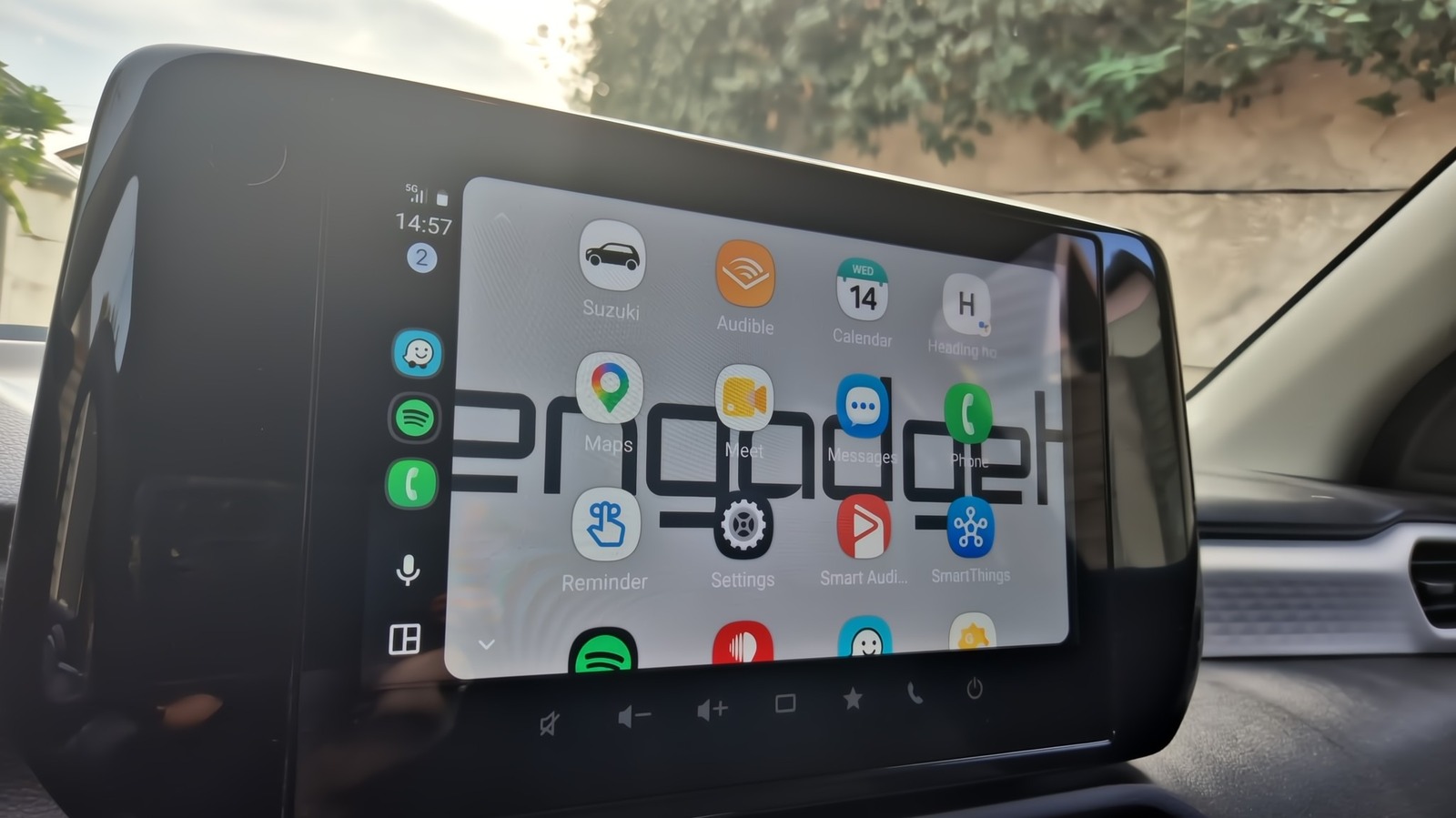
Most drivers stick with Android Auto’s default setup from the moment they connect their phone, never realizing just how much of the display can be reshaped to fit their habits. From rearranging your layout to building one-tap shortcuts, Android Auto gives you more control over your dashboard than its stock appearance suggests.

YOU MAY ALSO LIKE

OneQode Secures 14 MW of Chennai AI Capacity in AdaniConneX Agreement – Unite.AI

Discord Public Server Messages May Be Soon Searchable On Google, But You Can Opt Out

The display of Android Auto can be tailored to match your driving habits perfectly without even having to dip into any hidden menus. With options to rearrange icons, create custom shortcuts and adjust visual elements, it allows you to design a dashboard that feels intuitive and personal. Whether you prioritize navigation, music or communication, every feature can be optimized for seamless access, making your driving experience smoother and more efficient.

Every adjustment takes just a minute or two, but together they add up to a noticeably smoother, safer and more personal driving experience. Whether you’re commuting daily or taking the occasional road trip, these settings are worth exploring.

Make Android Auto yours
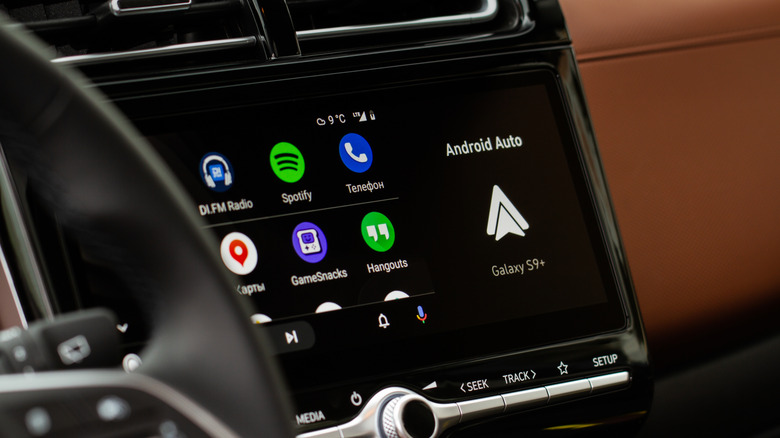

Android Auto on car's display.
Roman Vyshnikov/Shutterstock

Let’s start by customizing the launcher. Most of the customization can be done from your phone while just a few tweaks can be done from the car screen. Go to Settings > Connected devices > Android Auto (or just search for Android Auto in Settings) and tap Customize launcher. From there, you can choose which apps to hide and which to show, and you can even drag their names to rearrange the order they show up on the screen. You can, for example, make the Spotify app easier to reach and bump down less used apps like the Reminder app or the Weather app. You should also know that hiding an app only removes it from the car screen, it doesn’t uninstall it from your phone.

The same Customize launcher page has an option to add a shortcut that calls a contact or triggers an Assistant action. These then appear in the car launcher alongside your apps. One I find super handy is to have Gemini navigate me home, check the ETA and text my husband to tell them I’m on the way and should arrive by a certain time. I can trigger this by pressing the button on the Android Auto launcher or by using a voice command. I’ve also told Gemini my best friend’s name and can just say “Hey Google, call my bestie” and I won’t have to look through contacts at a red light.

Change the layout and wallpaper
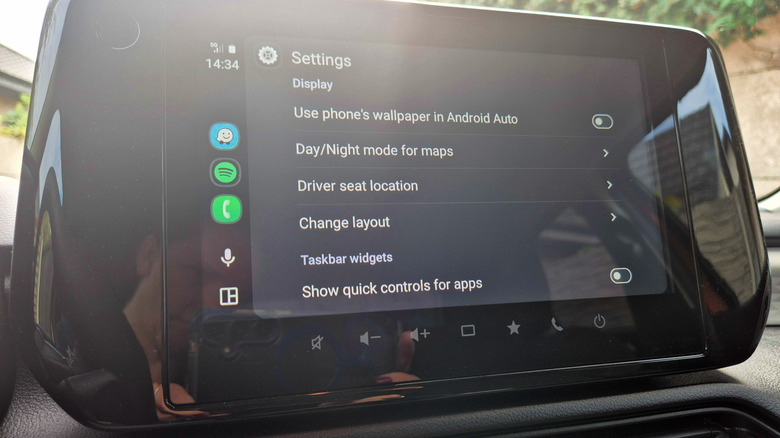

Android Auto on Suzuki Swift display.
Gabriela Vatu for Engadget

Android Auto’s many settings let you make even more decisions on how the screen looks in your car. If you scroll down to Change layout you can choose whether the map or your media player sits closer to the driver. This matters quite a bit if you rely heavily on turn-by-turn navigation, keeping the map within easy glance distance and reducing how long your eyes leave the road. If you prioritize podcasts and playlists on the go, the opposite setup may be preferred. Make sure to test both configurations against your car’s screen size because wider displays handle split layouts better than smaller ones.

If you’re tired of your Android Auto screen looking boring, there’s a way to fix that too. Some years ago, you could pick one of many wallpapers Google had preloaded. Nowadays, you can make your car’s infotainment screen display your phone’s wallpaper. You’ll need to make this choice from your car, though, because you can’t adjust it from your phone. Launch Android Auto, go to Settings and flip the toggle for the Use Phone’s Wallpaper feature. Immediately, the background will mimic that of your phone. It’s not much, but it’s better than a blank space.

The Android Auto settings also make it possible to force day or night mode on your map. By default, the system automatically toggles between them based on ambient light and time of day. You can do this from the Maps section in the Android Auto settings. Also, if you no longer want Android Auto to automatically start media playback when you start driving, you can flip the switch on that feature too (under the Startup section).

None of these fixes take more than a couple of minutes individually, but together they reshape how Android Auto functions. Set up some widgets, adjust the layout, mirror your wallpaper and you get a way more pleasant driving experience.

Credit: Source link

ShareTweetSendSharePin

Related Posts

OneQode Secures 14 MW of Chennai AI Capacity in AdaniConneX Agreement – Unite.AI
AI & Technology

OneQode Secures 14 MW of Chennai AI Capacity in AdaniConneX Agreement – Unite.AI

October 28, 2026
Discord Public Server Messages May Be Soon Searchable On Google, But You Can Opt Out
AI & Technology

Discord Public Server Messages May Be Soon Searchable On Google, But You Can Opt Out

October 27, 2026
GSA Expands Anthropic OneGov Agreement with 40% Claude Discount – Unite.AI
AI & Technology

GSA Expands Anthropic OneGov Agreement with 40% Claude Discount – Unite.AI

October 27, 2026
Stellantis Selects Amperity to Connect Customer Data and Personalize Experiences – Unite.AI
AI & Technology

Stellantis Selects Amperity to Connect Customer Data and Personalize Experiences – Unite.AI

October 27, 2026
Next Post
Discord Public Server Messages May Be Soon Searchable On Google, But You Can Opt Out

Discord Public Server Messages May Be Soon Searchable On Google, But You Can Opt Out

Leave a Reply Cancel reply

Your email address will not be published. Required fields are marked *

Search

No Result
View All Result
Couple survives car crashing into hair salon

Couple survives car crashing into hair salon

October 26, 2026
Federal authorities investigate suspicious mail sent to Capitol Hill offices

Federal authorities investigate suspicious mail sent to Capitol Hill offices

October 25, 2026
Musk Says SpaceX, Tesla Merger Makes Sense

Musk Says SpaceX, Tesla Merger Makes Sense

October 25, 2026

About

Learn more

Our Services

Legal

Privacy Policy

Terms of Use

Bloggers

Learn more

Article Links

Contact

Advertise

Ask us anything

©2020- TradePoint.io - All rights reserved!

Tradepoint.io, being just a publishing and technology platform, is not a registered broker-dealer or investment adviser. So we do not provide investment advice. Rather, brokerage services are provided to clients of Tradepoint.io by independent SEC-registered broker-dealers and members of FINRA/SIPC. Every form of investing carries some risk and past performance is not a guarantee of future results. “Tradepoint.io“, “Instant Investing” and “My Trading Tools” are registered trademarks of Apperbuild, LLC.

This website is operated by Apperbuild, LLC. We have no link to any brokerage firm and we do not provide investment advice. Every information and resource we provide is solely for the education of our readers. © 2020 Apperbuild, LLC. All rights reserved.

No Result
View All Result
  • Main
  • AI & Technology
  • Stock Charts
  • Market & News
  • Business
  • Finance Tips
  • Trade Tube
  • Blog
  • Shop

© 2023 - TradePoint.io - All Rights Reserved!