



• bitcoinBitcoin(BTC)$79,107.002.26%
  • ethereumEthereum(ETH)$2,540.411.27%
  • tetherTether(USDT)$1.000.02%
  • binancecoinBNB(BNB)$727.130.82%
  • rippleXRP(XRP)$1.467.66%
  • usd-coinUSDC(USDC)$1.000.00%
  • solanaSolana(SOL)$103.642.38%
  • tronTRON(TRX)$0.340613-0.25%
  • Figure HelocFigure Heloc(FIGR_HELOC)$1.040.00%
  • zcashZcash(ZEC)$1,185.447.01%
  • HyperliquidHyperliquid(HYPE)$81.844.44%
  • dogecoinDogecoin(DOGE)$0.0851740.80%
  • RainRain(RAIN)$0.014356-6.60%
  • USDSUSDS(USDS)$1.000.01%
  • moneroMonero(XMR)$512.96-4.02%
  • whitebitWhiteBIT Coin(WBT)$81.831.88%
  • chainlinkChainlink(LINK)$11.682.24%
  • leo-tokenLEO Token(LEO)$9.00-0.58%
  • cardanoCardano(ADA)$0.2141942.30%
  • stellarStellar(XLM)$0.1940217.70%
  • Ethena USDeEthena USDe(USDE)$1.000.02%
  • daiDai(DAI)$1.000.00%
  • bitcoin-cashBitcoin Cash(BCH)$227.241.33%
  • USD1USD1(USD1)$1.000.03%
  • litecoinLitecoin(LTC)$54.35-1.34%
  • uniswapUniswap(UNI)$6.553.11%
  • CantonCanton(CC)$0.0972281.44%
  • the-open-networkGram (prev. Toncoin)(GRAM)$1.360.09%
  • hedera-hashgraphHedera(HBAR)$0.0784022.39%
  • avalanche-2Avalanche(AVAX)$7.612.38%
  • nearNEAR Protocol(NEAR)$2.568.42%
  • Global DollarGlobal Dollar(USDG)$1.000.01%
  • shiba-inuShiba Inu(SHIB)$0.0000051.94%
  • suiSui(SUI)$0.742.44%
  • crypto-com-chainCronos(CRO)$0.0594741.81%
  • paypal-usdPayPal USD(PYUSD)$1.000.02%
  • BlackRock USD Institutional Digital Liquidity FundBlackRock USD Institutional Digital Liquidity Fund(BUIDL)$1.000.00%
  • BittensorBittensor(TAO)$237.750.32%
  • tether-goldTether Gold(XAUT)$4,312.76-0.87%
  • Circle USYCCircle USYC(USYC)$1.140.01%
  • MemeCoreMemeCore(M)$1.09-4.84%
  • okbOKB(OKB)$114.480.91%
  • Ripple USDRipple USD(RLUSD)$1.000.02%
  • Ondo US Dollar YieldOndo US Dollar Yield(USDY)$1.150.09%
  • aaveAave(AAVE)$129.311.64%
  • AsterAster(ASTER)$0.700.48%
  • mantleMantle(MNT)$0.571.24%
  • pax-goldPAX Gold(PAXG)$4,316.99-0.87%
  • World Liberty FinancialWorld Liberty Financial(WLFI)$0.0581352.10%
  • BitwayBitway(BTW)$0.68-2.98%
TradePoint.io
  • Main
  • AI & Technology
  • Stock Charts
  • Market & News
  • Business
  • Finance Tips
  • Trade Tube
  • Blog
  • Shop
No Result
View All Result
TradePoint.io
No Result
View All Result

How To Fix Outlook’s “Your Message Can’t Be Displayed Right Now” Error

September 14, 2026
in AI & Technology
Reading Time: 5 mins read
A A
How To Fix Outlook’s “Your Message Can’t Be Displayed Right Now” Error
ShareShareShareShareShare

An annoying error thankfully has a relatively simple fix.


Stockinq/Shutterstock

Given how many people use (or are forced to use) Outlook, it’s no surprise that errors pop up often. Even the Artemis II crew had to seek tech support for Outlook issues, and it was earlier this year when Microsoft had to issue multiple emergency Outlook patches after it became unusable for many. When you’re in the middle of important communication, getting an error that says “Your message can’t be displayed right now” is irritating. But the fix is simple.

YOU MAY ALSO LIKE

Anthropic Launches Claude for Financial Advisors With Partner Connectors – Unite.AI

Temporal Raises $550M Series E at $12.55B Valuation to Expand Operations – Unite.AI

The method of solving this error depends on whether you’re using Outlook in a web browser or the desktop client, but both fixes involve clearing your cache. Normally, the cache is helpful for Outlook, as it stores temporary files for faster loading. But when it becomes corrupted or overloaded, it can lead to a whole host of problems. 

Clearing your cache won’t delete anything important — all your emails, calendar events and contacts will remain intact. Doing so forces Outlook to create new copies of your emails, fixing sync problems and bringing you the most up-to-date version of your inbox.

Fix Your message can’t be displayed right now on Outlook’s desktop client

The steps for clearing Outlook’s program cache vary slightly across PC and Mac.

On a Windows PC

  1. Close Outlook completely.

  2. Press Win + R on your keyboard to open the Run dialog.

  3. Paste the following file path, then hit Enter: %localappdata%MicrosoftOutlookRoamCache

  4. Select all files in the RoamCache folder and delete them by right-clicking and selecting Delete, or with the Delete key.

On macOS

  1. Open Outlook.

  2. In the upper toolbar, click Tools and then Accounts.

  3. Select your account on the left panel.

  4. Click the three dots and select Reset Account, then confirm the reset.

If this solution doesn’t work for your desktop client, you can also try uninstalling and reinstalling the Outlook app.

How to fix Your message can’t be displayed right now error in Outlook Web
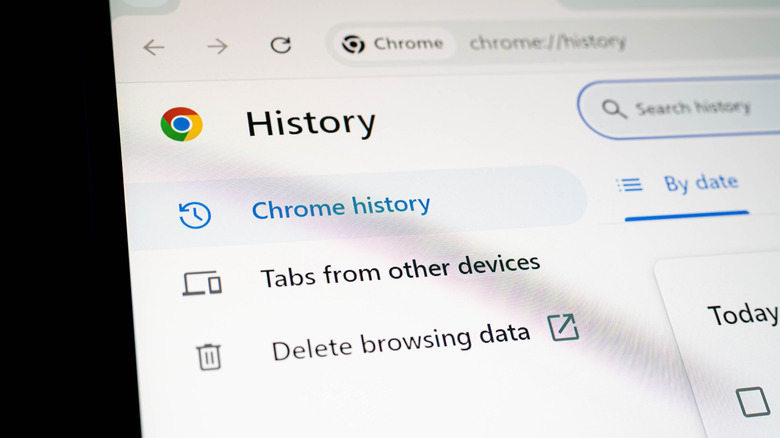

The Chrome history settings page.
R.Narong/Shutterstock

The method to clear your cache and cookies depends on the browser you’re using. You can erase your entire log of website data, but that will log you out of all websites, which isn’t convenient. Instead, it’s best to clear this data only for the Outlook site. This can take an extra step, but is worth it.

In Microsoft Edge

First, if you want to only clear data on your current device and not all devices where you’re signed into Edge, make sure to disable sync:

  1. Click the three dots at the top-right, then select Settings.

  2. Select Profiles, then Sync. Turn off the syncing options. Make sure to re-enable these when you’re done.

Then, to clear your Outlook cookies:

  1. Open the Outlook website.
  2. Click the Lock icon in the address bar, then choose Cookies and site data > Cookies. 
  3. Select each of the Outlook cookies under Allowed, then click Remove.
  4. Refresh the page and sign back in.

If this doesn’t work, try clearing all site data:

  1. With Outlook on the web still open, pPress F12 and choose Open DevTools in the popup.
  2. Click the Plus icon along the top and choose Application.
  3. On the left menu under Application, click Storage.
  4. Check the boxes under Clear site data, then choose Clear selected. 
  5. Refresh the page and sign back in.

In Google Chrome

  1. Press F12 to open Developer Tools while you’re on the Outlook site.

  2. With that panel open, right-click the Refresh button to the left of the address bar and choose Empty Cache and Hard Reload.

If this doesn’t fix the problem, the Edge steps above work nearly the same in Chrome. Click the Site information icon to the left of the address bar, followed by Cookies and site data > Manage on-device site data. Use the trash can icon for each entry here. Then refresh and sign back in.

In Firefox

  1. While on the Outlook page, click the Shield icon to the left of the address bar.

  2. Click Clear cookies and site data, then confirm with Clear once more.

  3. Refresh the page and sign back in.

In Safari

  1. From the top toolbar, select Safari, then Settings.

  2. Open the Privacy section, then hit Manage Website Data.

  3. Search for Outlook using the search bar, then select its entries and choose Remove.

  4. Refresh the page and sign back in.

In case these steps don’t fix your problem, check your browser extensions. Adblockers, privacy tools and similar might interfere with Outlook’s operations. Try using your mail in another browser; if it works, the problem lies with your current one.

Credit: Source link

ShareTweetSendSharePin

Related Posts

Anthropic Launches Claude for Financial Advisors With Partner Connectors – Unite.AI
AI & Technology

Anthropic Launches Claude for Financial Advisors With Partner Connectors – Unite.AI

September 14, 2026
Temporal Raises 0M Series E at .55B Valuation to Expand Operations – Unite.AI
AI & Technology

Temporal Raises $550M Series E at $12.55B Valuation to Expand Operations – Unite.AI

September 14, 2026
What Is MSI Mode On Windows PCs And Does It Speed Up Your GPU?
AI & Technology

What Is MSI Mode On Windows PCs And Does It Speed Up Your GPU?

September 14, 2026
How To Block Time-Wasting Apps On iPhone Using Screen Time
AI & Technology

How To Block Time-Wasting Apps On iPhone Using Screen Time

September 14, 2026
Next Post
Stock Market Today: Dow Slip; Oil Prices Surge; Nvdia Stock Down — Live Updates – WSJ

Stock Market Today: Dow Slip; Oil Prices Surge; Nvdia Stock Down — Live Updates - WSJ

Leave a Reply Cancel reply

Your email address will not be published. Required fields are marked *

Search

No Result
View All Result
Wall Street Lunch: Treasury Yields Hit Financial Crisis-Era Highs

Wall Street Lunch: Treasury Yields Hit Financial Crisis-Era Highs

September 10, 2026
Free Tax Filing Software Exists – Most People Who Qualify Don’t Use It

Free Tax Filing Software Exists – Most People Who Qualify Don’t Use It

September 12, 2026
How To Change And Customize Your Apple CarPlay Display

How To Change And Customize Your Apple CarPlay Display

September 8, 2026

About

Learn more

Our Services

Legal

Privacy Policy

Terms of Use

Bloggers

Learn more

Article Links

Contact

Advertise

Ask us anything

©2020- TradePoint.io - All rights reserved!

Tradepoint.io, being just a publishing and technology platform, is not a registered broker-dealer or investment adviser. So we do not provide investment advice. Rather, brokerage services are provided to clients of Tradepoint.io by independent SEC-registered broker-dealers and members of FINRA/SIPC. Every form of investing carries some risk and past performance is not a guarantee of future results. “Tradepoint.io“, “Instant Investing” and “My Trading Tools” are registered trademarks of Apperbuild, LLC.

This website is operated by Apperbuild, LLC. We have no link to any brokerage firm and we do not provide investment advice. Every information and resource we provide is solely for the education of our readers. © 2020 Apperbuild, LLC. All rights reserved.

No Result
View All Result
  • Main
  • AI & Technology
  • Stock Charts
  • Market & News
  • Business
  • Finance Tips
  • Trade Tube
  • Blog
  • Shop

© 2023 - TradePoint.io - All Rights Reserved!