Logitech already makes some of the best productivity peripherals around, but with a few key upgrades, the company may have just created an almost perfect travel mouse. And after using the new $80 MX Anywhere 3S for the last week and a half (including on a trip of my own), I’m not sure I want to use anything else ever again.
On the outside, the MX Anywhere 3S features the same basic design as its , including a similar palette of color options (graphite, pale gray, and rose). The differences are on the inside, where the mouse features a new 8K DPI optical sensor that’s more accurate than before and works on practically any surface you can think of (wood, cloth, glass, et cetera). You also get a new set of super quiet mouse buttons similar to what you find on its larger sibling – the – which might not sound all that important, but it’s very a welcome feature for families where multiple people are studying/working from home. Finally, as part of Logitech’s efforts to increase the sustainability of its products, the MX Anywhere 3S is made from up to 78 percent post-consumer recycled plastic (though that figure is around 61 percent for the gray and pink models).
Photo by Sam Rutherford/Engagdet
Between its new features and the already fantastic foundation, the MX Anywhere 3S is simply a delight to use. Weighing just 95 grams, it’s lighter than pretty much everything aside from a handful of gaming mice while boasting a rechargeable battery that lasts up to a whopping 70 days. You still get the ability to pair the mouse with up to three different devices (PCs, laptops, tablets and more), and thanks to a very travel-friendly ambidextrous design, it works great in tight situations. And while Logitech’s free-spinning MagSpeed mouse wheel isn’t new, scrolling actually feels a tiny bit smoother than before too.
The one big departure from previous MX Anywhere mice is that the 3S doesn’t come with a dongle. Instead, for this model (and likely going forward), Logitech is relying entirely on Bluetooth. One reason for this change is that Logitech believes modern Bluetooth connectivity has gotten good enough that a dedicated wireless receiver simply isn’t necessary, and after using this thing for more than 10 days, I get it. I haven’t had a single laggy mouse stroke or delayed reaction the entire time I’ve used it and even on Bluetooth you still get support for Logitech’s multi-device . Besides, for frequent travelers, a dongle is just one more thing to keep track of (or lose entirely).
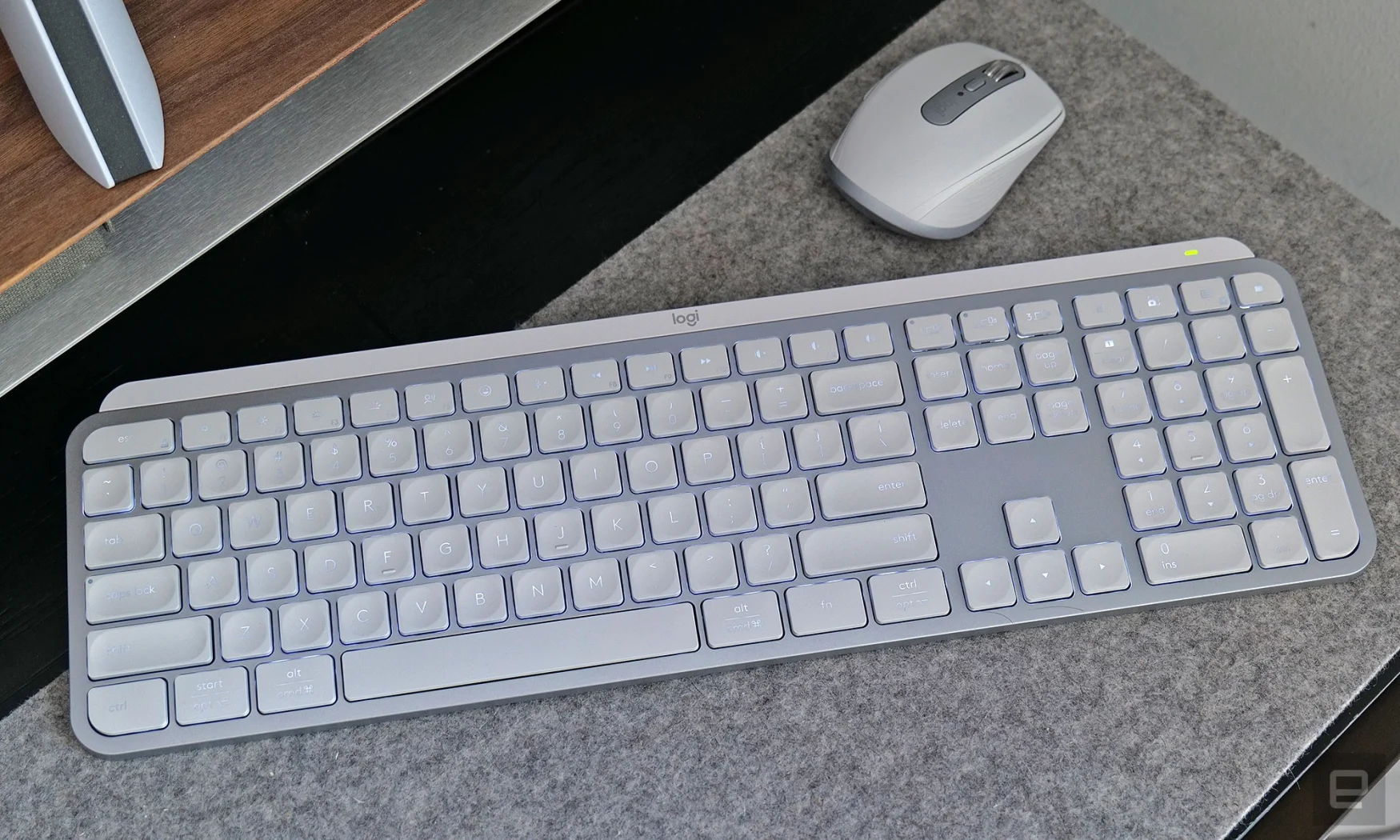
Photo by Sam Rutherford/Engadget
That said, the main reason why the MX Anywhere 3S doesn’t come with a dongle is because Logitech’s Bolt receiver is still only available as a USB Type-A receiver, and with most new laptops these days only having USB-C, it doesn’t make a ton of sense to include something requires an adapter to use. Logitech says that because USB-C ports are so small, there isn’t enough room to fit the electronics without making the whole thing unusually bulky. Meanwhile with USB-A, Logitech is able to build tiny circuit boards that fit inside the connector itself. So while the company is still trying to figure out a solution, we’ll have to wait a little longer for a USB-C version of Logitech’s Bolt receiver. That said, while there are situations where having one would be useful, I haven’t missed having a physical dongle at all when using the MX Anywhere 3S.
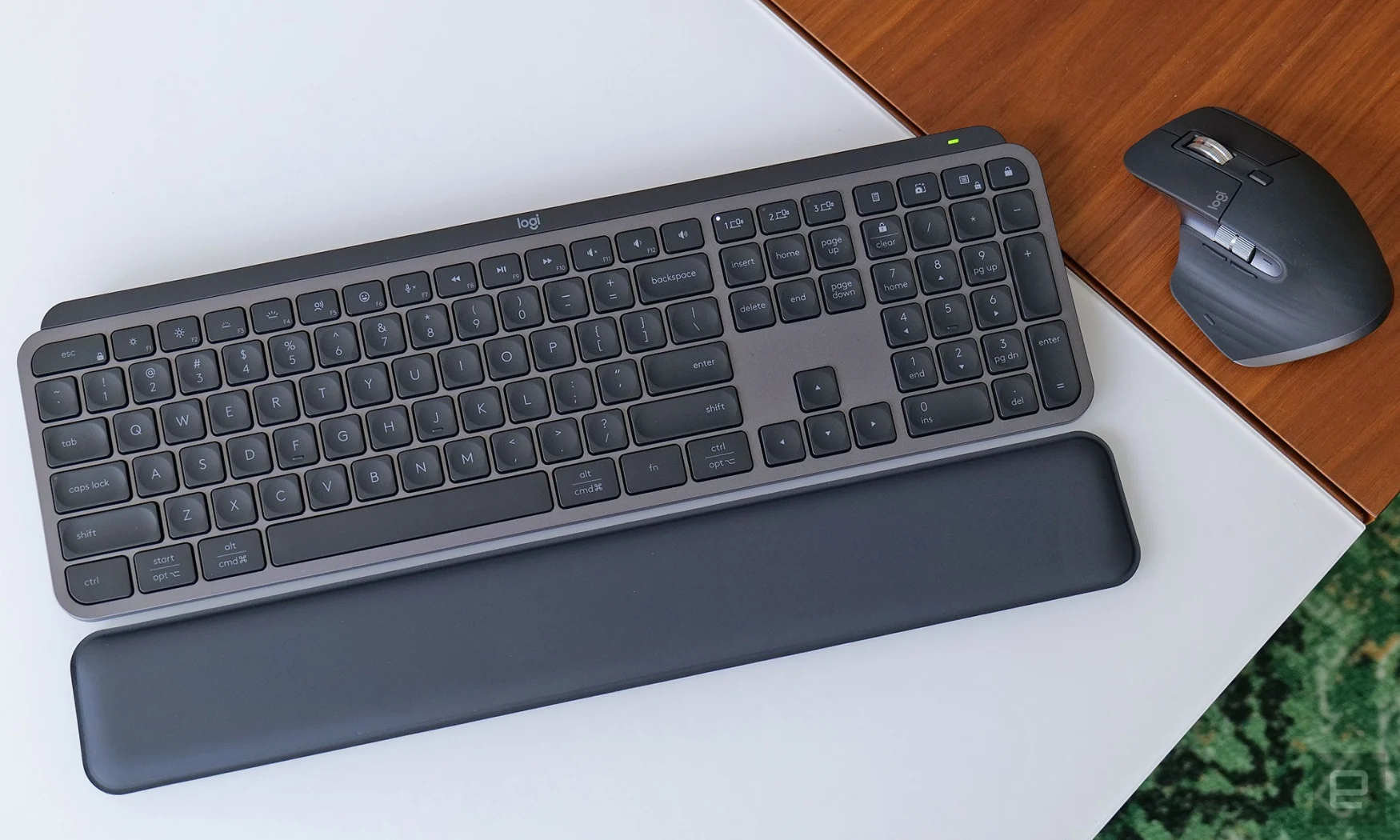
Photo by Sam Rutherford/Engadget
Aside from its new mouse, today Logitech also has a couple of other refreshed devices. On the $110 MX Keys S, new features include more control over backlighting brightness and automatic activation settings, an updated function row with additional videoconferencing controls (and that always handy emoji key), and a fresh pale gray model to match the rest of the MX family. Alternatively, for people who need a new suite of office peripherals, Logitech has created a productivity bundle called the MX Keys S Combo which includes the MX Keys S, an MX Master 3S mouse and the MX Palm Rest – all in one box for $200. And while the MX Master 3S and the wrist wrest aren’t new, considering that those three devices would typically cost $230 if purchased separately, this bundle is a nice way to get a discount.
Screenshot by Sam Rutherford/Engadget
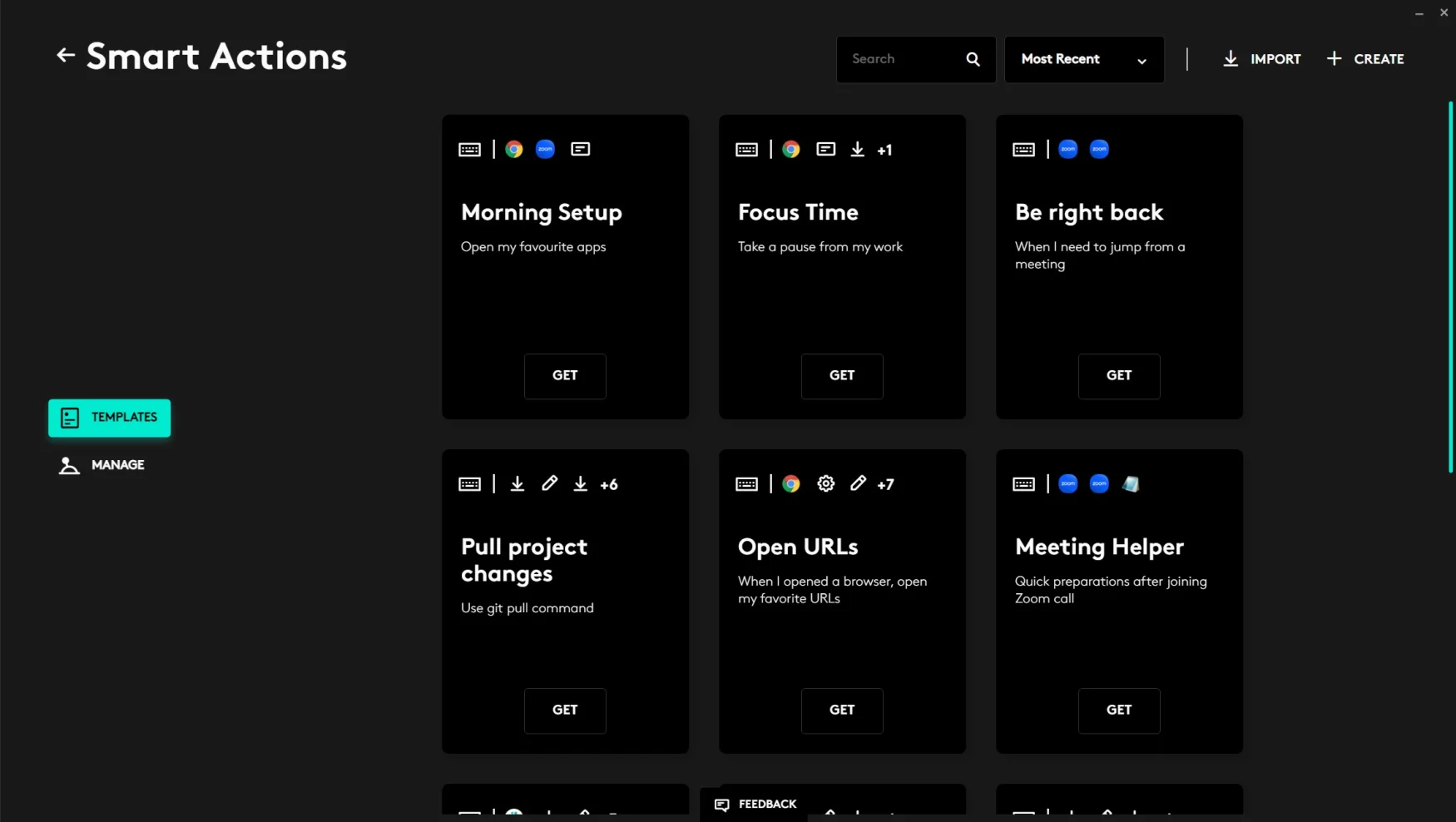
Lastly, while it’s been in beta for some time, today alongside the MX Keys S, Logitech’s feature is finally getting an official release. Available inside the Logi Options+ app, Smart Actions is a neat tool for automating various repetitive tasks across multiple programs with a single keystroke. That means you can create a silence command that will do stuff like mute zoom, turn off your microphone and pause your favorite music app all with a single tap. By default, there are a number of basic templates you can browse, though they can also be customized as needed. And while I’m still testing out the limits of Smart Actions, so far my favorite way to use it has been creating what I call my “game time” command, which opens apps like Steam, Discord, Battle.net and more all with a single shortcut. And the nice thing is that if you don’t want to create your own Smart Actions, Logitech made them easy to share and import. So if you see someone else with a shortcut you like, you can just ask them to send it to you.
The MX Anywhere 3S, the MX Keys S and the MX Keys S Combo are all available today priced at $80, $110 and $200, respectively.
All products recommended by Engadget are selected by our editorial team, independent of our parent company. Some of our stories include affiliate links. If you buy something through one of these links, we may earn an affiliate commission. All prices are correct at the time of publishing.
Credit: Source link