


























Amazon has a bunch of new smart devices coming, but some of the new features work on older devices, too.
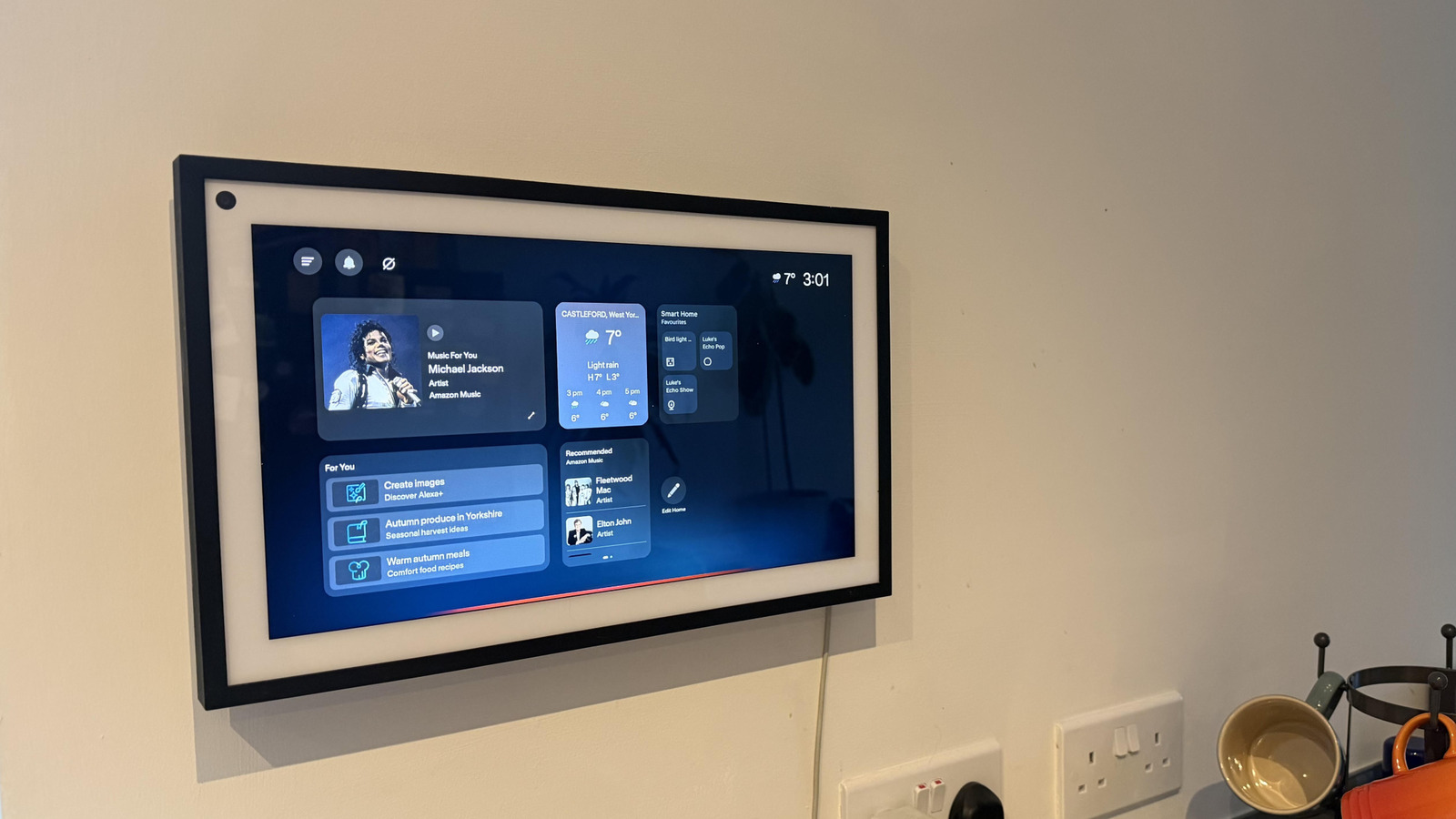
In many owners’ homes, mine included, an Echo Show spends most of its time serving as a very expensive kitchen clock. It shows the weather, cycles through a few photos and is occasionally used to set cooking timers or listen to the radio. It’s a real shame, because that high-tech clock is also a touchscreen smart home hub, a video-calling camera, a Fire TV and a home monitor all at once — and some of its best features are buried a few menus deep.
Amazon returned the spotlight to its smart displays back in October with the announcement of the Echo Show 16. That’s a $499.99 wall-mountable model with a 16-inch screen, switchable home screen layouts it calls Screen Styles, a 3D smart home map and a new way to organize your Alexa conversations. It was one of several new devices Amazon showed off at the end of October, including Echo Time, Alexa Photo Frame and more. But there’s no need to go out and buy a new Echo Show to use what most of Amazon was demoing. Several of the features I’ve included here will work on older models, and a couple are on the way.
I will say, however, that most do depend on Alexa+, Amazon’s generative AI upgrade to its smart assistant. It’s free for Prime members and costs $19.99 a month for everyone else. Prime itself costs $14.99 a month or $11.58 if you buy a year up front, so it’s obvious that Amazon is just trying to push more people to subscribe to Prime by pricing Alexa+ so highly.
1. Map View puts your smart home on a floor plan
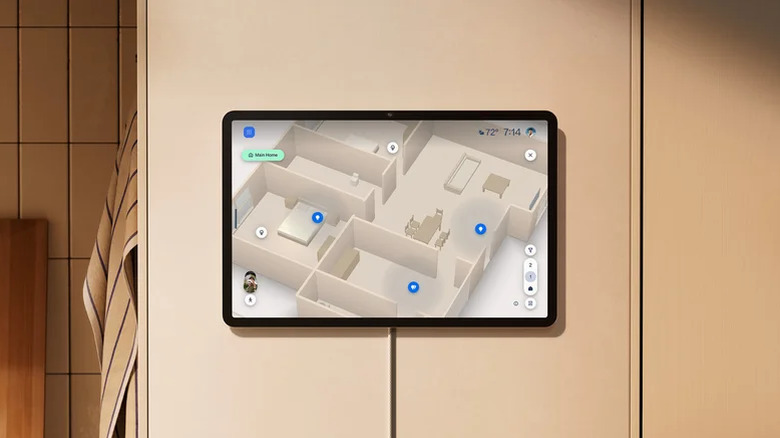
Alexa Home Map was by far the feature that got the most attention during Amazon’s October event, and some might call it dystopian. It’s essentially an interactive 3D model of your house that maps all your connected devices — lights, locks, thermostat, cameras — to where they are in your home, and you can tap on any device to control it. Lights, for example, will glow on the map in the color you’ve set them to, and if you’ve got Ring cameras outside, people moving around your property show up as animated figures. You can even rewind the last 24 hours across all your cameras by using the timeline feature.
But what many people don’t realize is that owners of the older Echo Show 15 and 21 devices already have a 2D version. It’s called Map View, and with Alexa+, you can open it straight from the smart home dashboard. You build the floor plan once in the Alexa app, which scans each room with its camera and sensors and turns the scans into a plan. Amazon first launched this feature back in 2023, and it requires a LiDAR-equipped iOS device to work, such as an iPhone 12 Pro or a fourth-gen iPad or later.
To set it up, open the Alexa app and go to Devices > Map View > Start Now and then walk your house room by room. Once that data is on your Echo Show, a single tap on a device will open a side panel with its controls, while a double tap will turn it on or off. It’s also possible to filter the map so that it only shows lights or cameras, and switch between floors. Setting up Map View makes it much easier for guests or anyone else in the house to control devices when they don’t know that the lamp in the corner is called “Living Room Plug 2.” Amazon says the 3D Home Map will begin rolling out later this year on its larger Echo Show devices, as well as the Alexa and Ring apps.
2. Routines that start when you walk into the room
Most people set up Alexa Routines focused around a voice command or a time of day, like “Alexa, good morning” or lights automatically turning off at 11PM. The camera-equipped Echo Shows can do something a lot more useful, though: start a Routine because someone walked into the room. Amazon gives the example of the kitchen lights turning on and Alexa reading out the weather when someone comes in first thing in the morning, but there’s a lot more you can do to tailor it around your schedule.
You’ve got two options with Routines. Occupancy Routines activate when anyone is detected. Amazon says they work on the Echo Show 15, 10 (third-gen or newer), 8 (second-gen or newer) and some Echo speakers. The other type is Personal Presence Routines. These go a step further by using your Visual ID profile to recognize who walked in, so your Routine can play your tailored news briefing while your partner’s can show their calendar. These personalized Routines work on the Echo Show 8 (second-gen and newer), Echo Show 10, the 2025 Echo Show 11, Echo Show 15 and Echo Show 21.
To use it, you’ll need to set up a Visual ID first, which you can enroll in from your Echo display. Then, in the Alexa app, go to More > Routines and tap the plus button, select Add an Event and choose Presence Routine. You can then choose who to apply the Routine to, which Echo device does the watching and add the actions you want, like triggering a reminder at a set time and date or reading the latest news headlines. If the idea of a camera watching for you sounds a bit… too much, Amazon says all the processing to detect presence happens on the Echo Show and that it sends no images or video to the cloud.
3. Passing shows to your other TVs
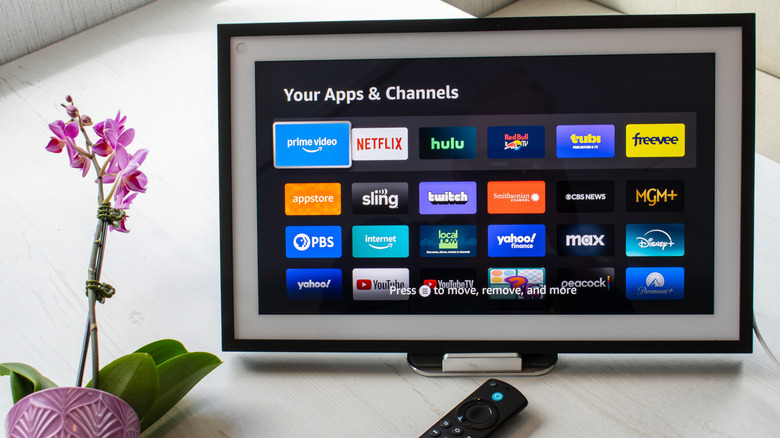
If you’ve got one of the larger Echo Shows, then there’s a full Fire TV hiding inside. Amazon brought Fire TV to the original Echo Show 15 as a free update in 2022, after finding that most owners were already using it to watch video. The refreshed Echo Show 15 and 21 both come with it built in and an Alexa Voice Remote in the box. Meanwhile, the new Echo Show 16 gets the full Fire TV interface, too. That means you don’t just get Prime Video but also all the other popular streaming apps like Netflix, Disney+, YouTube and HBO Max.
However, the more useful trick is being able to move what you’re watching between two different screens. Amazon essentially marketed the Echo Show 15 and 21 as the place to start a show while you’re cooking, then send it to the living room Fire TV and finish it while you eat. With Alexa+, you can do more of that using your voice, such as by asking for a recommendation based on what you like, adding something to your watchlist, pulling up stats for the game you’re watching or moving what’s playing to a different TV. Streaming aside, the larger Echo Shows can open the full Amazon.com site, and I find that comparing a few options on a bigger screen before I click Buy Now works a lot better than squinting at my phone.
4. Keep track of everything you’ve asked Alexa
Until now, if you asked Alexa a question, the answer vanished from the Echo device the moment it finished. Sure, you can find your voice history in your Amazon account, but it’s a pain to do. With Alexa+, Amazon has started saving those conversations as Cards, which are organized by topic in the Card Gallery and can be pinned so that the ones you use most stay at the top. If, for example, you spend your Saturday morning creating a shopping list with Alexa, it’ll put everything into one Card you can come back to.
The answers themselves look a little different, too. Rather than showing a plain transcript of your conversation history, Alexa+ builds the response on screen as it goes. That means pulling in visuals, videos, calendar events and actions it can take for you. Amazon’s example is shopping for a rain jacket, where Alexa might put together a chart comparing a few options, a list of things to look for, prices and links for each one. That’s a lot closer to how you’d probably use a big screen in the kitchen, rather than reading a wall of text.
You’re not being left behind if you don’t plan on getting an Echo Show 16, though. Amazon says that Cards are also available in the Alexa app and on Alexa.com, so a conversation you start with your Echo Show can be picked up on your phone on the way to the store. Amazon hasn’t confirmed when the Cards view itself will reach older Echo Shows, though.
5. Use the camera as a home monitor
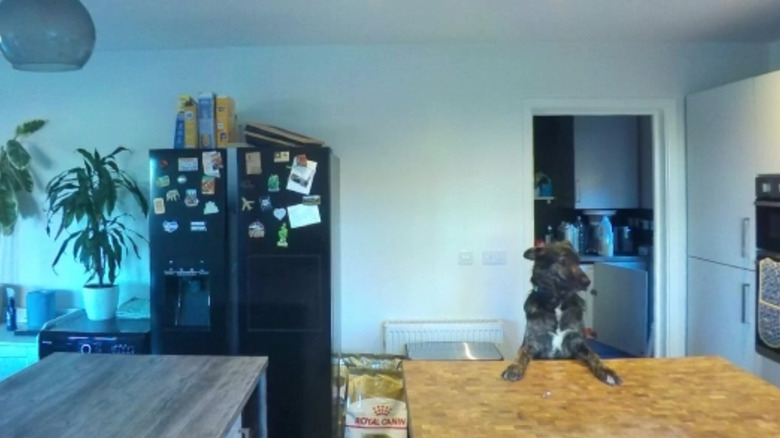
All Echo Shows have a camera for video calls that most people don’t really use for anything else. But if you turn on Home Monitoring, you can open a live feed from the display’s camera while you’re out, from the Alexa app on your phone or from another Echo Show, Fire TV or Fire tablet in the house. It’s a super easy way to check in on the dog without having to buy a separate indoor camera.
On the Echo Show 15 and 21, that’s a 13-megapixel wide-angle camera with auto-framing, but it doesn’t record footage as a dedicated security camera would. Meanwhile, the Echo Show 16 is the first with night vision, and Amazon says its Visual ID can recognize you from up to 17 feet away. If you’ve also got Ring cameras, Alexa+ can pull them into the same screen and, with a Ring Premium Legacy (formerly Home Premium) subscription, summarize what your cameras have picked up.
Amazon also uses the Echo Show’s big screen to show you ads. Not discreet ones, but full-screen sponsored ads. They began appearing on Echo Show in 2025, and Amazon told Tom’s Guide that the devices are designed to show them when someone comes close. There’s no ad-free option, which is a big part of why some owners have given up on Echo Show altogether.
Credit: Source link