















• bitcoinBitcoin(BTC)$73,241.00-2.50%
  • ethereumEthereum(ETH)$2,028.64-5.05%
  • tetherTether(USDT)$1.000.00%
  • binancecoinBNB(BNB)$677.00-1.65%
  • usd-coinUSDC(USDC)$1.000.00%
  • rippleXRP(XRP)$1.04-5.85%
  • solanaSolana(SOL)$82.24-5.88%
  • tronTRON(TRX)$0.3189610.48%
  • Figure HelocFigure Heloc(FIGR_HELOC)$1.05-0.75%
  • zcashZcash(ZEC)$1,093.29-9.78%
  • HyperliquidHyperliquid(HYPE)$71.99-4.70%
  • dogecoinDogecoin(DOGE)$0.067717-3.90%
  • moneroMonero(XMR)$550.64-8.23%
  • USDSUSDS(USDS)$1.000.01%
  • leo-tokenLEO Token(LEO)$9.340.43%
  • whitebitWhiteBIT Coin(WBT)$70.53-2.63%
  • chainlinkChainlink(LINK)$10.27-4.31%
  • cardanoCardano(ADA)$0.173325-4.23%
  • stellarStellar(XLM)$0.142506-4.52%
  • Ethena USDeEthena USDe(USDE)$1.000.03%
  • nearNEAR Protocol(NEAR)$3.57-2.04%
  • bitcoin-cashBitcoin Cash(BCH)$230.04-5.26%
  • daiDai(DAI)$1.00-0.02%
  • uniswapUniswap(UNI)$6.82-1.69%
  • litecoinLitecoin(LTC)$50.17-3.49%
  • avalanche-2Avalanche(AVAX)$8.21-7.88%
  • CantonCanton(CC)$0.089534-2.45%
  • suiSui(SUI)$0.81-5.30%
  • USD1USD1(USD1)$1.000.02%
  • tether-goldTether Gold(XAUT)$4,027.52-1.89%
  • the-open-networkGram (prev. Toncoin)(GRAM)$1.116.19%
  • hedera-hashgraphHedera(HBAR)$0.065809-3.63%
  • paypal-usdPayPal USD(PYUSD)$1.000.00%
  • Global DollarGlobal Dollar(USDG)$1.000.01%
  • Ripple USDRipple USD(RLUSD)$1.000.00%
  • RainRain(RAIN)$0.003751-18.54%
  • quant-networkQuant(QNT)$180.90-8.96%
  • shiba-inuShiba Inu(SHIB)$0.000004-3.07%
  • BittensorBittensor(TAO)$215.58-3.73%
  • Ondo US Dollar YieldOndo US Dollar Yield(USDY)$1.150.35%
  • crypto-com-chainCronos(CRO)$0.046932-3.72%
  • pepePepe(PEPE)$0.000005-2.08%
  • Circle USYCCircle USYC(USYC)$1.140.02%
  • EthenaEthena(ENA)$0.149565-3.92%
  • okbOKB(OKB)$95.34-2.38%
  • Spiko Amundi Overnight Swap Fund (EUR)Spiko Amundi Overnight Swap Fund (EUR)(EURSAFO)$1.13-0.29%
  • aaveAave(AAVE)$123.14-7.78%
  • MemeCoreMemeCore(M)$0.800.02%
  • Falcon USDFalcon USD(USDF)$0.99-0.02%
  • pax-goldPAX Gold(PAXG)$4,030.07-1.95%
TradePoint.io
  • Main
  • AI & Technology
  • Stock Charts
  • Market & News
  • Business
  • Finance Tips
  • Trade Tube
  • Blog
  • Shop
No Result
View All Result
TradePoint.io
No Result
View All Result

Why Does Your Phone Keep Switching Between Wi-Fi And Mobile Data?

November 10, 2026
in AI & Technology
Reading Time: 5 mins read
A A
Why Does Your Phone Keep Switching Between Wi-Fi And Mobile Data?
ShareShareShareShareShare

From weak signals to network settings, several factors can trigger the switch.


Kenishirotie/Shutterstock

It can be annoying when your FaceTime is interrupted because your phone decided to switch from Wi-Fi to mobile data mid-call. But in truth, your device was simply doing what it thought best to keep your internet connection stable. So your phone moving from Wi-Fi to mobile data is usually a sign that something went wrong with your Wi-Fi connection.

YOU MAY ALSO LIKE

Commvault Partners with Zscaler to Govern and Recover Enterprise AI Agents – Unite.AI

What Does ‘Floating’ Mean On Your Anker Smart Chargers?

Smartphones are designed to stay connected one way or the other. So, behind the scenes, your device is constantly measuring things like signal strength, data speed (throughput), network latency, and packet delivery. Your phone also knows which networks perform the best and where. It uses this data to make real-time decisions on when to switch between Wi-Fi and mobile data. This switch usually goes unnoticed and spares you from dropped connections and buffering screens. But the switch isn’t always smooth, leading to the exact thing your device tried to avoid.

Automatic switching is meant to keep you connected, but it can come at the cost of quietly burning through your data plan or interrupting some processes that only work on Wi-Fi. A number of things can trigger your phone to switch, including a weak Wi-Fi signal, Wi-Fi connected with no internet access, and even your phone’s settings. And yes, you can stop your phone from doing this, but it could lead to a worse overall experience for you.

What triggers an automatic switch from Wi-Fi to mobile data?

Your phone may switch to mobile data when the Wi-Fi signal becomes too weak, often because you’re out of range or something is interfering with the connection. Different Wi-Fi bands have different ranges. The 2.4GHz band has the longest range, reaching roughly 150 to 300 feet, and penetrates walls and objects more easily. The 5GHz band is faster, but it has a shorter range of around 100 to 150 feet. It also doesn’t pass through walls and objects well. The newer 6GHz band is the fastest, but its range is also the shortest, alongside poor object penetration.

Another common reason your phone switches to mobile data is when the Wi-Fi network has no access to the internet. Your internet service provider (ISP) isn’t the only thing that can affect your Wi-Fi’s internet access; sometimes the culprit can be network congestion, or even your router malfunctioning. Also, most phones have automatic switching features that can be turned on or off in settings. These settings affect how and when your phone switches to mobile data. An example is Connectivity Assist on iOS 27, which uses mobile data alongside your Wi-Fi connection to keep your internet connection stable.

You don’t have to guess to find out the reason your phone keeps switching between Wi-Fi and mobile data; simply start with where it happens. If your iPhone or Android shows a no internet connection message, then your Wi-Fi network has lost access to the internet. The solution is to check your router and ISP. If the switch only happens in certain rooms, then it’s a weak-signal issue. Lastly, if other devices work fine on Wi-Fi but your phone has switched, then an automatic switching feature is likely responsible.

How to stop your phone from switching to mobile data
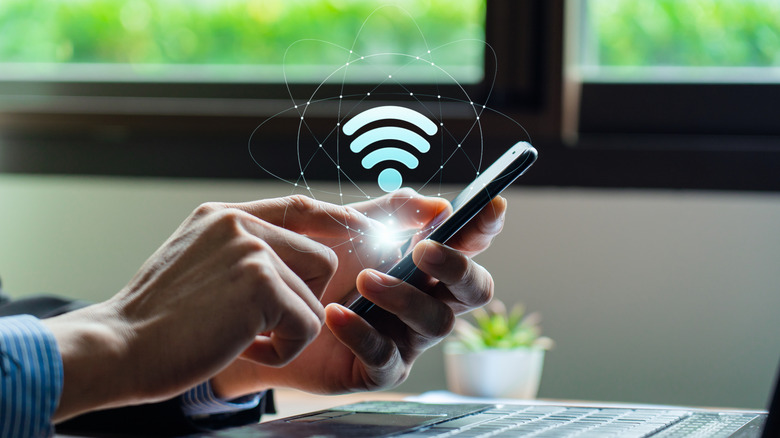

Holographic Wi-Fi logo overlaying in front of a phone.
Shutthiphong Chandaeng/Getty Images

Start by turning off the settings that allow your phone to automatically switch to mobile data. On iPhones, you’d need to turn off Connectivity Assist (on iOS 27) or Wi-Fi Assist (on iOS 26 and earlier).

Turn off Connectivity Assist by going to Settings > Wi-Fi > toggle off Connectivity Assist. To disable Wi-Fi Assist, open Settings > Cellular or Mobile Service > toggle off Wi-Fi Assist.

For Samsung Galaxy phones, open Settings > Connections > Wi-Fi > tap the three-dot menu icon > Intelligent Wi-Fi > turn off Switch to mobile data.

On Google Pixels, open Settings > Network & Internet > Internet > Wi-Fi preferences > disable Switch to mobile data automatically.

Now that you’ve stopped your phone from switching to mobile data, the next best move is to fix what triggers it. Starting with Wi-Fi network signal range, switch to your router’s 2.4GHz connection since it has a longer range. And if that doesn’t work well enough, look into extending your signal’s range either through the best Wi-Fi extenders or the best Wi-Fi mesh systems.

If your Wi-Fi’s connection to the internet keeps dropping, restart your router by unplugging it for at least 30 seconds, then check whether your ISP has an outage and update the router’s firmware if an update is available. If you wish to allow your phone to switch to mobile data for a better connection, but also want to reduce data usage, then you can set certain apps or tasks to only use Wi-Fi. For example, on various apps, you can set things like downloads, cloud backup, and syncing to only happen when you’re connected to a Wi-Fi network.

Credit: Source link

ShareTweetSendSharePin

Related Posts

Commvault Partners with Zscaler to Govern and Recover Enterprise AI Agents – Unite.AI
AI & Technology

Commvault Partners with Zscaler to Govern and Recover Enterprise AI Agents – Unite.AI

November 10, 2026
What Does ‘Floating’ Mean On Your Anker Smart Chargers?
AI & Technology

What Does ‘Floating’ Mean On Your Anker Smart Chargers?

November 10, 2026
Cognizant Launches Claude Managed Services with 25,000+ Professionals – Unite.AI
AI & Technology

Cognizant Launches Claude Managed Services with 25,000+ Professionals – Unite.AI

November 10, 2026
GTA 6 Is Now Available For Preload If You Have A Spare 212GB
AI & Technology

GTA 6 Is Now Available For Preload If You Have A Spare 212GB

November 10, 2026
Next Post
Rogers sends supports home as remaining votes are tallied in Michigan

Rogers sends supports home as remaining votes are tallied in Michigan

Leave a Reply Cancel reply

Your email address will not be published. Required fields are marked *

Search

No Result
View All Result
Trader warned of Nvidia CEO Jensen Huang’s ‘uncomfortably close’ relationship with alleged Chinese spy Alice Huang months ago

Trader warned of Nvidia CEO Jensen Huang’s ‘uncomfortably close’ relationship with alleged Chinese spy Alice Huang months ago

November 9, 2026
Why Fees and Taxes Matter in Investing

Why Fees and Taxes Matter in Investing

November 6, 2026
Martha Stewart joins ‘TODAY’ to apologize for her Halloween costume

Martha Stewart joins ‘TODAY’ to apologize for her Halloween costume

November 7, 2026

About

Learn more

Our Services

Legal

Privacy Policy

Terms of Use

Bloggers

Learn more

Article Links

Contact

Advertise

Ask us anything

©2020- TradePoint.io - All rights reserved!

Tradepoint.io, being just a publishing and technology platform, is not a registered broker-dealer or investment adviser. So we do not provide investment advice. Rather, brokerage services are provided to clients of Tradepoint.io by independent SEC-registered broker-dealers and members of FINRA/SIPC. Every form of investing carries some risk and past performance is not a guarantee of future results. “Tradepoint.io“, “Instant Investing” and “My Trading Tools” are registered trademarks of Apperbuild, LLC.

This website is operated by Apperbuild, LLC. We have no link to any brokerage firm and we do not provide investment advice. Every information and resource we provide is solely for the education of our readers. © 2020 Apperbuild, LLC. All rights reserved.

No Result
View All Result
  • Main
  • AI & Technology
  • Stock Charts
  • Market & News
  • Business
  • Finance Tips
  • Trade Tube
  • Blog
  • Shop

© 2023 - TradePoint.io - All Rights Reserved!