















• bitcoinBitcoin(BTC)$75,766.000.05%
  • ethereumEthereum(ETH)$2,235.830.31%
  • tetherTether(USDT)$1.000.03%
  • binancecoinBNB(BNB)$696.000.27%
  • rippleXRP(XRP)$1.16-1.83%
  • usd-coinUSDC(USDC)$1.000.02%
  • solanaSolana(SOL)$89.76-0.46%
  • tronTRON(TRX)$0.3196100.29%
  • Figure HelocFigure Heloc(FIGR_HELOC)$1.03-0.82%
  • zcashZcash(ZEC)$1,270.76-5.18%
  • HyperliquidHyperliquid(HYPE)$77.79-0.51%
  • moneroMonero(XMR)$609.40-2.11%
  • dogecoinDogecoin(DOGE)$0.071953-1.22%
  • USDSUSDS(USDS)$1.000.02%
  • whitebitWhiteBIT Coin(WBT)$72.780.13%
  • leo-tokenLEO Token(LEO)$9.330.08%
  • chainlinkChainlink(LINK)$10.890.20%
  • cardanoCardano(ADA)$0.182202-2.76%
  • stellarStellar(XLM)$0.151297-2.92%
  • bitcoin-cashBitcoin Cash(BCH)$258.24-2.77%
  • nearNEAR Protocol(NEAR)$3.68-1.89%
  • Ethena USDeEthena USDe(USDE)$1.000.01%
  • daiDai(DAI)$1.000.01%
  • uniswapUniswap(UNI)$7.204.34%
  • litecoinLitecoin(LTC)$52.29-0.92%
  • RainRain(RAIN)$0.005585-4.17%
  • CantonCanton(CC)$0.094197-0.96%
  • avalanche-2Avalanche(AVAX)$8.24-1.82%
  • suiSui(SUI)$0.86-1.40%
  • USD1USD1(USD1)$1.00-0.01%
  • tether-goldTether Gold(XAUT)$4,059.580.02%
  • the-open-networkGram (prev. Toncoin)(GRAM)$1.09-0.89%
  • hedera-hashgraphHedera(HBAR)$0.067329-1.60%
  • quant-networkQuant(QNT)$198.121.46%
  • paypal-usdPayPal USD(PYUSD)$1.000.03%
  • Global DollarGlobal Dollar(USDG)$1.000.00%
  • Ripple USDRipple USD(RLUSD)$1.000.02%
  • shiba-inuShiba Inu(SHIB)$0.000005-1.99%
  • BittensorBittensor(TAO)$224.51-0.52%
  • crypto-com-chainCronos(CRO)$0.049253-1.47%
  • Ondo US Dollar YieldOndo US Dollar Yield(USDY)$1.150.06%
  • okbOKB(OKB)$103.12-1.84%
  • EthenaEthena(ENA)$0.158800-4.28%
  • Circle USYCCircle USYC(USYC)$1.140.00%
  • pepePepe(PEPE)$0.000005-3.23%
  • aaveAave(AAVE)$132.050.86%
  • MemeCoreMemeCore(M)$0.841.40%
  • Spiko Amundi Overnight Swap Fund (EUR)Spiko Amundi Overnight Swap Fund (EUR)(EURSAFO)$1.130.01%
  • BitwayBitway(BTW)$1.222.33%
  • Falcon USDFalcon USD(USDF)$0.990.04%
TradePoint.io
  • Main
  • AI & Technology
  • Stock Charts
  • Market & News
  • Business
  • Finance Tips
  • Trade Tube
  • Blog
  • Shop
No Result
View All Result
TradePoint.io
No Result
View All Result

5 Things You Didn’t Know Steam’s Overlay Could Do

November 7, 2026
in AI & Technology
Reading Time: 5 mins read
A A
5 Things You Didn’t Know Steam’s Overlay Could Do
ShareShareShareShareShare

You might think you know Steam’s overlay, but there’s a lot more hiding behind that Shift + Tab shortcut.


Igor Bonifacic for Engadget

Back in 2023, Valve updated Steam to release, among other new features, a redesigned overlay you can access while playing your favorite games. While nearly every publisher and storefront now offers some form of overlay in their games and launchers, for my money Steam has them all beat with its breadth of options. If you’re a Steam user and don’t use the built-in overlay frequently or at all, you might be surprised by all the things it can do.

YOU MAY ALSO LIKE

Inside the Palantir Framework That Solved Enterprise AI by Riste Gramatikov – Unite.AI

What Gamers Should Know When Bringing Their Consoles Through TSA

If you’re new to Steam, you can open the overlay in-game by pressing Shift and Tab on your keyboard at the same time. If you want to change the shortcut, you can do so from Steam’s options menu, which you can access by clicking Steam at the top left of the interface, followed by Settings and then In-Game. You’ll also find other handy settings here, such as the option to disable the overlay altogether. This is also a good place to mention that Steam will remember how you’ve configured your overlay for each individual game, so there’s no need to activate, arrange and resize parts of the interface every time you go play your favorite titles.

The Steam overlay is great for single-player games
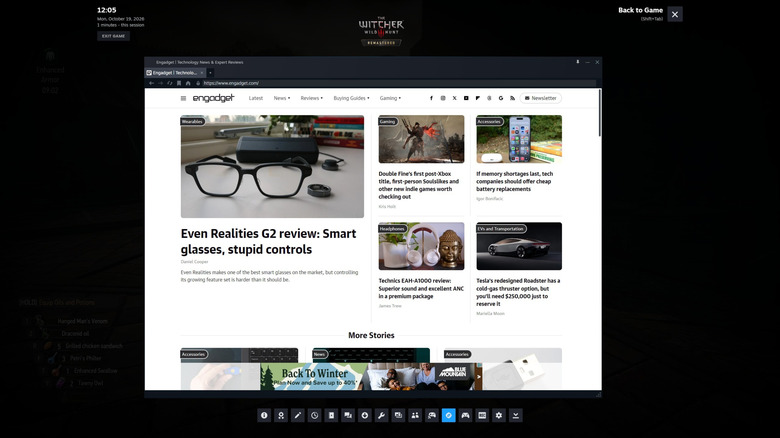

A screenshot showing Steam's built-in browser.
Igor Bonifacic for Engadget

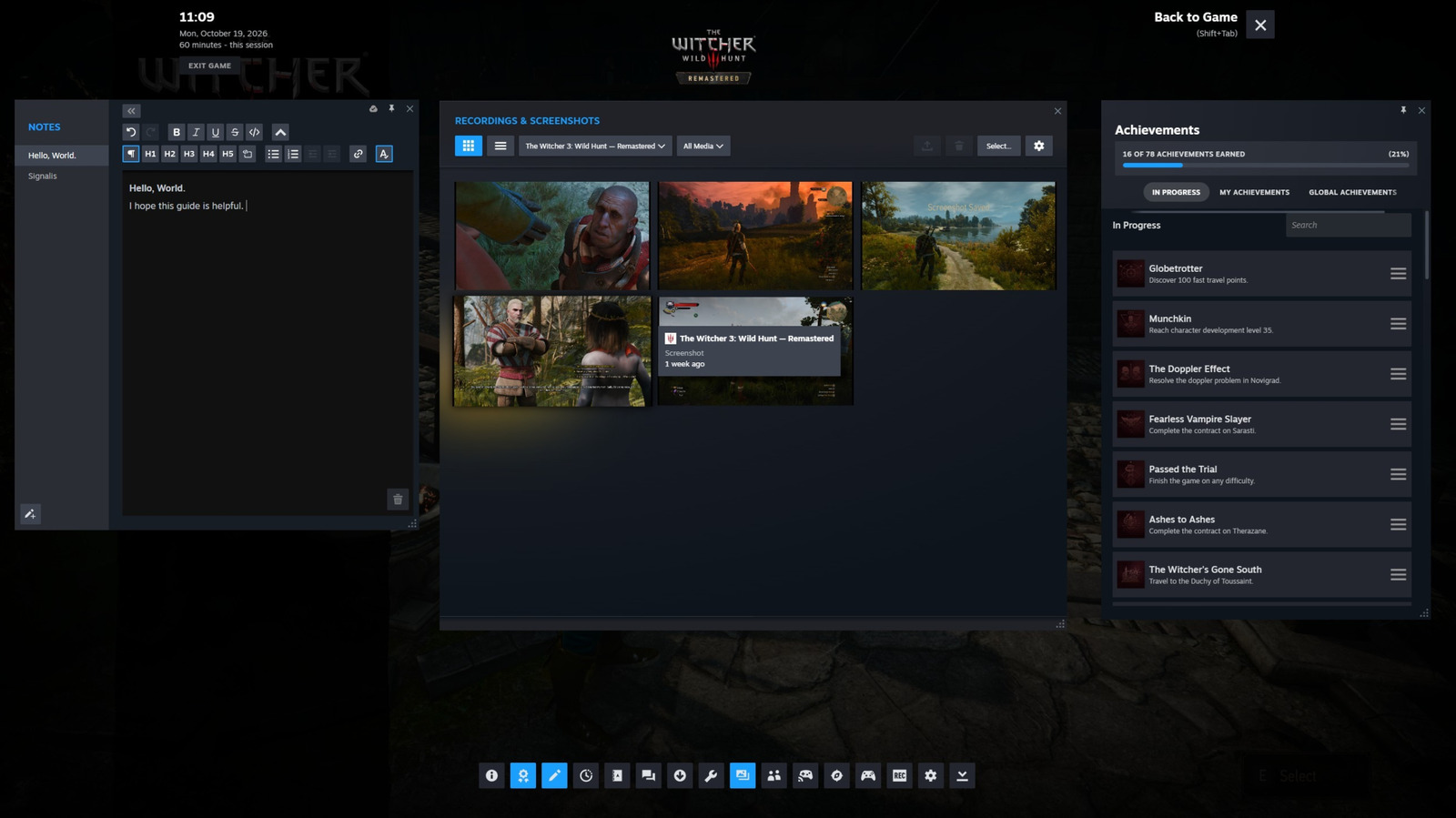
When you bring up the overlay, you’ll find shortcuts for all the features I mention below along the bottom of the interface. Simply press one of them to bring up the feature you want to use.     

Surf the web without leaving your game

I know what you’re thinking: can’t you just Alt-Tab out of a game to open your browser? While you certainly could do that, I find switching to Steam’s built-in browser is a lot smoother since it’s integrated directly into Valve’s client. It’s a great way to check something, such as how to tackle a quest you’re having trouble with, without taking yourself out of a game completely. I’ll also mention here that you can access Steam’s often excellent community guides directly from the overlay, making them easy to reference, especially if you favorite one.

Write a note

If you’re playing a puzzle game like Blue Prince or Tunic, being able to jot down notes as you try to piece together clues can make things so much easier. Steam’s built-in text editor is fairly robust, allowing you to format text and write code blocks. 

Set yourself a timer
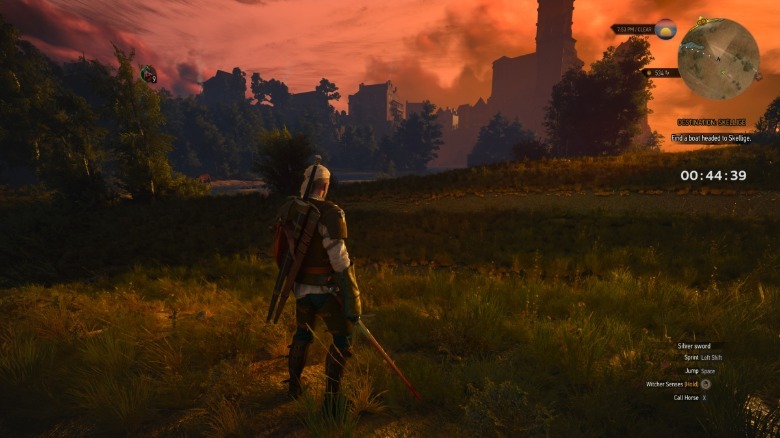
On the right side of the screenIgor Bonifacic for Engadget

I don’t know about you, but my gaming time is limited most days. I try to get around that by sneaking in gaming sessions whenever I can, which means I often only have 45 minutes or an hour before I need to be doing something else. For that reason, I find using the overlay to keep track of time and set timers really helpful.

Again, you could just use your smartphone to do that, but the beauty of doing things this way is you don’t need to look at your phone. Bonus tip: you can pin any element of the overlay so that it appears in-game. This is particularly handy to do with the timer. And don’t worry, if you do pin something, it won’t appear in any screenshots you take directly through Steam.

It’s also great when playing with friends


A photo of the Steam mobile app showcasing its media sharing feature.
Igor Bonifacic for Engadget

Since Steam is not just a platform for playing games on your own, the overlay has a couple of features that are great for sharing your favorite games and moments with your friends.  

Browse and share your screenshots

I mentioned screenshots before. You can view any images or recordings you’ve made through the overlay, even ones you’ve captured in other games. If you click on a screenshot and select Share, you can save it to a folder on your computer or send it to one of your Steam friends over chat. You can even send your screenshots and recordings directly to your phone via the Steam Mobile app (Android and iOS). As you can imagine, this is a great way to share your gameplay to social media.

Start a co-op session with a friend

If you’re not familiar with Remote Play Together, it’s a Valve protocol that allows you to play local co-operative games with your friends for free over the internet. With most connections, up to four people can join in the fun. As long as a game supports the protocol, your friend doesn’t need to own the game. You can share control of your keyboard in case your friend doesn’t have a controller of their own. And don’t worry, they can’t access any other part of your PC while Remote Play is active. In any case, the Steam overlay is a great place to start a co-op session. Just click the Remote Play button and invite your friends.

Credit: Source link

ShareTweetSendSharePin

Related Posts

Inside the Palantir Framework That Solved Enterprise AI by Riste Gramatikov – Unite.AI
AI & Technology

Inside the Palantir Framework That Solved Enterprise AI by Riste Gramatikov – Unite.AI

November 7, 2026
What Gamers Should Know When Bringing Their Consoles Through TSA
AI & Technology

What Gamers Should Know When Bringing Their Consoles Through TSA

November 7, 2026
China’s Main Intelligence Agency Reportedly Recruited The Spy Who Targeted NVIDIA’s CEO
AI & Technology

China’s Main Intelligence Agency Reportedly Recruited The Spy Who Targeted NVIDIA’s CEO

November 7, 2026
Anthropic’s Planned IPO Puts Public Trust and Data Centers in Focus – Unite.AI
AI & Technology

Anthropic’s Planned IPO Puts Public Trust and Data Centers in Focus – Unite.AI

November 7, 2026
Next Post
Martha Stewart apologizes for Halloween costume on ‘TODAY’

Martha Stewart apologizes for Halloween costume on 'TODAY'

Leave a Reply Cancel reply

Your email address will not be published. Required fields are marked *

Search

No Result
View All Result
Midterm Elections Live Updates: A Divided U.S. Votes to Decide Control of Congress – The New York Times

Midterm Elections Live Updates: A Divided U.S. Votes to Decide Control of Congress – The New York Times

November 3, 2026
Hawaii’s Hōlei Sea Arch collapses into the ocean

Hawaii’s Hōlei Sea Arch collapses into the ocean

November 2, 2026
Gotham FC gets 0 million in capital funding

Gotham FC gets $100 million in capital funding

November 7, 2026

About

Learn more

Our Services

Legal

Privacy Policy

Terms of Use

Bloggers

Learn more

Article Links

Contact

Advertise

Ask us anything

©2020- TradePoint.io - All rights reserved!

Tradepoint.io, being just a publishing and technology platform, is not a registered broker-dealer or investment adviser. So we do not provide investment advice. Rather, brokerage services are provided to clients of Tradepoint.io by independent SEC-registered broker-dealers and members of FINRA/SIPC. Every form of investing carries some risk and past performance is not a guarantee of future results. “Tradepoint.io“, “Instant Investing” and “My Trading Tools” are registered trademarks of Apperbuild, LLC.

This website is operated by Apperbuild, LLC. We have no link to any brokerage firm and we do not provide investment advice. Every information and resource we provide is solely for the education of our readers. © 2020 Apperbuild, LLC. All rights reserved.

No Result
View All Result
  • Main
  • AI & Technology
  • Stock Charts
  • Market & News
  • Business
  • Finance Tips
  • Trade Tube
  • Blog
  • Shop

© 2023 - TradePoint.io - All Rights Reserved!