
• bitcoinBitcoin(BTC)$80,144.00-1.85%
  • ethereumEthereum(ETH)$2,317.20-3.75%
  • tetherTether(USDT)$1.000.01%
  • binancecoinBNB(BNB)$724.10-2.98%
  • rippleXRP(XRP)$1.27-2.76%
  • usd-coinUSDC(USDC)$1.000.00%
  • solanaSolana(SOL)$100.33-4.03%
  • tronTRON(TRX)$0.329209-0.07%
  • Figure HelocFigure Heloc(FIGR_HELOC)$1.031.09%
  • zcashZcash(ZEC)$1,154.42-7.67%
  • HyperliquidHyperliquid(HYPE)$75.55-3.64%
  • dogecoinDogecoin(DOGE)$0.076300-4.55%
  • moneroMonero(XMR)$604.960.18%
  • USDSUSDS(USDS)$1.000.02%
  • whitebitWhiteBIT Coin(WBT)$77.11-2.78%
  • chainlinkChainlink(LINK)$11.43-5.14%
  • leo-tokenLEO Token(LEO)$9.040.15%
  • cardanoCardano(ADA)$0.204500-5.30%
  • stellarStellar(XLM)$0.169013-4.33%
  • RainRain(RAIN)$0.008249-1.07%
  • nearNEAR Protocol(NEAR)$4.42-9.16%
  • bitcoin-cashBitcoin Cash(BCH)$272.29-5.21%
  • Ethena USDeEthena USDe(USDE)$1.000.02%
  • daiDai(DAI)$1.000.04%
  • litecoinLitecoin(LTC)$55.90-4.50%
  • uniswapUniswap(UNI)$6.66-6.94%
  • CantonCanton(CC)$0.099625-3.93%
  • USD1USD1(USD1)$1.000.01%
  • avalanche-2Avalanche(AVAX)$8.86-3.05%
  • suiSui(SUI)$0.93-6.49%
  • the-open-networkGram (prev. Toncoin)(GRAM)$1.24-5.18%
  • hedera-hashgraphHedera(HBAR)$0.076461-3.03%
  • tether-goldTether Gold(XAUT)$3,985.54-0.22%
  • Global DollarGlobal Dollar(USDG)$1.000.00%
  • paypal-usdPayPal USD(PYUSD)$1.000.03%
  • shiba-inuShiba Inu(SHIB)$0.000005-4.68%
  • BittensorBittensor(TAO)$247.32-4.99%
  • crypto-com-chainCronos(CRO)$0.054517-3.37%
  • BitwayBitway(BTW)$1.74-2.85%
  • quant-networkQuant(QNT)$177.65-2.40%
  • EthenaEthena(ENA)$0.187076-11.38%
  • Ripple USDRipple USD(RLUSD)$1.000.02%
  • Circle USYCCircle USYC(USYC)$1.140.00%
  • Ondo US Dollar YieldOndo US Dollar Yield(USDY)$1.15-0.08%
  • okbOKB(OKB)$107.49-3.49%
  • MemeCoreMemeCore(M)$0.957.84%
  • BlackRock USD Institutional Digital Liquidity FundBlackRock USD Institutional Digital Liquidity Fund(BUIDL)$1.000.00%
  • aaveAave(AAVE)$135.58-8.54%
  • OndoOndo(ONDO)$0.402646-6.53%
  • Pump.funPump.fun(PUMP)$0.004173-8.80%
TradePoint.io
  • Main
  • AI & Technology
  • Stock Charts
  • Market & News
  • Business
  • Finance Tips
  • Trade Tube
  • Blog
  • Shop
No Result
View All Result
TradePoint.io
No Result
View All Result

What Is Theater Mode On Your Apple Watch And When Should You Use It?

October 24, 2026
in AI & Technology
Reading Time: 4 mins read
A A
What Is Theater Mode On Your Apple Watch And When Should You Use It?
ShareShareShareShareShare

The easiest way to stop your watch from distracting you at the movies.


Hadrian/Shutterstock

Apple Watches do a lot more than tell the time, granting their wearers many of the iPhone’s perks in addition to a suite of biometric data. However, they also possess an assortment of extra traits with more niche, but valuable, use-cases. One of these underrated Apple Watch features is Theater Mode, which is perfect for when you need your watch to quieten down.

YOU MAY ALSO LIKE

Which Services Can You Safely Disable To Improve PC Gaming?

How Do AI Video Generators Work? From Diffusion to World Simulation – Unite.AI

Theater Mode is a neat little toggle designed to help you tone down your watch in a similar manner to Do Not Disturb mode. The setting launched with watchOS 3.2, meaning even the original Apple Watch, which first hit stores back in 2015, can utilize it. Therefore, if you want to make notifications as subtle as possible, without blocking them entirely, you can simply activate this nifty mode on any Apple Watch you might have.

How Theater Mode works and how to enable it
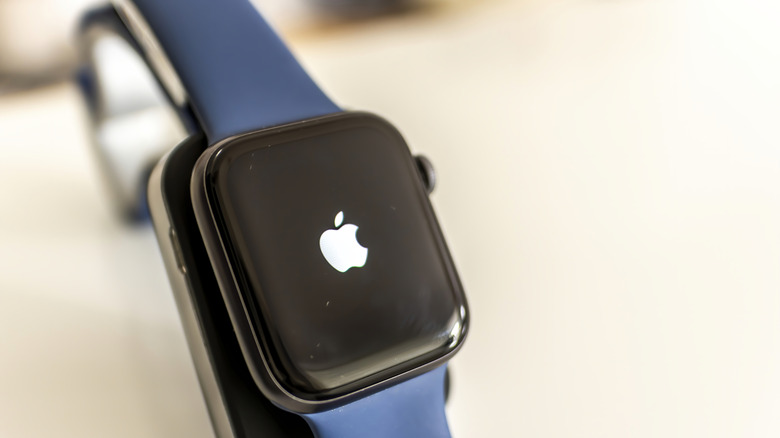

Blue Apple Watch displaying the Apple logo on its screen.
Sl/Getty Images

Activating Theater Mode will dim the Apple Watch’s bright lights and hush it down; it will turn off the display, silence the device and disable visual notifications. In addition, it will also keep the display from waking whenever you raise your wrist, meaning you’ll need to tap the screen or press either of the Apple Watch’s buttons to turn the display back on. 

The big difference between this mode and the total serenity of Do Not Disturb (besides the disabled display) is that Theater Mode will allow you to keep haptics on, meaning you’ll still be able to feel the vibration from a notification.

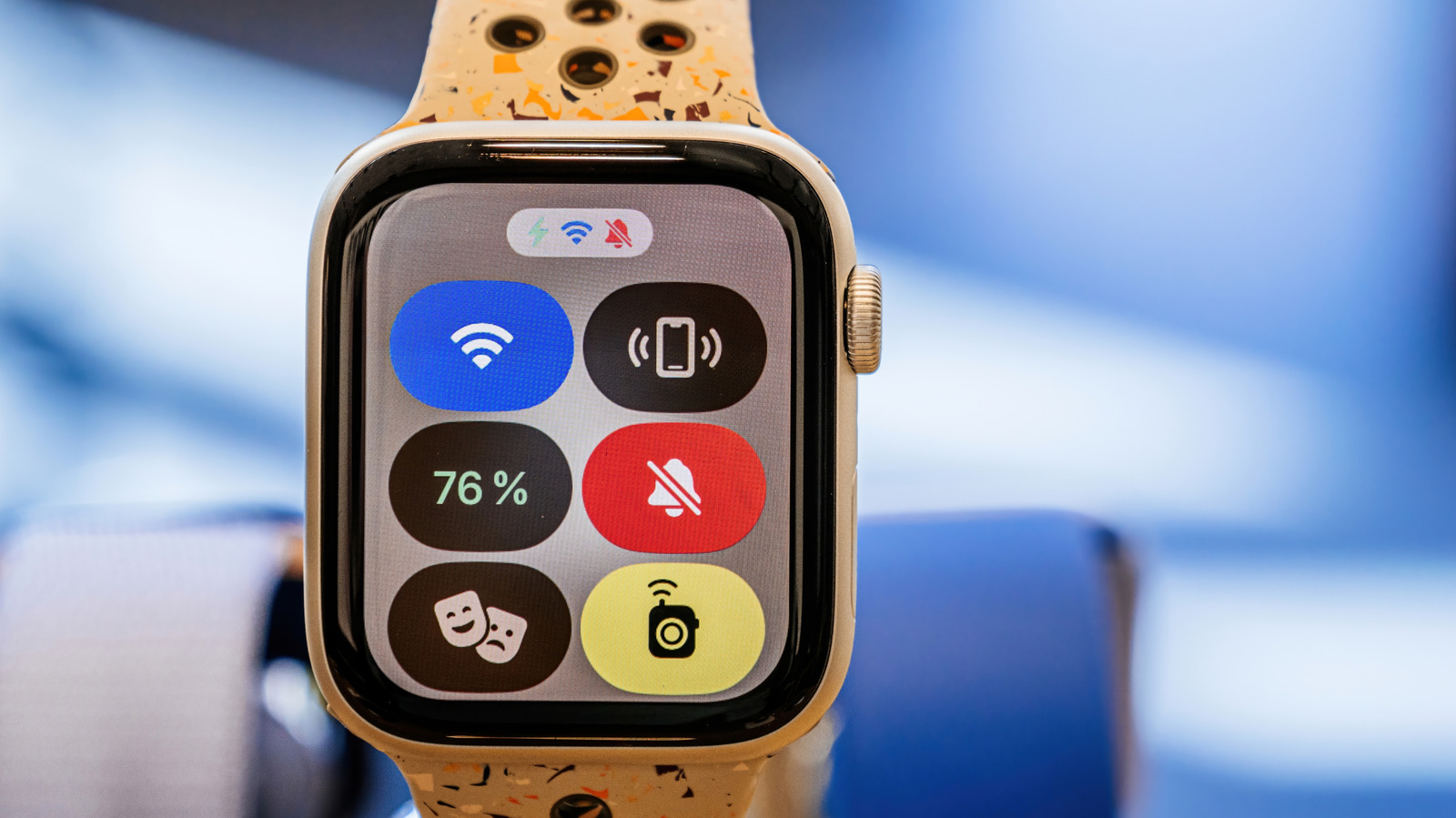
If you want to turn this feature on, you only need to tap your watch’s side button (the flat oval button) to bring up the Control Center. From there, you can toggle Theater Mode by tapping the icon resembling the theatrical comedy-tragedy masks. Unlike Do Not Disturb, however, there are no conditionals for disabling Theater Mode after a certain duration or event, so you’ll need to toggle the mode manually.

The best times to use Theater Mode


Empty cinema with row upon row of empty red seats, with the bright glare of the projector in the back.
dandiii1212/Shutterstock

Obviously, this mode is great for venues where being quiet and considerate is key, whether watching a play or a movie on the big screen. It’s also a nice feature for when you’re attending meetings or other social events that demand your full attention. In either case, the mode will block any distractions that might irritate anyone in your surroundings, while subtly keeping you in the loop.

Theater Mode also carries a few extra benefits that make it even more useful. Chiefly, it can reduce battery drain by stopping your watch from waking up at the slightest gesture. You can also choose to suppress certain biometric readings, such as blood oxygen readings, while your watch is in this mode. To toggle this, you can simply head to Settings and click on the reading you want to keep on or off during Theater Mode, if applicable.

Credit: Source link

ShareTweetSendSharePin

Related Posts

Which Services Can You Safely Disable To Improve PC Gaming?
AI & Technology

Which Services Can You Safely Disable To Improve PC Gaming?

October 24, 2026
How Do AI Video Generators Work? From Diffusion to World Simulation – Unite.AI
AI & Technology

How Do AI Video Generators Work? From Diffusion to World Simulation – Unite.AI

October 24, 2026
Meet Anthropic’s sandbox-runtime: OS-Level Sandboxing for AI Agents, No Containers
AI & Technology

Meet Anthropic’s sandbox-runtime: OS-Level Sandboxing for AI Agents, No Containers

October 24, 2026
Stateful Agentic Engineering Copilots with Letta: Core Memory, Shared State, Semantic Retrieval, Custom Tools, Streaming, and Portable Agent Workflows
AI & Technology

Stateful Agentic Engineering Copilots with Letta: Core Memory, Shared State, Semantic Retrieval, Custom Tools, Streaming, and Portable Agent Workflows

October 24, 2026
Next Post
Truist Financial: Combination Of High-Yielding Preferreds And Common Stock Makes Sense

Truist Financial: Combination Of High-Yielding Preferreds And Common Stock Makes Sense

Leave a Reply Cancel reply

Your email address will not be published. Required fields are marked *

Search

No Result
View All Result
They Both Lost Their Jobs At The Same Time

They Both Lost Their Jobs At The Same Time

October 23, 2026
Man arrested for threatening to kill President Trump

Man arrested for threatening to kill President Trump

October 22, 2026
Coaches Poll top 25: Georgia, Alabama, Texas slide; Miami No. 1 in Week 8 college football rankings – CBS Sports

Coaches Poll top 25: Georgia, Alabama, Texas slide; Miami No. 1 in Week 8 college football rankings – CBS Sports

October 18, 2026

About

Learn more

Our Services

Legal

Privacy Policy

Terms of Use

Bloggers

Learn more

Article Links

Contact

Advertise

Ask us anything

©2020- TradePoint.io - All rights reserved!

Tradepoint.io, being just a publishing and technology platform, is not a registered broker-dealer or investment adviser. So we do not provide investment advice. Rather, brokerage services are provided to clients of Tradepoint.io by independent SEC-registered broker-dealers and members of FINRA/SIPC. Every form of investing carries some risk and past performance is not a guarantee of future results. “Tradepoint.io“, “Instant Investing” and “My Trading Tools” are registered trademarks of Apperbuild, LLC.

This website is operated by Apperbuild, LLC. We have no link to any brokerage firm and we do not provide investment advice. Every information and resource we provide is solely for the education of our readers. © 2020 Apperbuild, LLC. All rights reserved.

No Result
View All Result
  • Main
  • AI & Technology
  • Stock Charts
  • Market & News
  • Business
  • Finance Tips
  • Trade Tube
  • Blog
  • Shop

© 2023 - TradePoint.io - All Rights Reserved!