
• bitcoinBitcoin(BTC)$83,312.000.51%
  • ethereumEthereum(ETH)$2,507.87-0.22%
  • tetherTether(USDT)$1.000.02%
  • binancecoinBNB(BNB)$741.61-0.60%
  • rippleXRP(XRP)$1.370.21%
  • usd-coinUSDC(USDC)$1.00-0.01%
  • solanaSolana(SOL)$107.02-1.01%
  • tronTRON(TRX)$0.328183-0.48%
  • Figure HelocFigure Heloc(FIGR_HELOC)$1.03-3.17%
  • zcashZcash(ZEC)$1,217.62-0.99%
  • HyperliquidHyperliquid(HYPE)$81.54-2.09%
  • dogecoinDogecoin(DOGE)$0.084453-0.68%
  • USDSUSDS(USDS)$1.000.03%
  • moneroMonero(XMR)$539.210.09%
  • chainlinkChainlink(LINK)$12.90-0.93%
  • whitebitWhiteBIT Coin(WBT)$81.800.36%
  • cardanoCardano(ADA)$0.236361-2.42%
  • leo-tokenLEO Token(LEO)$8.900.22%
  • RainRain(RAIN)$0.010011-3.74%
  • stellarStellar(XLM)$0.191511-3.12%
  • nearNEAR Protocol(NEAR)$5.05-5.98%
  • bitcoin-cashBitcoin Cash(BCH)$273.54-0.07%
  • BitwayBitway(BTW)$1.969.50%
  • CantonCanton(CC)$0.1275744.50%
  • litecoinLitecoin(LTC)$61.51-1.46%
  • Ethena USDeEthena USDe(USDE)$1.000.00%
  • uniswapUniswap(UNI)$7.552.98%
  • avalanche-2Avalanche(AVAX)$10.27-2.36%
  • daiDai(DAI)$1.00-0.03%
  • suiSui(SUI)$1.05-1.95%
  • USD1USD1(USD1)$1.000.02%
  • the-open-networkGram (prev. Toncoin)(GRAM)$1.38-0.67%
  • hedera-hashgraphHedera(HBAR)$0.087605-2.27%
  • tether-goldTether Gold(XAUT)$4,159.68-0.21%
  • BittensorBittensor(TAO)$279.00-1.42%
  • quant-networkQuant(QNT)$214.02-6.78%
  • Global DollarGlobal Dollar(USDG)$1.00-0.01%
  • shiba-inuShiba Inu(SHIB)$0.000005-2.36%
  • crypto-com-chainCronos(CRO)$0.059257-3.41%
  • paypal-usdPayPal USD(PYUSD)$1.000.02%
  • EthenaEthena(ENA)$0.210924-1.92%
  • okbOKB(OKB)$121.80-2.90%
  • aaveAave(AAVE)$160.12-0.53%
  • Ripple USDRipple USD(RLUSD)$1.000.00%
  • Circle USYCCircle USYC(USYC)$1.140.01%
  • Ondo US Dollar YieldOndo US Dollar Yield(USDY)$1.15-0.09%
  • Pump.funPump.fun(PUMP)$0.005027-1.96%
  • OndoOndo(ONDO)$0.466065-5.27%
  • BlackRock USD Institutional Digital Liquidity FundBlackRock USD Institutional Digital Liquidity Fund(BUIDL)$1.000.00%
  • polkadotPolkadot(DOT)$1.17-3.72%
TradePoint.io
  • Main
  • AI & Technology
  • Stock Charts
  • Market & News
  • Business
  • Finance Tips
  • Trade Tube
  • Blog
  • Shop
No Result
View All Result
TradePoint.io
No Result
View All Result

What Is NVIDIA DLSS And How Does It Work?

October 13, 2026
in AI & Technology
Reading Time: 2 mins read
A A
What Is NVIDIA DLSS And How Does It Work?
ShareShareShareShareShare

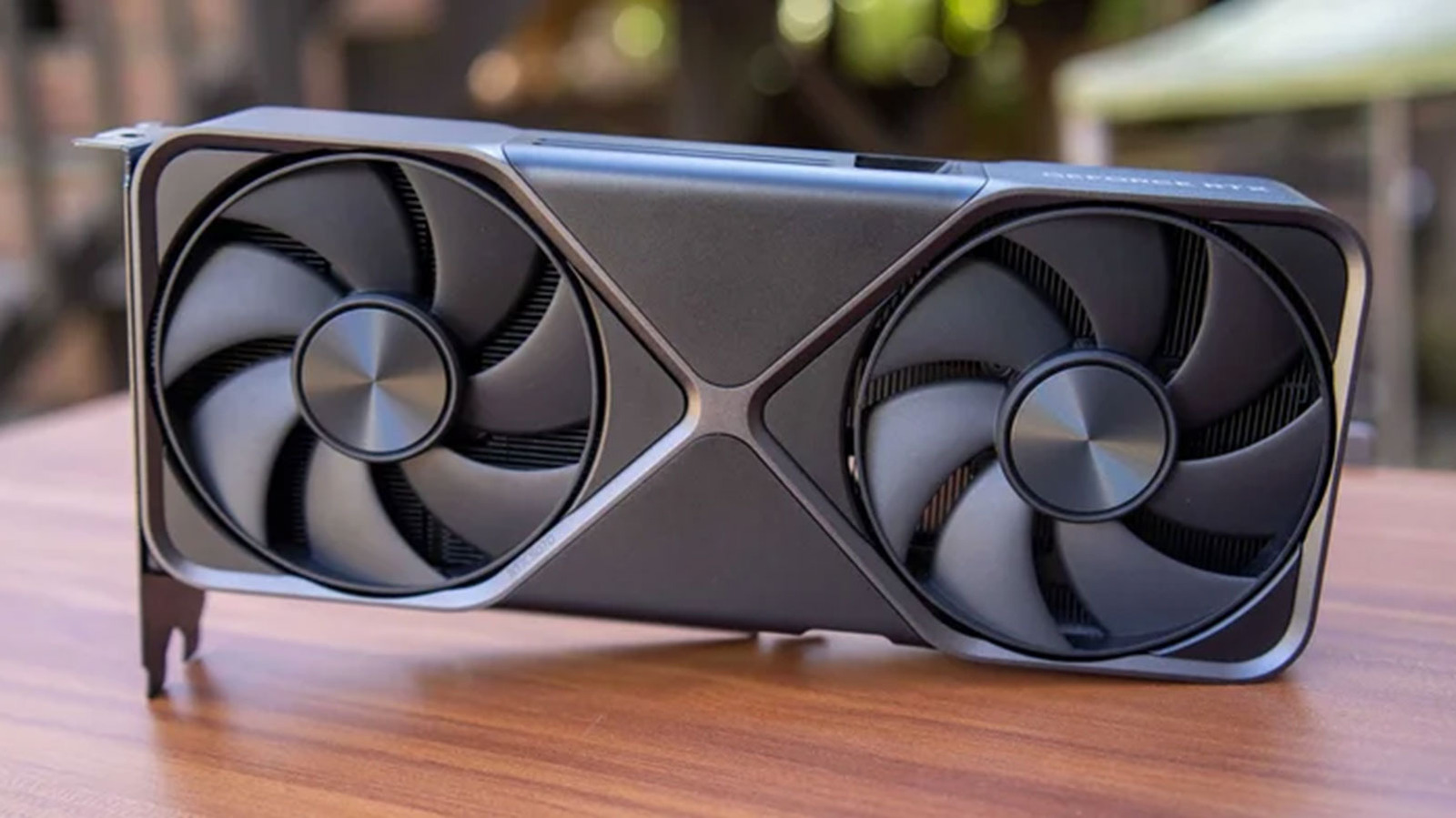
The above gives a decent starting point for how DLSS works, but knowing a bit more can help with tweaking to get the most out of the tech and your GPU. As mentioned already, with DLSS enabled your GPU will first render a game at a lower resolution before upscaling the image it produces to whatever resolution you’ve set as the target. In almost every case, you’ll want to configure the target resolution to match your monitor’s native resolution. So if you own a 1440p monitor, set the output resolution to 1440p. In most games, you do this simply by setting the “display” resolution.

YOU MAY ALSO LIKE

DOJ Charges OpenAI Engineer With Bugging Executive Conference Room – Unite.AI

A Look At The Audio Updates And Siri AI

Now comes the more complicated part. DLSS can feel like magic, but ultimately it involves a compromise. The different machine learning models that underpin the tech are trained to interpret motion vectors, as well as depth and brightness information when they upscale an image. Over the years, NVIDIA’s GPUs and models have gotten better at doing that, but at the end of the day, some amount of fidelity is lost any time you upscale an image. How much is lost depends on the DLSS mode you use, which determines the internal render (or starting) resolution your GPU has to upscale from:

Quality: When set to Quality mode, your GPU will render a game at 66.7 percent of your target output resolution. For a 4K monitor, that means you’re starting with a 1440p image. With a 1440p monitor, your starting point is 960p. DLSS Quality offers the best image quality of the different presets, but expect only a moderate increase in frame rate.

Balanced: When set to Balanced mode, your GPU will render a game at 58 percent of your target output resolution. At 4K, that means a starting point of 1253p. At 1440p, meanwhile, you’re upscaling from an 835p image. As the name suggests, Balanced mode is intended to offer a middle ground between image quality and a higher frame rate.

Performance: When set to Performance mode, your GPU will render a game at 50 percent of your target output resolution. That translate to 720p internal resolution when used in conjunction with a 1440p monitor and a 1080p internal resolution when the output is a 4K resolution. 

Ultra Performance: When set to Ultra Performance, your GPU will render a game at 33.3 percent of your output resolution. This mode is intended to be used with 8K monitors. Expect a blurry image if used in conjunction with a 1440p or 4K monitor.       

As a rule of thumb, if you’re running a 1440p monitor, DLSS Quality is a good starting point for most games. If you’re not happy with your performance or chasing an even higher frame rate, drop down to Balanced mode. Beyond that, the final image can get quite blurry. For 4K monitors, Balanced mode is a good starting, and then bump things down to Performance if you need or want more frames.

Credit: Source link

ShareTweetSendSharePin

Related Posts

DOJ Charges OpenAI Engineer With Bugging Executive Conference Room – Unite.AI
AI & Technology

DOJ Charges OpenAI Engineer With Bugging Executive Conference Room – Unite.AI

October 13, 2026
A Look At The Audio Updates And Siri AI
AI & Technology

A Look At The Audio Updates And Siri AI

October 13, 2026
Hannah (Linan) Zhou, Founding Member and Head of Product, Meshy – Interview Series – Unite.AI
AI & Technology

Hannah (Linan) Zhou, Founding Member and Head of Product, Meshy – Interview Series – Unite.AI

October 13, 2026
Netflix Will Broadcast The 2030 FIFA World Cup In Spain And Andorra
AI & Technology

Netflix Will Broadcast The 2030 FIFA World Cup In Spain And Andorra

October 13, 2026
Next Post
Her Husband Doesn’t Trust Her With Money

Her Husband Doesn't Trust Her With Money

Leave a Reply Cancel reply

Your email address will not be published. Required fields are marked *

Search

No Result
View All Result
WATCH: Dog greets intruder with toy during break-in

WATCH: Dog greets intruder with toy during break-in

October 13, 2026
Current with Christine Romans – Sept. 25 | NBC News NOW

Current with Christine Romans – Sept. 25 | NBC News NOW

October 7, 2026
Violent brawl breaks out at college in Pennsylvania

Violent brawl breaks out at college in Pennsylvania

October 12, 2026

About

Learn more

Our Services

Legal

Privacy Policy

Terms of Use

Bloggers

Learn more

Article Links

Contact

Advertise

Ask us anything

©2020- TradePoint.io - All rights reserved!

Tradepoint.io, being just a publishing and technology platform, is not a registered broker-dealer or investment adviser. So we do not provide investment advice. Rather, brokerage services are provided to clients of Tradepoint.io by independent SEC-registered broker-dealers and members of FINRA/SIPC. Every form of investing carries some risk and past performance is not a guarantee of future results. “Tradepoint.io“, “Instant Investing” and “My Trading Tools” are registered trademarks of Apperbuild, LLC.

This website is operated by Apperbuild, LLC. We have no link to any brokerage firm and we do not provide investment advice. Every information and resource we provide is solely for the education of our readers. © 2020 Apperbuild, LLC. All rights reserved.

No Result
View All Result
  • Main
  • AI & Technology
  • Stock Charts
  • Market & News
  • Business
  • Finance Tips
  • Trade Tube
  • Blog
  • Shop

© 2023 - TradePoint.io - All Rights Reserved!