
• bitcoinBitcoin(BTC)$84,302.00-1.18%
  • ethereumEthereum(ETH)$2,618.91-2.78%
  • tetherTether(USDT)$1.000.01%
  • binancecoinBNB(BNB)$769.37-1.26%
  • rippleXRP(XRP)$1.47-1.50%
  • usd-coinUSDC(USDC)$1.000.00%
  • solanaSolana(SOL)$118.59-0.67%
  • tronTRON(TRX)$0.333243-0.87%
  • Figure HelocFigure Heloc(FIGR_HELOC)$1.040.52%
  • zcashZcash(ZEC)$1,316.22-0.57%
  • HyperliquidHyperliquid(HYPE)$90.86-2.01%
  • dogecoinDogecoin(DOGE)$0.090499-4.08%
  • moneroMonero(XMR)$559.590.01%
  • chainlinkChainlink(LINK)$13.68-0.73%
  • USDSUSDS(USDS)$1.00-0.07%
  • whitebitWhiteBIT Coin(WBT)$83.96-1.50%
  • cardanoCardano(ADA)$0.257135-3.83%
  • leo-tokenLEO Token(LEO)$8.88-0.23%
  • RainRain(RAIN)$0.011238-1.05%
  • stellarStellar(XLM)$0.206448-3.64%
  • nearNEAR Protocol(NEAR)$5.06-2.19%
  • bitcoin-cashBitcoin Cash(BCH)$307.18-2.47%
  • litecoinLitecoin(LTC)$67.66-2.81%
  • uniswapUniswap(UNI)$8.16-7.06%
  • avalanche-2Avalanche(AVAX)$11.250.30%
  • Ethena USDeEthena USDe(USDE)$1.00-0.01%
  • CantonCanton(CC)$0.119784-5.77%
  • suiSui(SUI)$1.14-4.02%
  • daiDai(DAI)$1.00-0.01%
  • USD1USD1(USD1)$1.00-0.01%
  • hedera-hashgraphHedera(HBAR)$0.096040-4.27%
  • the-open-networkGram (prev. Toncoin)(GRAM)$1.48-3.37%
  • quant-networkQuant(QNT)$250.03-2.36%
  • BittensorBittensor(TAO)$298.38-0.55%
  • tether-goldTether Gold(XAUT)$4,133.240.39%
  • BitwayBitway(BTW)$1.224.45%
  • shiba-inuShiba Inu(SHIB)$0.000006-4.78%
  • crypto-com-chainCronos(CRO)$0.064450-4.37%
  • Global DollarGlobal Dollar(USDG)$1.000.00%
  • EthenaEthena(ENA)$0.235425-2.18%
  • Pump.funPump.fun(PUMP)$0.0064683.21%
  • paypal-usdPayPal USD(PYUSD)$1.00-0.02%
  • okbOKB(OKB)$134.042.96%
  • aaveAave(AAVE)$175.52-3.09%
  • Ripple USDRipple USD(RLUSD)$1.000.00%
  • Circle USYCCircle USYC(USYC)$1.140.01%
  • MemeCoreMemeCore(M)$1.053.05%
  • Ondo US Dollar YieldOndo US Dollar Yield(USDY)$1.150.00%
  • OndoOndo(ONDO)$0.471062-3.02%
  • BlackRock USD Institutional Digital Liquidity FundBlackRock USD Institutional Digital Liquidity Fund(BUIDL)$1.000.00%
TradePoint.io
  • Main
  • AI & Technology
  • Stock Charts
  • Market & News
  • Business
  • Finance Tips
  • Trade Tube
  • Blog
  • Shop
No Result
View All Result
TradePoint.io
No Result
View All Result

Why Do Some PCs Have Two Ethernet Ports?

October 6, 2026
in AI & Technology
Reading Time: 3 mins read
A A
Why Do Some PCs Have Two Ethernet Ports?
ShareShareShareShareShare

Your PC probably doesn’t need both ports, but workstations and servers can put them to work.


Cofotoisme/Getty Images

The two Ethernet ports on some PCs aren’t a matter of aesthetics or a simple selling point. Their primary purpose is to provide the computer with more networking options, like backup connections or separate networks. If it’s configured for failover and you lose a network connection on one, you still have access through the other. In most cases, it’s a feature that’s primarily relevant for workstations, servers or virtualization setups. Your home internet likely doesn’t go out often enough to justify paying for a second connection you only need when the first is unavailable. 

YOU MAY ALSO LIKE

Telstra Launches Longest Aura Network Route Linking Perth and Sydney – Unite.AI

Anaconda Pairs AI Agent Swarms With Autonomous Security Testing – Unite.AI

Dual ports can also support link aggregation (sometimes called NIC teaming or bonding). Put simply, link aggregation allows the PC (and a managed switch, in some setups) to combine two Ethernet links into a single connection. This has the added benefit of boosting bandwidth while maintaining the aforementioned redundancy.

Don’t expect two Ethernet to magically double your internet plan; you’re not going from 1 Gbps down to 2 Gbps. Link aggregation has to be supported and configured on both ends, and while you can share the extra capacity, data transfer generally remains limited to the speed of one link.

Keep networks separate

The most useful benefit of two Ethernet ports is network versatility, especially with everything Ethernet cables can do. For example, one port can connect to your regular home network, while the other can connect to a local network (like industrial equipment in a laboratory) or a dedicated storage drive. It’s a good method for separating traffic for security purposes or to boost performance.

You can use this feature to turn a small PC into a router or run virtual machines. Virtualization software can assign each virtual machine to a specific Ethernet port, allowing one VM to use a certain network while the PC uses another. While Ethernet cables still have limits, having two Ethernet ports open the door to a more efficient workplace or workflow, especially for those working in cybersecurity, network administration or running a small business server.

For a desktop PC at home, something the family uses or a gaming setup, the additional port is more of a nice addition. It’s useful if you have a specific need for it, but not necessarily a must-have option.

Will two Ethernet cables slow internet speed?
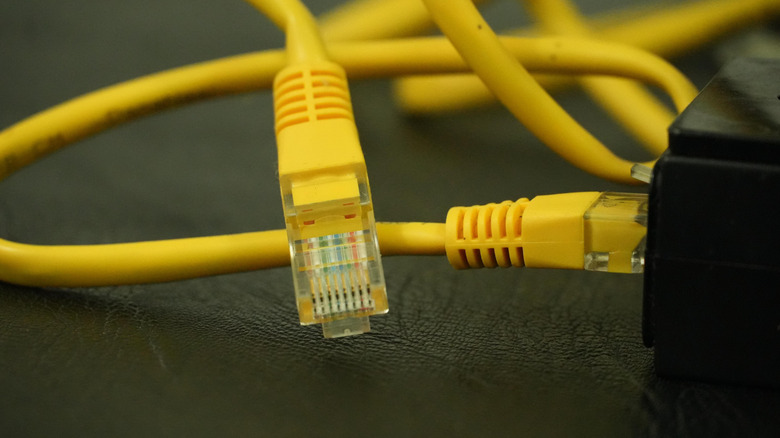

Yellow Ethernet cables connecting to a device.
Maldives-art/Shutterstock

Using both ports at the same time won’t inherently slow down or speed up an internet connection. Just connecting two Ethernet cables into the back of your PC won’t boost or drop anything, except for your workflow potential. Without setting it up correctly for a specific purpose, it could even cause connection issues. Link aggregation exists specifically for grouping multiple links safely.

For most home PCs, a single Ethernet port is all you will ever need. Alone, it will provide the stable, wired connection you expect and is generally a better option than a wireless connection. If you have a second Ethernet port, reserve it for something specific like large file transfers to a NAS or home media server.

It’s not an extra outlet for simply adding more wired devices to your home network. If your router is out of ports, use an Ethernet switch instead.

Credit: Source link

ShareTweetSendSharePin

Related Posts

Telstra Launches Longest Aura Network Route Linking Perth and Sydney – Unite.AI
AI & Technology

Telstra Launches Longest Aura Network Route Linking Perth and Sydney – Unite.AI

October 7, 2026
Anaconda Pairs AI Agent Swarms With Autonomous Security Testing – Unite.AI
AI & Technology

Anaconda Pairs AI Agent Swarms With Autonomous Security Testing – Unite.AI

October 7, 2026
How Long Have Wireless Gaming Controllers Been Around For?
AI & Technology

How Long Have Wireless Gaming Controllers Been Around For?

October 7, 2026
Nano Banana 2.1 Debuts at Half the Image Cost of Its Predecessor – Unite.AI
AI & Technology

Nano Banana 2.1 Debuts at Half the Image Cost of Its Predecessor – Unite.AI

October 6, 2026
Next Post
Prince Harry goes skydiving to raise money for veterans

Prince Harry goes skydiving to raise money for veterans

Leave a Reply Cancel reply

Your email address will not be published. Required fields are marked *

Search

No Result
View All Result
Paladin Energy: The Gap Between  And  Is The Investment Case (OTCMKTS:PALAF)

Paladin Energy: The Gap Between $70 And $96 Is The Investment Case (OTCMKTS:PALAF)

October 5, 2026
Nintendo’s Mario Kart Tour Mobile Game Is Officially Dead

Nintendo’s Mario Kart Tour Mobile Game Is Officially Dead

September 30, 2026
How a TN Execution Failed; Renee Good’s Family Sues U.S. Gov. Over Minneapolis Shooting | Oct. 1

How a TN Execution Failed; Renee Good’s Family Sues U.S. Gov. Over Minneapolis Shooting | Oct. 1

October 2, 2026

About

Learn more

Our Services

Legal

Privacy Policy

Terms of Use

Bloggers

Learn more

Article Links

Contact

Advertise

Ask us anything

©2020- TradePoint.io - All rights reserved!

Tradepoint.io, being just a publishing and technology platform, is not a registered broker-dealer or investment adviser. So we do not provide investment advice. Rather, brokerage services are provided to clients of Tradepoint.io by independent SEC-registered broker-dealers and members of FINRA/SIPC. Every form of investing carries some risk and past performance is not a guarantee of future results. “Tradepoint.io“, “Instant Investing” and “My Trading Tools” are registered trademarks of Apperbuild, LLC.

This website is operated by Apperbuild, LLC. We have no link to any brokerage firm and we do not provide investment advice. Every information and resource we provide is solely for the education of our readers. © 2020 Apperbuild, LLC. All rights reserved.

No Result
View All Result
  • Main
  • AI & Technology
  • Stock Charts
  • Market & News
  • Business
  • Finance Tips
  • Trade Tube
  • Blog
  • Shop

© 2023 - TradePoint.io - All Rights Reserved!