
• bitcoinBitcoin(BTC)$83,384.000.09%
  • ethereumEthereum(ETH)$2,673.790.12%
  • tetherTether(USDT)$1.00-0.01%
  • binancecoinBNB(BNB)$763.760.73%
  • rippleXRP(XRP)$1.500.91%
  • usd-coinUSDC(USDC)$1.000.00%
  • solanaSolana(SOL)$119.241.09%
  • tronTRON(TRX)$0.3373270.88%
  • Figure HelocFigure Heloc(FIGR_HELOC)$1.032.75%
  • zcashZcash(ZEC)$1,407.861.57%
  • HyperliquidHyperliquid(HYPE)$85.86-1.67%
  • dogecoinDogecoin(DOGE)$0.0939330.35%
  • chainlinkChainlink(LINK)$14.42-2.80%
  • moneroMonero(XMR)$542.640.44%
  • USDSUSDS(USDS)$1.000.01%
  • whitebitWhiteBIT Coin(WBT)$83.330.13%
  • cardanoCardano(ADA)$0.2460120.65%
  • RainRain(RAIN)$0.0124790.38%
  • leo-tokenLEO Token(LEO)$9.030.18%
  • stellarStellar(XLM)$0.222927-0.69%
  • nearNEAR Protocol(NEAR)$4.975.93%
  • bitcoin-cashBitcoin Cash(BCH)$308.350.67%
  • uniswapUniswap(UNI)$8.862.23%
  • litecoinLitecoin(LTC)$67.21-1.30%
  • avalanche-2Avalanche(AVAX)$11.306.49%
  • CantonCanton(CC)$0.125396-4.75%
  • Ethena USDeEthena USDe(USDE)$1.000.00%
  • suiSui(SUI)$1.163.44%
  • daiDai(DAI)$1.000.00%
  • hedera-hashgraphHedera(HBAR)$0.104471-11.99%
  • USD1USD1(USD1)$1.00-0.01%
  • the-open-networkGram (prev. Toncoin)(GRAM)$1.51-2.76%
  • quant-networkQuant(QNT)$286.2319.73%
  • BittensorBittensor(TAO)$305.060.58%
  • shiba-inuShiba Inu(SHIB)$0.0000063.79%
  • tether-goldTether Gold(XAUT)$4,174.210.76%
  • crypto-com-chainCronos(CRO)$0.067299-2.69%
  • BitwayBitway(BTW)$1.192.31%
  • Global DollarGlobal Dollar(USDG)$1.000.00%
  • paypal-usdPayPal USD(PYUSD)$1.000.00%
  • Pump.funPump.fun(PUMP)$0.00575416.86%
  • okbOKB(OKB)$121.121.84%
  • Ripple USDRipple USD(RLUSD)$1.000.00%
  • aaveAave(AAVE)$162.565.80%
  • EthenaEthena(ENA)$0.246562-2.20%
  • OndoOndo(ONDO)$0.51-0.34%
  • Circle USYCCircle USYC(USYC)$1.140.01%
  • MemeCoreMemeCore(M)$1.04-3.71%
  • Ondo US Dollar YieldOndo US Dollar Yield(USDY)$1.15-0.03%
  • BlackRock USD Institutional Digital Liquidity FundBlackRock USD Institutional Digital Liquidity Fund(BUIDL)$1.000.00%
TradePoint.io
  • Main
  • AI & Technology
  • Stock Charts
  • Market & News
  • Business
  • Finance Tips
  • Trade Tube
  • Blog
  • Shop
No Result
View All Result
TradePoint.io
No Result
View All Result

Can You Still Use Your Router If It Doesn’t Get Firmware Updates?

September 29, 2026
in AI & Technology
Reading Time: 4 mins read
A A
Can You Still Use Your Router If It Doesn’t Get Firmware Updates?
ShareShareShareShareShare

It won’t stop working, but newly discovered security flaws may go unfixed.


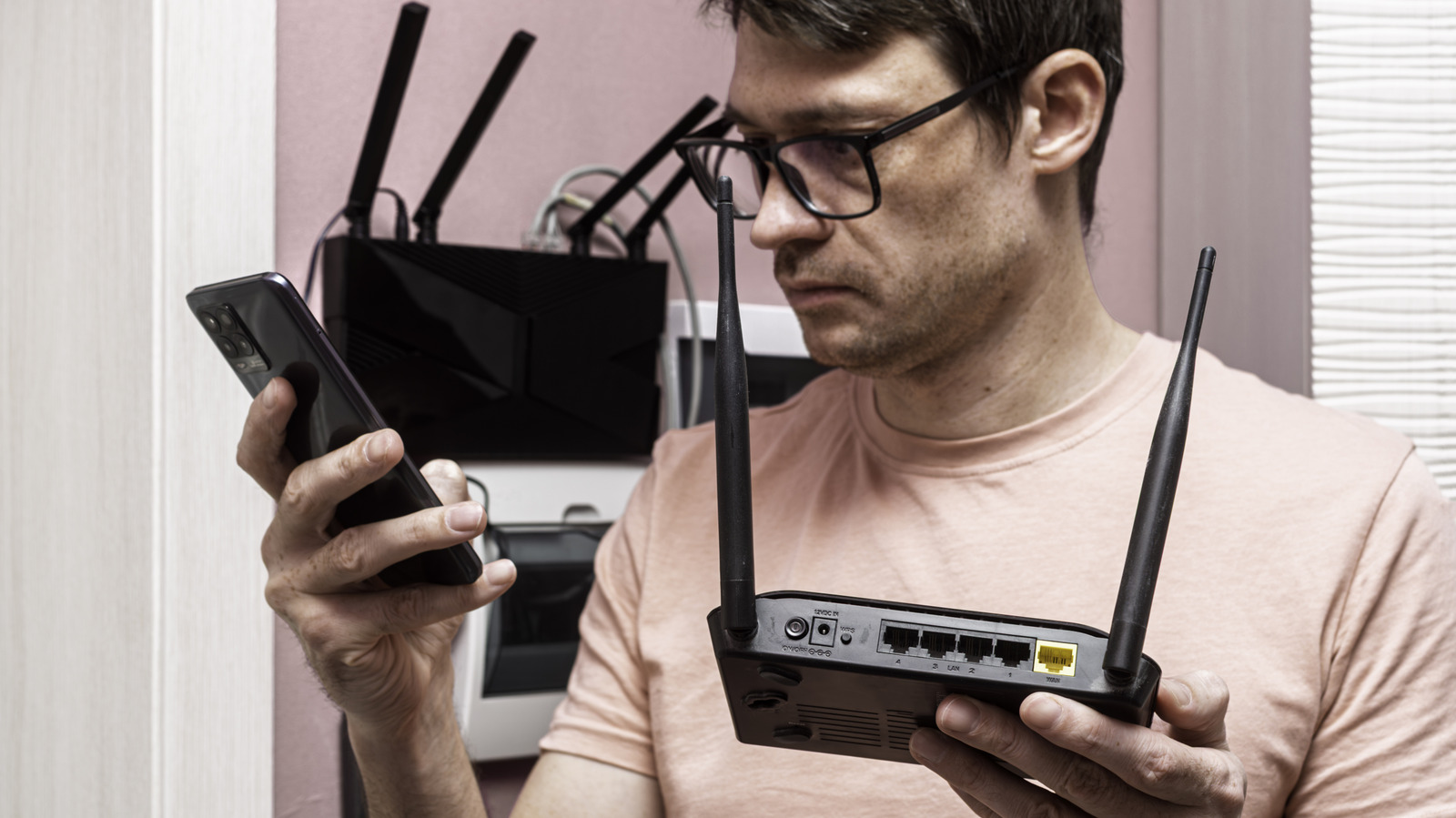
Only_NewPhoto/Shutterstock

So long as the hardware is healthy, a router will continue connecting your devices to the internet long after the manufacturer stops releasing firmware updates. There’s no built-in kill switch outside of eventual hardware failure that will silence your router forever. Unfortunately, once firmware updates cease to be a regular thing, your router loses its most dependable attribute for fixing newly-discovered security flaws.

YOU MAY ALSO LIKE

One Bad Prompt Took Down a Company’s Salesforce: RSA’s Jim Taylor on Agent ID and Taming the 4,000 Shadow AI Agents Hiding in Your Enterprise

Don’t Throw Away Your Old Router — Do This Instead

Now, that’s not to say that your home will be immediately targeted and all of your devices will suddenly rise up and begin wreaking havoc throughout the house. What it means is that your router could now be vulnerable and may remain so with every passing day. Attackers often target vulnerable routers in bulk, using them to relay malicious traffic or join a larger group of compromised devices controlled without their owner’s knowledge.

On the bright side, a router without updates is not automatically compromised, but you should begin eyeballing a replacement sooner rather than later. Make sure things like remote administration are disabled so the router’s management page is not accessible outside your home network. It’s just one potential exposure risk, but that list may continue to grow the longer you take.

Five years is a checkpoint

A five-year-old router isn’t necessarily outdated, especially if “internet access” to you is web browsing for recipes or streaming TV shows. There’s also not a set-in-stone timeframe for when firmware updates cease. View it as a checkpoint for making sure that the exact model you own will continue receiving security updates. Netgear suggests the four- to five-year timeline, but it’s not an absolute decree.

Should you check and discover that support is indeed coming to a close, install the most recent manufacturer update (if applicable) and start planning for a replacement. If you’re really worried, you can always go purchase a new router the old-fashioned way by visiting a nearby retail outlet. And if you haven’t already, create and use a strong, unique admin password on your current setup if you need to wait on shipping.

There may be another technical alternative for some. Projects like OpenWrt may offer custom firmware for your router once the manufacturer stops updating it. You’ll have to check the exact hardware revision against OpenWrt’s supported device list. Just be careful on this particular leg of your aging router’s journey. Installing the wrong firmware or following the wrong procedure may turn your router into a neat-looking paperweight.

How to check if a router needs a firmware update
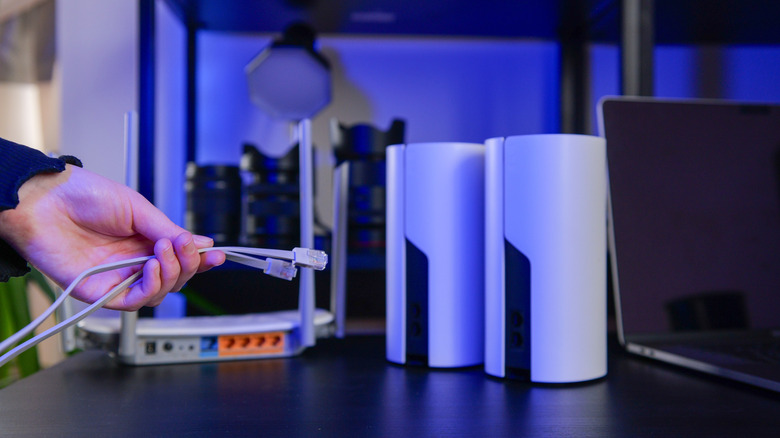

Someone connecting a mesh system via ethernet cable.
shine.graphics/Shutterstock

First, find the router’s model number and hardware revision on its label, which is usually beneath or on the back of the router, along with its default Wi-Fi password or login address. The revision is very important because two routers sold under the same model name can still have different firmware releases. Log into the router or open the associated app, find the setting for firmware updates, and check the installed version against any update offered. If automatic update is a feature you can enable, do so.

Next, look up the same model and revision on the manufacturer’s official support site. Compare the installed version with its latest listed release, read the release notes and check for an end-of-life or end-of-support notice.

If an update exists, follow the manufacturer’s instructions and let it do its thing. If there is no update, double-check to confirm your router’s support status, especially if you’ve had it for more than a few years. If your router is actively supported, then you’re good to go. If not, you will likely be fine, but start making plans to replace it.

Credit: Source link

ShareTweetSendSharePin

Related Posts

One Bad Prompt Took Down a Company’s Salesforce: RSA’s Jim Taylor on Agent ID and Taming the 4,000 Shadow AI Agents Hiding in Your Enterprise
AI & Technology

One Bad Prompt Took Down a Company’s Salesforce: RSA’s Jim Taylor on Agent ID and Taming the 4,000 Shadow AI Agents Hiding in Your Enterprise

September 30, 2026
Don’t Throw Away Your Old Router — Do This Instead
AI & Technology

Don’t Throw Away Your Old Router — Do This Instead

September 30, 2026
The AI Industry Wants Models To Assist In Legal Battles, But Will They Help?
AI & Technology

The AI Industry Wants Models To Assist In Legal Battles, But Will They Help?

September 29, 2026
Liquid AI Releases d1: A Decision Model That Returns Calibrated Probabilities With Zero Output Tokens
AI & Technology

Liquid AI Releases d1: A Decision Model That Returns Calibrated Probabilities With Zero Output Tokens

September 29, 2026
Next Post
Immigrant shot by ICE in Austin is charged with assault by Justice Department – The Washington Post

Immigrant shot by ICE in Austin is charged with assault by Justice Department - The Washington Post

Leave a Reply Cancel reply

Your email address will not be published. Required fields are marked *

Search

No Result
View All Result
Chris Van Hollen says he won’t reject DSA endorsement but ‘certainly not seeking’ it: Full interview

Chris Van Hollen says he won’t reject DSA endorsement but ‘certainly not seeking’ it: Full interview

September 25, 2026
Nintendo Wins .5 Million From Lawsuit Over Pirated Switch Games

Nintendo Wins $4.5 Million From Lawsuit Over Pirated Switch Games

September 24, 2026
‘Simpsons’ writer Dan Greaney launches presidential bid

‘Simpsons’ writer Dan Greaney launches presidential bid

September 26, 2026

About

Learn more

Our Services

Legal

Privacy Policy

Terms of Use

Bloggers

Learn more

Article Links

Contact

Advertise

Ask us anything

©2020- TradePoint.io - All rights reserved!

Tradepoint.io, being just a publishing and technology platform, is not a registered broker-dealer or investment adviser. So we do not provide investment advice. Rather, brokerage services are provided to clients of Tradepoint.io by independent SEC-registered broker-dealers and members of FINRA/SIPC. Every form of investing carries some risk and past performance is not a guarantee of future results. “Tradepoint.io“, “Instant Investing” and “My Trading Tools” are registered trademarks of Apperbuild, LLC.

This website is operated by Apperbuild, LLC. We have no link to any brokerage firm and we do not provide investment advice. Every information and resource we provide is solely for the education of our readers. © 2020 Apperbuild, LLC. All rights reserved.

No Result
View All Result
  • Main
  • AI & Technology
  • Stock Charts
  • Market & News
  • Business
  • Finance Tips
  • Trade Tube
  • Blog
  • Shop

© 2023 - TradePoint.io - All Rights Reserved!