


• bitcoinBitcoin(BTC)$81,505.001.43%
  • ethereumEthereum(ETH)$2,650.612.90%
  • tetherTether(USDT)$1.000.02%
  • binancecoinBNB(BNB)$769.162.58%
  • rippleXRP(XRP)$1.443.86%
  • usd-coinUSDC(USDC)$1.000.01%
  • solanaSolana(SOL)$111.522.60%
  • tronTRON(TRX)$0.3430020.65%
  • zcashZcash(ZEC)$1,484.972.11%
  • Figure HelocFigure Heloc(FIGR_HELOC)$1.000.00%
  • HyperliquidHyperliquid(HYPE)$93.972.65%
  • dogecoinDogecoin(DOGE)$0.0890664.47%
  • moneroMonero(XMR)$592.1513.57%
  • RainRain(RAIN)$0.0139714.20%
  • whitebitWhiteBIT Coin(WBT)$83.171.74%
  • USDSUSDS(USDS)$1.000.02%
  • chainlinkChainlink(LINK)$12.504.09%
  • cardanoCardano(ADA)$0.2317245.18%
  • leo-tokenLEO Token(LEO)$8.90-0.07%
  • stellarStellar(XLM)$0.1991594.50%
  • nearNEAR Protocol(NEAR)$4.2823.30%
  • uniswapUniswap(UNI)$8.54-2.38%
  • bitcoin-cashBitcoin Cash(BCH)$254.633.03%
  • avalanche-2Avalanche(AVAX)$11.0314.30%
  • Ethena USDeEthena USDe(USDE)$1.000.02%
  • daiDai(DAI)$1.000.01%
  • litecoinLitecoin(LTC)$58.312.61%
  • CantonCanton(CC)$0.1127148.03%
  • USD1USD1(USD1)$1.000.01%
  • the-open-networkGram (prev. Toncoin)(GRAM)$1.401.38%
  • suiSui(SUI)$0.9515.86%
  • hedera-hashgraphHedera(HBAR)$0.0865005.57%
  • MemeCoreMemeCore(M)$1.53-5.93%
  • shiba-inuShiba Inu(SHIB)$0.0000063.04%
  • Global DollarGlobal Dollar(USDG)$1.000.02%
  • crypto-com-chainCronos(CRO)$0.0619115.64%
  • BittensorBittensor(TAO)$268.555.93%
  • paypal-usdPayPal USD(PYUSD)$1.000.02%
  • tether-goldTether Gold(XAUT)$4,352.31-0.42%
  • Circle USYCCircle USYC(USYC)$1.140.00%
  • okbOKB(OKB)$118.812.94%
  • Ripple USDRipple USD(RLUSD)$1.000.02%
  • BlackRock USD Institutional Digital Liquidity FundBlackRock USD Institutional Digital Liquidity Fund(BUIDL)$1.000.00%
  • Ondo US Dollar YieldOndo US Dollar Yield(USDY)$1.14-0.09%
  • EthenaEthena(ENA)$0.2135928.34%
  • aaveAave(AAVE)$138.150.74%
  • OndoOndo(ONDO)$0.4284694.46%
  • Pump.funPump.fun(PUMP)$0.0043609.19%
  • BitwayBitway(BTW)$0.7422.01%
  • AsterAster(ASTER)$0.740.57%
TradePoint.io
  • Main
  • AI & Technology
  • Stock Charts
  • Market & News
  • Business
  • Finance Tips
  • Trade Tube
  • Blog
  • Shop
No Result
View All Result
TradePoint.io
No Result
View All Result

Which Major Chatbot Apps Work With CarPlay?

September 20, 2026
in AI & Technology
Reading Time: 4 mins read
A A
Which Major Chatbot Apps Work With CarPlay?
ShareShareShareShareShare

You can now talk with ChatGPT, Claude and more while you’re on the road.


PixieMe/Shutterstock

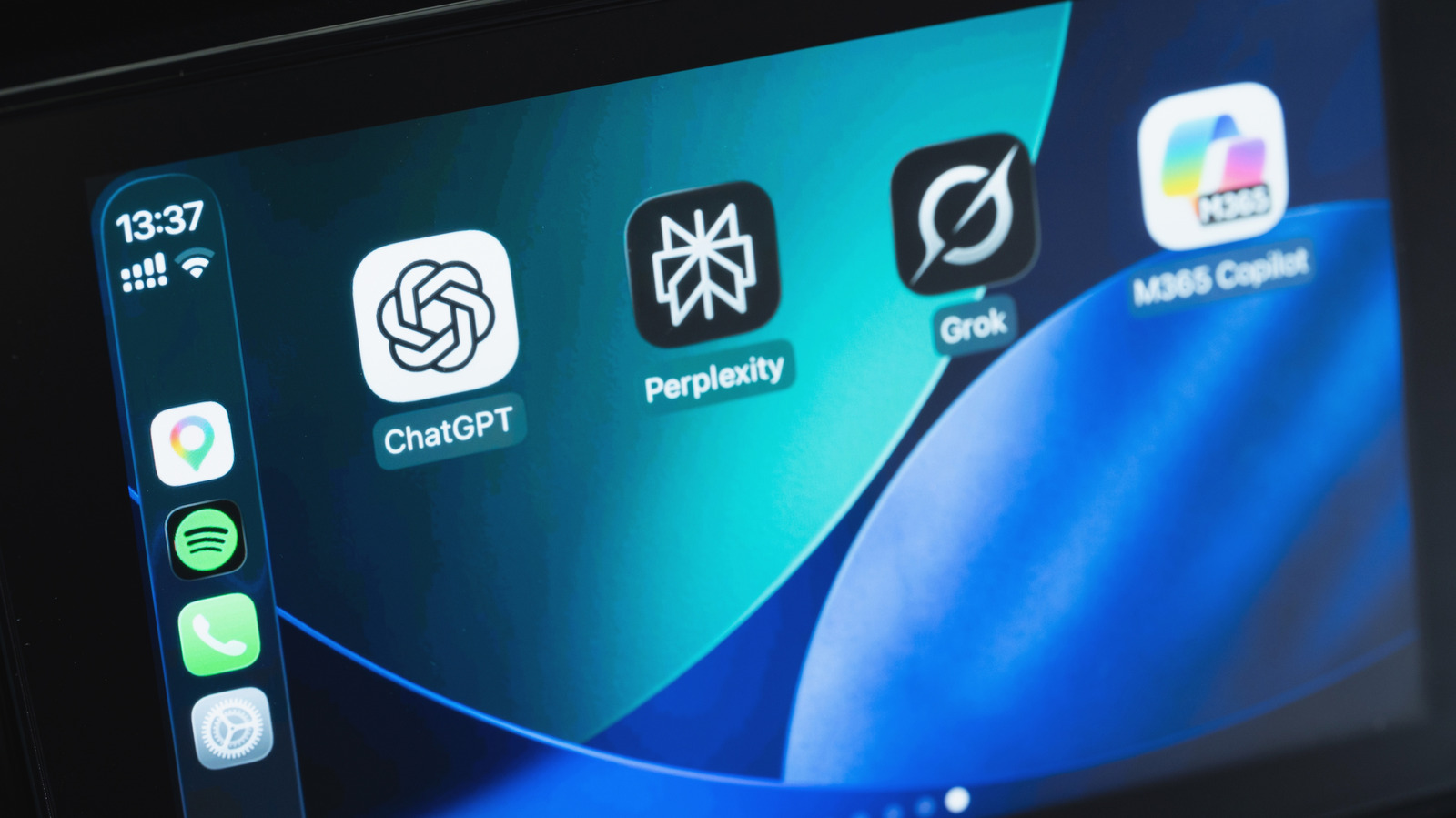
If you love using AI chatbots like ChatGPT on your phone, you’ll be pleased to know that accessing them in your car is also easy — if you have a car with Apple CarPlay. That’s thanks to an API that arrived with iOS 26.4 allowing developers to bring AI chatbots into CarPlay, with a few already available. You just need to make sure you have the latest versions of their apps installed. 

YOU MAY ALSO LIKE

What Is iPhone Handoff And Which Carriers Support It?

Which Should You Choose For Your Home?

For safety while driving, AI tools compatible with CarPlay only work through voice commands. Most of them let you jump back into an existing conversation from another device, at least. Before you continue, make sure your iPhone is running iOS 26.4 or later by visiting Settings > General > Software Update. If an update is available, follow the steps to install it. 

After that, open the App Store, tap your profile icon at the top-right, choose App Updates, swipe down to refresh, then choose Update All to make sure you have the latest versions of installed AI apps.

Using AI chatbots in CarPlay
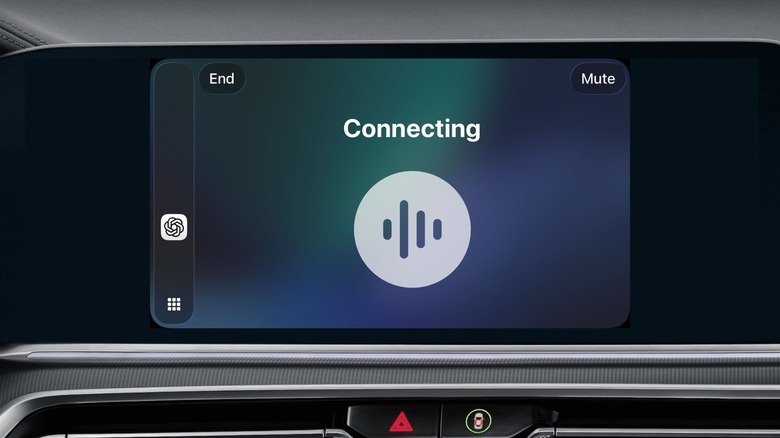

The ChatGPT app in Apple CarPlay.
Filipe Espósito for Engadget

As the most popular AI bot, it’s no surprise that ChatGPT is CarPlay-ready. If you already have it on your iPhone, you’ll find it on your CarPlay Home Screen. If you don’t have it yet, download ChatGPT for free from the App Store (the same goes for the other apps discussed). With your iPhone connected to your car, tap the ChatGPT icon on CarPlay and select New Voice Chat. Then speak naturally when the app indicates it’s listening.

If you’re not a fan of ChatGPT, several other options are available. Perplexity is one, with Meta AI and xAI’s Grok also supported. More recently, Anthropic’s Claude has also joined the list of chatbots available on CarPlay. Plus, if you’ve updated your iPhone to iOS 27, Siri AI is available too — though this requires an iPhone 15 Pro or later for Apple Intelligence.

When you open any of the apps in CarPlay, start a new chat or pick up where you left off before (all with your voice). For Siri AI, try using the “Hey Siri” command if it’s available in your car. You can ask about anything, like suggestions on what to do at your destination. If you’re driving alone, these chatbots can be a fun way to keep you entertained. Of course, remember that AI isn’t perfect and the answers aren’t always correct, so it’s always a good idea to double-check. Also, some conversations can be distracting and are better left for when you’re at home.

By default, newly-compatible CarPlay apps get added to the end of your home screen, so it’s worth customizing your CarPlay display to make your most-used AI tools easier to reach. On your iPhone, go to Settings > General > CarPlay. Select your car, then choose Apps. Here you can drag them to rearrange and use the red minus icon to remove any you don’t use.

Why AI chatbots might not work in your car
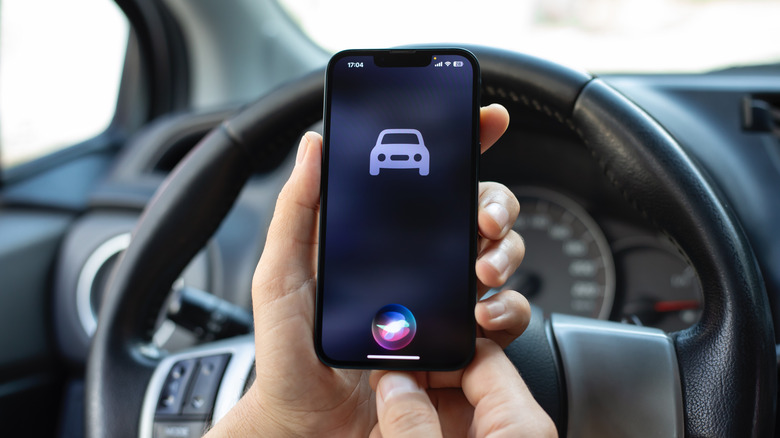

Siri on an iPhone showing the car icon, in front of a steering wheel.
DenPhotos/Shutterstock

AI chatbots in CarPlay have some inconvenient limitations. For one, you can’t access them with a wake word like you can with Siri; you’ll need to open their apps to start talking with them. The bots also can’t control anything in your car or inside other apps.

Also, how well they understand voice commands depends on the quality of your car’s microphones. If there’s too much noise and/or the microphones are poor, chatbots might not understand what you’re saying. Try closing the windows to reduce outside noise, or use the apps while parked. If you continue to have trouble, try using the chatbot in another vehicle to see if the problem is specific to one car.

These chatbots shouldn’t be used for navigation, since they don’t have access to your real-time location or a mapping service. You can ask for suggestions on places to visit, but they won’t be able to guide you there. The only chatbot that can do this is Siri AI, since it integrates with Apple Maps. You also need an internet connection to use these apps. A weak signal, or lack of one, is the main they’ll stop working as you drive.

Credit: Source link

ShareTweetSendSharePin

Related Posts

What Is iPhone Handoff And Which Carriers Support It?
AI & Technology

What Is iPhone Handoff And Which Carriers Support It?

September 21, 2026
Which Should You Choose For Your Home?
AI & Technology

Which Should You Choose For Your Home?

September 21, 2026
7 Ways To Get Free Movies And TV Channels On Your Smart TV
AI & Technology

7 Ways To Get Free Movies And TV Channels On Your Smart TV

September 20, 2026
Flet 1.0 Released: Build Production Web, Desktop and Mobile Apps in Python Only
AI & Technology

Flet 1.0 Released: Build Production Web, Desktop and Mobile Apps in Python Only

September 20, 2026
Next Post
Russia wraps up first wartime parliamentary election with Kremlin dominance all but assured – AP News

Russia wraps up first wartime parliamentary election with Kremlin dominance all but assured - AP News

Leave a Reply Cancel reply

Your email address will not be published. Required fields are marked *

Search

No Result
View All Result
Fox News parts ways with longtime host Maria Bartiromo

Fox News parts ways with longtime host Maria Bartiromo

September 18, 2026
College football winners, losers: Alabama QB Keelon Russell has arrived, Texas A&M faceplants – cbssports.com

College football winners, losers: Alabama QB Keelon Russell has arrived, Texas A&M faceplants – cbssports.com

September 20, 2026
Listeners Say They Don’t Want AI-Generated Music. Is That Actually True? – Unite.AI

Listeners Say They Don’t Want AI-Generated Music. Is That Actually True? – Unite.AI

September 19, 2026

About

Learn more

Our Services

Legal

Privacy Policy

Terms of Use

Bloggers

Learn more

Article Links

Contact

Advertise

Ask us anything

©2020- TradePoint.io - All rights reserved!

Tradepoint.io, being just a publishing and technology platform, is not a registered broker-dealer or investment adviser. So we do not provide investment advice. Rather, brokerage services are provided to clients of Tradepoint.io by independent SEC-registered broker-dealers and members of FINRA/SIPC. Every form of investing carries some risk and past performance is not a guarantee of future results. “Tradepoint.io“, “Instant Investing” and “My Trading Tools” are registered trademarks of Apperbuild, LLC.

This website is operated by Apperbuild, LLC. We have no link to any brokerage firm and we do not provide investment advice. Every information and resource we provide is solely for the education of our readers. © 2020 Apperbuild, LLC. All rights reserved.

No Result
View All Result
  • Main
  • AI & Technology
  • Stock Charts
  • Market & News
  • Business
  • Finance Tips
  • Trade Tube
  • Blog
  • Shop

© 2023 - TradePoint.io - All Rights Reserved!