















• bitcoinBitcoin(BTC)$74,361.00-1.93%
  • ethereumEthereum(ETH)$2,114.27-5.33%
  • tetherTether(USDT)$1.000.00%
  • binancecoinBNB(BNB)$681.87-2.17%
  • usd-coinUSDC(USDC)$1.00-0.02%
  • rippleXRP(XRP)$1.09-5.82%
  • solanaSolana(SOL)$86.69-2.66%
  • tronTRON(TRX)$0.317355-0.95%
  • Figure HelocFigure Heloc(FIGR_HELOC)$1.060.00%
  • zcashZcash(ZEC)$1,217.15-3.42%
  • HyperliquidHyperliquid(HYPE)$73.56-4.10%
  • moneroMonero(XMR)$598.980.12%
  • dogecoinDogecoin(DOGE)$0.069173-2.10%
  • USDSUSDS(USDS)$1.00-0.01%
  • leo-tokenLEO Token(LEO)$9.27-0.48%
  • whitebitWhiteBIT Coin(WBT)$71.77-1.46%
  • chainlinkChainlink(LINK)$10.45-2.42%
  • cardanoCardano(ADA)$0.175110-2.25%
  • stellarStellar(XLM)$0.146150-2.47%
  • Ethena USDeEthena USDe(USDE)$1.00-0.01%
  • bitcoin-cashBitcoin Cash(BCH)$238.72-2.59%
  • nearNEAR Protocol(NEAR)$3.53-4.25%
  • daiDai(DAI)$1.00-0.03%
  • uniswapUniswap(UNI)$6.76-3.57%
  • litecoinLitecoin(LTC)$50.79-1.82%
  • avalanche-2Avalanche(AVAX)$7.99-1.72%
  • CantonCanton(CC)$0.088753-3.93%
  • suiSui(SUI)$0.82-2.78%
  • USD1USD1(USD1)$1.000.03%
  • RainRain(RAIN)$0.004677-15.25%
  • tether-goldTether Gold(XAUT)$4,080.360.67%
  • hedera-hashgraphHedera(HBAR)$0.0666990.42%
  • quant-networkQuant(QNT)$200.272.90%
  • the-open-networkGram (prev. Toncoin)(GRAM)$1.02-4.06%
  • paypal-usdPayPal USD(PYUSD)$1.00-0.01%
  • Global DollarGlobal Dollar(USDG)$1.00-0.01%
  • Ripple USDRipple USD(RLUSD)$1.00-0.02%
  • shiba-inuShiba Inu(SHIB)$0.000004-1.85%
  • BittensorBittensor(TAO)$216.73-2.27%
  • crypto-com-chainCronos(CRO)$0.048161-0.56%
  • Ondo US Dollar YieldOndo US Dollar Yield(USDY)$1.15-0.48%
  • pepePepe(PEPE)$0.0000055.59%
  • Circle USYCCircle USYC(USYC)$1.140.00%
  • EthenaEthena(ENA)$0.150612-1.91%
  • okbOKB(OKB)$96.72-5.14%
  • aaveAave(AAVE)$130.470.65%
  • Spiko Amundi Overnight Swap Fund (EUR)Spiko Amundi Overnight Swap Fund (EUR)(EURSAFO)$1.140.33%
  • pax-goldPAX Gold(PAXG)$4,083.850.72%
  • Falcon USDFalcon USD(USDF)$1.000.00%
  • BlackRock USD Institutional Digital Liquidity FundBlackRock USD Institutional Digital Liquidity Fund(BUIDL)$1.000.00%
TradePoint.io
  • Main
  • AI & Technology
  • Stock Charts
  • Market & News
  • Business
  • Finance Tips
  • Trade Tube
  • Blog
  • Shop
No Result
View All Result
TradePoint.io
No Result
View All Result

How To Improve Your Audio Quality On Netflix

September 20, 2026
in AI & Technology
Reading Time: 4 mins read
A A
How To Improve Your Audio Quality On Netflix
ShareShareShareShareShare

Tired of turning on subtitles? This simple menu tweak restores crisp, clear voices.


Christopher Ames/Getty Images

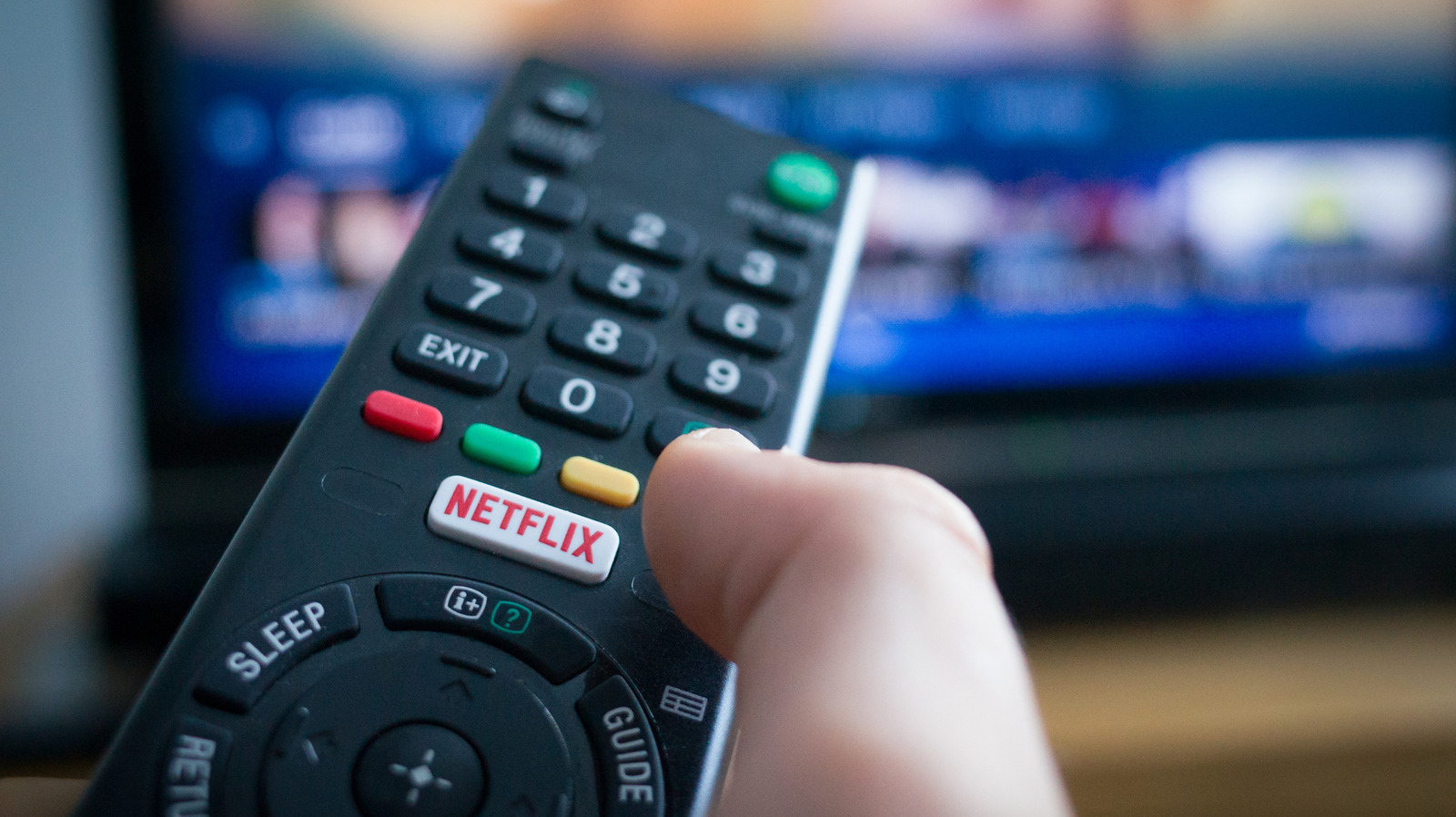
We’ve all been there, settling in for a Netflix night only to end up straining our ears when dialogue sounds distant or garbled. This is actually one of the things Netflix users complain quite a bit about and it has nothing to do with your internet connection or your TV’s quality. Instead, it comes down to a mismatch between the audio format Netflix sends and the speakers that play it.

YOU MAY ALSO LIKE

Samsung Highlights Physical AI Potential with Hyundai Motor Group – Unite.AI

Yale’s Sonnenfeld Gives Huang Roughly Even Odds of Staying NVIDIA CEO – Unite.AI

The most frustrating part of it all is that the issue pops up at random. One show might sound just fine, while another will have you straining your ears to figure out what they’re even saying without you changing the setup or touching the settings.

The good news is that fixing the problem doesn’t require changing any of your sound equipment or even trying to reach Netflix tech support. More often than not, the solution to your Netflix muffled audio is a quick setting adjustment that’ll take a minute of your time.

Why does Netflix sound muffled or low?


Group of people watching Netflix on TV.
Demaerre/Getty Images

Netflix automatically defaults to the highest-quality audio stream supported by your connected devices. If your setup supports surround sound, then Netflix will send a 5.1 or Dolby Atmos track rather than standard stereo. That sounds great in theory, but many smart TVs claim they can push surround sound when they’re only sporting basic speakers. In such situations, the TV attempts to send that surround track down to two speakers, resulting in audio that sounds quieter and less clear.

An alternative is that there’s an actual technical problem at play. A loose or damaged HDMI cable can distort or weaken the audio signal, while outdated firmware on your streaming device or TV may be at fault for mishandling audio processing. Similarly, external sound systems like soundbars may deliver subpar sound if they’re not configured correctly.

None of this means that something’s broken, but the issues do reflect a compatibility problem between the audio Netflix is sending and what your equipment can receive.

How to fix your Netflix sound problem


Netflix logo displayed on TV, two people watching on the couch.
Frame Stock Footage/Shutterstock

You’re going to want to start with the easiest and most effective fix — opening the Audio and Subtitles menu at the bottom of the Netflix player and switching your audio track from the surround version (such as English [Original] 5.1) to the standard version (English [Original]). If you’re only using your TV’s built-in speakers rather than a dedicated surround system, this single change often resolves quiet or muffled audio immediately. Netflix remembers your preference moving forward, so doing this once should fix any potential issues moving forward too.

If you’re using an external audio system and the problem persists, run a check on your HDMI cable and try using a different one to see if the sound issue disappears. You could also try bypassing any external audio devices for a bit just to see if playback through your TV’s speakers fixes the issues. You should also check if there’s a firmware update available.

Something else you could do is increase playback quality within Netflix itself. Head over to your Account page in a web browser, go to Edit settings > Playback settings and set your data usage per screen to High. This ensures Netflix streams its highest audio bitrate, which is up to 640 kbps for 5.1 and 768 kbps for Atmos. It’s also worth noting that you have to pay for the Netflix Premium tier if you want high-fidelity spatial audio and Dolby Atmos.

Credit: Source link

ShareTweetSendSharePin

Related Posts

Samsung Highlights Physical AI Potential with Hyundai Motor Group – Unite.AI
AI & Technology

Samsung Highlights Physical AI Potential with Hyundai Motor Group – Unite.AI

November 9, 2026
Yale’s Sonnenfeld Gives Huang Roughly Even Odds of Staying NVIDIA CEO – Unite.AI
AI & Technology

Yale’s Sonnenfeld Gives Huang Roughly Even Odds of Staying NVIDIA CEO – Unite.AI

November 9, 2026
From Resistance to Results by Gleb Tsipursky – Unite.AI
AI & Technology

From Resistance to Results by Gleb Tsipursky – Unite.AI

November 9, 2026
LG AI Research Opens Free API Access to Its K-EXAONE 2.5 Model – Unite.AI
AI & Technology

LG AI Research Opens Free API Access to Its K-EXAONE 2.5 Model – Unite.AI

November 9, 2026
Next Post
I’m a pulmonologist. Here’s why new wellness claims about nicotine worry me. – The Washington Post

I’m a pulmonologist. Here’s why new wellness claims about nicotine worry me. - The Washington Post

Leave a Reply Cancel reply

Your email address will not be published. Required fields are marked *

Search

No Result
View All Result
Binance Attackers Used Fake Job Interviews To Pull Off .3 Billion Crypto Heist

Binance Attackers Used Fake Job Interviews To Pull Off $6.3 Billion Crypto Heist

November 4, 2026
What Dems’ Landslide Means for the Middle East and Ukraine; And, Will Trump Fire Hegseth? – Nov. 5

What Dems’ Landslide Means for the Middle East and Ukraine; And, Will Trump Fire Hegseth? – Nov. 5

November 8, 2026
Middle schoolers are learning trades, and it could shape their futures

Middle schoolers are learning trades, and it could shape their futures

November 8, 2026

About

Learn more

Our Services

Legal

Privacy Policy

Terms of Use

Bloggers

Learn more

Article Links

Contact

Advertise

Ask us anything

©2020- TradePoint.io - All rights reserved!

Tradepoint.io, being just a publishing and technology platform, is not a registered broker-dealer or investment adviser. So we do not provide investment advice. Rather, brokerage services are provided to clients of Tradepoint.io by independent SEC-registered broker-dealers and members of FINRA/SIPC. Every form of investing carries some risk and past performance is not a guarantee of future results. “Tradepoint.io“, “Instant Investing” and “My Trading Tools” are registered trademarks of Apperbuild, LLC.

This website is operated by Apperbuild, LLC. We have no link to any brokerage firm and we do not provide investment advice. Every information and resource we provide is solely for the education of our readers. © 2020 Apperbuild, LLC. All rights reserved.

No Result
View All Result
  • Main
  • AI & Technology
  • Stock Charts
  • Market & News
  • Business
  • Finance Tips
  • Trade Tube
  • Blog
  • Shop

© 2023 - TradePoint.io - All Rights Reserved!