



• bitcoinBitcoin(BTC)$77,813.00-1.91%
  • ethereumEthereum(ETH)$2,441.85-1.46%
  • tetherTether(USDT)$1.000.01%
  • binancecoinBNB(BNB)$694.73-0.53%
  • rippleXRP(XRP)$1.37-7.04%
  • usd-coinUSDC(USDC)$1.000.01%
  • solanaSolana(SOL)$95.57-2.76%
  • tronTRON(TRX)$0.334443-2.18%
  • Figure HelocFigure Heloc(FIGR_HELOC)$1.01-3.00%
  • HyperliquidHyperliquid(HYPE)$81.020.04%
  • dogecoinDogecoin(DOGE)$0.084473-5.31%
  • zcashZcash(ZEC)$763.52-6.80%
  • RainRain(RAIN)$0.01751120.62%
  • USDSUSDS(USDS)$1.000.02%
  • leo-tokenLEO Token(LEO)$9.29-0.70%
  • whitebitWhiteBIT Coin(WBT)$72.00-1.75%
  • chainlinkChainlink(LINK)$11.22-3.22%
  • moneroMonero(XMR)$434.81-2.66%
  • cardanoCardano(ADA)$0.205413-4.98%
  • stellarStellar(XLM)$0.179549-6.19%
  • bitcoin-cashBitcoin Cash(BCH)$261.24-2.58%
  • daiDai(DAI)$1.000.01%
  • CantonCanton(CC)$0.115002-4.16%
  • USD1USD1(USD1)$1.000.02%
  • Ethena USDeEthena USDe(USDE)$1.000.01%
  • litecoinLitecoin(LTC)$49.65-2.64%
  • the-open-networkGram (prev. Toncoin)(GRAM)$1.38-4.21%
  • Global DollarGlobal Dollar(USDG)$1.000.01%
  • hedera-hashgraphHedera(HBAR)$0.076765-4.52%
  • avalanche-2Avalanche(AVAX)$7.23-3.64%
  • shiba-inuShiba Inu(SHIB)$0.000005-5.73%
  • suiSui(SUI)$0.74-7.51%
  • Circle USYCCircle USYC(USYC)$1.140.01%
  • tether-goldTether Gold(XAUT)$4,595.29-0.46%
  • BlackRock USD Institutional Digital Liquidity FundBlackRock USD Institutional Digital Liquidity Fund(BUIDL)$1.000.00%
  • crypto-com-chainCronos(CRO)$0.057468-5.35%
  • paypal-usdPayPal USD(PYUSD)$1.000.01%
  • uniswapUniswap(UNI)$4.19-4.58%
  • MemeCoreMemeCore(M)$1.13-3.85%
  • nearNEAR Protocol(NEAR)$1.83-5.03%
  • okbOKB(OKB)$110.58-3.91%
  • Ondo US Dollar YieldOndo US Dollar Yield(USDY)$1.14-0.13%
  • BittensorBittensor(TAO)$227.39-3.82%
  • Ripple USDRipple USD(RLUSD)$1.000.01%
  • pax-goldPAX Gold(PAXG)$4,604.49-0.47%
  • aaveAave(AAVE)$122.61-4.83%
  • World Liberty FinancialWorld Liberty Financial(WLFI)$0.0585380.31%
  • AsterAster(ASTER)$0.69-1.98%
  • Pump.funPump.fun(PUMP)$0.004670-0.43%
  • OndoOndo(ONDO)$0.358019-4.22%
TradePoint.io
  • Main
  • AI & Technology
  • Stock Charts
  • Market & News
  • Business
  • Finance Tips
  • Trade Tube
  • Blog
  • Shop
No Result
View All Result
TradePoint.io
No Result
View All Result

How To Transfer Data From Your Old iPhone To A New One

August 26, 2026
in AI & Technology
Reading Time: 5 mins read
A A
How To Transfer Data From Your Old iPhone To A New One
ShareShareShareShareShare

Quick Start makes things a lot easier.

Karlis Dambrans/Shutterstock

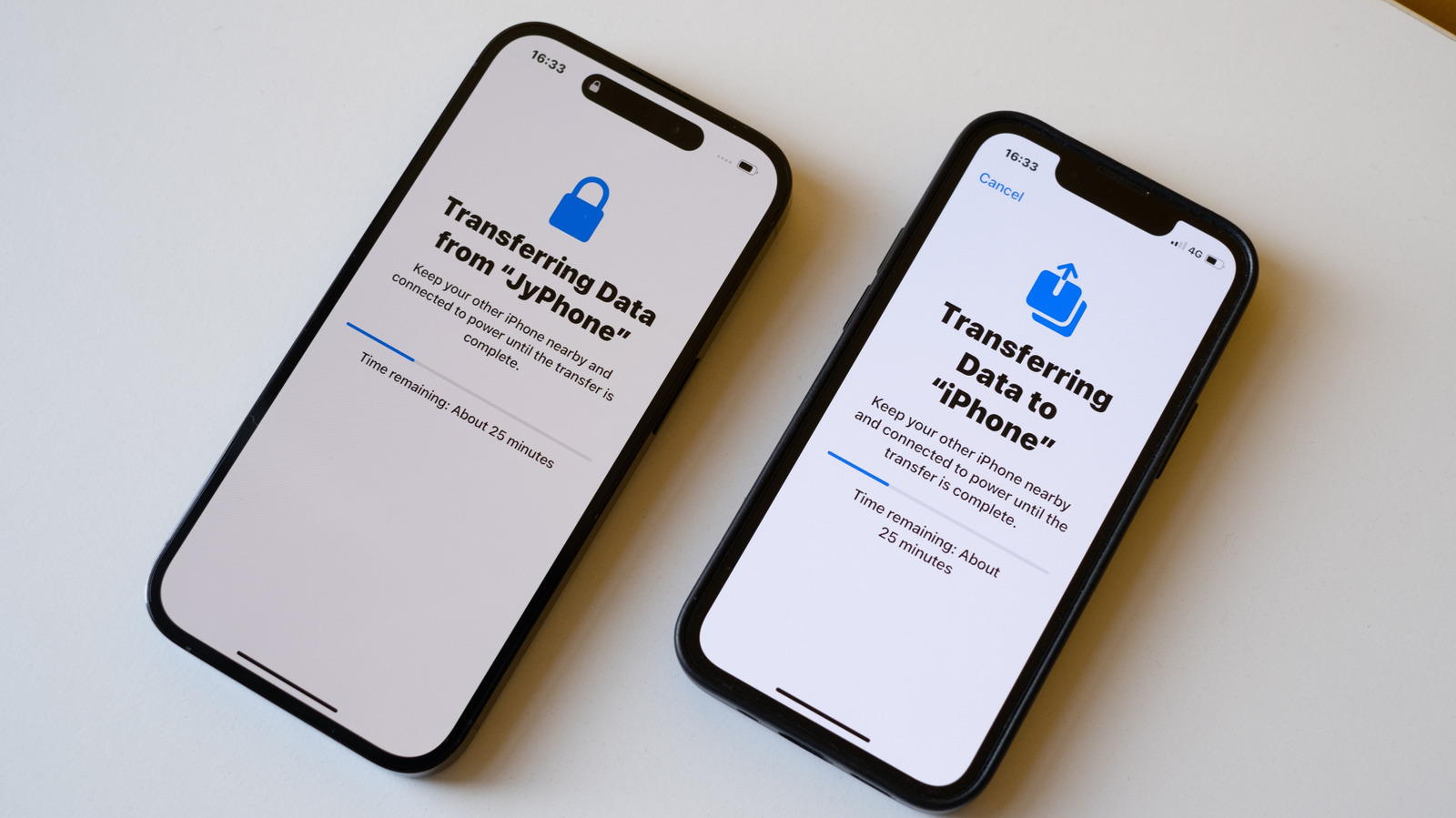
Until a few years ago, setting up a new iPhone always meant losing something. Half your settings gone. Some apps needed reinstalling from scratch and you wouldn’t know until you went looking for them. Some people just gave up and started from zero. Years of app data gone. Apple fixed most of that with Quick Start.

YOU MAY ALSO LIKE

What Would Have to Be True for Agentic Coding to Replace Junior Engineers

SoundCloud Will Let You Buy Music Directly From Artists

Unlike before, when you needed a Mac or PC to back up your iPhone and transfer data to a new one, Quick Start does it all wirelessly. It’s as simple as placing the two devices next to each other and then following a few steps to transfer everything: contacts, photos, messages and even app settings. And if for some reason wireless isn’t working for you, connecting the two iPhones with a cable can fix everything.

Using Quick Start to move your data between iPhones
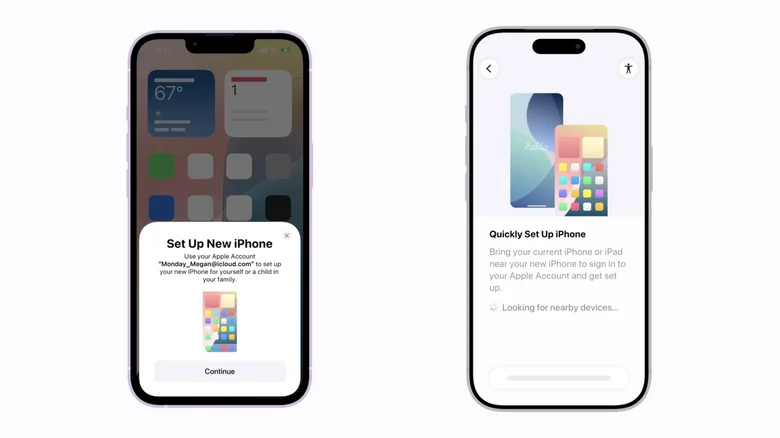
Setting up a new iPhone. Apple

Quick Start is one of those “magical” Apple features. Just turn on your new iPhone next to your old one, confirm you want to use your Apple ID for setup, and Quick Start takes it from there. Your old iPhone shows an animation on the new one for you to scan with its camera. That’s what pairs the two devices and kicks off the transfer.

Now you’ll go through some basic iPhone setup steps, such as entering your current passcode and setting up Face ID or Touch ID. When your new iPhone asks how you want to proceed, choose your most recent iCloud backup or transfer everything from your old iPhone using direct transfer.

Are you in a hurry to start using your new phone? Choosing iCloud is your best option, since it downloads the essentials first and does the rest in the background. but it takes much longer when you have a lot of photos, videos and more on your old phone. iCloud is usually the fastest option, especially when you have a good Wi-Fi connection available.

Troubleshooting common transfer issues
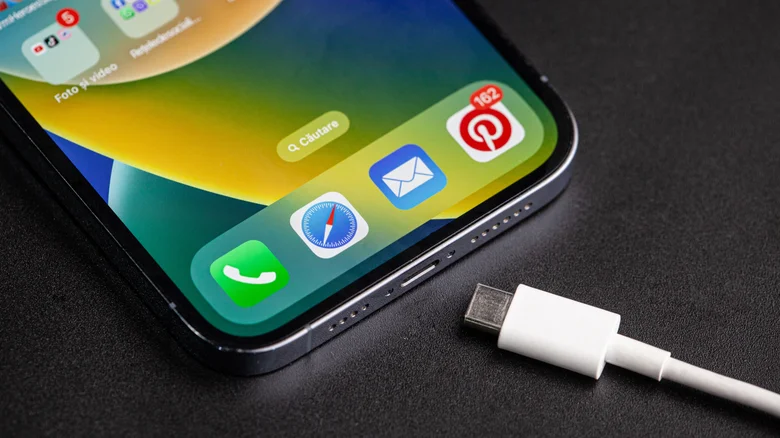
iPhone and a USB cable. Bucsa Nicolae/Shutterstock

Quick Start usually works fine for most people, but that doesn’t mean things can’t go wrong. In some cases, the transfer may end up stalling due to a weak Wi-Fi signal or simply because you have a lot of data to transfer. Don’t sit there watching the progress bar. Restarting your iPhone safely cancels the process, and you can start over.

A wired connection can be helpful when wireless transfer fails. Find a USB-C or, if your phone is older, a Lightning cable. Plug both devices in. The cable in the box is limited to USB 2 speeds, though. It’s fine for charging, but not great for moving large amounts of data. While base iPhone models have USB 2 ports, iPhone 15 Pro and newer Pro models support USB 3 transfers at up to 10Gbps. That’s over 20 times faster than USB 2, so the difference in transfer speed is huge. You just need the right cable.

Some people may run out of storage space on their new device during the transfer. This usually happens when switching from a device with more storage than the new one. If that happens, offload some large files from your old phone before trying again. Also worth checking: both phones should be running the latest version of iOS. Mismatched software versions are a common reason the whole setup fails outright.

Transferring data from an iPhone without having your old one on hand
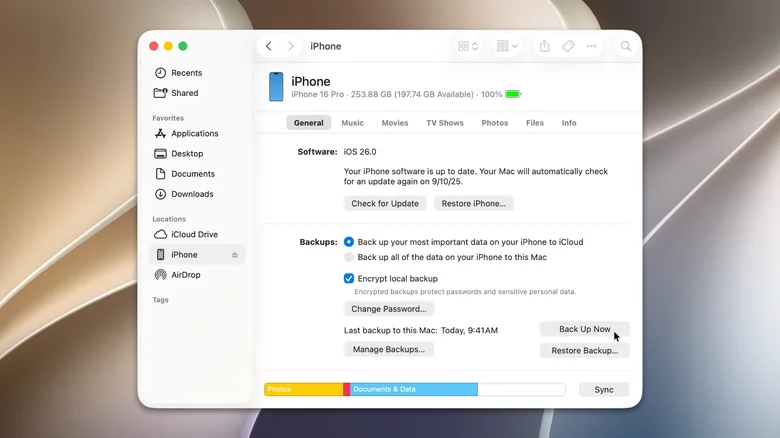
Managing iPhone backup from a Mac or PC. Apple

You might not have your old iPhone in hand when the new one shows up – trade-ins are the usual reason. If that’s the case, don’t worry about it. Back up your data to iCloud while you still have your old phone with you. Your new iPhone will give you the option to sign in to your Apple Account. Then, restore from an iCloud backup.

A Mac or PC works too. Plug your iPhone into the Mac or PC. Mac users will see the iPhone icon right in the sidebar. Go there and look for “Back Up Now. Windows takes an extra step first: you’ll need the Apple Devices app from the Microsoft Store. It’s a free app, though. With the new iPhone in hand, connect it to that same Mac or PC. It’ll pop up in Finder or the Apple Devices app almost immediately. Restore Backup is the button you want. Give it a few minutes and your data will all be back in a couple of minutes.

Credit: Source link

ShareTweetSendSharePin

Related Posts

What Would Have to Be True for Agentic Coding to Replace Junior Engineers
AI & Technology

What Would Have to Be True for Agentic Coding to Replace Junior Engineers

August 26, 2026
SoundCloud Will Let You Buy Music Directly From Artists
AI & Technology

SoundCloud Will Let You Buy Music Directly From Artists

August 26, 2026
Vanguard to Acquire AI Custody Platform Altruist – Unite.AI
AI & Technology

Vanguard to Acquire AI Custody Platform Altruist – Unite.AI

August 26, 2026
SpaceX Is Building A 0 Billion ‘Starbase’ Launch Site In Louisiana
AI & Technology

SpaceX Is Building A $100 Billion ‘Starbase’ Launch Site In Louisiana

August 26, 2026
Next Post
Vanguard to Acquire AI Custody Platform Altruist – Unite.AI

Vanguard to Acquire AI Custody Platform Altruist – Unite.AI

Leave a Reply Cancel reply

Your email address will not be published. Required fields are marked *

Search

No Result
View All Result
GreenWise blueberry recall upgraded over E. coli risk

GreenWise blueberry recall upgraded over E. coli risk

August 19, 2026
Waymo Ojai Vans Are Now Available For All Riders In Three Cities

Waymo Ojai Vans Are Now Available For All Riders In Three Cities

August 19, 2026
ChatGPT Plugin Reads and Sends Apple Messages on Apple Silicon Macs – Unite.AI

ChatGPT Plugin Reads and Sends Apple Messages on Apple Silicon Macs – Unite.AI

August 20, 2026

About

Learn more

Our Services

Legal

Privacy Policy

Terms of Use

Bloggers

Learn more

Article Links

Contact

Advertise

Ask us anything

©2020- TradePoint.io - All rights reserved!

Tradepoint.io, being just a publishing and technology platform, is not a registered broker-dealer or investment adviser. So we do not provide investment advice. Rather, brokerage services are provided to clients of Tradepoint.io by independent SEC-registered broker-dealers and members of FINRA/SIPC. Every form of investing carries some risk and past performance is not a guarantee of future results. “Tradepoint.io“, “Instant Investing” and “My Trading Tools” are registered trademarks of Apperbuild, LLC.

This website is operated by Apperbuild, LLC. We have no link to any brokerage firm and we do not provide investment advice. Every information and resource we provide is solely for the education of our readers. © 2020 Apperbuild, LLC. All rights reserved.

No Result
View All Result
  • Main
  • AI & Technology
  • Stock Charts
  • Market & News
  • Business
  • Finance Tips
  • Trade Tube
  • Blog
  • Shop

© 2023 - TradePoint.io - All Rights Reserved!