
• bitcoinBitcoin(BTC)$65,090.000.10%
  • ethereumEthereum(ETH)$1,919.460.00%
  • tetherTether(USDT)$1.000.00%
  • binancecoinBNB(BNB)$607.480.80%
  • usd-coinUSDC(USDC)$1.000.00%
  • rippleXRP(XRP)$1.04-0.10%
  • solanaSolana(SOL)$77.121.40%
  • tronTRON(TRX)$0.3295410.30%
  • Figure HelocFigure Heloc(FIGR_HELOC)$1.00-2.70%
  • HyperliquidHyperliquid(HYPE)$54.62-0.50%
  • dogecoinDogecoin(DOGE)$0.070413-0.70%
  • USDSUSDS(USDS)$1.000.00%
  • RainRain(RAIN)$0.012591-0.60%
  • leo-tokenLEO Token(LEO)$9.710.00%
  • zcashZcash(ZEC)$516.121.10%
  • moneroMonero(XMR)$397.393.60%
  • cardanoCardano(ADA)$0.197850-1.00%
  • whitebitWhiteBIT Coin(WBT)$56.280.00%
  • chainlinkChainlink(LINK)$8.330.00%
  • stellarStellar(XLM)$0.163867-0.80%
  • daiDai(DAI)$1.000.00%
  • bitcoin-cashBitcoin Cash(BCH)$215.71-0.40%
  • USD1USD1(USD1)$1.000.00%
  • CantonCanton(CC)$0.0996385.30%
  • Ethena USDeEthena USDe(USDE)$1.000.00%
  • the-open-networkGram (prev. Toncoin)(GRAM)$1.34-1.90%
  • litecoinLitecoin(LTC)$46.060.30%
  • Global DollarGlobal Dollar(USDG)$1.000.00%
  • hedera-hashgraphHedera(HBAR)$0.0693340.20%
  • Circle USYCCircle USYC(USYC)$1.130.20%
  • suiSui(SUI)$0.700.60%
  • avalanche-2Avalanche(AVAX)$6.550.60%
  • paypal-usdPayPal USD(PYUSD)$1.000.00%
  • shiba-inuShiba Inu(SHIB)$0.0000050.90%
  • BlackRock USD Institutional Digital Liquidity FundBlackRock USD Institutional Digital Liquidity Fund(BUIDL)$1.000.00%
  • tether-goldTether Gold(XAUT)$4,340.000.30%
  • uniswapUniswap(UNI)$4.051.30%
  • crypto-com-chainCronos(CRO)$0.047847-2.30%
  • Ondo US Dollar YieldOndo US Dollar Yield(USDY)$1.140.00%
  • nearNEAR Protocol(NEAR)$1.630.10%
  • okbOKB(OKB)$94.160.70%
  • BittensorBittensor(TAO)$205.533.90%
  • pax-goldPAX Gold(PAXG)$4,356.280.40%
  • OndoOndo(ONDO)$0.3574090.80%
  • World Liberty FinancialWorld Liberty Financial(WLFI)$0.0529152.80%
  • AsterAster(ASTER)$0.610.80%
  • HTX DAOHTX DAO(HTX)$0.0000020.10%
  • Ripple USDRipple USD(RLUSD)$1.000.00%
  • usddUSDD(USDD)$1.000.00%
  • MemeCoreMemeCore(M)$1.12-2.00%
TradePoint.io
  • Main
  • AI & Technology
  • Stock Charts
  • Market & News
  • Business
  • Finance Tips
  • Trade Tube
  • Blog
  • Shop
No Result
View All Result
TradePoint.io
No Result
View All Result

Here’s How To Format A USB Drive On Windows

August 9, 2026
in AI & Technology
Reading Time: 5 mins read
A A
Here’s How To Format A USB Drive On Windows
ShareShareShareShareShare

And why you might need to.

Max Miller for Engadget

Knowing how to format a storage drive is a crucial bit of knowledge for any computer user. It’s a common misconception that formatting is only for wiping a drive that’s full of files you no longer need. Whether you find a drive that’s simply not compatible with your operating system, or have the displeasure of encountering corrupted data, formatting sets your storage device back to a like-new state and wipes the slate clean.

YOU MAY ALSO LIKE

How To Use Claude’s Voice Mode

Top LLM Observability and Evaluation Platforms in 2026: Langfuse, LangSmith, Braintrust, Arize, and More Compared

Formatting a drive doesn’t just mean wiping it clean of stored data. It also means overwriting sectors so previously stored data cannot be recovered, setting the file system up anew, and scanning for bad sectors. It’s always a good idea to format a USB drive before reusing it, even if you’ve deleted all the files previously stored on it. Formatting will wipe out any latent ghost files, clear out any hidden malware (you never know!) and optimize the drive for stability.

But what many people don’t know is that you should also format a brand new drive before using it. USB drives of all kinds come from the factory with configurations that support broad compatibility but may not match your specific needs. Flash drives in particular, from brands like SanDisk, Kingston and so on, tend to come configured with an older file storage format called FAT32, which has broad compatibility but cannot handle files larger than a few gigabytes.

Whatever your reason for formatting, it can seem daunting until you get the hang of it. So, here’s how to format a USB drive on Windows, and how to know which settings to choose when doing so.

What’s the best storage format for Windows (and other devices you own)?
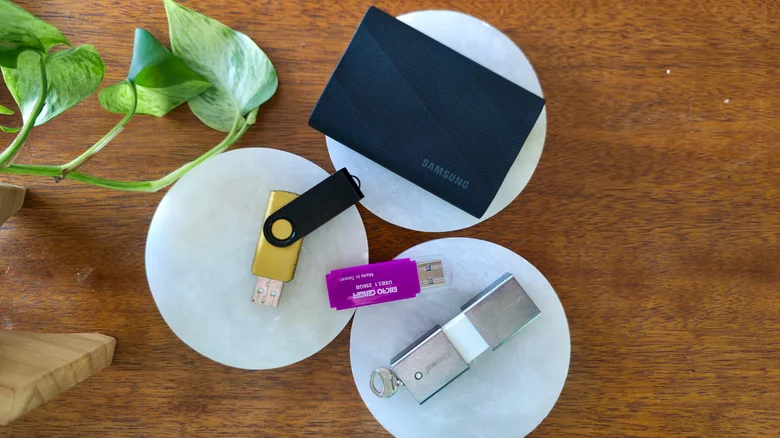
An assortment of USB storage drives. Max Miller for Engadget

There are three main storage formats for a drive you’ll use externally with a Windows system. Windows itself uses NTFS for internal drives due to its support for partitioning and encryption, among other things. If you plan on using your USB 2.0 or 3.0 drive exclusively with Windows systems, NTFS is the best choice. However, you should not use NTFS if there’s a chance you’ll be plugging your drive into a Linux, Android, iOS or macOS system.

For non-Windows operating systems, the storage format with the broadest compatibility is exFAT. It can handle large files of more than 4GB, so if you plan on using the drive to gain more storage on your Android phone, or to store movies and 4K videos, compressed archives, and so on, exFAT is the de facto choice. While it lacks some of the more advanced features supported by NTFS, it is well suited to thumb drives and basic portable SSDs.

You may also notice an option labeled FAT32, which is the older version of the format. If you foresee using your drive with an older device like a car stereo or ancient printer, FAT32 has the most compatibility of any format and works with just about anything that has a USB port. However, it has serious limitations that render it a bad option for modern use cases. It cannot support files larger than 4GB and is more prone to fragmentation than newer formats. Windows 11 may not play nice with it, either, depending on your use case.

How to properly format your storage drive for Windows

A SanDisk flash drive on a keychain. Max Miller for Engadget

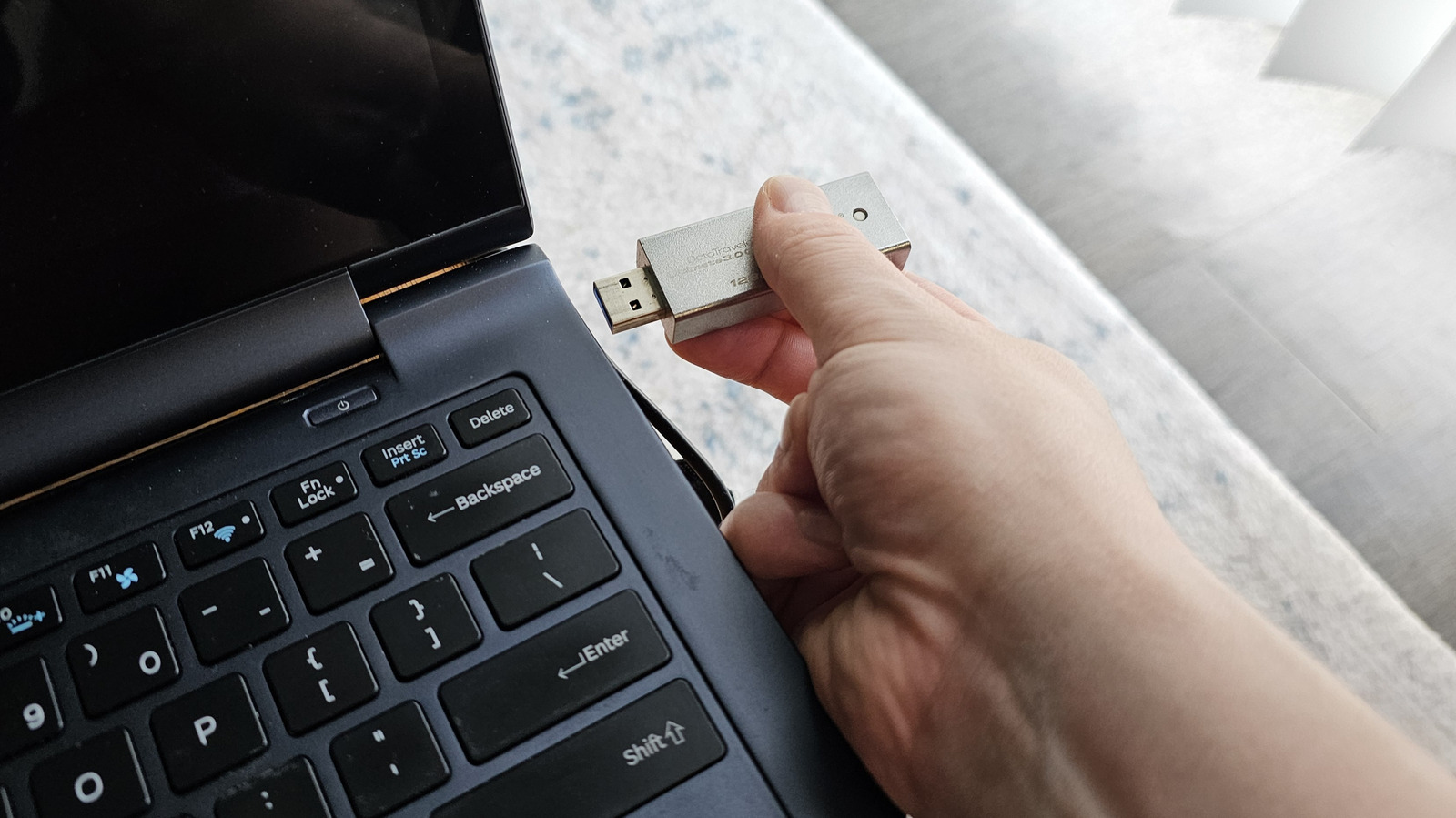
The actual process of formatting the drive is pretty simple. Just plug the USB storage device into a high-speed USB port, then open Windows Explorer. Click This PC on the left-hand navigation panel, then right-click the drive and select Format. Be sure you’re selecting the correct drive, and that you have closed any programs that might still be using the drive or any files on it.

The Windows formatting tool offers a number of different file formats, which can be selected from the second dropdown menu. As discussed above, choose exFAT if you plan to use the USB drive with non-Windows devices such as Android phones, Linux computers or Macs and iPhones. If you’ll exclusively use it with Windows, you can choose NTFS.

You can leave file allocation set to the default, which for most modern USB drives is either 32KB or 128KB when formatting to exFAT. If you plan on using the drive exclusively for storing large files, like games, you can choose a higher value, and you can choose a lower one if you have a lot of very small files like text notes. As a rule of thumb, the larger the drive is and the larger the files you want to store, the larger you can make the allocation size.

Under Volume Label, enter a custom name for the drive, if you want one.

Click Format, and then click OK on the confirmation that appears. Depending on the size of the drive and how full it is, formatting can take anywhere from a couple of seconds to several minutes. Another pop-up will appear once formatting is complete. Confirm and close out of the formatting tool, and you should now have a freshly formatted USB drive.

Credit: Source link

ShareTweetSendSharePin

Related Posts

How To Use Claude’s Voice Mode
AI & Technology

How To Use Claude’s Voice Mode

August 9, 2026
Top LLM Observability and Evaluation Platforms in 2026: Langfuse, LangSmith, Braintrust, Arize, and More Compared
AI & Technology

Top LLM Observability and Evaluation Platforms in 2026: Langfuse, LangSmith, Braintrust, Arize, and More Compared

August 9, 2026
How To Hide And Unhide An App On Your iPhone Or iPad (And Why You May Want To)
AI & Technology

How To Hide And Unhide An App On Your iPhone Or iPad (And Why You May Want To)

August 9, 2026
The Pros And Cons Of The Switch To Digital Games
AI & Technology

The Pros And Cons Of The Switch To Digital Games

August 9, 2026
Next Post
How to spot the Perseid meteor shower, a summer light show that promises to dazzle – AP News

How to spot the Perseid meteor shower, a summer light show that promises to dazzle - AP News

Leave a Reply Cancel reply

Your email address will not be published. Required fields are marked *

Search

No Result
View All Result
How to spot the Perseid meteor shower, a summer light show that promises to dazzle – AP News

How to spot the Perseid meteor shower, a summer light show that promises to dazzle – AP News

August 9, 2026
Live Updates: Trump says Strait of Hormuz deal could happen today or tomorrow amid Iran-Oman talks – CBS News

Live Updates: Trump says Strait of Hormuz deal could happen today or tomorrow amid Iran-Oman talks – CBS News

August 5, 2026
Why Multilingual Communication Will Shape the Next Phase of Globalisation – Unite.AI

Why Multilingual Communication Will Shape the Next Phase of Globalisation – Unite.AI

August 6, 2026

About

Learn more

Our Services

Legal

Privacy Policy

Terms of Use

Bloggers

Learn more

Article Links

Contact

Advertise

Ask us anything

©2020- TradePoint.io - All rights reserved!

Tradepoint.io, being just a publishing and technology platform, is not a registered broker-dealer or investment adviser. So we do not provide investment advice. Rather, brokerage services are provided to clients of Tradepoint.io by independent SEC-registered broker-dealers and members of FINRA/SIPC. Every form of investing carries some risk and past performance is not a guarantee of future results. “Tradepoint.io“, “Instant Investing” and “My Trading Tools” are registered trademarks of Apperbuild, LLC.

This website is operated by Apperbuild, LLC. We have no link to any brokerage firm and we do not provide investment advice. Every information and resource we provide is solely for the education of our readers. © 2020 Apperbuild, LLC. All rights reserved.

No Result
View All Result
  • Main
  • AI & Technology
  • Stock Charts
  • Market & News
  • Business
  • Finance Tips
  • Trade Tube
  • Blog
  • Shop

© 2023 - TradePoint.io - All Rights Reserved!