






































$1,800 for a handheld gaming PC is a ton of money, even if it comes with massive gains in horsepower.
RATING : 8.2 / 10
- Class leading performance
- Strong battery life
- Big bright screen
- Analog joysticks and shoulder buttons
- Upgraded rumble motors
- Very expensive
- Fullscreen Xbox Experience still needs work
- Multi-frame generation is limited at launch
- D-Pad shape is hit or miss
Unlike most of its rivals, MSI aligned itself with Intel instead of AMD when it made last year’s Claw 8. The result was one of the most powerful PC gaming handhelds of its generation. For its latest endeavor, MSI partnered up with Team Blue again to incorporate an even beefier chip, the Arc G3 Extreme, which Intel says has been customized explicitly for portable gaming PCs. So not only is this handheld even faster, it offers smoother performance and better endurance. However, at $1,800, the new Claw 8 EX AI+ is also one of the most expensive portables from any mainstream PC manufacturer, which makes you question if the never-ending quest for higher frame rates is really worth the asking price.
Editor’s Note: This review was performed using an engineering sample provided by Intel and required us to install pre-production software and drivers, so our experience may differ slightly from retail models.
Design and display

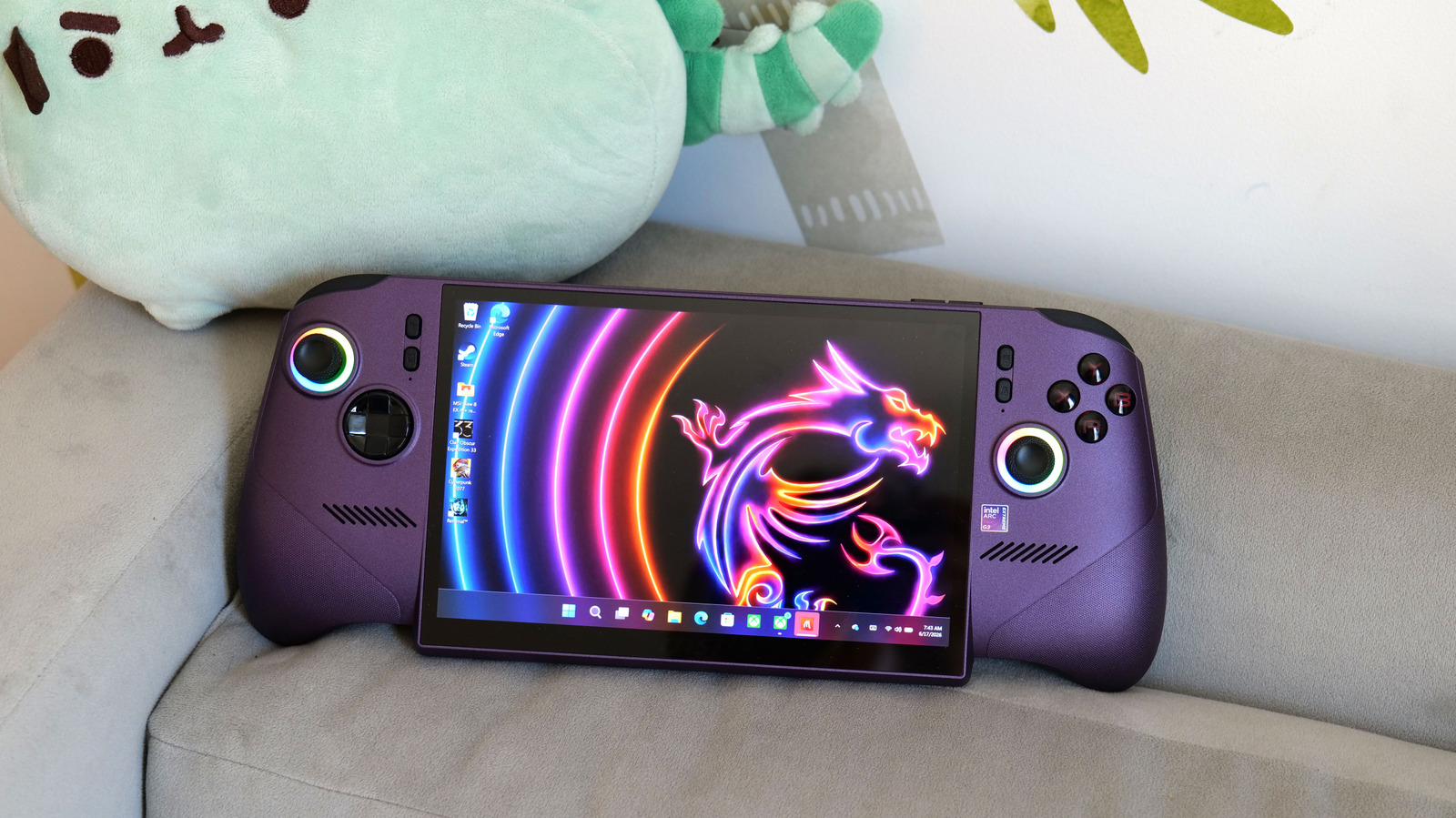
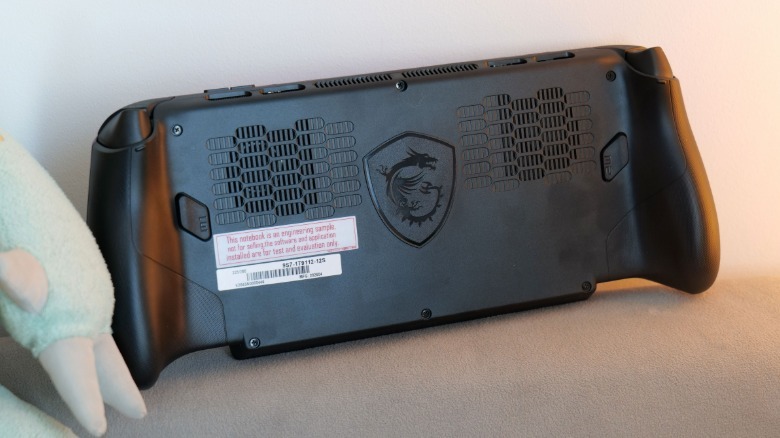
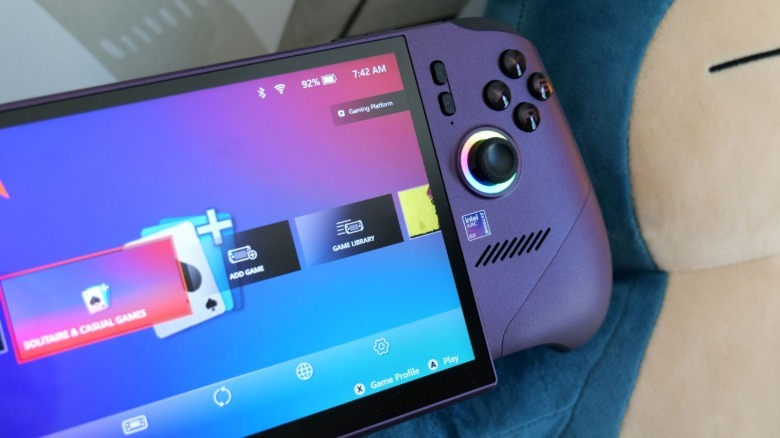
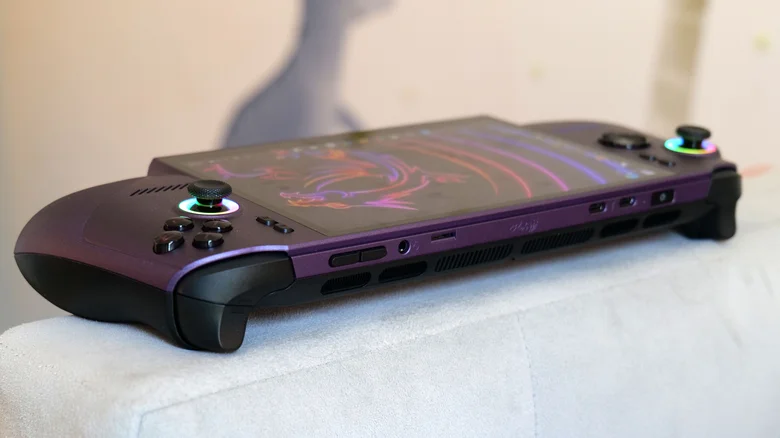
Aside from its eggplant purple exterior, the Claw 8 EX has a very straightforward layout. You get a standard assortment of face buttons, analog sticks, a D-Pad and shoulder triggers along with two customizable paddles in back. MSI incorporated the requisite RGB lighting you get on modern gaming hardware by installing two LED rings at the base of the analog sticks. A pair of two-watt speakers hide behind the front-facing grilles on each side of the display. MSI also added more pronounced, subtly textured grips that vaguely ape the size and shape of those on an Xbox Series S/X controller. This is a nice touch, especially if you like a device with full-bodied handles.
That said, while the Claw 8 EX might not have the most innovative design, all of its components feel quite premium. Both its analog sticks and shoulder triggers feature Hall Effect sensors for improved precision and durability. When it comes to connectivity, the Claw supports Wi-Fi 7, Bluetooth 6 with LE audio and a solid mix of ports — including two USB-C with Thunderbolt 4, a microSD card reader and a 3.5mm headset jack. There’s even a new linear resonant actuator and voice coil motor to provide stronger haptic feedback along with a fingerprint sensor built into the power button. The latter of which makes it super easy to unlock the system and get back to gaming with a single touch.
 Sam Rutherford for Engadget
I do have one small gripe with the design though. While the D-Pad has a metal dome underneath that results in a satisfyingly clicky feel, its overall stiffness, combined with its concave shape, isn’t my preferred setup for things like fighting games. That said, if you’ve grown up using Xbox controllers, you’ll probably feel right at home.
As for its display, MSI didn’t skimp there either. The Claw 8 EX features a large 8-inch IPS display with a 1,920 x 1,200 resolution, a 120Hz refresh rate with VRR and up to 500 nits of brightness. Now I will admit that the way its screen sticks out from the bottom of the handheld looks a bit clunky, but that’s purely cosmetic. Sure, MSI could’ve opted for an OLED panel to get even more vivid colors and improved contrast, but aside from that, there’s really not much to complain about. And given the Claw 8 EX’s already wallet-busting price tag, I’m not sure paying extra to upgrade to a fancier panel would make the overall package that much more appealing.
Performance

The lynchpin of the Claw 8 EX is the previously mentioned Intel Arc G3 Extreme processor, which features a total 14 cores: two for performance, eight for efficiency and four for low-power efficiency. You also get 32GB of RAM and 1TB of storage, and when combined with that chip, MSI is delivering a whole new world of handheld PC performance. Sadly, there are no plans to produce a model with the standard Arc G3, so this config is all you get.
Depending on the title, I saw framerate increases of 50 to 75 percent (and sometimes more) when compared to rivals like the ASUS ROG Xbox Ally X and Lenovo Legion Go 2. Those aren’t just minor gains, but massive jumps versus competitors that are less than a year old. For example, in Cyberpunk 2077 at 35 watts, FHD resolution, medium graphics and XESS set to performance, the Claw 8 EX hit a very impressive 95 fps. That kind of makes the Xbox Ally X and Legion Go 2 seem slow at 62 and 57 fps, respectively.
 Sam Rutherford for Engadget
What’s even more remarkable though is that you can lower the Claw’s TDP and still get very playable frame rates while preserving battery life. In Returnal at FHD and a very reasonable 17 watt TDP with medium graphics, the Claw significantly outperformed ASUS (42 fps) and Lenovo’s (39 fps) flagship handhelds by hitting 59 fps. And it was a similar story when I booted up Clair Obscur Expedition 33 with the same settings, where MSI’s portable averaged around 45 fps compared to 30 fps for the Xbox Ally X and 25 for the Legion Go 2. In short, if you care about performance and efficiency above everything else, the Claw 8 EX just leapt ahead of practically all of its competition.
Software

Following in the footsteps of the ROG Xbox Ally, the Claw 8 EX comes with the fullscreen Xbox experience. This makes it really easy to use, especially if you purchase a lot of games from Microsoft’s online store or have an Xbox Game Pass subscription. It also eliminates some of the processes that run in the background on standard Windows 11 handhelds, which contributes (at least in part) to the system’s top-notch performance.
Where things get a little muddy is that you still need to use the MSI Center app for a lot of things like adjusting the Claw’s lighting, updating drivers and tweaking settings. Thankfully, there is a Quick Settings menu you can easily access on the left of the screen. However, if you prefer to buy content via Steam like I do, things can get even more jumbled. It often feels like you are juggling three different launchers just to get to your games.
Unfortunately, there isn’t an easy way to access more niche controls, like the ability to change the target frame rate for the Claw’s Endurance mode, as at the time of publishing, you need to open the Intel graphics software to adjust things. This setting offers greater control over how hard you have to push the chip while trying to preserve battery life by letting you select targets of 30, 40 or 60 fps. Intel says it’s working with MSI on adding a tile to the Quick Settings menu for this, but it’s not ready yet. Furthermore, while Intel’s multi-frame generation tech did a great job smoothing out graphics and animations, the ability to use frame generation while Endurance mode is on won’t be available at launch.
Battery life
Between an 80Whr battery that’s larger than what you get in a lot of ultraportable laptops and the efficiency of Intel’s Arc G3 Extreme, the Claw 8 EX can deliver excellent battery life. After running benchmarks in Clair Obscur, I turned on the Endurance Mode and kept playing for over three hours. That’s really good for a relatively new title on medium settings that aren’t super optimized. And if you’re playing older games with less demanding graphics, you can do even better with upwards of four hours. So depending on what you want, you can either get big performance or class-leading longevity on the Claw 8 EX.
Wrap-up

The Claw 8 EX’s purple exterior and rather plain design sometimes makes MSI’s latest handheld seem like the Grimace of portable PC gaming. But just like the Millenium Falcon, it might not look like much, it’s got it where it counts. The special modifications Intel made to the Arc G3 Extreme have resulted in giant dividends when it comes to top-end performance and efficiency. Meanwhile, the handheld’s components are more than just good enough, as the Claw boasts a bright 120Hz screen with VRR, a solid selection of ports and connectivity and comfortable, accurate controls.
The one massive sticking point is its price. At $1,800, it feels like the cost of a premium gaming handheld has gone ballistic. These kinds of machines used to be positioned as complementary devices, ones that you could bring alongside your other gear, as they offer a cozier and more portable way to play PC games on the go. But now, you sort of have to choose between the Claw and a new laptop. That’s a tough sell, unless you’re planning on pairing it with an external monitor, keyboard and mouse and asking it to pull double duty as your main PC. In MSI’s defense, the price of the closest equivalent OLED Steam Deck is now $950, so it’s hard to blame PC makers too much for price hikes caused by the AI-induced global RAM shortage.
The Claw 8 EX is a beastly handheld that has pushed mobile PC gaming performance to new highs. It just sucks that the price basically makes it off limits to most folks, unless you have seriously deep pockets.
Credit: Source link