







































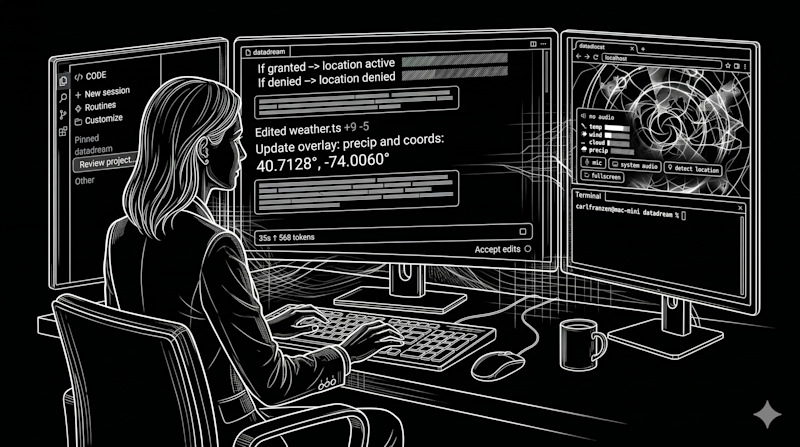

The transition from AI as a chatbot to AI as a workforce is no longer a theoretical projection; it has become the primary design philosophy for the modern developer’s toolkit.
On April 14, 2026, Anthropic signaled this shift with a dual release: a complete redesign of the Claude Code desktop app (for Mac and Windows) and the launch of “Routines” in research preview.
These updates suggest that for the modern enterprise, the developer’s role is shifting from a solo practitioner to a high-level orchestrator managing multiple, simultaneous streams of work.
For years, the industry focused on “copilots”—single-threaded assistants that lived within the IDE and responded to the immediate line of code being written. Anthropic’s latest update acknowledges that the shape of “agentic work” has fundamentally changed.
Developers are no longer just typing prompts and waiting for answers; they are initiating refactors in one repository, fixing bugs in another, and writing tests in a third, all while monitoring the progress of these disparate tasks. The redesigned desktop application reflects this change through its central “Mission Control” feature: the new sidebar.
This interface element allows a developer to manage every active and recent session in a single view, filtering by status, project, or environment. It effectively turns the developer’s desktop into a command center where they can steer agents as they drift or review diffs before shipping. This represents a philosophical move away from “conversation” toward “orchestration”.
Routines: your new ‘set and forget’ option for repeating processes and tasks
The introduction of “Routines” represents a significant architectural evolution for Claude Code. Previously, automation was often tied to the user’s local hardware or manually managed infrastructure.
Routines move this execution to Anthropic’s web infrastructure, decoupling progress from the user’s local machine.
This means a critical task—such as a nightly triage of bugs from a Linear backlog—can run at 2:00 AM without the developer’s laptop being open.
These Routines are segmented into three distinct categories designed for enterprise integration:
-
Scheduled Routines: These function like a sophisticated cron job, performing repeatable maintenance like docs-drift scanning or backlog management on a cadence.
-
API Routines: These provide dedicated endpoints and auth tokens, allowing enterprises to trigger Claude via HTTP requests from alerting tools like Datadog or CI/CD pipelines.
-
Webhook Routines: Currently focused on GitHub, these allow Claude to listen for repository events and automatically open sessions to address PR comments or CI failures.
For enterprise teams, these Routines come with structured daily limits: Pro users are capped at 5, Max at 15, and Team/Enterprise tiers at 25 routines per day, though additional usage can be purchased.
Analysis: desktop GUI vs. Terminal
The pivot toward a dedicated Desktop GUI for a tool that originated in the terminal (CLI) invites an analysis of the trade-offs for enterprise users.
The primary benefit of the new desktop app is high-concurrency visibility. In a terminal environment, managing four different AI agents working on four different repositories is a cognitive burden, requiring multiple tabs and constant context switching.
The desktop app’s drag-and-drop layout allows the terminal, preview pane, diff viewer, and chat to be arranged in a grid that matches the user’s specific workflow.
Furthermore, the “Side Chat” feature (accessible via ⌘ + ;) solves a common problem in agentic work: the need to ask a clarifying question without polluting the main task’s history. This ensures that the agent’s primary mission remains focused while the human operator gets the context they need. However, it is also available in the Terminal view via the /btw command.
Despite the GUI’s benefits, the CLI remains the home of many developers. The terminal is lightweight and fits into existing shell-based automation.
Recognizing this, Anthropic has maintained parity: CLI plugins are supposed to work exactly the same in the desktop app as they do in the terminal. Yet in my testing, I was unable to get some of my third-party plugins to show up in the terminal or main view.
For pure speed and users who operate primarily within a single repository, the CLI avoids the resource overhead of a full GUI.
How to use the new Claude Code desktop app view
In practice, accessing the redesigned Claude Code desktop app requires a bit of digital hunting.
It’s not a separate new application — instead, it is but one of three main views in the official Claude desktop app, accessible only by hovering over the “Chat” icon in the top-left corner to reveal the specific coding interfaces.
Once inside, the transition from a standard chat window to the “Claude Code” view is stark. The interface is dominated by a central conversational thread flanked by a session-management sidebar that allows for quick navigation between active and archived projects.

The addition of a new, subtle, hover-over circular indicator at the bottom showing how much context the user has used in their current session and weekly plan limits is nice, but again, a departure from third-party CLI plugins that can show this constantly to the user without having to take the extra step of hovering over.

Similarly, pop up icons for permissions and a small orange asterisk showing the time Claude Code has spent on responding to each prompt (working) and tokens consumed right in the stream is excellent for visibility into costs and activity.

While the visual clarity is high—bolstered by interactive charts and clickable inline links—the discoverability of parallel agent orchestration remains a hurdle.
Despite the promise of “many things in flight,” attempting to run tests across multiple disparate project folders proved difficult, as the current iteration tends to lock the user into a single project focus at a time.
Unlike the Terminal CLI version of Claude Code, which defaults to asking the user to start their session in their user folder on Mac OS, the Claude Code desktop app asks for access to specific subfolder — which can be helpful if you have already started a project, but not necessarily for starting work on a new one or multiple in parallel.
The most effective addition for the “vibe coding” workflow is the integrated preview pane, located in the upper-right corner.

For developers who previously relied on the terminal-only version of Claude Code, this feature eliminates the need to maintain separate browser windows or rely on third-party extensions to view live changes to web applications.

However, the desktop experience is not without friction. The integrated terminal, intended to allow for side-by-side builds and testing, suffered from notable latency, often failing to update in real-time with user input. For users accustomed to the near-instantaneous response of a native terminal, this lag can make the GUI feel like an “overkill” layer that complicates rather than streamlines the dev cycle.
Setting up the new Routines feature also followed a steep learning curve. The interface does not immediately surface how to initiate these background automations; discovery required asking Claude directly and referencing the internal documentation to find the /schedule command.
Once identified, however, the process was remarkably efficient. By using the CLI command and configuring connectors in the browser, a routine can be operational in under two minutes, running autonomously on Anthropic’s web infrastructure without requiring the desktop app to remain active.
The ultimate trade-off for the enterprise user is one of flexibility (standard Terminal/CLI view) versus integrated convenience (new Claude Code desktop app).
The desktop app provides a high-context “Plan” view and a readable narrative of the agent’s logic, which is undeniably helpful for complex, multi-step refactors.
Yet, the platform creates a distinct “walled garden” effect. While the terminal version of Claude Code offers a broader range of movement, the desktop app is strictly optimized for Anthropic’s models.
For the professional coder who frequently switches between Claude and other AI models to work around rate limits or seek different architectural perspectives, this model-lock may be a dealbreaker. For these power users, the traditional terminal interface remains the superior surface for maintaining a diverse and resilient AI stack.
The enterprise verdict
For the enterprise, the Desktop GUI is likely to become the standard for management and review, while the CLI remains the tool for execution.
The desktop app’s inclusion of an in-app file editor and a faster diff viewer—rebuilt for performance on large changesets—makes it a superior environment for the “Review and Ship” phase of development.
It allows a lead developer to review an agent’s work, make spot edits, and approve a PR without ever leaving the application.
Philosophical implications for the future of AI-driven enterprise knowledge work
Anthropic developer Felix Rieseberg noted on X that this version was “redesigned from the ground up for parallel work,” emphasizing that it has become his primary way to interact with the system.
This shift suggests a future where “coding” is less about syntax and more about managing the lifecycle of AI sessions.
The enterprise user now occupies the “orchestrator seat,” managing a fleet of agents that can triage alerts, verify deploys, and resolve feedback automatically.
By providing the infrastructure to run these tasks in the cloud and the interface to monitor them on the desktop, Anthropic is defining a new standard for professional AI-assisted engineering.
Credit: Source link