• bitcoinBitcoin(BTC)$84,057.000.40%
  • ethereumEthereum(ETH)$2,688.330.24%
  • tetherTether(USDT)$1.000.00%
  • binancecoinBNB(BNB)$772.980.12%
  • rippleXRP(XRP)$1.54-1.29%
  • usd-coinUSDC(USDC)$1.000.00%
  • solanaSolana(SOL)$121.260.45%
  • tronTRON(TRX)$0.336132-0.20%
  • zcashZcash(ZEC)$1,561.602.51%
  • Figure HelocFigure Heloc(FIGR_HELOC)$1.03-0.12%
  • HyperliquidHyperliquid(HYPE)$92.260.97%
  • dogecoinDogecoin(DOGE)$0.0979160.94%
  • chainlinkChainlink(LINK)$14.304.08%
  • moneroMonero(XMR)$555.970.92%
  • whitebitWhiteBIT Coin(WBT)$83.890.34%
  • USDSUSDS(USDS)$1.000.01%
  • cardanoCardano(ADA)$0.2566621.06%
  • RainRain(RAIN)$0.01329212.35%
  • leo-tokenLEO Token(LEO)$8.961.41%
  • stellarStellar(XLM)$0.2187821.38%
  • bitcoin-cashBitcoin Cash(BCH)$337.86-0.08%
  • nearNEAR Protocol(NEAR)$4.89-1.61%
  • uniswapUniswap(UNI)$9.600.32%
  • litecoinLitecoin(LTC)$72.394.28%
  • CantonCanton(CC)$0.13782510.69%
  • Ethena USDeEthena USDe(USDE)$1.00-0.02%
  • suiSui(SUI)$1.185.58%
  • avalanche-2Avalanche(AVAX)$10.905.36%
  • daiDai(DAI)$1.000.02%
  • USD1USD1(USD1)$1.000.00%
  • the-open-networkGram (prev. Toncoin)(GRAM)$1.537.41%
  • hedera-hashgraphHedera(HBAR)$0.0943571.54%
  • BittensorBittensor(TAO)$331.879.82%
  • shiba-inuShiba Inu(SHIB)$0.0000063.05%
  • crypto-com-chainCronos(CRO)$0.0658100.76%
  • Global DollarGlobal Dollar(USDG)$1.000.00%
  • BitwayBitway(BTW)$1.06-12.89%
  • paypal-usdPayPal USD(PYUSD)$1.00-0.01%
  • MemeCoreMemeCore(M)$1.212.18%
  • EthenaEthena(ENA)$0.2705702.82%
  • tether-goldTether Gold(XAUT)$4,278.39-0.13%
  • OndoOndo(ONDO)$0.54-0.62%
  • okbOKB(OKB)$121.340.98%
  • Ripple USDRipple USD(RLUSD)$1.000.00%
  • Circle USYCCircle USYC(USYC)$1.140.00%
  • aaveAave(AAVE)$155.311.75%
  • BlackRock USD Institutional Digital Liquidity FundBlackRock USD Institutional Digital Liquidity Fund(BUIDL)$1.000.00%
  • mantleMantle(MNT)$0.694.50%
  • Ondo US Dollar YieldOndo US Dollar Yield(USDY)$1.150.01%
  • polkadotPolkadot(DOT)$1.289.11%
TradePoint.io
  • Main
  • AI & Technology
  • Stock Charts
  • Market & News
  • Business
  • Finance Tips
  • Trade Tube
  • Blog
  • Shop
No Result
View All Result
TradePoint.io
No Result
View All Result

How to use Accessibility Reader on Apple devices

December 3, 2025
in AI & Technology
Reading Time: 4 mins read
A A
How to use Accessibility Reader on Apple devices
ShareShareShareShareShare

Earlier this year, Apple launched a new tool that makes it easier to read anything on your device’s screen. Designed for people with visual disabilities, Accessibility Reader provides a full-screen view of any on-screen text. (It’s a bit like Safari’s Reader Mode, only for any app.) The feature also lets you listen to your text read aloud.

Accessibility Reader is available for iPhone, iPad, Mac and Vision Pro. Your device will need to be on iOS 26, iPadOS 26, macOS 26 Tahoe or visionOS 26.

YOU MAY ALSO LIKE

TikTok Will Pay Alabama $100 Million To Settle Social Media Addiction Lawsuit

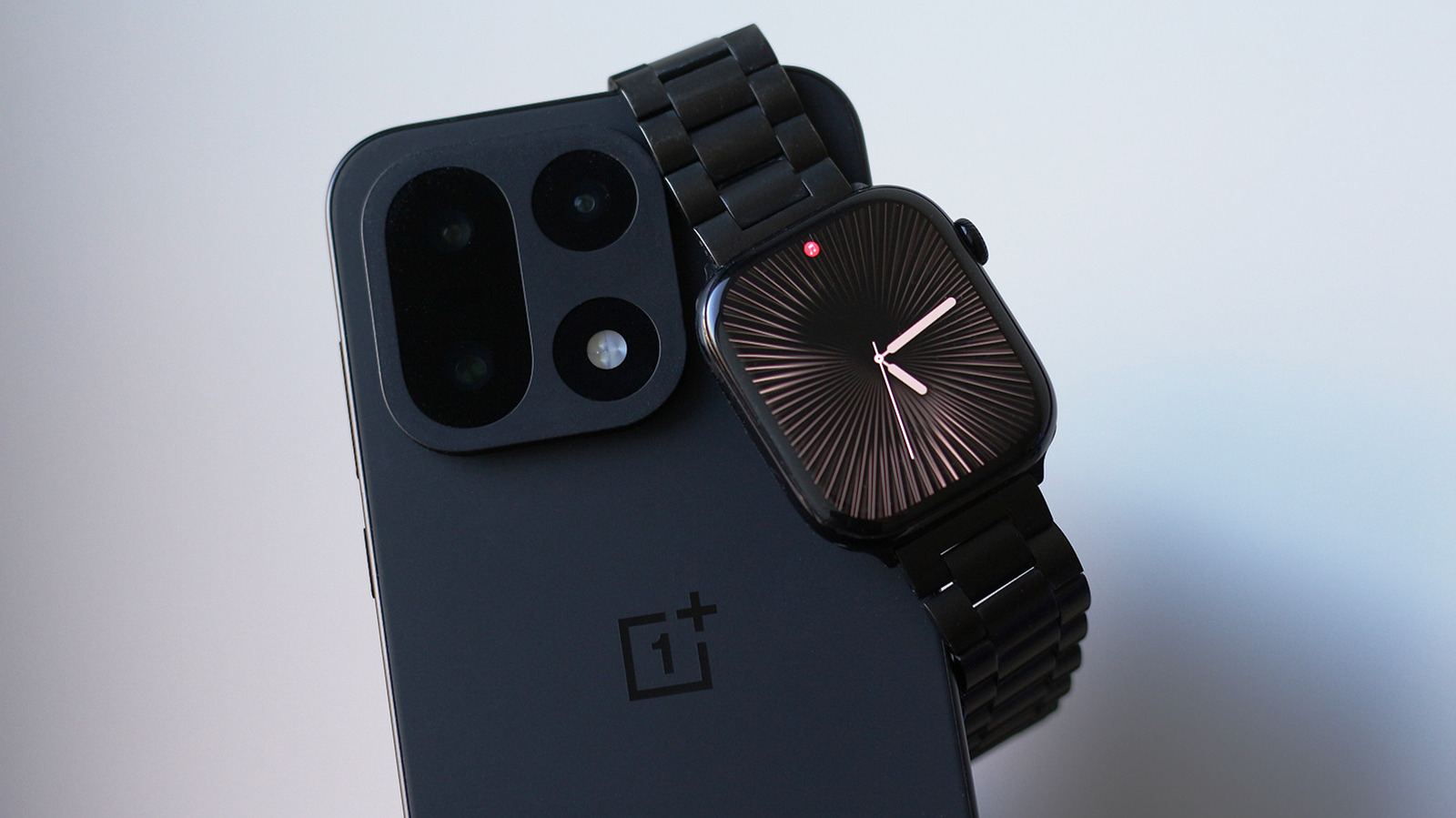
This App Lets You Use An Apple Watch With An Android Phone

It’s a fairly straightforward experience. But since it offers several launch and customization options, here’s a quick breakdown on getting started and tweaking it to your liking.

How to turn on and open Accessibility Reader

The Accessibility Reader settings toggle on macOS.

Activating the feature is the same on any Apple device. Go to Settings > Accessibility > Read & Speak, and turn on Accessibility Reader. (It’s at the very top.) Once you’ve done that, there are several ways to launch the tool.

Accessibility Shortcut (iOS / iPadOS / visionOS)

Triple-click the lock button. That’s the side button on iPhone and the top button on iPad and Vision Pro. (On older iPads, triple-click the Home Button.) This brings up the Accessibility Shortcut, which includes a quick-launch item for Accessibility Reader.

If you don’t need the other items in this menu, you can remove them at Settings > Accessibility > Accessibility Shortcut. Then, using the shortcut will immediately launch Accessibility Reader.

Control Center (iOS / iPadOS)

You can add a Control Center shortcut for the tool. Swipe down from the top-right to launch Control Center. Then, hold your finger on an empty part of the screen. Choose “Add a control” (bottom), and find the Accessibility Reader shortcut. You can now tap that Control Center icon whenever you want to launch it.

Keyboard Shortcut (macOS)

The default Accessibility Reader shortcut on Mac is Cmd-Esc. Or, customize it in Settings > Accessibility > Accessibility Reader by clicking the “i” next to the menu item.

Accessibility Shortcut (macOS)

The tool is also available as part of the Mac’s Accessibility Shortcut. You can launch this menu using a keyboard shortcut (Opt-Cmd-F5), by quickly pressing Touch ID three times or with a Control Center shortcut. (However, the above Cmd-Esc shortcut should be the simplest for most people.)

How to listen to text in Accessibility Reader

The tool also includes a text-to-speech (TTS) option. Once you’ve launched Accessibility Reader, listening is as simple as pressing the play button (▶). You can then use the pause (⏸) shortcut to take a break.

Other options include skipping backward or forward using the rewind or fast-forward symbols. There’s also a speed adjustment, which you can change by choosing the 1x button.

If you want the Reader to speak text automatically when it opens, you can do that, too. That option is found under Settings > Accessibility > Accessibility Reader. (On Mac, select the “i” symbol next to the menu entry to find this option.)

How to customize Accessibility Reader

It’s easy to adjust the font size, color, theme and more. Once you’ve launched Accessibility Reader, tap the customization (AA) button. There, you can change the theme, colors, font, line spacing and much more.

Credit: Source link

ShareTweetSendSharePin

Related Posts

TikTok Will Pay Alabama 0 Million To Settle Social Media Addiction Lawsuit
AI & Technology

TikTok Will Pay Alabama $100 Million To Settle Social Media Addiction Lawsuit

September 26, 2026
This App Lets You Use An Apple Watch With An Android Phone
AI & Technology

This App Lets You Use An Apple Watch With An Android Phone

September 26, 2026
These Xbox Players Got GTA 6 For Free The Hard Way
AI & Technology

These Xbox Players Got GTA 6 For Free The Hard Way

September 26, 2026
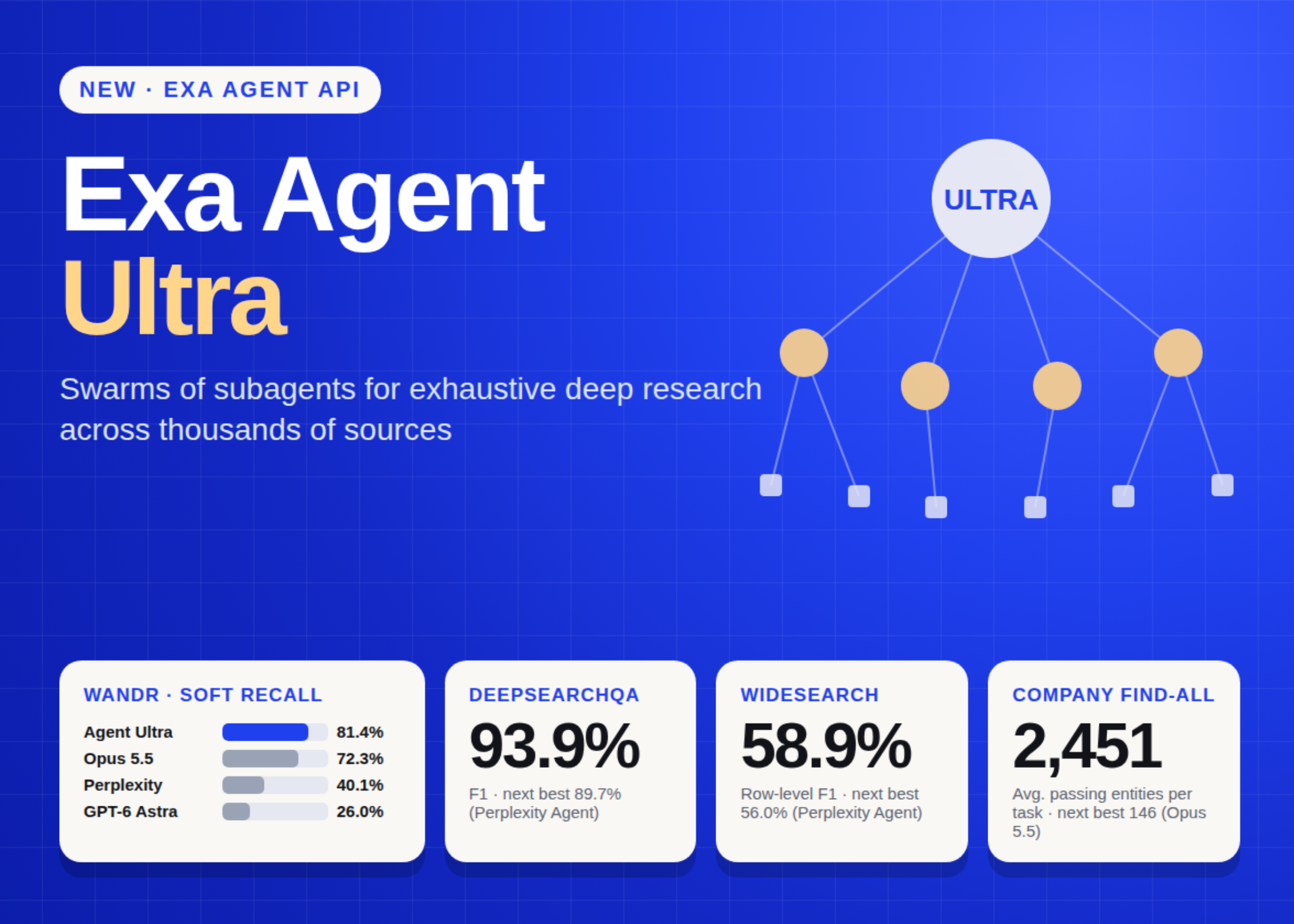
Exa Launches Agent Ultra: A Subagent Swarm Deep Research API Built for Exhaustive List Building
AI & Technology

Exa Launches Agent Ultra: A Subagent Swarm Deep Research API Built for Exhaustive List Building

September 26, 2026
Next Post
Trump says he supports a vote to release the Epstein Files

Trump says he supports a vote to release the Epstein Files

Leave a Reply Cancel reply

Your email address will not be published. Required fields are marked *

Search

No Result
View All Result
House GOP conference chair acknowledges ‘gas prices are not where we want them to be’

House GOP conference chair acknowledges ‘gas prices are not where we want them to be’

September 20, 2026
Line forms outside Lindsay Clancy trial

Line forms outside Lindsay Clancy trial

September 22, 2026
Plane crash in remote region of Alaska leaves 8 dead

Plane crash in remote region of Alaska leaves 8 dead

September 25, 2026

About

Learn more

Our Services

Legal

Privacy Policy

Terms of Use

Bloggers

Learn more

Article Links

Contact

Advertise

Ask us anything

©2020- TradePoint.io - All rights reserved!

Tradepoint.io, being just a publishing and technology platform, is not a registered broker-dealer or investment adviser. So we do not provide investment advice. Rather, brokerage services are provided to clients of Tradepoint.io by independent SEC-registered broker-dealers and members of FINRA/SIPC. Every form of investing carries some risk and past performance is not a guarantee of future results. “Tradepoint.io“, “Instant Investing” and “My Trading Tools” are registered trademarks of Apperbuild, LLC.

This website is operated by Apperbuild, LLC. We have no link to any brokerage firm and we do not provide investment advice. Every information and resource we provide is solely for the education of our readers. © 2020 Apperbuild, LLC. All rights reserved.

No Result
View All Result
  • Main
  • AI & Technology
  • Stock Charts
  • Market & News
  • Business
  • Finance Tips
  • Trade Tube
  • Blog
  • Shop

© 2023 - TradePoint.io - All Rights Reserved!