• bitcoinBitcoin(BTC)$84,738.000.90%
  • ethereumEthereum(ETH)$2,697.840.51%
  • tetherTether(USDT)$1.000.00%
  • binancecoinBNB(BNB)$778.801.06%
  • rippleXRP(XRP)$1.541.38%
  • usd-coinUSDC(USDC)$1.000.00%
  • solanaSolana(SOL)$123.211.92%
  • tronTRON(TRX)$0.334243-0.59%
  • zcashZcash(ZEC)$1,611.202.96%
  • Figure HelocFigure Heloc(FIGR_HELOC)$1.062.85%
  • HyperliquidHyperliquid(HYPE)$92.050.38%
  • dogecoinDogecoin(DOGE)$0.0975910.51%
  • chainlinkChainlink(LINK)$14.14-0.14%
  • moneroMonero(XMR)$547.28-1.18%
  • whitebitWhiteBIT Coin(WBT)$84.480.81%
  • USDSUSDS(USDS)$1.000.00%
  • cardanoCardano(ADA)$0.2564750.69%
  • RainRain(RAIN)$0.012586-3.96%
  • leo-tokenLEO Token(LEO)$9.050.90%
  • stellarStellar(XLM)$0.217471-0.05%
  • nearNEAR Protocol(NEAR)$5.3911.95%
  • bitcoin-cashBitcoin Cash(BCH)$335.98-0.03%
  • uniswapUniswap(UNI)$9.792.31%
  • litecoinLitecoin(LTC)$71.34-0.41%
  • CantonCanton(CC)$0.1383223.50%
  • suiSui(SUI)$1.279.60%
  • Ethena USDeEthena USDe(USDE)$1.000.01%
  • avalanche-2Avalanche(AVAX)$11.042.40%
  • the-open-networkGram (prev. Toncoin)(GRAM)$1.675.40%
  • daiDai(DAI)$1.000.01%
  • USD1USD1(USD1)$1.00-0.01%
  • hedera-hashgraphHedera(HBAR)$0.0947261.47%
  • BittensorBittensor(TAO)$328.602.19%
  • shiba-inuShiba Inu(SHIB)$0.0000060.18%
  • crypto-com-chainCronos(CRO)$0.0675112.89%
  • BitwayBitway(BTW)$1.2012.90%
  • Global DollarGlobal Dollar(USDG)$1.000.00%
  • EthenaEthena(ENA)$0.2890996.33%
  • paypal-usdPayPal USD(PYUSD)$1.000.00%
  • MemeCoreMemeCore(M)$1.21-0.14%
  • quant-networkQuant(QNT)$187.0156.02%
  • OndoOndo(ONDO)$0.553.14%
  • tether-goldTether Gold(XAUT)$4,279.610.04%
  • okbOKB(OKB)$121.620.64%
  • Ripple USDRipple USD(RLUSD)$1.000.00%
  • Circle USYCCircle USYC(USYC)$1.140.00%
  • aaveAave(AAVE)$155.790.86%
  • Pump.funPump.fun(PUMP)$0.00500113.00%
  • BlackRock USD Institutional Digital Liquidity FundBlackRock USD Institutional Digital Liquidity Fund(BUIDL)$1.000.00%
  • Ondo US Dollar YieldOndo US Dollar Yield(USDY)$1.150.20%
TradePoint.io
  • Main
  • AI & Technology
  • Stock Charts
  • Market & News
  • Business
  • Finance Tips
  • Trade Tube
  • Blog
  • Shop
No Result
View All Result
TradePoint.io
No Result
View All Result

How to cancel your Spotify subscription

October 25, 2025
in AI & Technology
Reading Time: 4 mins read
A A
How to cancel your Spotify subscription
ShareShareShareShareShare

Spotify recently came under fire for running recruitment ads for ICE, which ask users to “join the mission to protect America” and to “fulfill [their] mission,” in the US. Despite music labels calling on the streaming service to stop serving ICE recruitment ads, Spotify doubled down. A spokesperson for the company told The Independent that the ads are “part of a broad campaign” by the US government running across different channels and that they do not violate its policies. The spokesperson advised users to just mark ads with a thumbs up or down so that the app can learn their preferences.

In addition, several artists have pulled their music from Spotify recently over its CEO’s, Daniel EK’s, investments in European defense tech firm Helsing. The defense company builds drones, aircraft and submarines, and it also sells AI software that can analyze sensor and weapons data from battlefields. Spotify has been facing backlash for its payout rates, which artists argue are unfair and lower than what other services pay, over the past few years as well.

YOU MAY ALSO LIKE

Why The iPhone Duo Could Be Beneficial For Samsung’s Galaxy Z Fold 8

How To Improve Your Router’s Security In 10 Minutes

So if you want to cancel Spotify, whether for any those reasons or another one altogether, you can follow the instructions below.

How to cancel via web:

1. Log into your Spotify account in your browser.

2. Go to Account in the dropdown menu that shows up when you click on your Profile.

3. Find Cancel Subscription under the Subscription section.

4. Spotify will tell you that you’ll hear ads every 15 minutes on a free account, along with the date when your premium access will end. Click “Continue to cancel” at the bottom of the screen.

If you’re on mobile, make sure to request the desktop site after you log into your account on your mobile browser. Take note that if you’re part of a Spotify Family or Duo plan, only the plan manager will be able to cancel your subscription altogether. If you follow the same steps above as a member, you’ll only remove your account from the plan, but the manager will continue paying for it.

How to cancel via third-party provider:

If you pay for your subscription through third-party providers, you can follow these instructions instead.

Cancel via Google

1. Fire up the Google Play app and tap on the icon for the account you use.

2. Go to Payments & subscriptions.

3. Tap on Subscriptions.

4. Find Spotify among your subscriptions and tap on it.

5. Tap on Cancel Subscription at the bottom of the screen, select a reason for cancellation and confirm it.

Cancel via Apple

1. Go to Settings in your iPhone or iPad.

2. Tap on your name and go to Subscriptions.

3. Find Spotify and go through the cancellation process.

Cancel via carrier

Instructions for this may vary, depending on your carrier. Generally, however, you can follow these steps.

1. Log into your carrier account on its website.

2. Find the option to manage your subscriptions under your account.

3. Find Spotify and go through the cancellation process.

What happens after you cancel

You’ll still have access to Spotify’s premium features until your next billing cycle begins. That means you still won’t encounter ads and will have access to offline downloads, as well as unlimited skips and higher audio quality. You’ll be able to access your Spotify library even with a free account, but if you want to find another streaming service to pay for, you can check Engadget’s list of best music streaming services in 2025.

Credit: Source link

ShareTweetSendSharePin

Related Posts

Why The iPhone Duo Could Be Beneficial For Samsung’s Galaxy Z Fold 8
AI & Technology

Why The iPhone Duo Could Be Beneficial For Samsung’s Galaxy Z Fold 8

September 27, 2026
How To Improve Your Router’s Security In 10 Minutes
AI & Technology

How To Improve Your Router’s Security In 10 Minutes

September 27, 2026
Humanoid Robots Are Getting Even Creepier (This One Can Cry On Command)
AI & Technology

Humanoid Robots Are Getting Even Creepier (This One Can Cry On Command)

September 27, 2026
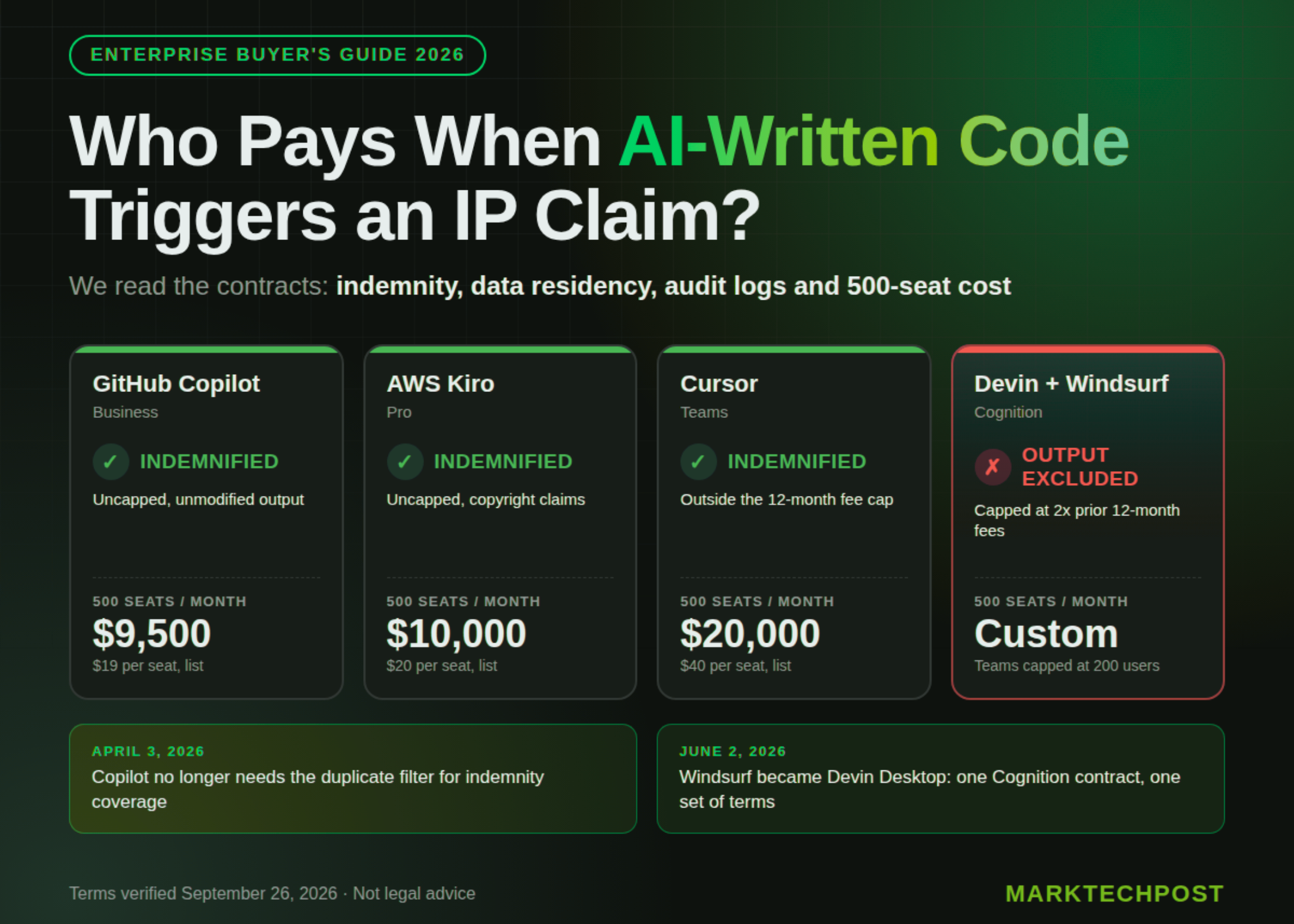
AI Coding Agents for Enterprise: IP Indemnity, Data Residency and 500-Seat Cost Compared
AI & Technology

AI Coding Agents for Enterprise: IP Indemnity, Data Residency and 500-Seat Cost Compared

September 27, 2026
Next Post
Doctor explains how Israeli hospital is preparing to treat freed hostages from Gaza

Doctor explains how Israeli hospital is preparing to treat freed hostages from Gaza

Leave a Reply Cancel reply

Your email address will not be published. Required fields are marked *

Search

No Result
View All Result
The unspoken testimony in the Lindsay Clancy trial

The unspoken testimony in the Lindsay Clancy trial

September 21, 2026
NBC Nightly News with Tom Llamas Full Episode – Aug. 26

NBC Nightly News with Tom Llamas Full Episode – Aug. 26

September 22, 2026
End-to-End Multimodal Data Augmentation and Adversarial Robustness Benchmark with AugLy for Images, Text, Audio, and PyTorch

End-to-End Multimodal Data Augmentation and Adversarial Robustness Benchmark with AugLy for Images, Text, Audio, and PyTorch

September 26, 2026

About

Learn more

Our Services

Legal

Privacy Policy

Terms of Use

Bloggers

Learn more

Article Links

Contact

Advertise

Ask us anything

©2020- TradePoint.io - All rights reserved!

Tradepoint.io, being just a publishing and technology platform, is not a registered broker-dealer or investment adviser. So we do not provide investment advice. Rather, brokerage services are provided to clients of Tradepoint.io by independent SEC-registered broker-dealers and members of FINRA/SIPC. Every form of investing carries some risk and past performance is not a guarantee of future results. “Tradepoint.io“, “Instant Investing” and “My Trading Tools” are registered trademarks of Apperbuild, LLC.

This website is operated by Apperbuild, LLC. We have no link to any brokerage firm and we do not provide investment advice. Every information and resource we provide is solely for the education of our readers. © 2020 Apperbuild, LLC. All rights reserved.

No Result
View All Result
  • Main
  • AI & Technology
  • Stock Charts
  • Market & News
  • Business
  • Finance Tips
  • Trade Tube
  • Blog
  • Shop

© 2023 - TradePoint.io - All Rights Reserved!